

48: Prioritize Missions

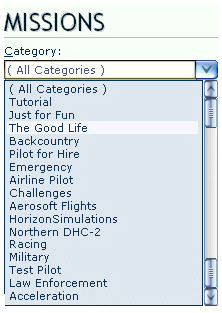
Mission Categories are seldom displayed in proper order, especially after new Missions have been added.

Here’s how to prioritize Mission Categories as one desires.

Inside the Categories folder of FSX system, there should be XML files similar to what is shown below.

Each of these XML files contains one or more Mission Categories that were created by FSX or when addons were installed. The alphabetical order of these files also determines how Mission Categories will ultimately displayed in FSX.
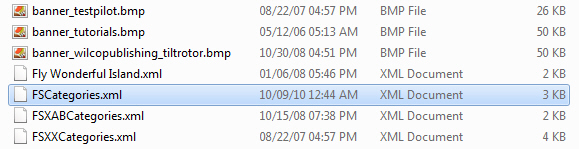
Folder Location: X:\Microsoft Flight Simulator X\Categories

Continue reading

19: Less CPU Core is More FPS

If allocating more CPU cores to FSX will bring higher frame-rates sounds logical,  the findings from recent experiments show a different result.

By applying different numbers to the AffinityMask command in fsx.CFG file, frame-rates achieved vary significantly.  And most important, allocating more cores to FSX (including default setting without AffinityMask) doesn’t necessarily mean that framerate will be subsequently higher.

My CPU is an i7 930.  After many testings, setting AffinityMask to:

AffinityMask=20 (00010100; two cores) generates the highest framerate

AffinityMask=84 (01010100; three cores) generates the second best FPS performance

However, setting to use fewer CPU cores will lengthen the time to load all FSX session, especially when a system has installed many complicated add-ons.

Continue reading

18: Redefine ATC Window Size and Position

The window of ATC by default is quite large.  Although it can be resized and repositioned as desired and remains applicable during the flight-simming period, it will revert back to the default situation when FSX is exit.

To change the default size and position of ATC permanently:

  1. Open the default flight (or any flight) in FSX
  2. Activate ATC
  3. Resize and reposition the ATC window as desired
  4. Save the flight as default again
  5. Restart FSX

The ATC window will start with the new size and position just defined from now on.

09: Disable Unwanted Airplanes

There are certain aircrafts we may not want to display in FSX at all.  Besides uninstalling them from the system, we can go to the SimObjects folder and

1)
Rename the “panel” folder to “panel-0” to disable all aircrafts under the same group; or

2)
Open aircraft.cfg and change the “panel=” of specific aircrafts to “panel=0” to hide them from showing up.