
Found two videos on YouTube comparing results among different graphics settings.
Suggested optimizations Continue reading
Found two videos on YouTube comparing results among different graphics settings.
Suggested optimizations Continue reading
UI fonts in FS2024 are undesirably big, especially on smaller monitors. A new free addon “MSFS2024: Inteface Scale Option” by Cygnific on flightsim.to allows users to scale down the fonts effectively.
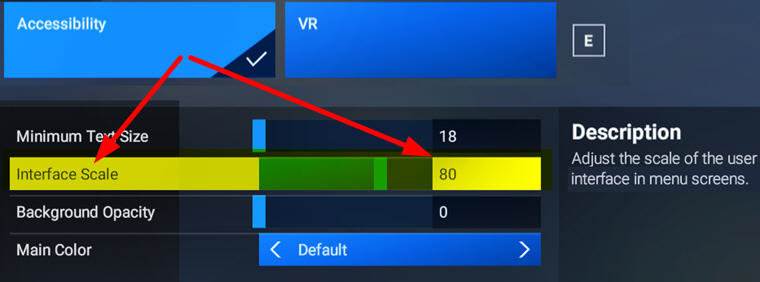
A very useful tool Continue reading
One of the many confusions FS2024 brought to me, as a long-time flightsim user, is the changing of many widely used FSX/P3D/FS2020 hotkeys and commands.
For example the Toggle ATC Panel action, it took me a while to figure out that I need to change to use the new “Open Communications Panel” command instead of 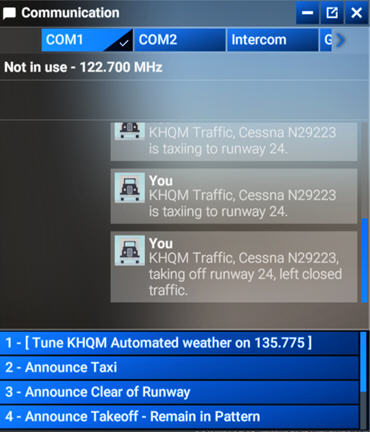 the previous “Display ATC”. Because the latter now can only open the panel but not close it.
Similarly bad, due to the minimum size of the UI texts used in FS2024 is still relatively big and the ATC panel is unable to resize vertically, only four choices can now be listed.
In other words, we are forced to use the mouse to scroll forward and backward on the narrow scroll-bar many times if we want to see all the options available.
This is awfully clumsy and not user-friendly at all, not even to the X-Box platform.
I know complaining won’t help change what has happened. Continue reading
FS2024 allows the use of FS2020 addons. But we have to enable them manually in My Library. Otherwise, they won’t show up.
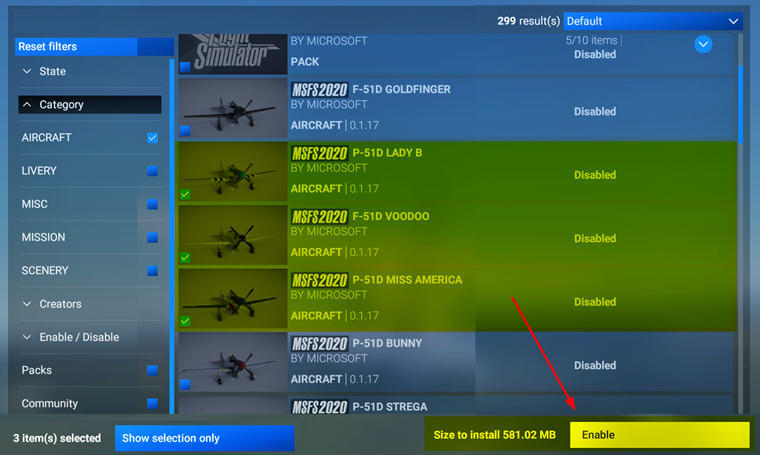
This applies to third-party addons, such as aircraft, scenery, etc., we purchased from Steam or MS Store directly, as long as they are compatible and available.
Addons purchased from other stores Continue reading
In FS2024, there’s not only coming with a keyboard file structure very different from the one in FS2020, many of its commands and hotkeys are different, too.
I must say re-adapting to the new keyboard usages is one of the greatest annoyances I don’t want to deal with.
Fortunately, Asobo is considered enough to include an FS2020-style keybaord set to make my life easier, even though it is not 100% compatible due to new features and functions added to the simulator.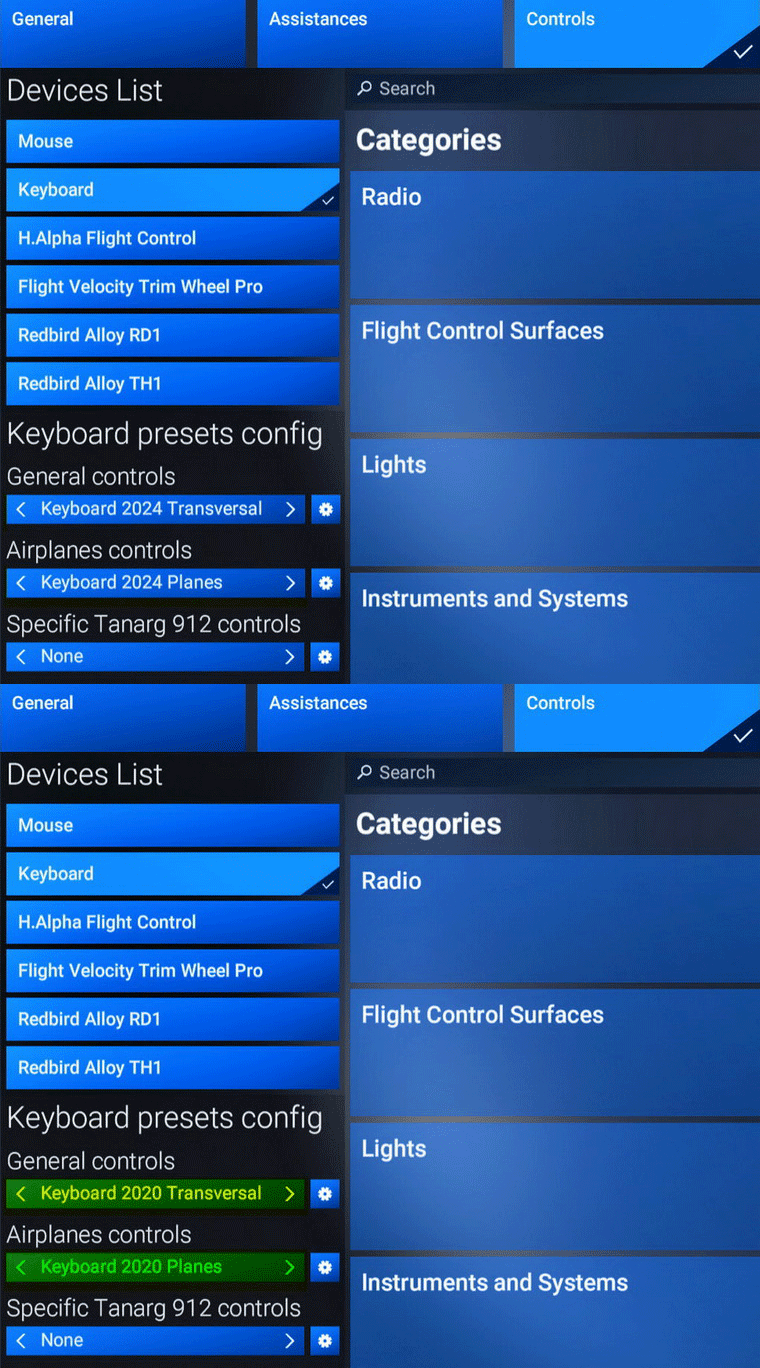
What I do is to Continue reading
By default, the FS2024 Community Folder is created under:
“C:\Users\Tom\AppData\Roaming\Microsoft Flight Simulator 2024\Packages\”
There are two ways to relocate it to another directory of your choice for easy access.
1)
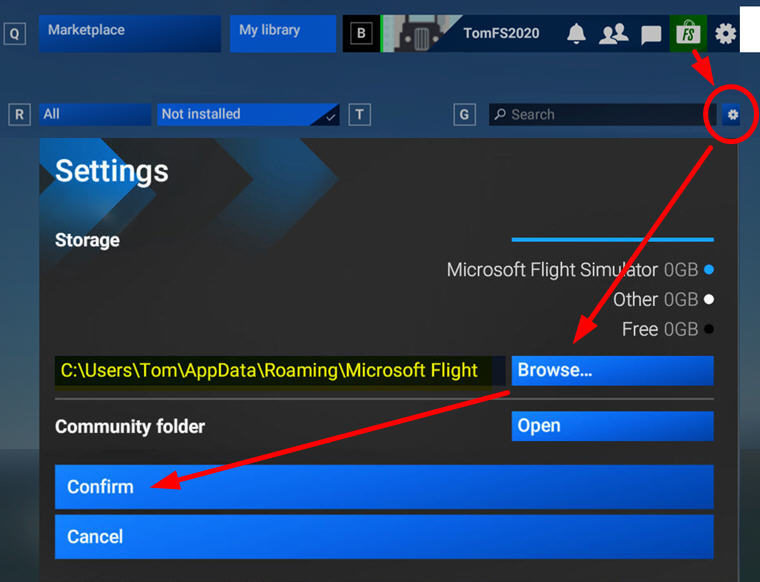
Go into Market Place, click the Setting Icon, then Browse for and Confirm the directory of your choice to be the new Community folder for FS2024. I am using “F:\FS2024”
2)
Go to “C:\Users\Tom\AppData\Roaming\Microsoft Flight Simulator 2024” directory
I have both MSFS 2020 and 2024 installed on F:\Drive of my computer. Followings are my mostly accessed folders during configurations and modifications.
FS2020
F:\Steam\steamapps\common\MicrosoftFlightSimulator
FS2024
F:\Steam\steamapps\common\Limitless
The hazy atmospheric effect in FS2024 is even worst than FS2020 IMO, making the scenery dull and pale. Fortunately, ReShade is still good for the new platform.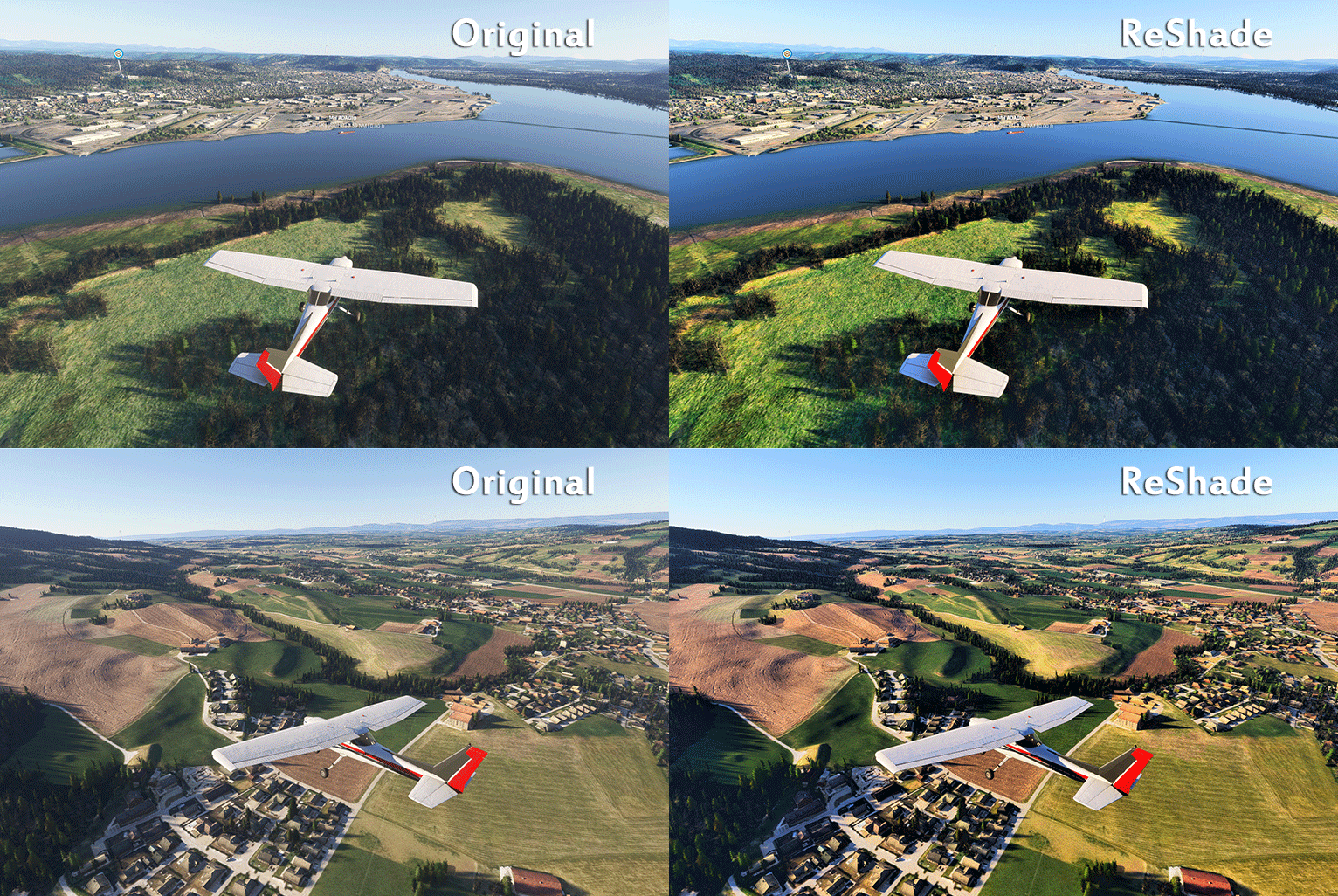 Better still, all my FS2020 ReShade settings can be applied onto FS2024 with no issue. That comforts me a lot while playing the sim with so many bugs to be fixed.
Here’s my current Continue reading
If you have many custom cameras set up for aircraft in FS2020, you can make use of them immediately in FS2024 via simple copy-and-paste.
In FS2020, the custom cameras are stored under specific aircraft folders beneath the following directory path:
C:\Users\[UserName]\AppData\Roaming\Microsoft Flight Simulator\SimObjects\Airplanes\
In FS2024, the path is similar:
C:\Users\[UserName]\AppData\Roaming\Microsoft Flight Simulator 2024\SimObjects\Airplanes\
However, the custom camera folder structure of DEFAULT AIRCRAFT in FS2024 are now more complex than that in FS2020 (click below image to enlarge):
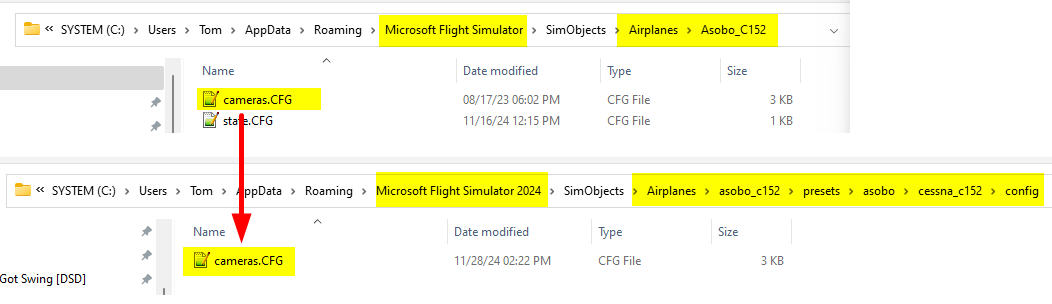 Therefore, we’ll need to pay extra attention to find out the correct folders when copying DEFAULT AIRCRAFT cameras to FS2024.
For THIRD-PARTY AIRCRAFT, Continue reading

