448: Affinity Mask Calculator

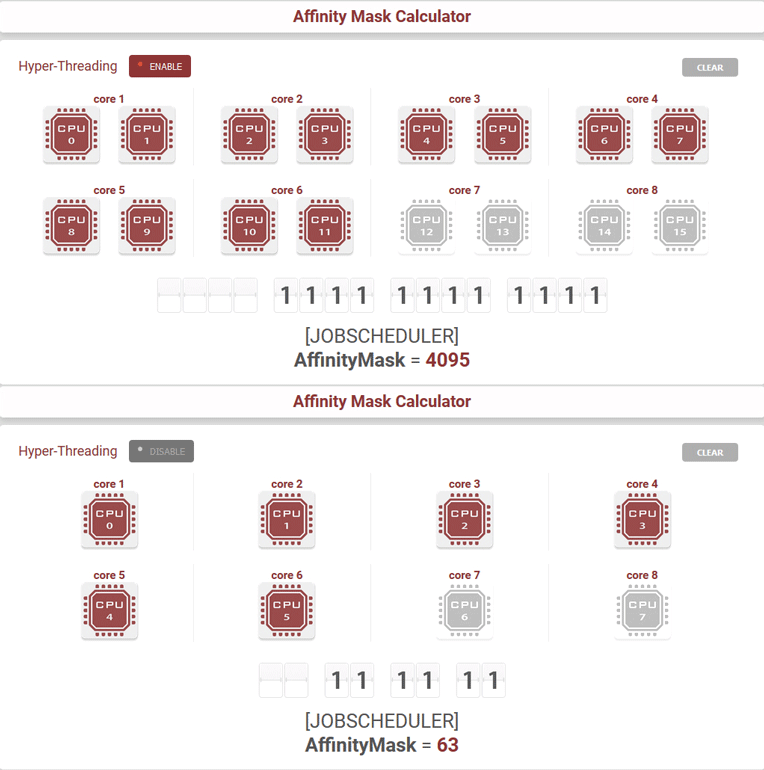
Affinity Mask is commonly recognized as one of the most useful features that allows flightsimmers to improve system performance by altering the combination of running CPUs assigned to the simulator.

Here’s my Affinity Mask Calculator (with redesigned interface) version that I hope it could give you some helps during your search for the best possible value.

Using the calculator is simple and intuitive — just select the CPUs you want to assign to FSX or Prepar3D based on: Continue reading

416: Find the Pits in Your System

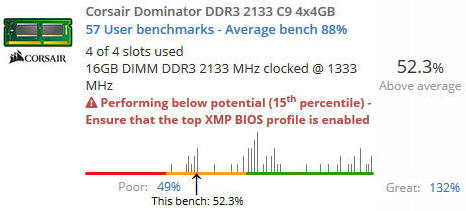
Are you sure you have your system set up properly?   I thought I did until two days ago I found out that my 2133 MHz memory actually had been running at standard 1333 MHz for over a year.
Obviously I somehow missed the configuration the last time when I upgraded the system BIOS.  And too bad I didn’t aware of it at all.

The problem was spotted by a free utility Continue reading

406: Saitek Driver Toggler

As mentioned in my Post 380 back in mid-September last year, I was working on a utility that would allow the toggling of the ON/OFF status of the Saitek Driver because SPAD.neXt requires the Saitek Driver to be removed (or unloaded) from the system in order to run properly.

Here it comes at last and I call the utility “SToggler” (abbr for fsx_times_saitektogglerSaitek Driver Toggler“).  Edit: The utility has been updated and renamed as FIP Driver Toggler.   It is compatible with either Saitek or Logitech FIP drivers now.

The utility was designed to serve my needs to keep both Saitek and SPAD.neXt drivers on my system and at the same time could be selectively used when either of them was called up without interfering the other.

What the utility does when executes: Continue reading

372: A Precaution to Avoid Burnt

As I replied to some friends, my Post 369: Aerofly is Good but Be Careful was by no mean to scare anybody who is interested in the new simulator.   The post simply states a fact that my card was burnt during the game and gives my personal comment to others who are using or are intending to use the software.

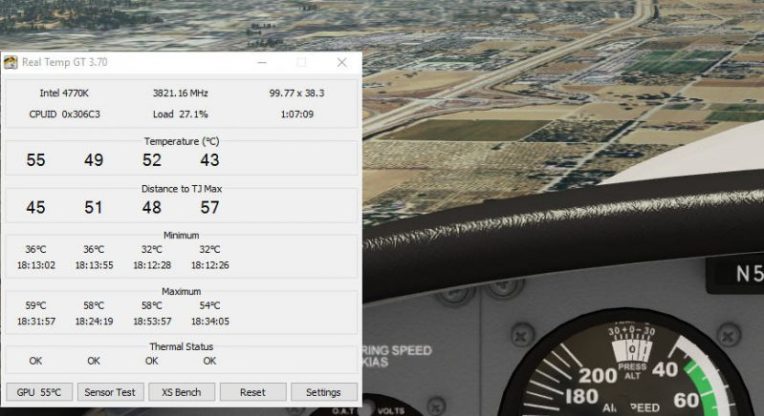
To play safe, I have installed Real Temp to monitor the CPU and GPU status of my computer.   The utility can be configured to stay on top of all displays.
I used to run Real Temp Continue reading

333: Switching Between Gauges

With the addition of the new A36 and the coming B58 Gauge Series, a friend Steve (and others) who asks:

After installation, what’s the prefered method for choosing between the A36 gauges and the C172 gauges, when going back and forth? Will the C172 gauges remain the default, and then you just scroll through the gauge choices on each individual gauge using the FIP up/down arrows to bring up the A36 gauges?

Here’s the solution:

The switching in the video is Continue reading

330: FIP Toolkit is now P3D Compatible

Alexey has just reported that the GPS support for Prepar3D is pending for the moment due to some unexpected issues.   Fix will be provided once ready.

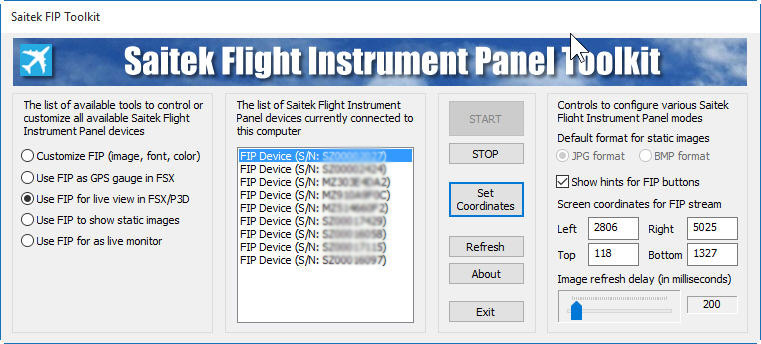
Alexey has just updated his FIP Toolkit and FIP Customizer.  The new FIP Toolkit, now P3D compatible, can correctly display serial numbers and device information and assign action to the device with defined serial number.

Do note that the new version requires the latest FIP drivers: 7.0.47.1 (or later) which can be downloaded from Saitek’s website.
FIP-Toolkit
To download the toolkit, just click on the image above, or click here.

To download the bug-fixed version of the FIP Customizer, click hereContinue reading

318: Another Network FIPs Start Up Approach

In response to the last article regarding Starting up Networked FIPs Locally, Michael Basler recommends another simpler and even more versatile approach.   Here’s the note from Michael:

==========

I start the simulator Continue reading

News: Shaders Cleaner is now P3Dv3 Compatible

A new version of the Shaders Cleaner has been added for Prepar3D v3.    Next update will handle systems installed with both version 2 and version 3.

Medecins Sans Frontieres (MSF) / Doctors Without Borders needs your support.


312: Make a Better World, Virtual and Real

Rebuilding shader cache is a commonly used method to fix many issues suddenly coming up without a proper cause in either FSX or P3D.  Shaders Cleaner helps clean Shader Cache right before the loading of FSX or P3D.
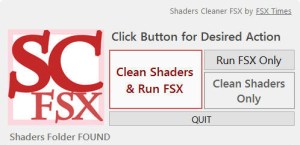
  

Anyone interested to get a copy the utility please make a donation to Medecins Sans Frontieres (MSF) / Doctors Without Borders so as to help those people out there needing the love and care from the medical humanitarian organization.

Proposed donation amount is USD 5.0 for either the FSX or P3D version of the utility, or USD 8.0 for both versions.   More are appreciated, of course.

To make your donation now, click here.   Or you can click on the Shaders Cleaner images above, and then click on the [DONATE NOW] button and forward your MSF donation receipt to me at tom.fsxtimes@gmail.com.  Do specify which version (FSX or P3D) of the utility you prefer.  Download link will be sent asap.

MSF_dual_English_SMALL1
What the world needs now is love.  Let’s give a hand to make a better world, no matter it’s virtual or real.