
My First Run took place in Concrete Mun 3W5 with framerate locks at 39, after the initial tunings from Part 1 and Part 2.
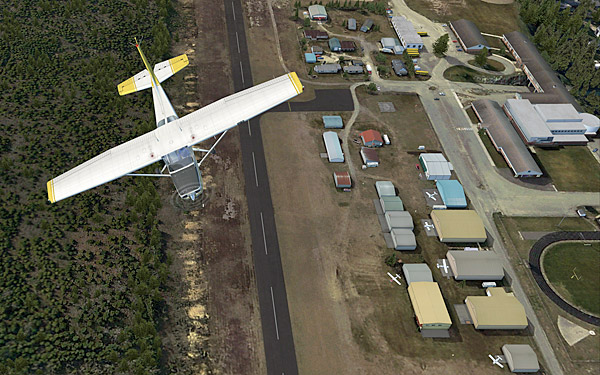
Before the actual flight, a few more adjustments were made directly in the fsx.CFG as follows: Continue reading
Tutorial
88: My FSX Tuning Part 2 – Display Card
After the initial setup in Part 1, the second thing to look at is now the display card because many issues of jagging, blurry, shimmering and stutter in FSX are all related to the settings of it.
My display card is an ASUS Matrix HD5870 over-clocked to 970MHz/5000MHz (default 894MHz / 4800MHz). Current Catalyst driver installed is 11.8.
The focus of display card setting is to get the best balance between image quality and game performance. The results below are decided based on many testings under various conditions. However, further changes may still be needed as the tuning process goes. Continue reading
87: My FSX Tuning Part 1 – Back to Basic
As stated in my last post regarding AMD 11.8 setting, due to the discrepancy to what I’ve been using for a long time, I’ve been re-tuning my whole system as if it was just newly installed. This is the first of a series of posts regarding my tuning process, and the objective of the first step to reset most of my system back to the state as if they were just installed.
STEP 1: Preparation
a) Backup fsx.CFG to fsx-Backup.CFG (c:\Users\<username>\AppData\Roaming\Microsoft\FSX)
b) Backup or capture images of the 3D Application Settings of the display card Continue reading
30: Flight Instrument Panel Tweak – Part 3
I got three Saitek’s Pro Flight Instrument Panels. They are good but expensive, too. Moreover, the more of this FIP are attached to a system, the more impact of it affects FSX’s performance.
Using earlier Tweak 1 and Tweak 2, my three Panels are setup as picture shown below, and each panel controls two related gauges:
AIRSPEED <—> RPM
ATTITUDE <—> DIRECTION
ALTITUDE <—> VERTICAL SPEED
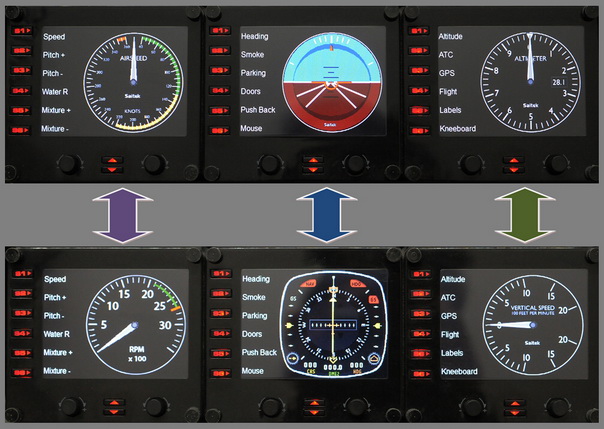
Under this arrangement, I can simply press the up and down buttons to easily access the six basic gauges on small planes I usually fly.
29: Flight Instrument Panel Tweak – Part 2
On each Pro Flight Instrument Panel (FIP), there are six physical buttons (S1 to S6) located on the left hand side of the LCD screen, which are predefined as:
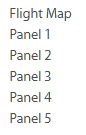
The functions of these buttons are defined in the SaiFlightSimX.xml file under C:\Program Files (x86)\Saitek\DirectOutput directory as described in Tweak 1 (see below).
28: Flight Instrument Panel Tweak – Part 1
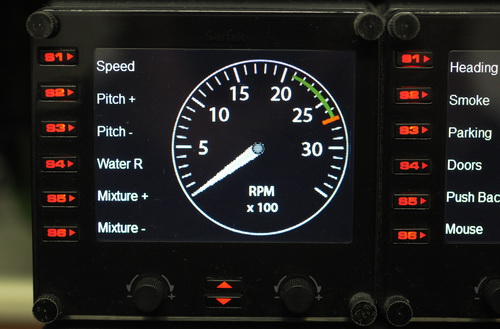
Saitek’s Pro Flight Instrument Panel (FIP) comes with an XML file that defines the order of gauges to be shown when starting up. The default order is:
Altimeter<-> Airspeed<-> Attitude
<-> Compass <-> Turn Indicator <-> Vertical Speed
This order is also true to the sequence of gauge starting when more than one FIP are included in the system. By editing the XML file, the order of the six gauges to be shown can be arranged as desired.
Here are the steps:

