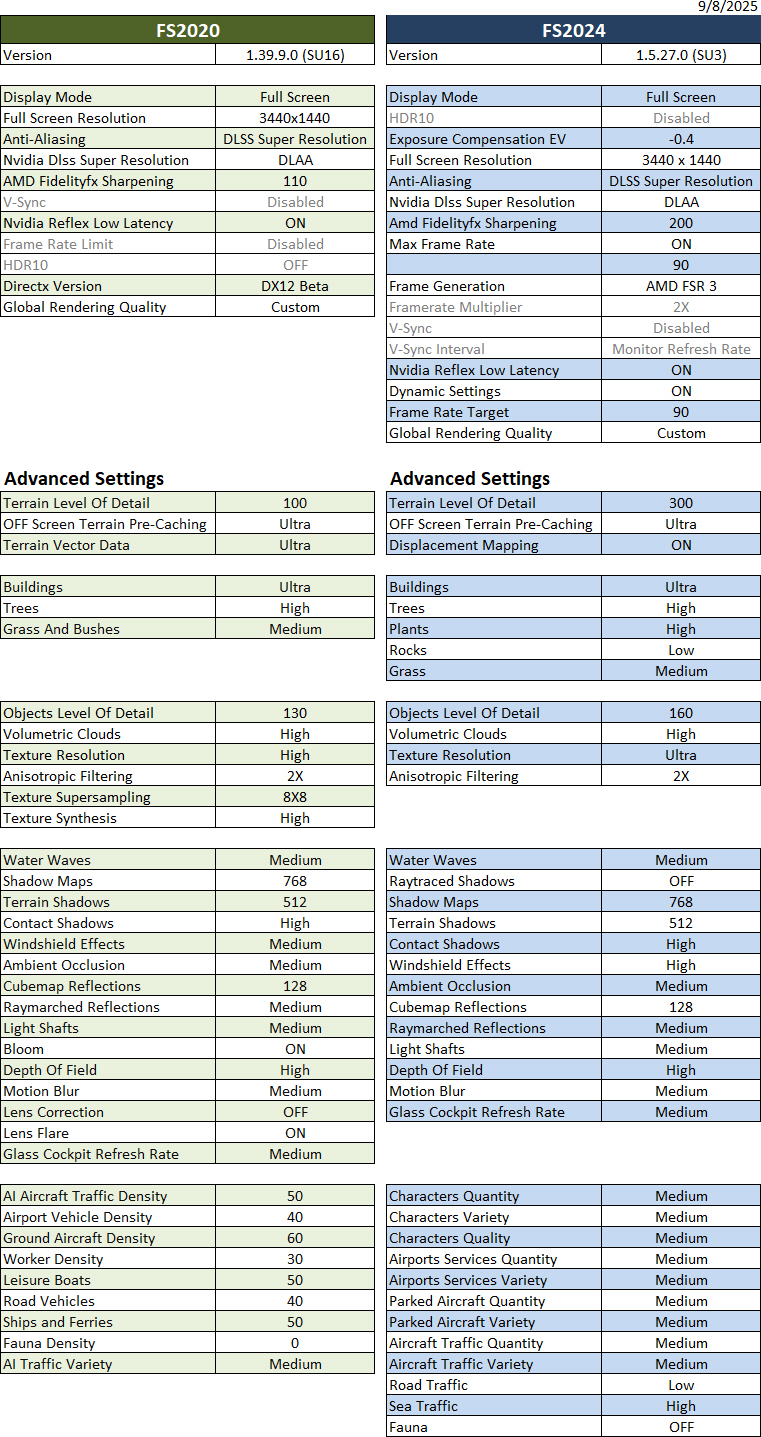
895: My MSFS Graphics Settings 25-0908

I have to admit that the latest SU3 (1.5.27.0) has pushed me closer to FS2024 from FS2020 a lot more than ever before.

Followings are my current FS2020 and FS2024 Graphics Settings after days of fine-tunings for optimum results. They give me a general stutter-free performance with FPS varying from 40 to 60 and 80 to 110 in FS2020 and FS2024 respectively.

Hardware of my system Continue reading

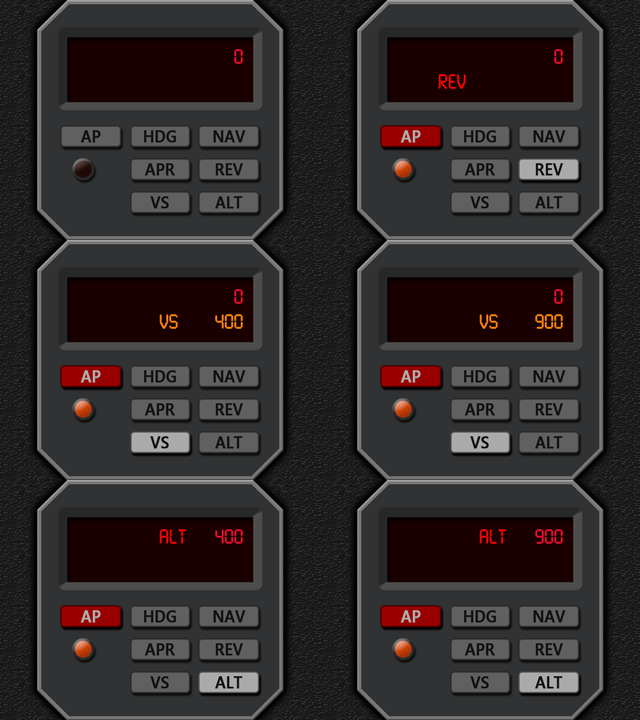
894: New Generic Autopilot Control

I’ve been thinking of some direct visual feedbacks to compliment the Realsimgear GFC500 autopilot control (APC) that I have.  Here comes at last the APC that I based on the Maule M7 model in FSX.

This full-function APC, in practice, can work alone and is good for any aircraft running standard MSFS commands. However, due to different design implementations and flight simulation platforms (MSFS2024, MSFS2020, P3D, & FSX), it may react a little different from aircraft-to-aircraft.

Moreover, third-party planes, such as the A2A PA24, Continue reading

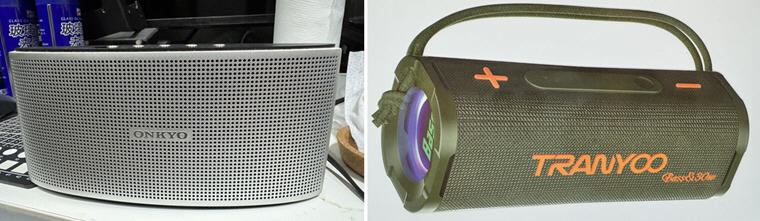
893: Bluetooth No-Sound Fix for MSFS

My Onkyo X3 Bluetooth Speaker recently broke down after nearly a decade’s service. I replaced it with a Tranyoo 30W speaker with bass enhancement. The speaker sounds very nice and well-fit to the small area under my monitor.

Oddly, while MSFS2024 is running, the speaker has no sound output from the simulator at all. The worst, the whole computer is muted with dead silent until MSFS2024 is quit. The speaker with MSFS2020 and other apps works perfectly without any issue.

After searching on the internet, the problem is said to be caused by a bug in MSFS that doesn’t compatible with the handsfree function on newer bluetooth devices.

Followings are the two fixes I applied to solve the no-sound issue: Continue reading

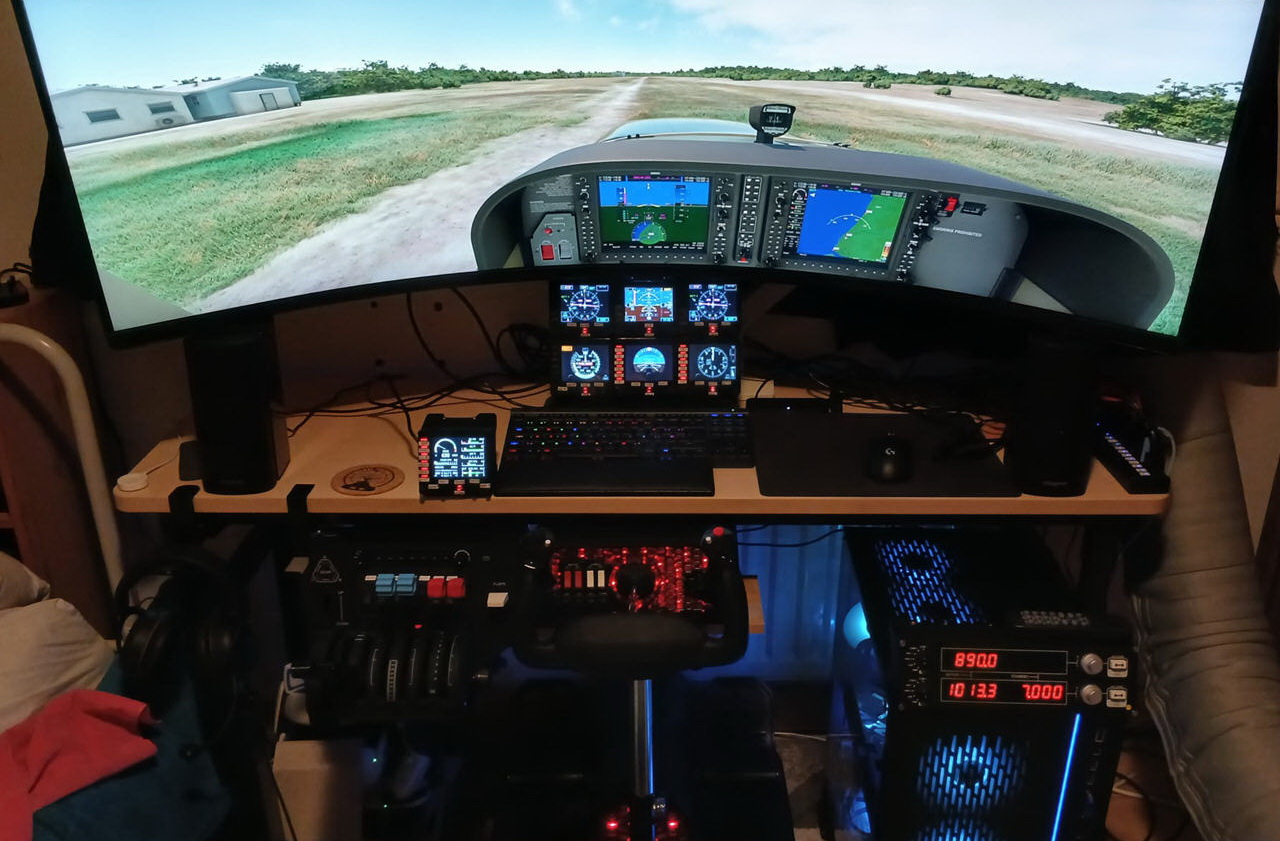
COCKPIT: GLENN (EGTB, UK)

Glenn in the UK once cleared his very large Logitech setup to basically zero. Now he comes back with a moderate setup that gives him almost complete control over the G1000 suite.

Builder: Glenn
Location: England/UK
ICAO: EGTB, Wycombe Air Park

Project Notes: Continue reading

892: You may need reinstalling MSFS2024

Many of you might have heard me complaining how MSFS2024 was buggy and not good to play since it launched last November.

Two weeks ago, I had it removed completely because neither its latest SU2 (official) nor SU3 (beta) were able to run at all. After the “Asobo Studio” logo showing up on the screen for a few seconds, the simulator crashed to desktop immediately.

It’s so maddening !

After trying various suggestions on the internet to no avail, I had no choice but to trash it. Continue reading

891: VOR2 Bug on XP12 C172SP

In addition to the EGT data handling differences on the INTFG (ENG) of my C172SP gauges in XP12, I found the VOR2 for C172SP stops functioning as well after the recent 12.2.0-r1 update. Thankfully, the VOR2 keeps working properly in XP11.

After investigation, I discovered the cause of the issue is due to the dataref codes used for VOR2 on the C172SP in XP12 have all been changed from pilot mode to copilot mode, making the necessary VOR2 data no longer fed to the gauge.
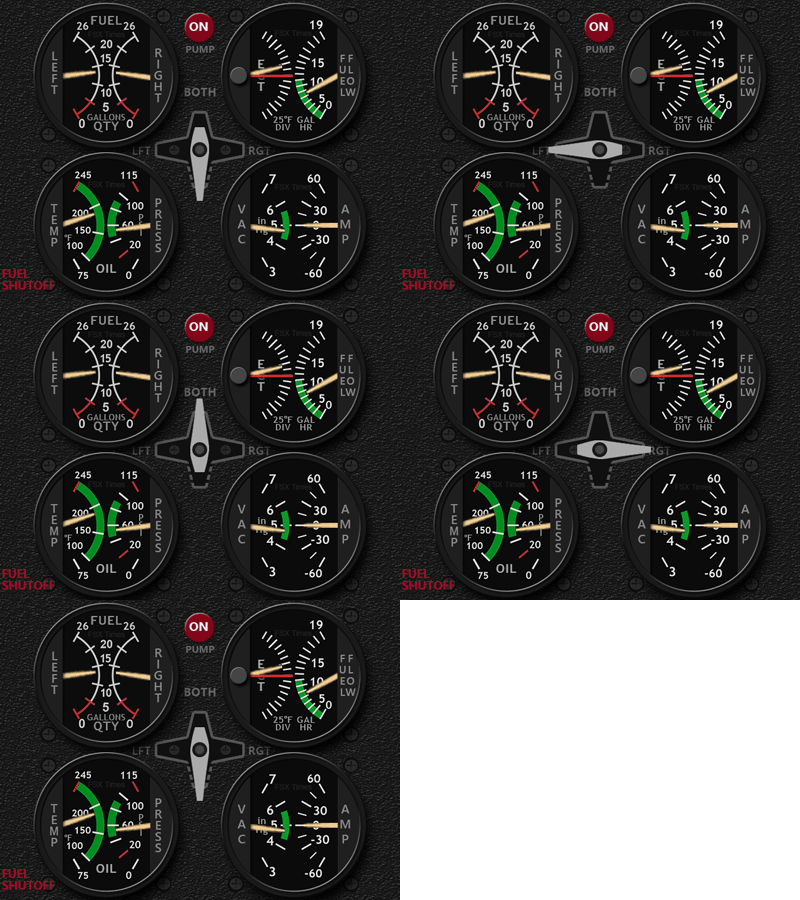
I was baffled by the issue in the beginning because I didn’t spot any anomaly from the virtual cockpit on the monitor screen Continue reading

890: FIPs stop working after SU3 Beta

After installing the MSFS 2024 SU3 Beta 1.5.10.0 update, all my Logitech Flight Instrument Panels (FIPs) stop working.

The displays are frozen and buttons and knobs are not responding at all neither to the Logitech MSFS FIP Plugins nor SPAD.neXt.

Going back to the MSFS 2024 official 1.4.20.0 version, all FIPs resume working normally.

Have reported the bug to Asobo.

Let me know if you encountered the same issue with the latest Beta Continue reading

889: XPL C172SP INTFG R1r04 Update

Due to differences in EGT data handling in XP12 on the C172SP, an additional modified INTFG (ENG) version is developed accordingly to address the change.

Download link for the extra XP12 version has been sent to all users prior to this post. It should be in the mailboxes of all users by now.

Should you have not received the mail, please check your spam folder first, and then contact me by email (tom.fsxtimes@gmail.com) or via the Comment Section below.

NOTE again that this version is for XP12 only. If you are running XP11, you don’t need to install it. Continue reading

888: Additional IAS Scales for G5 PFD

The additional IAS Scales for the Generic G5 PFD are now open for sale.  There are
five more new Scales (4 from BKSQ and 1 from Carenado) added to the list in the last couple of days.

There are more to come on my schedule and user suggestions are welcome.

The IAS Scales are sold on a user-selectable 4-pack basis.  All current G5 PFD users could contact me for a special discount if they are interested in this 4-Pack Offer.

But note again that these IAS Scales are designed for the latest G5 PFD R4r04, and to be used in MSFS (both FS2020 and FS2024) only. Continue reading