
Found two videos on YouTube comparing results among different graphics settings.
Suggested optimizations Continue reading
Found two videos on YouTube comparing results among different graphics settings.
Suggested optimizations Continue reading
UI fonts in FS2024 are undesirably big, especially on smaller monitors. A new free addon “MSFS2024: Inteface Scale Option” by Cygnific on flightsim.to allows users to scale down the fonts effectively.
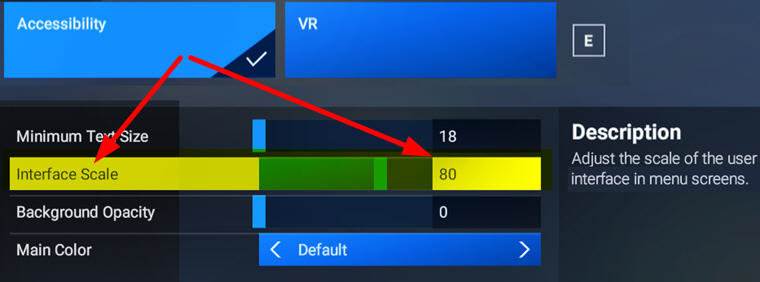
A very useful tool Continue reading
The file structure of Keyboard Control Commands in FS2024 is different from its predecessors. It is divided into two categories — the Airplane Controls Group and the General Controls Group. Hotkeys assigned to each group comes with an FS2020 version too, which allows users to choose either one or customize a combination they are familiar with according to their practices.
For quick reference, I compiled two tables showing all the Hotkeys for the two Control Command Groups, with their FS2020 equivalents listed next to them:


You can download Continue reading
One of the many confusions FS2024 brought to me, as a long-time flightsim user, is the changing of many widely used FSX/P3D/FS2020 hotkeys and commands.
For example the Toggle ATC Panel action, it took me a while to figure out that I need to change to use the new “Open Communications Panel” command instead of 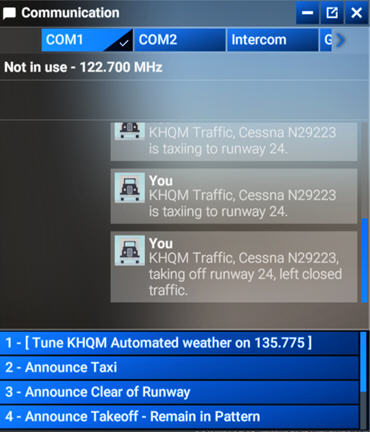 the previous “Display ATC”. Because the latter now can only open the panel but not close it.
Similarly bad, due to the minimum size of the UI texts used in FS2024 is still relatively big and the ATC panel is unable to resize vertically, only four choices can now be listed.
In other words, we are forced to use the mouse to scroll forward and backward on the narrow scroll-bar many times if we want to see all the options available.
This is awfully clumsy and not user-friendly at all, not even to the X-Box platform.
I know complaining won’t help change what has happened. Continue reading

No doubt, FS2024 has nicer terrain presentations, more realistic flight dynamics, and smoother performances under lower fps, in addition to many new features and improvements brought to the game over FS2020.
However, its user-interface and game management are more inclined to the X-box side. For example, the ATC panel I use a lot in FS2020 is now nearly unuseable — texts are big, number of options displayed are limited, panel frame is not resizable. The worst, it can only be closed by the mouse.
I’ve been trying to play FS2024 as much as possible these days, hoping that I could get used to its awkwardness as soon as possible. Unfortunately, I found the more I play it, the more I resist it.
I can’t help going back to FS2020 for comfortable flights.
I know FS2024 will get mature someday but if you are happy with FS2020 now, there’s really no need rushing to FS2024 at all. Wait for at least 3 more months to see what it improves. Continue reading
Here’s the current AimxyZ settings I am using for FS2020 and FS2024, which I found it more comfortable to my eyes when flying small aircraft.
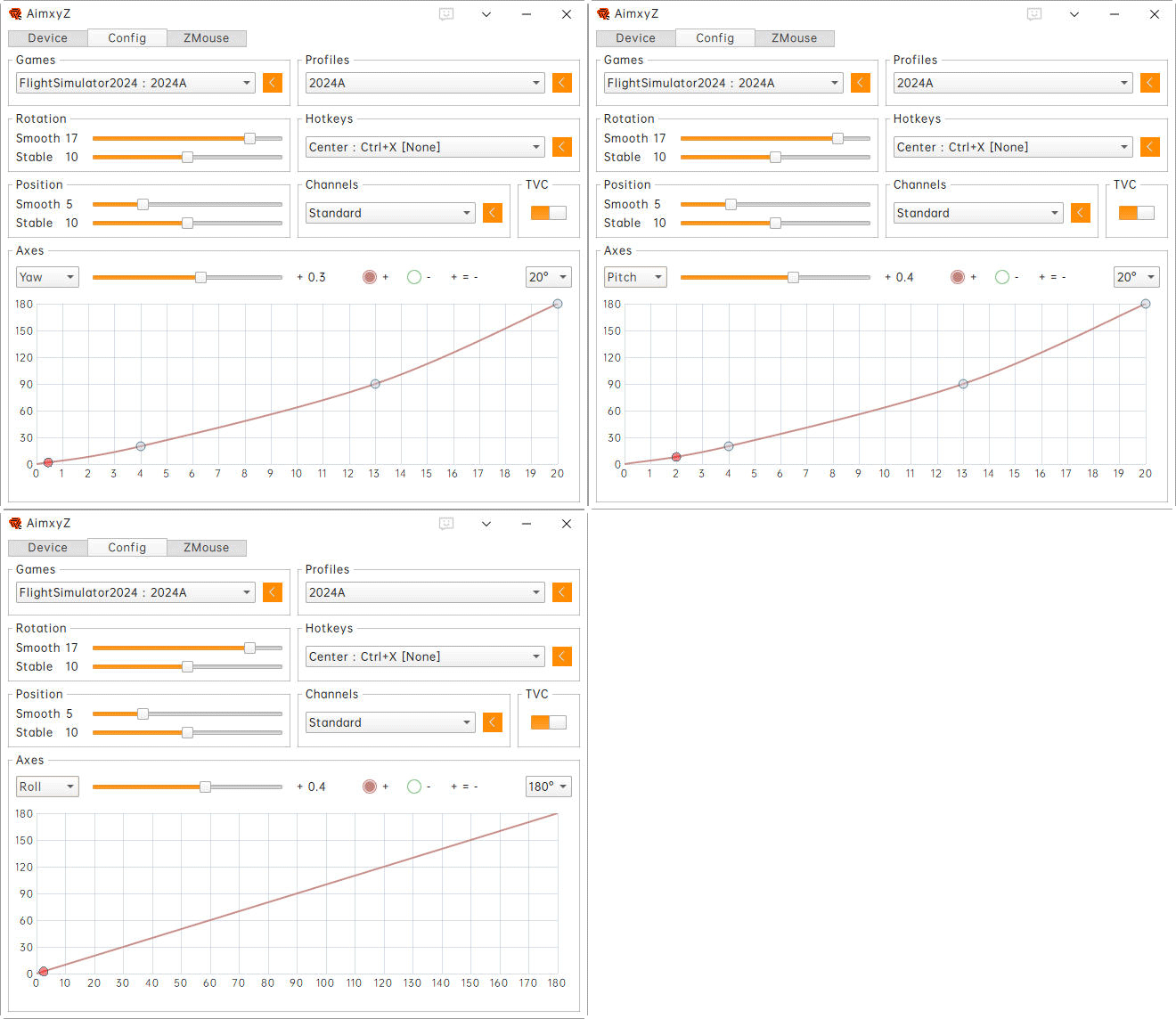
Here’s the default Continue reading
During P3D days, I built a 3-monitor system. I changed it to a single-monitor setup after switching to MSFS 2020 since the flight simulator in the first two years didn’t support multi-monitor function at all. I kept using one monitor up to today.
Within these single-monitor flightsim days, I used TrackIR for a brief period and gave it up due to its clumsiness with wires and clips. Since then, I’d been using the POV Hat Switch on the yoke for camera and focus pannings until two weeks ago.
I found an eye-tracking device called AimxyZ by a Chinese company. 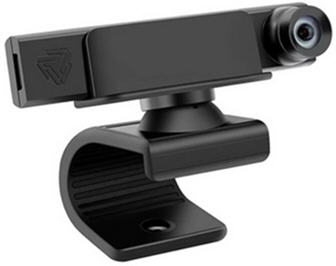 Probably some of you have already heard about it or may even be using it, because the product was actually in the market for over two years.
Unlike the TrackIR which uses a tracking transceiver and a passive or an active reflector, the AimxyZ comes with only one dedicated viewcam, thru which users can quickly translate their head movements to the simulators (or games) via the tracking software provided. Continue reading

