News: A2A C172 Manual Available

A2A Simulations has just set up a download link in its forum for the Pilot’s Manual of its coming C172 Trainer for people who are interested in the aircraft.   Check out the link here: Accu-sim C172 Trainer – Pilot’s Manual.  The 100-page manual contains a lot of information about C172.   The release date of the aircraft should be coming soon.

Update: Matthew Porter reported that the aircraft is now available:

http://www.a2asimulations.com/store/index.php?main_page=product_info&cPath=3&products_id=56
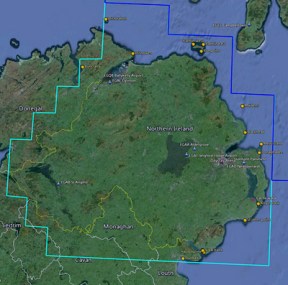
210: Maps – FTX Northern Ireland

Just purchased the FTX Northern Ireland to complete my UK collection after thinking for quite a while.  Followings are updated network links for my UK Google Earth maps.FTX EU NIR If you have installed the same links from previous posts, you will find the Northern Ireland data already included.
Airports: https://dl.dropboxusercontent.com/u/25018674/Google%20Earth%20Shared/EU%20-%20UK%20Airports%20FTX.kmz

POIs: https://dl.dropboxusercontent.com/u/25018674/Google%20Earth%20Shared/EU%20-%20UK%20POIs%20FTX.kmz

As always, it is recommended to just COPY the URLs and add them via Network Link in Google Earth so that updates can be immediately downloaded when available.

News: A2A C172 Trainer Development Videos

Came across these two videos from A2A Simulations on Youtube.   Quite impressive.  Worth a look if you haven’t seen them.

Continue reading

209: Improve FIP Smoothnesses

The default Gauge Timeout value that controls the refresh rate of Saitek’s Flight Instrument Panels (FIPs) inside SaiFlightSimX.xml file is 100.   Lowering the value could bring some improvements to the smoothness of the display on the device.

However, setting the value too low or at 0 could inversely impact not only the FIPs but also the performance of FSX.

<Gauge Timeout=”20” RootFolder=”Relative” File=”Gauges\AirSpeed.xml”>

I found 50 a good start and 20 a good balance.   Your mileage may vary, of course.

208: A “Light” Variation in RPM Indicator

If you are one of those who’s been waiting for the second mailing of my new C172 gauges, here’s something to cheer you up while counting your fingers for the day , especially if you own a Saitek Switch Panel.
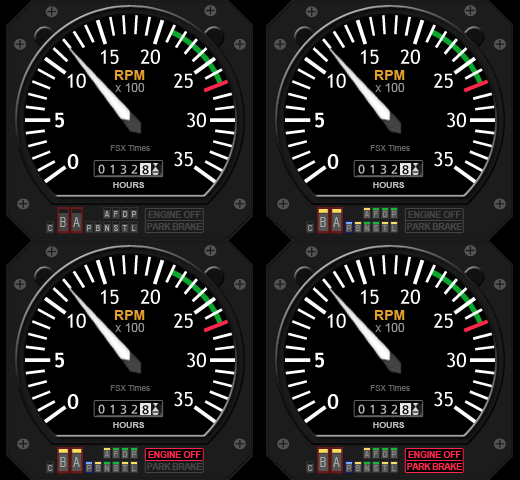
C172_RPMSw_130815
It’s commonly known that the biggest defeat of the Switch Panel is the lack of indicator lights for the associated switches.

Although I described how to replace some of the black-colored rocker switches with red-, white- and green-colored switches in Post 111, the operation of the panel is still far from ideal when used in the dark; not to the mention that only limited users have the components and skill to carry out the modification for the panel.

Continue reading

207: Five C172 Gauges on 3rd Anniversary Day

It’s Aug-15, 12am.

For those subscribers who already signed in for my earlier announced C172 Fuel Gauges, CONGRATULATIONS, you are not just getting one but a total of five C172 gauges on this 3rd Anniversary Day of FSX Times.   The links by email should be arrived at your mailbox while you are reading this post now.

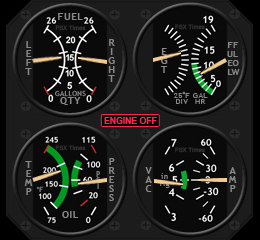
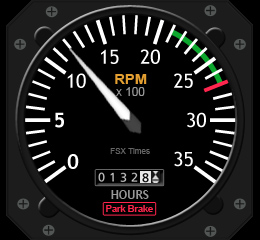
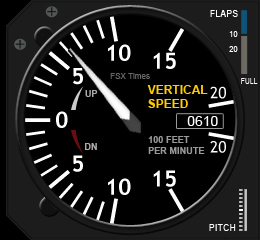
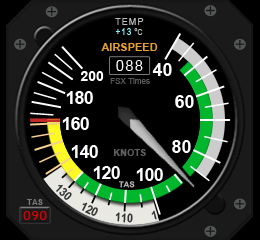
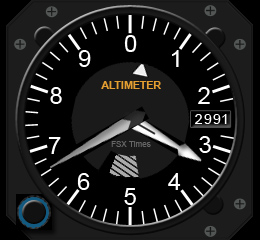
C172_AS_130815 C172_ALT_130815 C172_IFG_130815 C172_RPM_130815 C172_VS_130815
Except the new Integrated Fuel Gauges, the additional four gauges are revamped from the T210 counterparts but packed with more functions and facelifted to resemble the default C172 gauges as much as possible.

Continue reading

206: Cut The Flows

TechLevel01W
ObjectFlow (for grasses, trees, animals) is a promoted feature in Orbx’s many airport ObjectFlowproducts.  Although it adds interesting stuffs to airport surroundings, it kills performance, too.
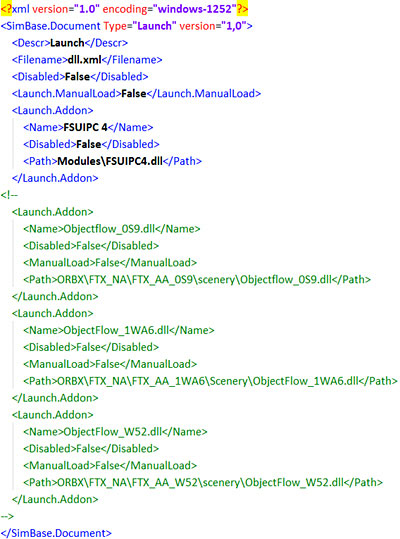
If you mostly fly your aircraft in the air rather than manuever it around airports, try cutting all or most of the ObjectFlow.dll in the DLL.XML file under the directory of fsx.CFG (C:\Users\<user name>\AppData\Roaming\Microsoft\FSX).

You could simply use the <!– –> notation pair for quick removal in case you want them back.

Try and see for yourself.  You could be amazed.

Continue reading

205: Sign-in for the New C172 Gauge Now

I used to only flightsim Cessna 172 before switching to the bigger T210.  But even though the C172 is no longer my favorite, I’ve kept thinking of creating new FIP gauges for it.

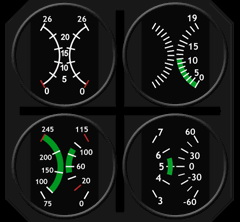
C172_ManFuel_background

The C172 gauge on the right, though looks simple, consists of four different gauges actually.  And how to properly shink them within the small footprint of the FIP resolution requires many attentions too.

After working on and off over the last few weeks, the overall design and programming for it were basically done.  It has now entered the testing and adjustment phase.

I am aiming to have it ready on the Third Anniversary Day coming in this month for friends who’s been supporting FSX Times.

Anyone (FSX Times subscribers Only) who wants a copy of it Continue reading

204: FTX Global Second Impression

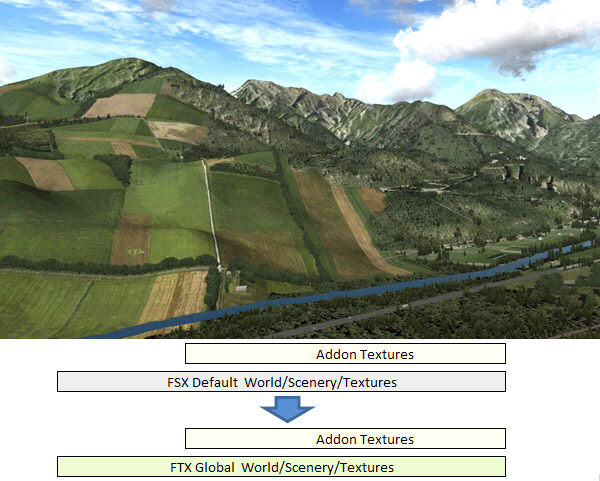
FTX Global doesn’t like other scenery addons (such as the company’s AU, NZ, EU and NA products) which in general overlay specially created sceneries and textures on top of the default FSX layer to render the ultimate image.  It simply replaces FSX default textures in the World\Scenery\Texture folder with its own creations.

FTXGB2-28
FTX Global simply replaces FSX default textures with its own creations

This approach is somewhat similar to what REXessential from REX Game Studio or the Ground Environment products from Flight 1 does to FSX — the former replaces FSX’s default clouds and atmospherics items, and the latter replaces FSX’s default ground textures, meshes and some core files with their own modifications.

Continue reading