
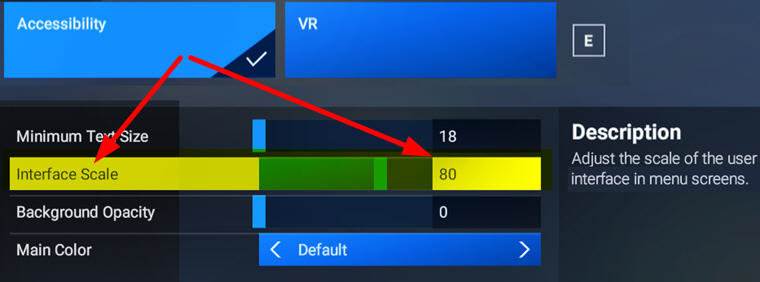
UI fonts in FS2024 are undesirably big, especially on smaller monitors. A new free addon “MSFS2024: Inteface Scale Option” by Cygnific on flightsim.to allows users to scale down the fonts effectively.
A very useful tool Continue reading
Coummity Folder
864: Using FS2020 Addons in FS2024
FS2024 allows the use of FS2020 addons. But we have to enable them manually in My Library. Otherwise, they won’t show up.
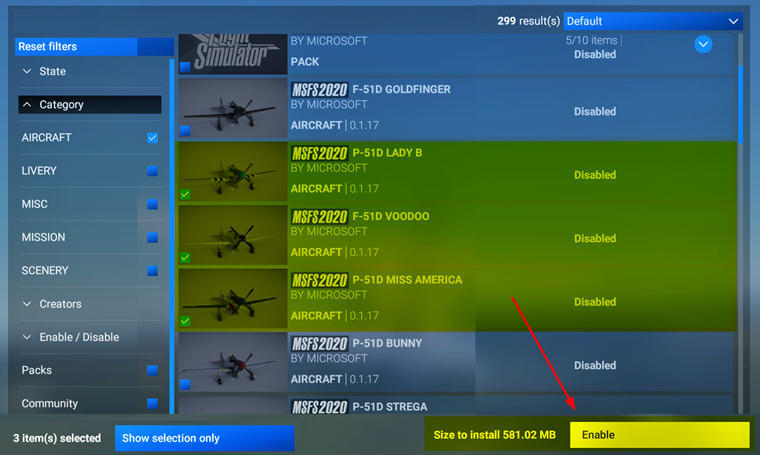
This applies to third-party addons, such as aircraft, scenery, etc., we purchased from Steam or MS Store directly, as long as they are compatible and available.
Addons purchased from other stores Continue reading
863: Using FS2020 Keyboard in FS2024
In FS2024, there’s not only coming with a keyboard file structure very different from the one in FS2020, many of its commands and hotkeys are different, too.
I must say re-adapting to the new keyboard usages is one of the greatest annoyances I don’t want to deal with.
Fortunately, Asobo is considered enough to include an FS2020-style keybaord set to make my life easier, even though it is not 100% compatible due to new features and functions added to the simulator.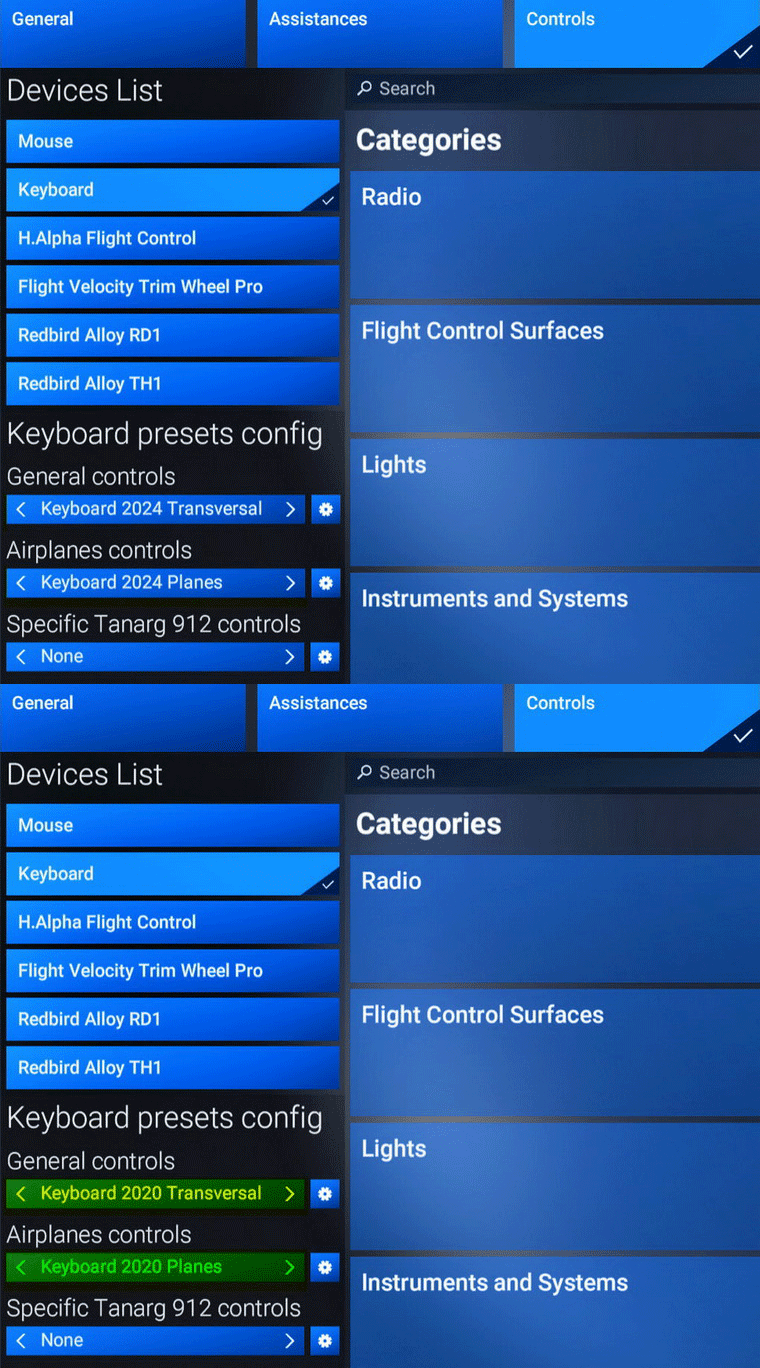
What I do is to Continue reading
861: Changing FS2024 Community Folder Location
By default, the FS2024 Community Folder is created under:
“C:\Users\Tom\AppData\Roaming\Microsoft Flight Simulator 2024\Packages\”
There are two ways to relocate it to another directory of your choice for easy access.
1)
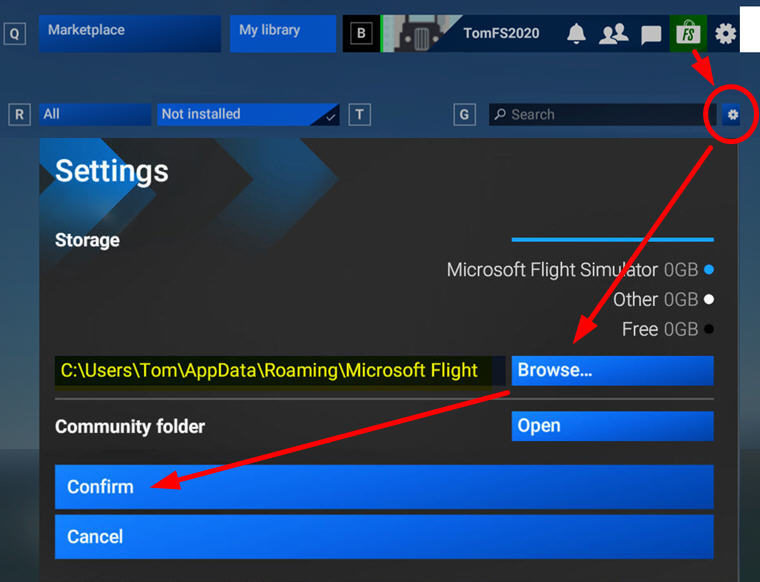
Go into Market Place, click the Setting Icon, then Browse for and Confirm the directory of your choice to be the new Community folder for FS2024. I am using “F:\FS2024”
2)
Go to “C:\Users\Tom\AppData\Roaming\Microsoft Flight Simulator 2024” directory
 FS Times