617: My FIP Gauges and MSFS

The update patch for MSFS is out, which claims to solve many issues in the first release.   I still haven’t tried re-installing MSFS yet due to various personal matters.   But surely will do it again very soon.
During these days, have received many emails questioning about the compatibility of my FIP gauges with MSFS.

Frankly, due to my current situation of not an MSFS user, I am really not a good person to give a proper answer.

However, some users of my gauges have reported successfully running FIP gauges in MSFS Continue reading
608: New Cessna Compass

From time to time I receive inquires if my FIP Cessna Compass has a simpler version.  Some say that they don’t need the light buttons and some simply express they want a clean one without any additional features at all.

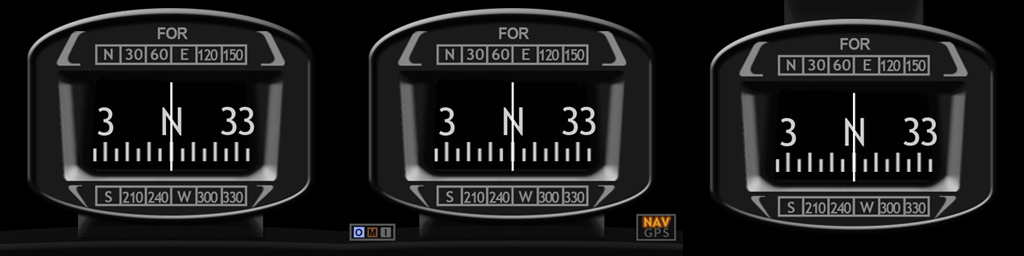
All right, as you wish.  The Clean version is on the left (click image to enlarge), the Extended version with OMI markers and NAV/GPS indicators in the middle; and the extra Hover version is on the right (good for cockpit layout having the compass put on top).

What’s more, they are free to all existing users (by the time of this post) of the Cessna compass gauges. Continue reading

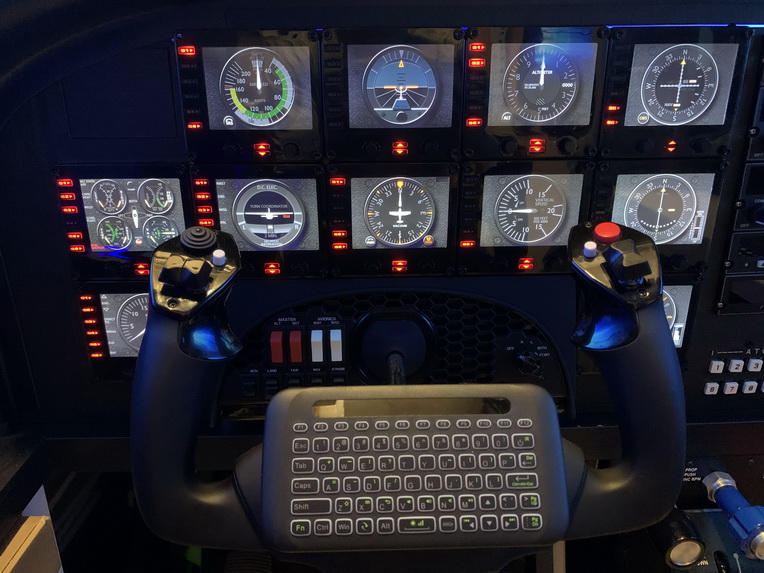
603: My Cockpit Rev #21 – Covering up FIP Up-Dn Buttons

From time to time, I receive emails from non-SpadneXt users asking if it is possible to turn off the up/down LEDs on the FIPs.  Frankly speaking, I didn’t care much whether they were lit or not in the past.  So typically I would give them an answer NO.

Until recently I have my cockpit layout properly,  I then understand why they have the needs.  Even so, my answer was still a NO unfortunately.
But there was one time I was joking to a friend saying that “You could Continue reading

602: FIP Turn On Fix

After Windows 10’s last few updates, I encountered some strange behavior on my Flight Instrument Panels (FIPs).  They are connected via two USB hubs on my networked Surface Pro as described in Post 581.  I normally turn them ON after the flight simulator is loaded on the main PC.

But after recent updates, a few FIPs (not the same every time) won’t turn on at all sometimes.  I’ll need to cold boot the Surface Pro in order to have them back to work normally.  This happens about once or twice in every 10 start ups.

The FIPs were checked; hubs – checked; power – checked.  I even swapped the ports and the hubs.  Nothing unusual found.  Besides Continue reading

598: XPL C172SP Gauge Updates

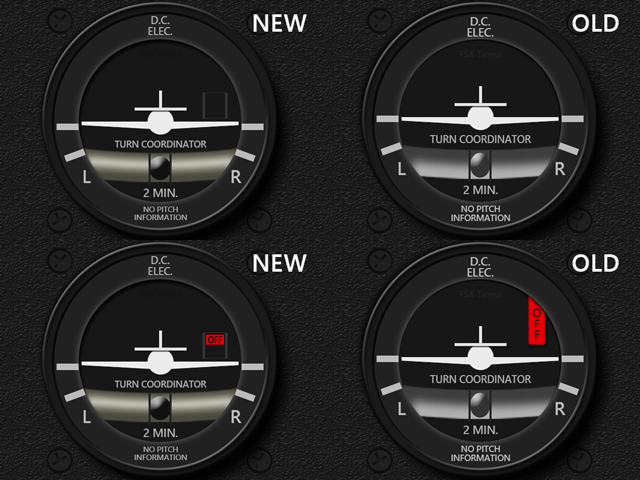
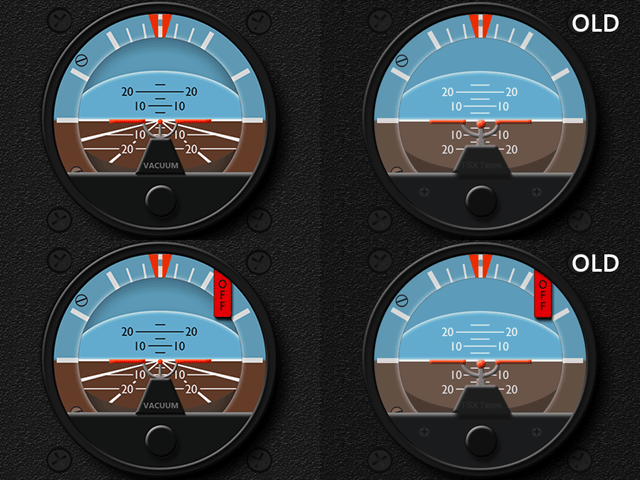
Some of the instruments on the C172SP in the latest version of XP-11 have been altered.  Adjustments to the INTFG, ATT and TCR, therefore, are updated accordingly, in which the layout of the latter two were even renewed completely.

Download Links have been sent earlier today and all current users should have received the email(s) in their mailboxes by now.   If not, notify me by email or via Comment Section below.

584: Poll Result – Gauge Background You Like More

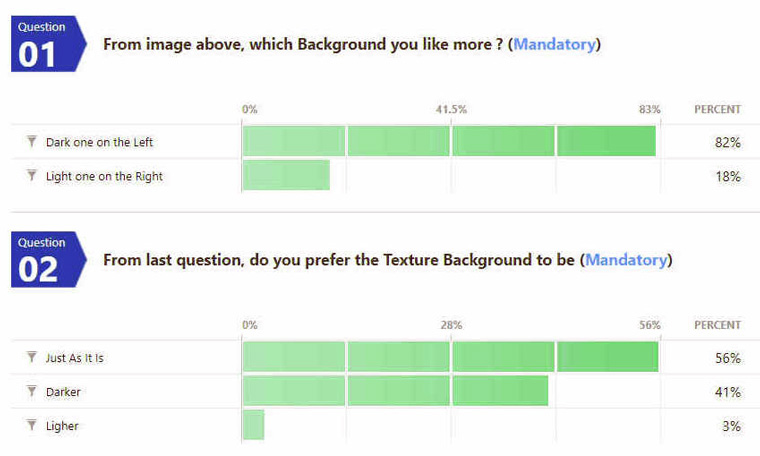
Regarding the background of my gauges, followings are the results from the “Gauge Background You Like More” survey posted on April 26.

====================

==================== Continue reading

582: USB 2.0 for FIP is still preferred

While the world is moving toward USB-C, many flightsim hardwares still only work properly with USB 2.0 standard.  Logitech’s Flight Instrument Panel (FIP) is one of them.  Steve Crouch sent me a comment for My Cockpit Rebuilding #14, saying that he wasn’t aware of that and so he had trouble with them before.

Yes, when choosing USB hubs or ports for FIP connections, the older 2.0 standard is still the preferred choice, disregarding the claim of downward compatibility in 3.0 standard. Continue reading

581: My Cockpit Rev #15 – FIP Cable Management

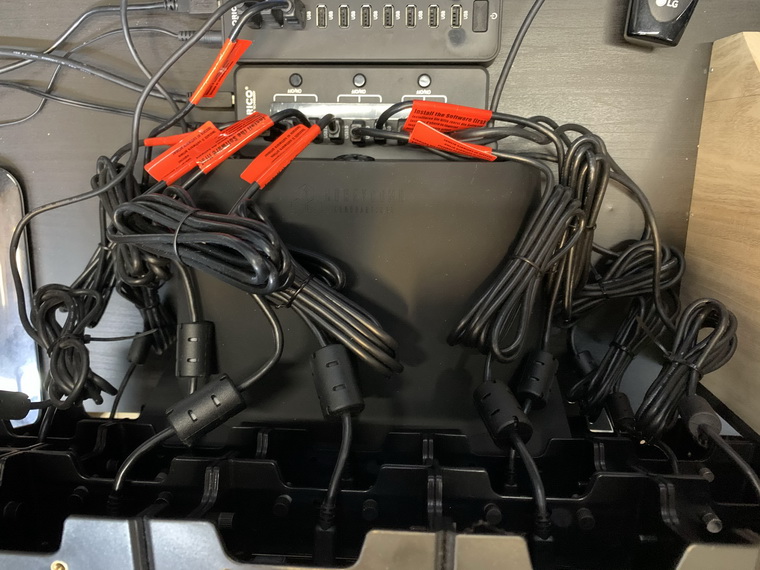
There are 12 FIPs in my system, and the two USB hubs they plugged in are placed closely.  As the cables coming with the FIPs are quite long, heavy and hard to bend, they are troubles everytime I want to tidy them up properly.

They have been headaches to me for a long time until I finally figured out how to deal with these cables recently. Continue reading

574: FIP Broken Knob Fix


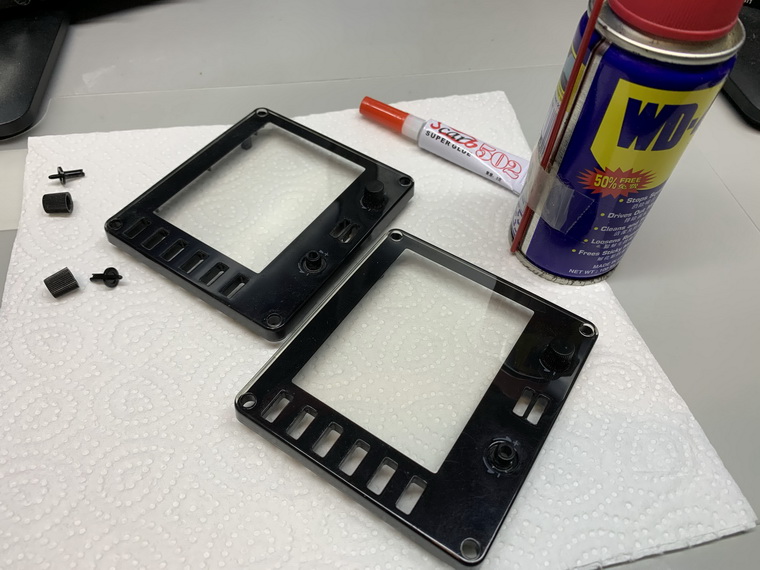
In my Post 574, I mentioned that the two knobs on the face-plate of the FIP, if broken, are simply unrepairable, but Oz Flyer (David) in the Comment suggested two possible solutions to repair them.  Here’s the first one I just tried since I don’t have a 3D printer as required in his second suggestion.

Stuffs needed are just some super glue and WD40, and I put everything on a piece of paper to avoid either the glue or the WD40 spilling over onto the table.
Continue reading