
I am having some new ideas about the background of my gauges. But firstly tell me which types of background you like more by clicking the survey button below.
FIP
Flight Instrument Panel
572: A kind of Easter Miracle
A few days ago, another flight instrument panel (FIP) of mine suddenly stopped working. Didn’t have any symptom similar to the other faulty one I reported in my Post 561, this one just ceased to work — no display, no response — during a flight session.
After trying many possible solutions to revive it but of no avil, I had no choice but to unplug it from the hub and put it aside waiting for another teardown.
Nothing lasts forever in reality, I know. This one has also served me for more than 10 years.
I was planning to tear it down this morning. Continue reading
569: My Cockpit Rev #12 – FIP Gauges
While doing fine-tuning and waiting for fixes for the new P3Dv5, I continue to have my cockpit rebuilding going on as planned. Now is time for the gauge components that reaches a total of 12 FIPs stacking up on top of the HoneyComb Alpha Yoke (click image to see larger picture). They should be good enough for most of my light aircraft flightsimming requirements.
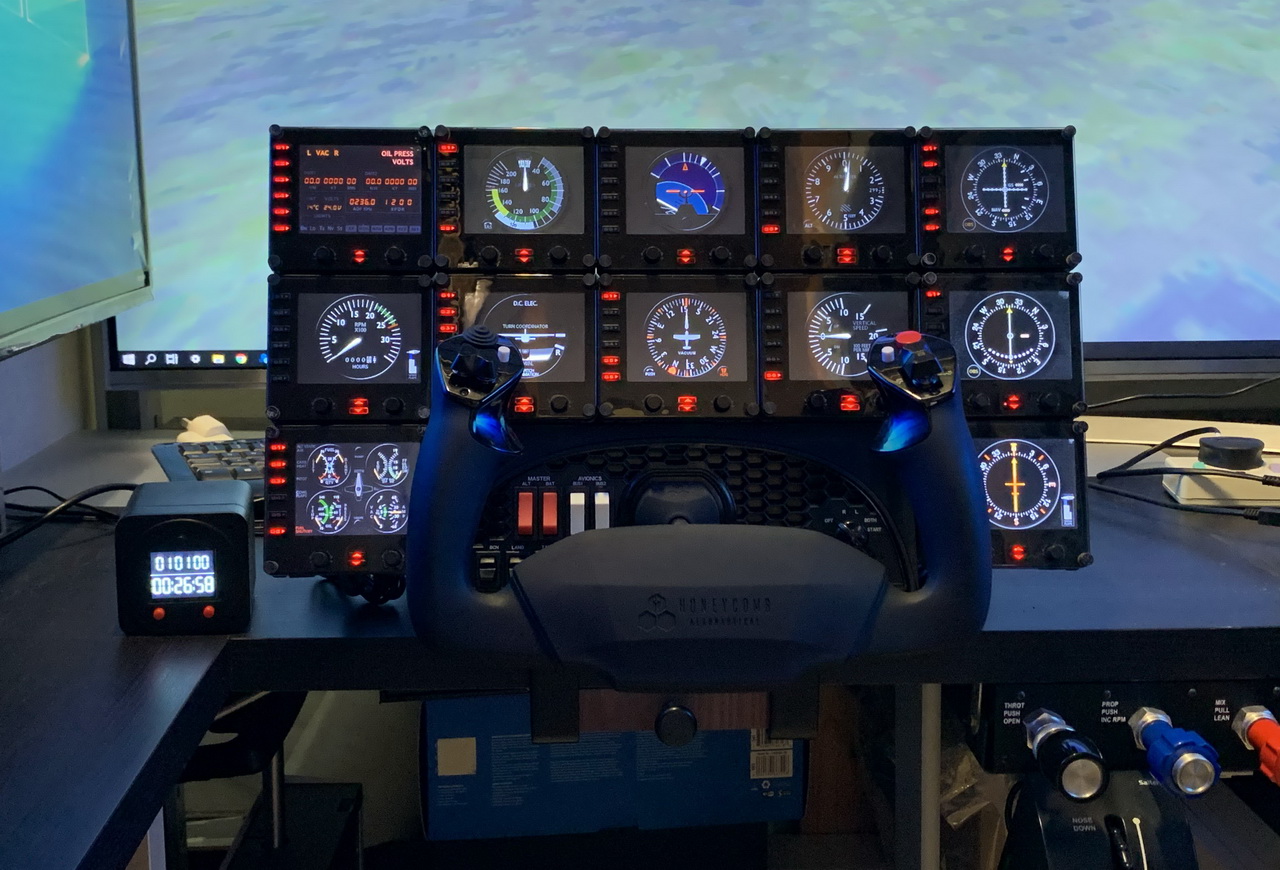
The 12 FIPs are hooked up to two electrical-powered USB hubs, which are then connected to my Surface Pro that is responsible for the operation and switching of the FIP gauges independently from the main computer. Continue reading
562: Turn Off FIP Button Light the Hard Way

Many friends asked if it is possible to turn off the light of the buttons on the Flight Instrument Panels (FIPs) and continue to keep their functions active at the same time. The answer is NO under the Logitech driver as described in Post 215.
However, from the teardown of the broken FIP reported in last post, I came up a hard(ware) way to do it. Continue reading
561: FIP Teardown
One of my FIPs was broken down recently after serving my flightsimming system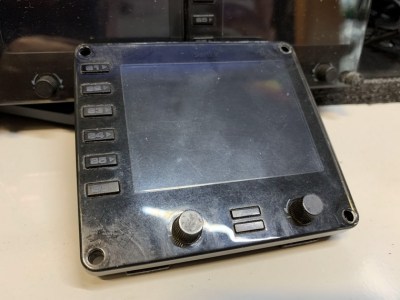 stably for more than a decade. I opened its case to see if it is self-serviceable. Unfortunately all electronics components, except the LCD screen, were surface-mounted onto the circuit board.
Followings are the teardown pictures of the unit for those who are interested to see what are packed inside the FIP. Continue reading
552: Video Preview of A36 GEM
Happy New Year !
Edit: The gauge is now available in the FIP store
Have been wanting to make the Graphic Engine Monitor (GEM) of the A36 Bonanza for a long time. Here’s a video preview of the finally created instrument running on the Logitech’s Flight Instrument Panel (FIP) next to the same instrument in the virtual cockpit on the computer monitor.
It took me quite some time to figure out how to make it right. It is under fine-tuning and will be my first gauge to be released in 2020. Continue reading
548: RDA Update Looks Cool in the Cockpit
Radar Altimeter (RDA) is an avionic device that is used to measure the distance (or the Above Ground Level (AGL) altitude) between an aircraft and the terrain presently beneath it. 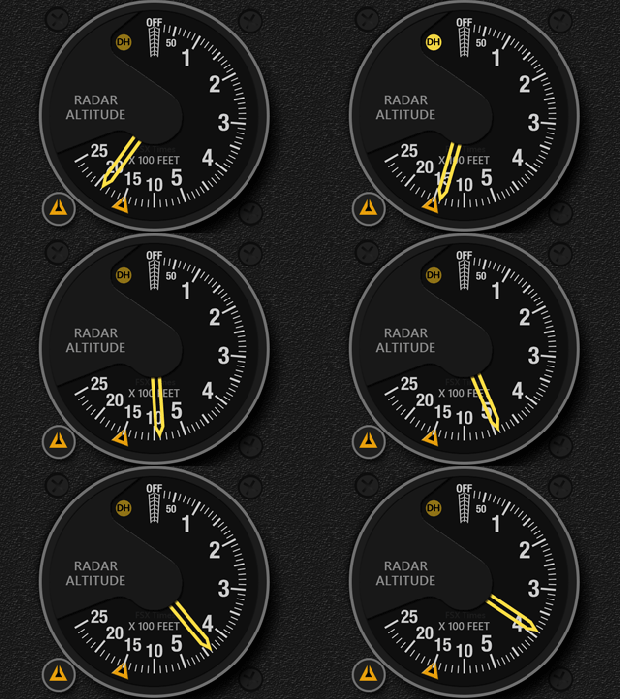 The Duke B60 and Duke Turbine from RealAir Simulations are both equipped with a piece of the instrument in their cockpits.
After an AGL altitude is selected, the DH (Decision Height) indicator of the RDA on the Duke B60 or Duke Turbine will lit up when the aircraft is within 100 feet below the set point, and turn off when the 100 feet range is passed. The corresponding FIP Duke Shared RDA I developed for the two aircraft was designed and programmed in this manner.
However, a new user, Ken, wrote to me recently saying that the DH indicator on the real RDA doesn’t react this way. Continue reading
547: A2A J-3 Cub Gauge Bundle Updated
The FIP Bundle Gauge Set for the A2A Piper J-3 Cub has just updated to Version 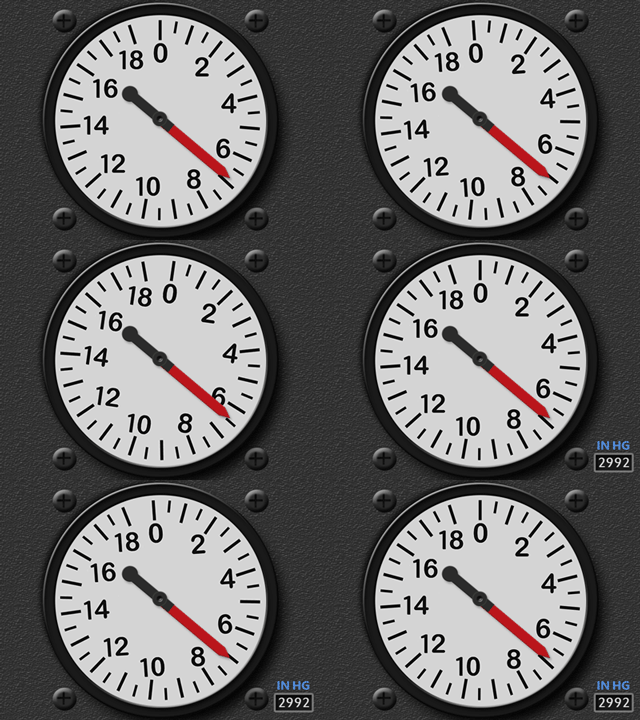 R1r01. Apart from various bug fixes and accuracy improvements in the series, the dial of the Altimeter can now rotate according to atmospheric pressure adjustments, just like what the altimeter does in the virtual cockpit on the aircraft.
Moreover, a pop-up style Barometric (QNH) Scale is added to the instrument, which not only provides extra handy features to the user but also be able to maintain the look and feel of the original design of the altimeter at the same time.
Current users of the bundle should have received the download link for the update in their mailboxes by now. If not, notify me by email or via the Comment Section below.
531: XPlane Startup Time with FIPs
While working FIP Gauges for X-Plane these days, I find the time reaching the main menu at sim launch takes much longer while FIPs are powered on as well.
Not a big deal, probably. But if one can shorten the load up time of X-Plane significantly by simply turning on the FIPs ONLY AFTER the main menu is shown, why not ? Additionally, I find the act eliminates the occasional crash of FIP Gauges in X-Plane as well.
 FS Times