675: XPL_GaugeSwitcher v11 Update

The XPL_GaugeSwitcher, which helps users running my Gauges under Logitech X-Plane plugins, has been updated to version 11. xpl_gsw_11
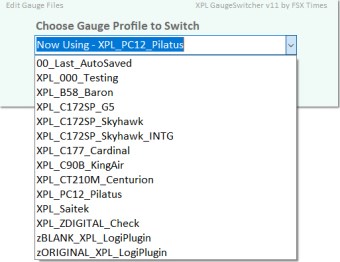
Besides new features, enhancements and optimizations, two ready-made Profiles for the B58 and C172SP are included to the new version so that users of these gauges can start flying with them immediately.

For those who are currently using the XPL_GaugeSwitcher with custom-made Profiles created already, no worry. Continue reading
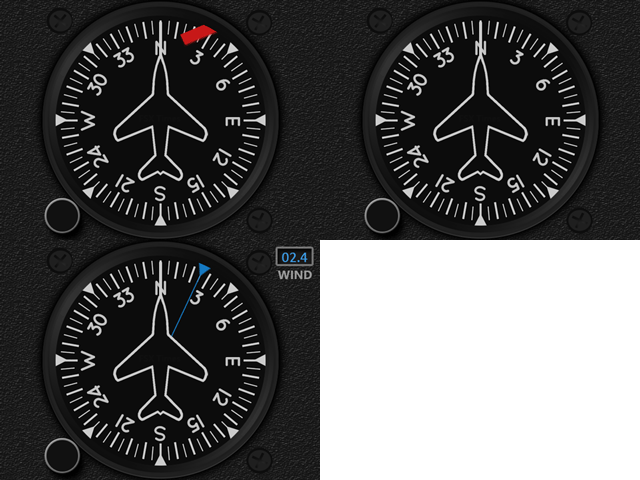
668: The MSFS GaugeSwitcher comes at last

For users running my FSX/P3D Gauges under Logitech drivers/plugins, I developed a utility called GaugeSwitcher to help them quick call up different FIP setups to match with the different aircraft being flown.

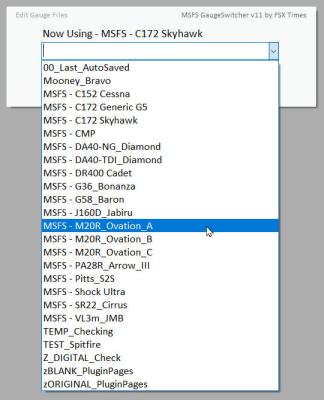
Here it comes the MSFS version of it at last.  MSFS_GaugeSwitcher_37
Besides new features, enhancements and code optimizations, I have included four ready-made Profiles for the C152, C172, DR400 and M20R, so that users of these gauges can start flying with them immediately.

Download Link has been sent earlier today and it should be in the mailboxes of the MSFS Gauges users by now.  If not, contact me via email or Comment section below.

Sorry, Continue reading

666: MSFS Gauges Updated

The Multi-Shared HDG for MSFS has been updated to version R1r01 with the “Flag” missing in the last version while the engine is not spinning.
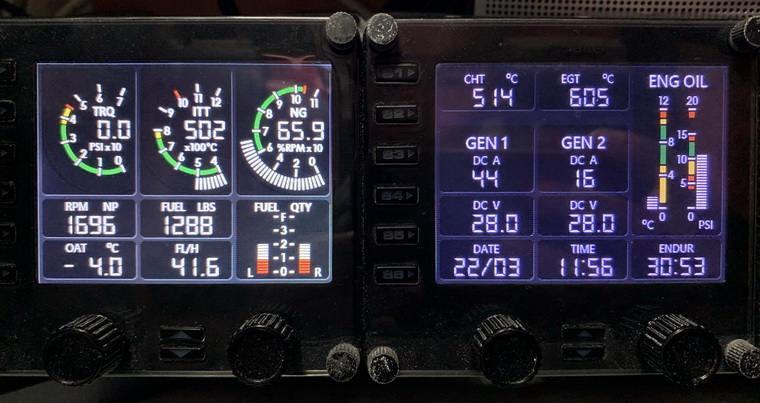
Download link has been sent earlier to all users and it should be in their mailboxes by now.  If not, contact me via email or the Comment Section below.  Note that the link will expire in 7 days.

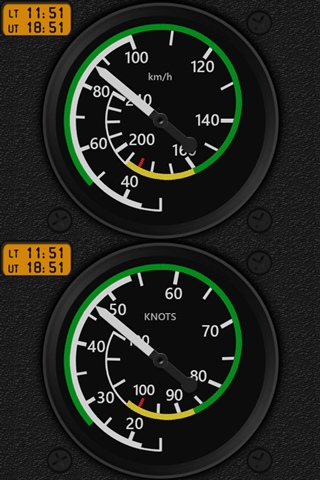
In addition, Engine Gauges of the Carenado M20R Ovation were also updated. Continue reading

662: PC12 Engine Gauges for X-Plane Released

Carenado’s Pilatus PC12 for X-Plane 11 is a fun aircraft.  With the FIP Gauges of ALT, ASI, RMI and VSI developed for it a little over a year ago, here comes the Engine Gauges for the aircraft at last.

Due to the long vertical span of the Engine Panel on the aircraft, Continue reading

658: MSFS M20R Ovation Gauges Pre-Sale

Have been flying much with the Carenado M20R Ovation a lot lately.   I quite like this airplane so I am working on to develope the corresponding FIP gauges for it.

On the aircraft, the ADF, TCR and VSI are generally the same MSFS Multi-shared gauges already developed.  The others – ASI, ATT, ALT, HSI, VOR2 and Engine Gauges, plus the LED-style moving Flaps, Elevator and Rudder Trims Indicators – are aircraft specific and so have to be created accordingly.

Similar to the earlier MSFS Default Gauges Bundle Offers, a  Pre-sale Discount (up to 40% off) is open to all who are interested in this M20R Ovation Gauge Set; and there will be two Options available:
Continue reading

655: ASI & ATT2 for Zlin Shock Ultra

Two new gauges for Zlin Shock Ultra in MSFS 2020 has been developed.  One is the Airspeed Indicator (ASI); and the other is the current Multi-shared Attitude Indicator (ATT) integrated with a small inclinometer.

Many Airspeed Indicators in MSFS 2020, including this Zlin one, are using km/h unit — a bit odd from KNOTS and MHP that are commonly used in FSX, P3D and X-Plane.  So I am including a KNOTS version as well for users to choose from.

For the variation of the MS-Shared ATT, Continue reading

650: Location of my Gauges for MSFS

A friend’s friend who asked him where would be the best place to put my gauges for MSFS.  The question was referred to me later.   Although I already replied to him, I think it would still be useful to put a post about it.

=====

For those who are installing my new gauges for MSFS:

1.
If you are using the Logitech’s Plugin for MSFS, just run the installer in the gauge package, the new gauge(s) will be placed in the plugin folder accordingly and the corresponding PluginPages.xml will be updated automatically.

2.
If you are using SPAD.neXt, the location is all up to you, because you’ll have to add the gauge folder(s) in SPAD.neXt so that SPAD.neXt knows where to find the gauges.

=====

For those who have/are installing my gauges for FSX/P3D, there are three options to use the gauges in MSFS: Continue reading

647: Logitech MSFS Plugin Won’t Work Alone

When I installed the Logitech’s MSFS Plugin onto my two computers (one new, one rebuilt) a couple of weeks ago, I got puzzled because all my Logitech’s Pro Flight Panels worked nicely with MSFS, except the Flight Instrument Panels (FIPs).

There were nothing on the displays — no serial numbers, no product images.  All screens were blank.  And the most frustrated was Windows recognized them all and said they worked normally.

On my last computer I just replaced, the MSFS Plugin works seamless without any issue.  I just have the Plugin installed and off it goes.

It took me nearly a day to figure out that Continue reading