805: “set-and-Forget” weather Preset

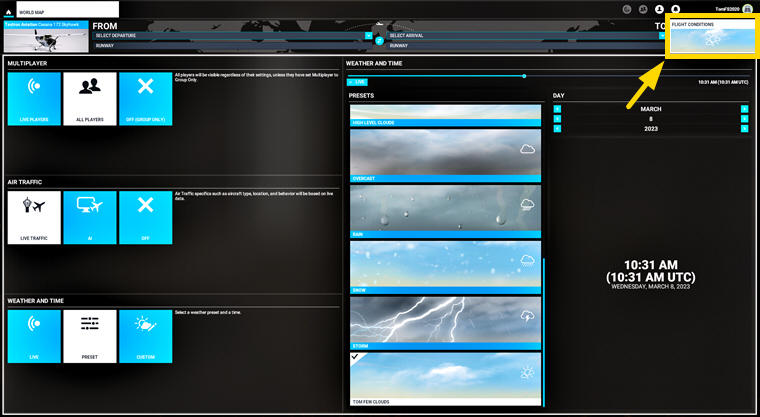
I always start my flight with a fixed weather preset, and then change it to Live Weather or another weather preset when I want to.

However, I keep forgeting how to configure this very first “set-and-forget” preset.  So here’s an image to remind myself just in case.  You probably don’t need it.
WeatherPreset

802: GPS/VLOC Toggles Crazily

A user of my G5 gauges, Elliott in Canada, recently reported to me that the CDI on the G5 gauge was rapidly toggling between GPS and VLOC after the recent AAU1 (Aircraft & Avionics 1 or 1.30.12.0) update.

After further investigation, the issue is confirmed to be caused by the incompatibility between the Working Title Garmin GNS 430/530 addon and the Just Flight PA28 Arrow series — Arrow III, Turbo Arrow III and Tubro Arrow IV.


Other aircraft, default and 3rd party, so far tested, including the Just Flight PA28-161 Warrior II, are not affected.

Temporarily, users could Continue reading

792: NAV/GPS malfunctioning After SU10

After MSFS SU10 update, the NAV/GPS button on the C172 (above VOR1) won’t toggle the status between NAV and GPS on the VORs as well as on the GNS530/430.

To change the status of NAV and GPS on the VORs, one has to press the CDI buttons on the GNS530 and 430 in the virtual cockpit respectively.


The issue seems true to the C172 only. Have tested the NAV/GPS function on other aircraft and they all work fine.

Too bad, many times the C172 is always the one messed up by new updates.

788: My New Aircraft View

For more than a year, I’ve been flying VFR mainly with a full forward view without showing the virtual cockpit panel as described in my Post 638, 639 and 697.

However, lately I found showing the propeller and engine hood during curising actually adds more fun.


And, most importantly, brings forth Continue reading

697: My Full Forward View Update

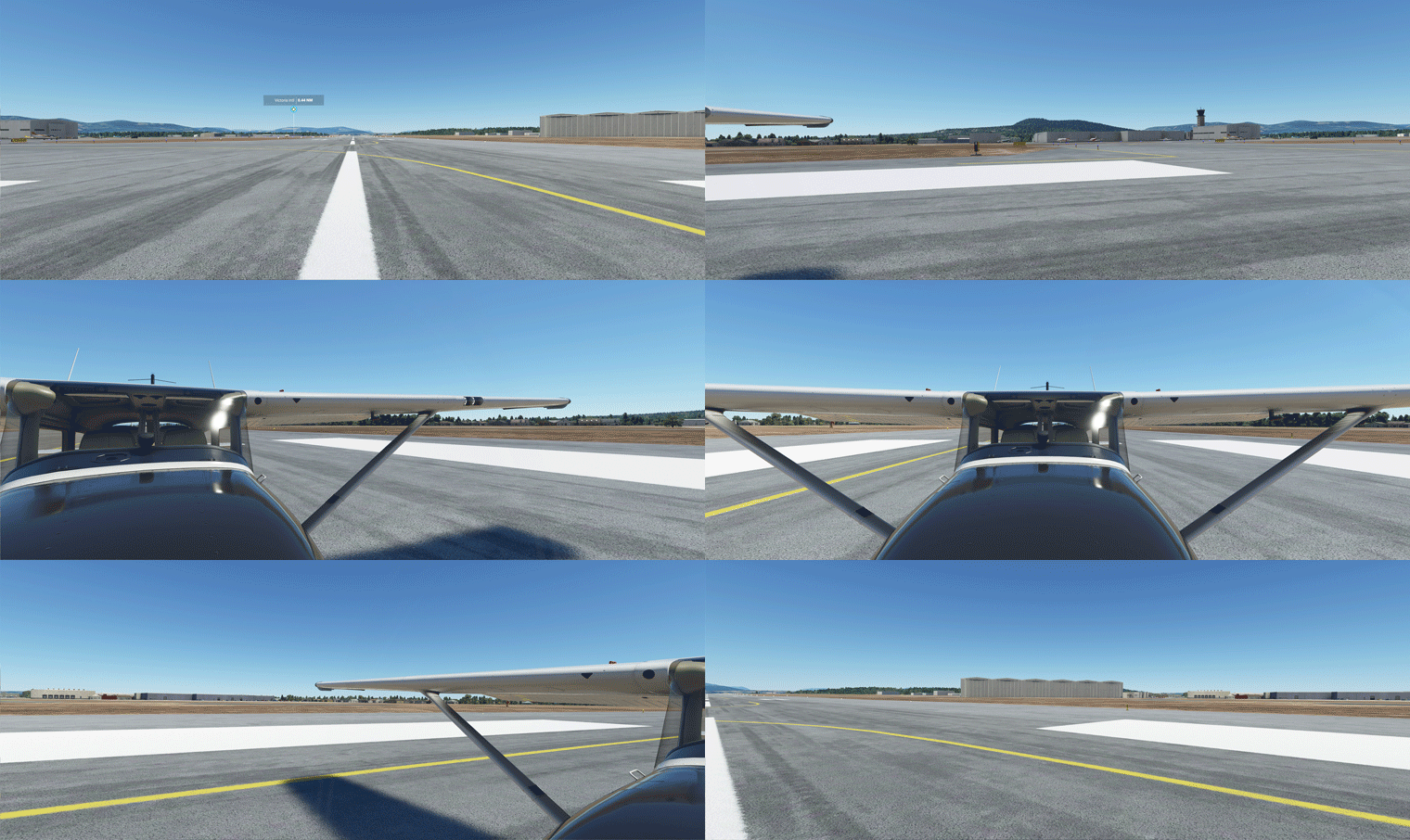
After months of tuning the Full Forward View adjustments described in Post 638, I have standardized the settings of the following three (3) paramters in “LandingPilot” [CAMERADEFINITION.2] on all aircraft as follows:
FullView01
InitialZoom = 0.6
This gives me a zoom level generally the same as the external aircraft view.

InitialPbh = 0, 0, 0
This puts all aircraft on the ground horizontally without any tilting.

InitialXyz = x, x, x
These three values are aircraft-specific, in which I adjust: Continue reading

639: Full Forward View #2

In my last post about setting up a Full Forward View without Instruments, Michael sent in a comment below:

I’m in the same situation and have been using this for quite some time, however, with one modification:

I first make a copy of the camera file using (I think Alt+Ctrl+0). This will be saved under, e.g.

C:\Users\[your profile]\AppData\Roaming\Microsoft Flight Simulator\SimObjects\Airplanes\Asobo_C172sp_classic

In this file you can make the amendment above.

You can then switch back and forth between the “normal” and the “shifted” camera using Alt+0. I found this somewhere on the official forum. This way you don’t have to modify the original files.

Thanks Michael and that’s another approach of creating a full forward view with no instruments, too.

Well, either method has its pros and cons: Continue reading

638: Full Forward View with no Instruments

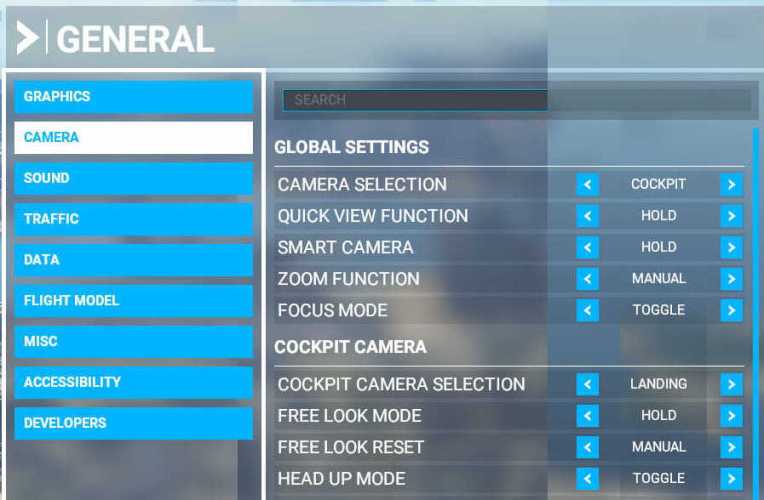
I have chosen “LANDING” as my default camera in MSFS.  But since I already have a physical DIY cockpit, all I want is a clear full forward view without the virtual cockpit and its instruments.

Here’s how I do it quickly: Continue reading

635: MSFS Gauge Table

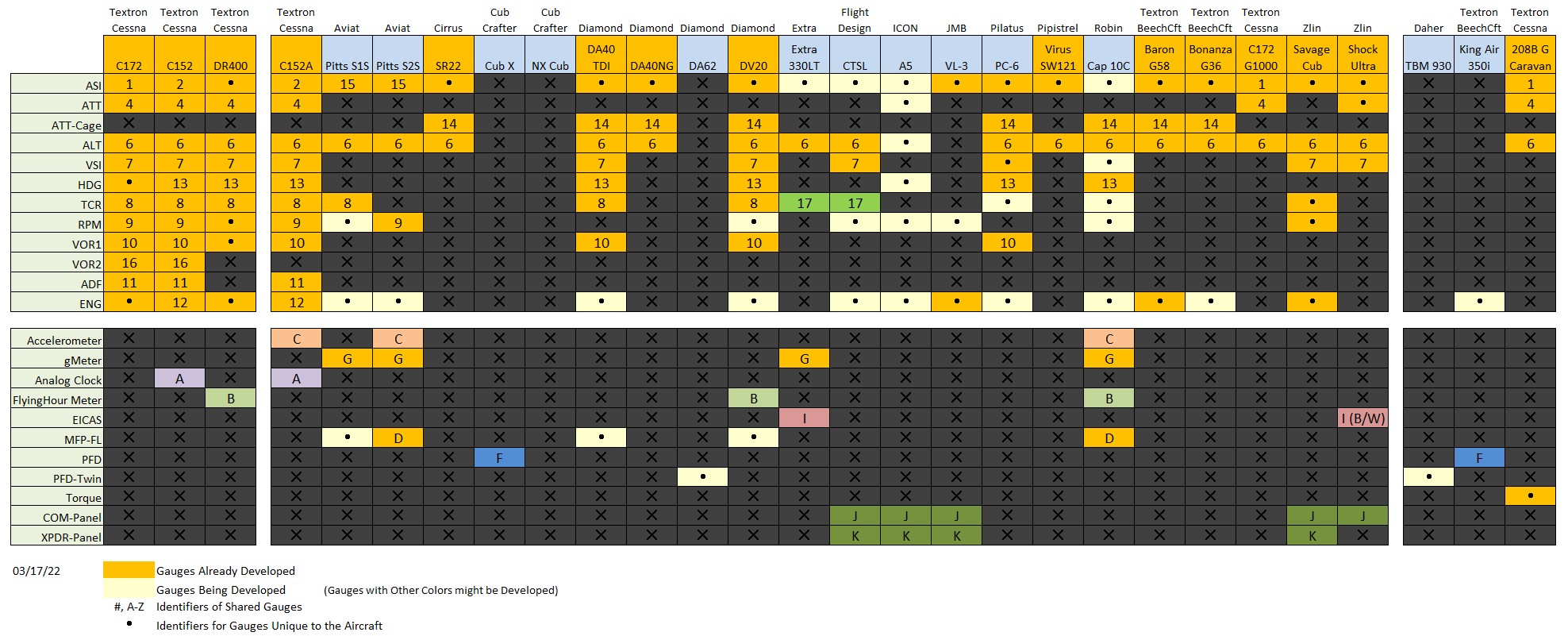
One of the nice designs of MSFS is many of its cockpit instruments can be used across different aircrafts (despite practicability in real life), which in a way simplifies the construction of DIY cockpit using my MSFS Multi-shared FIP gauges.

Following is the table showing key instruments on the default propellers and turboprops in MSFS implemented and to be implemented.
MSFS_Gauge_ChartVia the table, one can check out the usage of each instrument on different aircraft according to the reference number or alphabet assigned to them, and further find out what gauges are included or not included from the cockpit layouts captured below.

Update 1: The number and alphabet indications are added to the corresponding gauges in respective cockpit images for clearer references.

MSFS Cockipts #1 – Propellers Continue reading