911: My MSFS Graphics Settings 25-1210

The official FS2024 SU4 has been released.   I must say that it is superb and excellent and even better than the Beta I’ve been running over the last few months.

Here’s the minor update of my Graphics Settings for FS2024 SU4 (1.6.32.0).  Actually, I seldom run FS2020 these days, but I am still keeping it in my system because there are addons compatible with and can be ported to FS2024.
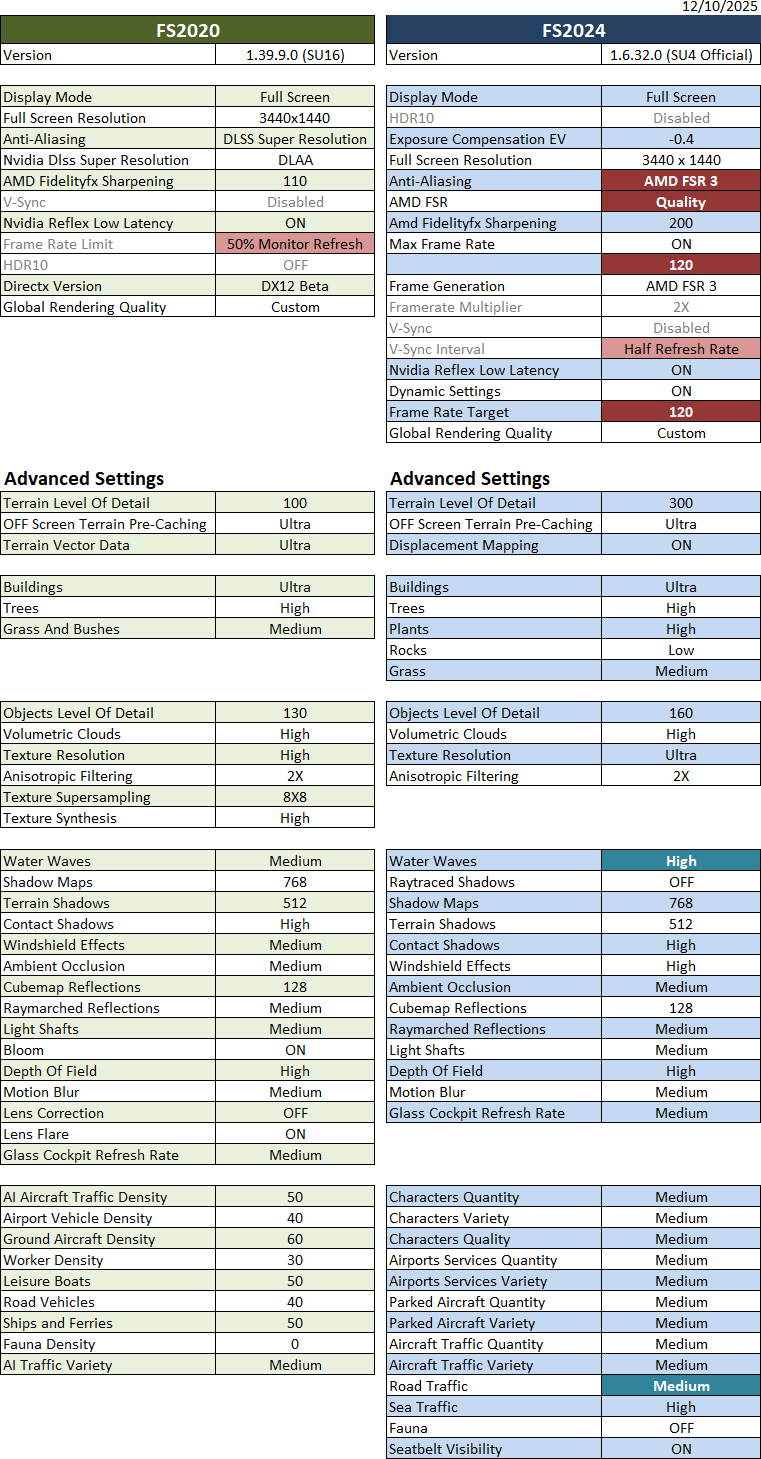
Crucial to this update: Continue reading

909: My ReShade & AimxyZ Update 25-1025

Following my earlier Graphics and NVIDIA adjustments, my ReShade and AimxyZ settings for FS2024 were tuned accordingly as follows.

908: My MSFS Graphics Settings 25-1022

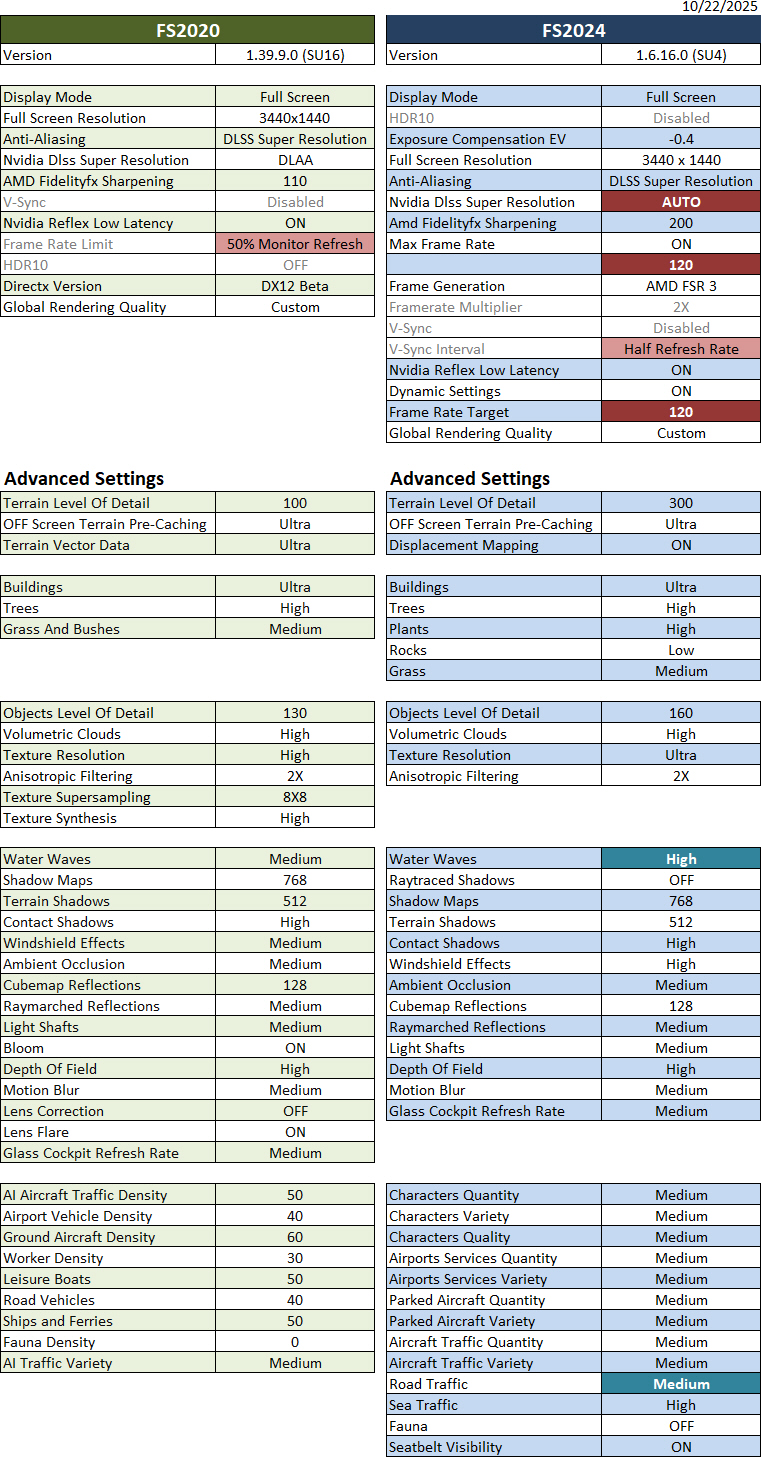
Here’s an update of my current Graphics Settings for FS2020 and FS2024 SU4 Beta (1.6.16.0).   Since I basically don’t run FS2024 SU3 anymore, its settings have been and will be excluded from this and future updates.

Crucial to this update: Continue reading
892: You may need reinstalling MSFS2024

Many of you might have heard me complaining how MSFS2024 was buggy and not good to play since it launched last November.

Two weeks ago, I had it removed completely because neither its latest SU2 (official) nor SU3 (beta) were able to run at all. After the “Asobo Studio” logo showing up on the screen for a few seconds, the simulator crashed to desktop immediately.

It’s so maddening !

After trying various suggestions on the internet to no avail, I had no choice but to trash it. Continue reading

870: Scale Down FS2024 UI Font Sizes

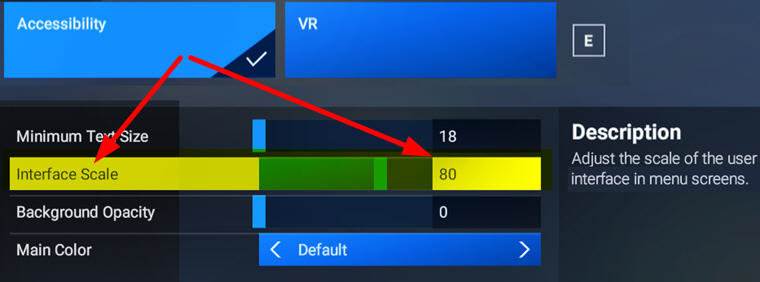
UI fonts in FS2024 are undesirably big, especially on smaller monitors.  A new free addon “MSFS2024: Inteface Scale Option” by Cygnific on flightsim.to allows users to scale down the fonts effectively.
InterfaceScaleOption
A very useful tool Continue reading

864: Using FS2020 Addons in FS2024

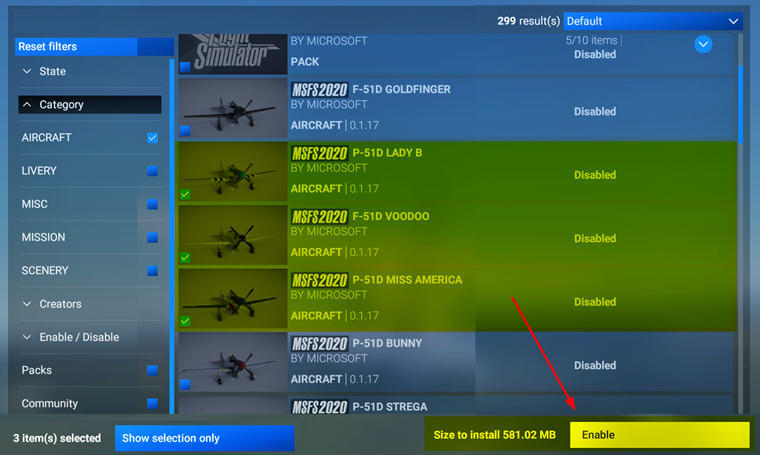
FS2024 allows the use of FS2020 addons.   But we have to enable them manually in My Library.  Otherwise, they won’t show up.
FS2020_Enable
This applies to third-party addons, such as aircraft, scenery, etc., we purchased from Steam or MS Store directly, as long as they are compatible and available.

Addons purchased from other stores Continue reading

863: Using FS2020 Keyboard in FS2024

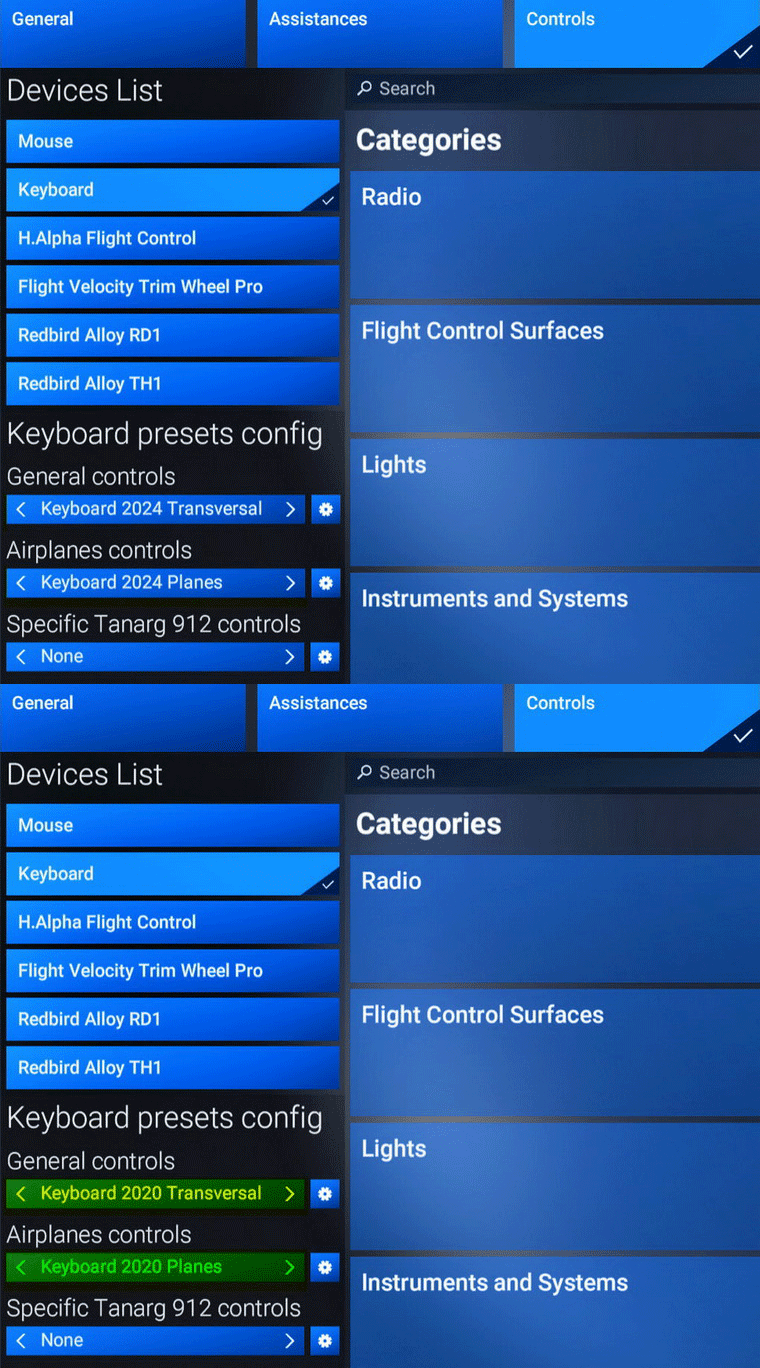
In FS2024, there’s not only coming with a keyboard file structure very different from the one in FS2020, many of its commands and hotkeys are different, too.

I must say re-adapting to the new keyboard usages is one of the greatest annoyances I don’t want to deal with.

Fortunately, Asobo is considered enough to include an FS2020-style keybaord set to make my life easier, even though it is not 100% compatible due to new features and functions added to the simulator.FS2020_KB01
What I do is to Continue reading

861: Changing FS2024 Community Folder Location

By default, the FS2024 Community Folder is created under:
C:\Users\Tom\AppData\Roaming\Microsoft Flight Simulator 2024\Packages\

There are two ways to relocate it to another directory of your choice for easy access.

1)
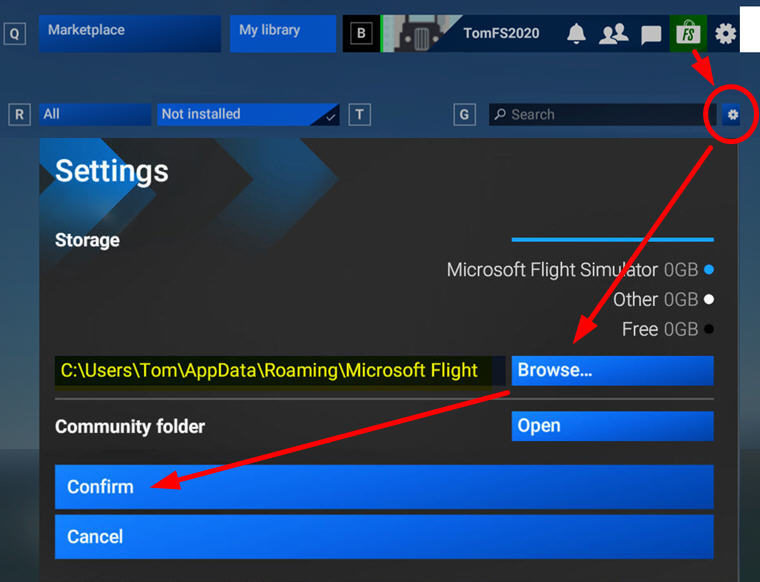
Go into Market Place, click the Setting Icon, then Browse for and Confirm the directory of your choice to be the new Community folder for FS2024.  I am using “F:\FS2024
FS2024_CommunityFolder
2)
Go to  “C:\Users\Tom\AppData\Roaming\Microsoft Flight Simulator 2024”  directory

Continue reading