
588: FSX Settings for Older PCs

by David Marsden

Many of us are advised to turn OFF Anisotropic and Anti-aliasing especially when running with FSX.  David Marsden in UK finds it the exact opposite.

I have been experimenting with my settings to see what works best for my PC. It is running FSX and the specifications are not very high.

Core i7-4770K CPU @ 3.5 GHz
16 GB Ram
Windows 7 64 bit
NVidia Geforce GTX960 video card
Three screens for the main display and one other for the instruments
Continue reading

300: Windows 10 FSX Crash-to-Desktop Fix

With Windows 8.1 two years ago, I experienced recurring crash-to-desktop errors on FSX platform after Orbx’s FTX Global Base was added to it (see my Post 228: FSX with Windows 8.1).

Now with Windows 10, thank goodness, the same combination (FSX + FTX Global Base) doesn’t crash to desktop any more.   But, my goodness, the excitement only lasts for two days until I added another Orbx’s regional product to the platform.

I really don’t know if it is FSX itself or Orbx’s addon the true culprit causing this notorious CTD problem.

Anyway, the tweaks I suggested in the earlier Post 228 are still valid.  Continue reading

296: Installing FSX from HDD

TechLevel01W
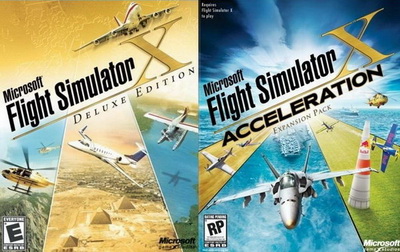
Even though you are probably not one of us who tend to rebuild FSX for this and that reasons from time to time, putting FSX installation contents onto a hard drive and running from there not only FSX Deluxe+Acceleration_400improves convenience but also significantly reduces processing time required.

The conversion is simple.   Just copy everything from the installation discs to any folder (e.g. FSX Deluxe Edition and FSX Acceleration) on your specified hard drive.

But do remember to copy the discs in their installation order, and answer [NO] when prompt to overwrite files already copied to the hard drive earlier.

In addition, Continue reading