
Equivalent SCENERY setting in fsx.CFG
Continue reading
fsx.CFG
60: fsx.CFG – Weather
Equivalent WEATHER setting in fsx.CFG
Continue reading
59: My Best FSX Setup (2011-0716)
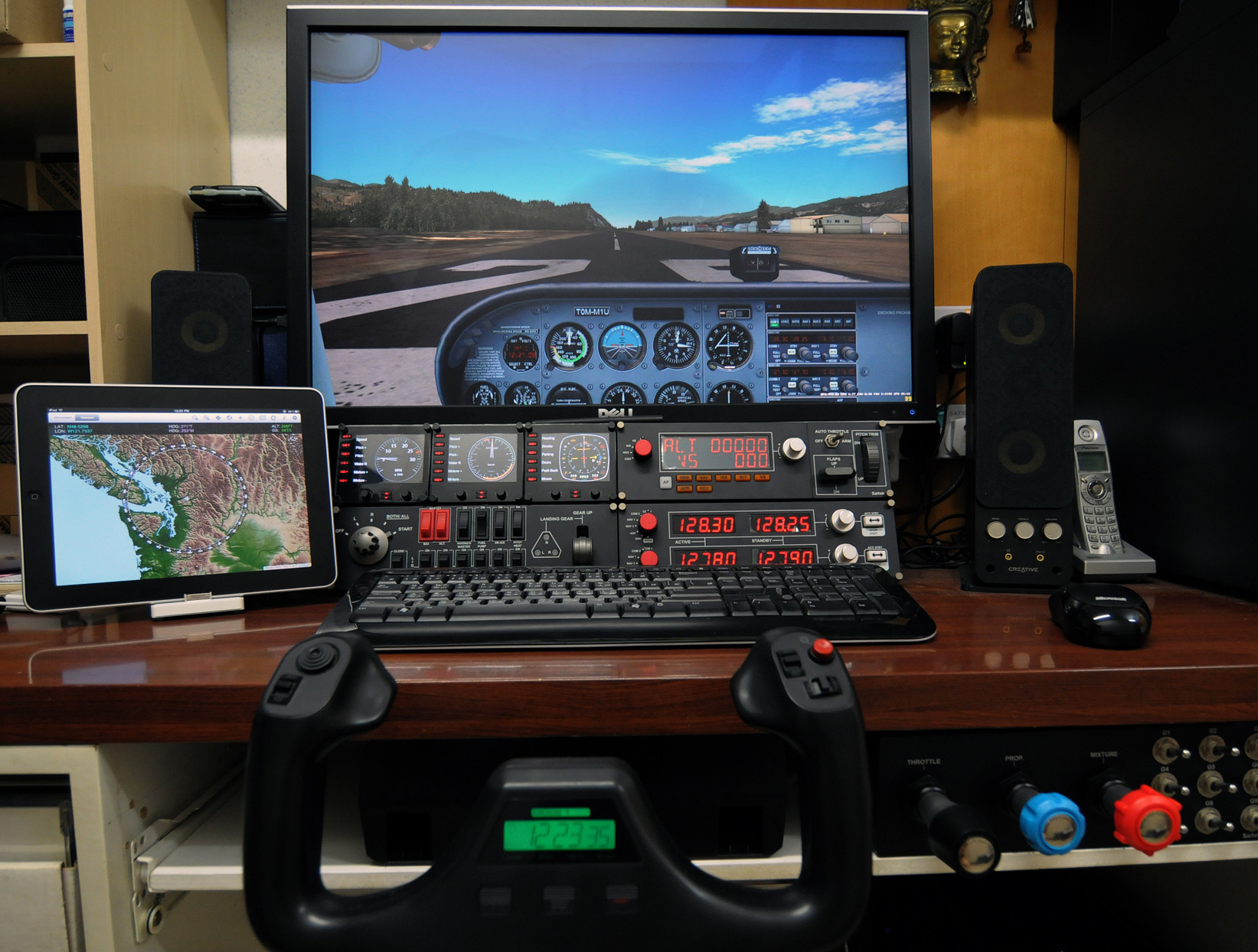
With following hardware, software, display card settings and fsx.CFG tweaks, I am generally getting :
- 39-47 FPS (20-30 FPS in heavy urban areas; ALL with 3rd party scenery installed)
- No Stutter (well, virtually)
- Very Sharp Image
- Very High Anti-Alias Quality
Hardware:
ASUS P6X58D-E | i7 930 @ 4.0G | 12GB DDR3 1600
ASUS Matrix HD5870 @ 970MHz / 5000MHz | Dell 3007 @ 2560 x 1600
2 x Corsair Nova 128 GB SSD — One for Windows & One for FSX | 1TB WD SATA3 HDD for Add-on Sceneries
iPad with iGMapHD
58: Rebuild FSX Shader Cache
When FSX was run the first time, a cache was also created under the C:\Users\<user name>\AppData\Local\Microsoft\FSX folder. It contains a sub-folder called Shaders (some systems may have an additional folder called Shader10) in which instructions and codes that are frequently accessed by FSX are stored. Every time FSX is run, contents of the cache will be optimized further to improve overall system performance.
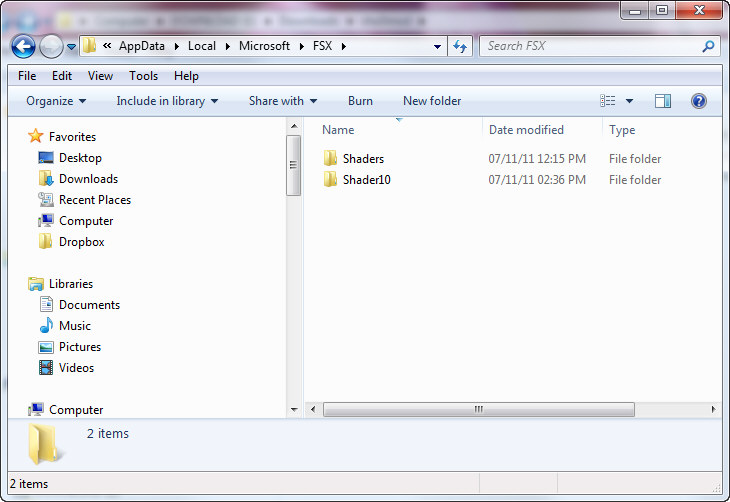
However, this cache is prone to be messed up when settings of fsx.CFG are changed or system is toggled between DX9 and DX10, etc.
46: Alternative to fsx.CFG
Even using the Flying Zone Approach described in previous posts to configure the FSX system, it still provides general-purpose optimum settings only.
While flying around specific airports or areas, one may further need to fine-tune values of Target Frame Rate, Terrain and Water, Autogen Density, Traffic, etc.
Although this could be achieved via SETTINGS option in FSX, the SETTINGS option will simultaneoulsy revert TEXTURE_MAX_LOAD, TEXTURE_BANDWIDTH_MULT and LOD_RADIUS back to their default values of 1024, 40 and 4.5 respectively.
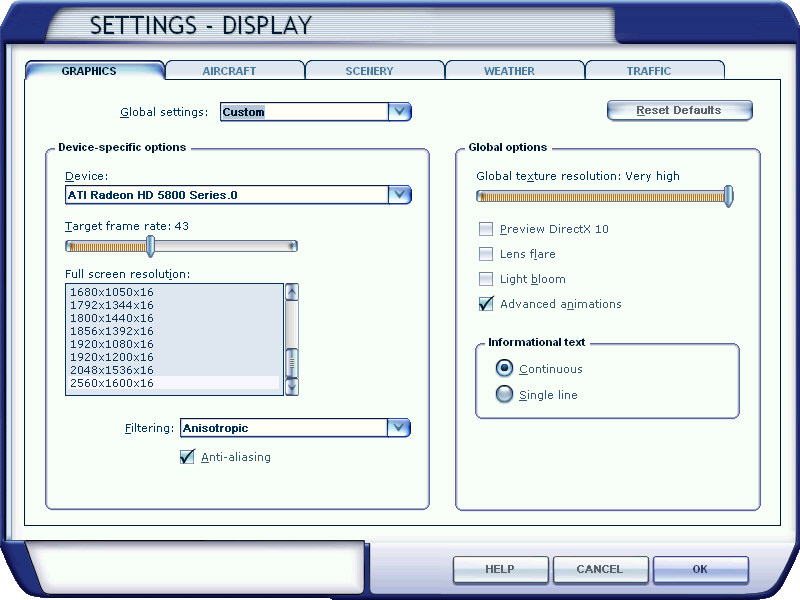
There seems to be no apparent option available but to quit FSX and change them back to your desire value via fsx.CFG. However, this is silly since the fine-tuning objective is to make changes during a flightsim session.
The solution is as follows: Continue reading
45: Configuration Fits for ALL #5 – Back to BASIC

With all the files prepared from previous steps, here’s the BASIC programming part to load corresponding files automatically when a flying zone is selected.
44: Configuration Fits for ALL #4 – fsx.CFG
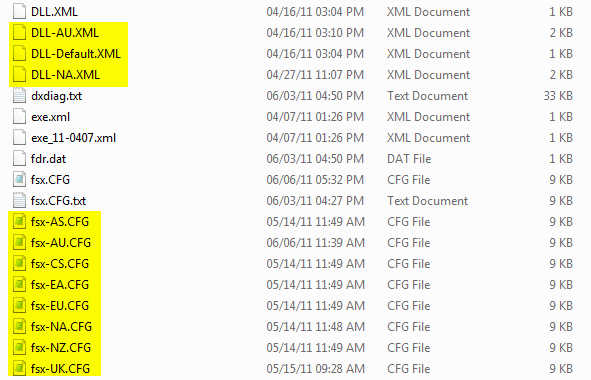
The concept of this approach is to divide FSX into a number of flying zones so as to minimize the impact from too many addons installed onto the system. Therefore, a number of corresponding fsx.CFG are created. This not only allows customzing fsx.CFG for each flying zone but also makes subtle fine-tuning possible according to actual performance resulted from each scenery.
So, instead of having only ONE My Best FSX Setup, I am actually having EIGHT as shown in the table below. The matching fsx.CFG will be loaded via the BASIC command when a zone is selected.
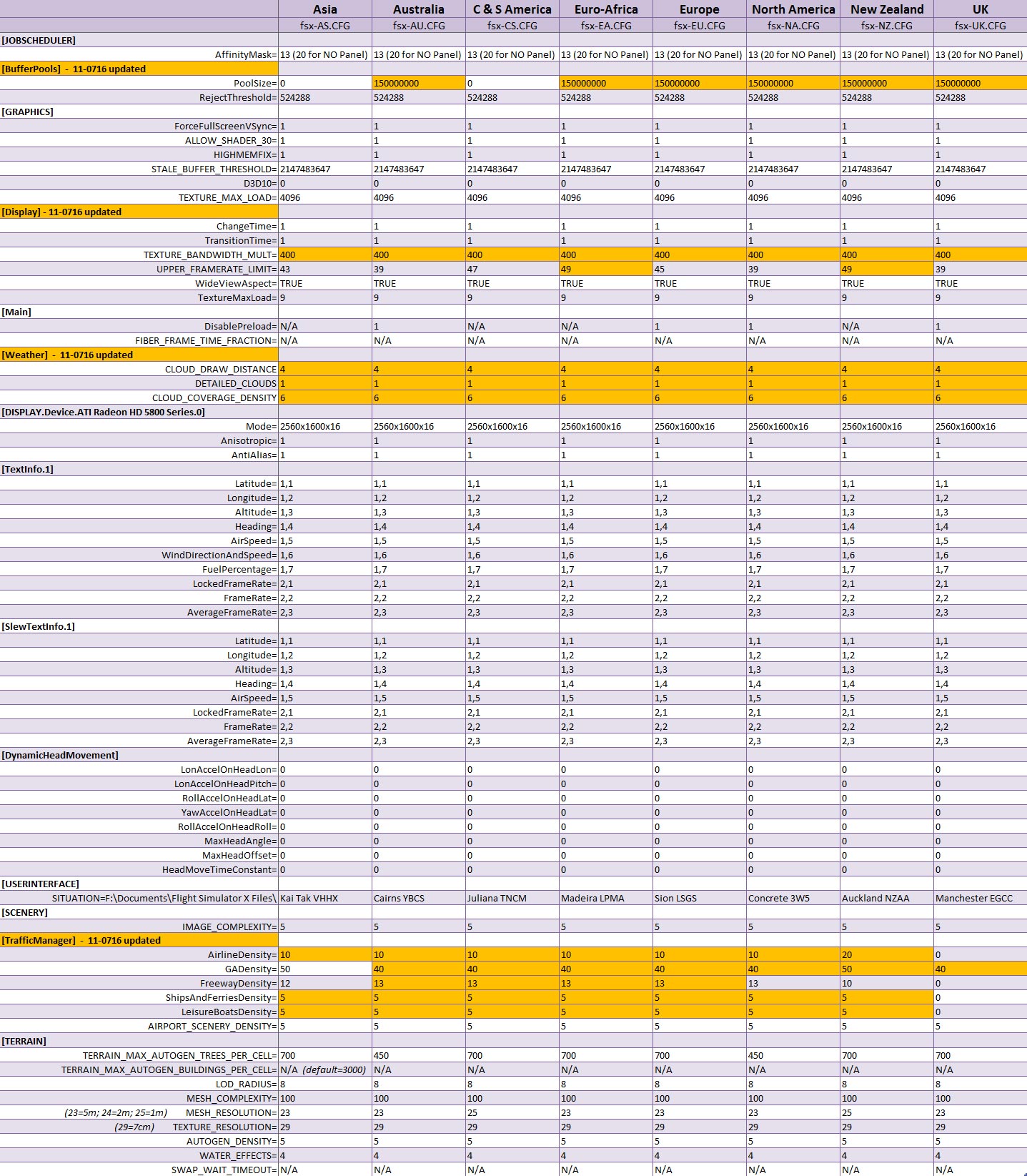
Next post regarding the BASIC program will be the last of the series.
42: Configuration Fits for ALL #2 – The Files
The more addons we install, the longer time FSX is needed to load up, no matter if SSDs or 1,000rpm HDDs are used. My system has nearly 400GB of third-party sceneries, not to mention additional aircrafts. FSX load-up time, imaginable, is intolerably long. Deactivating sceneries through Scenery Library under Setting will not help.
The main purpose of this flying zone approach is to trim down FSX system size and speed up loading and execution performance, without deleting any addons. At present, I splitted my system into 8 Flying zones according to specific Landclass and Scenery installed. They are: Continue reading
41: Configuration Fits for ALL #1 – The Concept
I usually flightsim only in areas with third-party sceneries installed. FSX, however, performs vastly different due to scenery’s complexity and technology used.
Like many others, I’ve been searching for and experimenting tweaks and suggestions, aiming to get the best FSX result.
Unfortunately, One Setting that Fits for All simply doesn’t exist. My Best FSX Setup may not apply to others at all, for example.
Inspired by Orbx’s FTX scenery approach, I started reconfiguring my FSX system into different flying zones about a year ago. Tweaks and settings, therefore, are specifically customized to target the best result for a particular scenery or flying zone under the same hardware setup.
Nevertheless, the concept is pretty simple: Continue reading
 FS Times