736: Set MSFS Priority to High at All Time #3


Setting CPU priority for MSFS to High does improve the performance of the Simulator.  Instead of using third-party utilities, such as “Prio-Process Priority Saver” and “Process Hacker” to change the CPU priority as reported in Post 714 and 726, Nicolas Bouesnard in France sent me a registry tweak that achieves the same result.

Here are the steps: Continue reading

735: My SU6 Settings with AN RTX3080 Ti

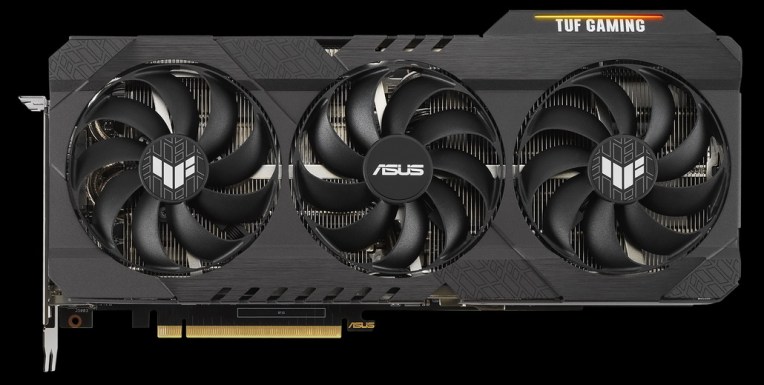
As the price of graphics cards goes down a bit lately, I decided to replace my 3-year-old GTX1080 Ti card with an RTX3080 Ti card last week.  I was planning to get the ASUS ROG version but it was out of stock and no schedule for next shipment at that moment. So I got the TUF edition instead. 

Frankly, with 12GB GDDR6X memory and a 1,755MHz over-clock rate, it is still a very powerful card to be used in MSFS for the next few years…I guess.ASUS_TUF_3080Ti
In general, I got an extra 75% to more than double the framerates with the new card straight from the box.  Not to mention I pushed many settings to Ultra in the Sim.

Here’s the update of my Graphics Settings in SU6 with the new card.  And I listed the framerates I roughly got from various activities and locations at the bottom of the table. Continue reading

733: A Possible SU6 Fix to Store Users

While I was staying up late downloading the SU6 in the middle of the night, I received an email from John H. Helms saying that he couldn’t get his MSFS (Store version) updated to SU6.

He said the Sim notified him there was an update and took him to the Store.  But there was no update option at all.

He tried resetting the MS Store and logging off the Store, rebooting computer, and logging on again.  Neither worked.   He added that all previous updates worked without any problem.

While he was a bit confused about it all, he thought he did the followings to get the update eventually: Continue reading

732: SU6 IS Good

After spending about 2.5 hours completing the SU6 Update, I played with it for 30 minutes with all addons and settings I last used in SU5.   Although I couldn’t tell what differences are exactly made, I am pretty impressed that the SU6 is quite good.
SU6
Regarding the update process, Continue reading

731: MSFS PA28R-161 Warrior II Gauges

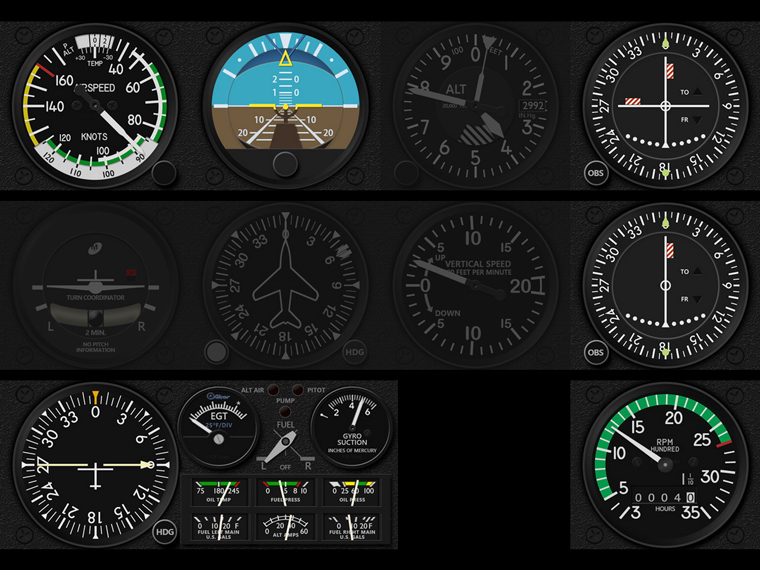
The FIP Gauges for Just Flight’s MSFS PA28-161 Warrior II have been released.

Compared to the company’s earlier Arrow III and Arrow III-IV Turbo, the ASI, ATT and Engine Gauges for the Warrior II are largely different; the ADF, VOR1, VOR2 and RPM are slightly varied; and the ALT, HDG, HSI, TCR and VSI are identical. MSFS_PA28-161_Z_BUNDLE_JPG
Therefore, for those who own the Arrow III-IV Bundle Gauges, there is a special discount to these new Warrior II Gauges.  Anyone insterested could click here Continue reading

727: I Gave My PC a Little Push

Probably like most of you, I don’t deliberately overclock my computer even though the hardware I got are OC-capable.  Normally I just leave it to the BIOS to auto tweak the computer a bit by default.

Surely this is fine as our systems can run to spec stably.

Unfortunately, no difference from other flight simulators, the MSFS 2020 performs better on better performing computers.

Therefore I lately further enabled XMP, thru which I got about 8-10 fps increase in MSFS by pushing the DDR4 RAM from standard 2400MHz to its rated 3200MHz.  That’s not insignificant I dare say.

Continue reading

726: Set MSFS Priority to High at All Time #2

The “Prio-Process Priority Saver” that I used to set my computer’s CPU priority for MSFS to High as reported in my Post 714 no longer works after my computer’s firmware was upgraded to TPM 2 compatible, which is required for the coming Windows 11.

Instead, I am using Continue reading

725: My Settings Now on Menu

Since my Graphics and nVidia Settings for MSFS are continually changing, instead of writing new Posts for them everytime, corresponding static pages with highlights of changes to them have been created.

In addition, Continue reading

723: My SU5 Tuning #4 – ReShade

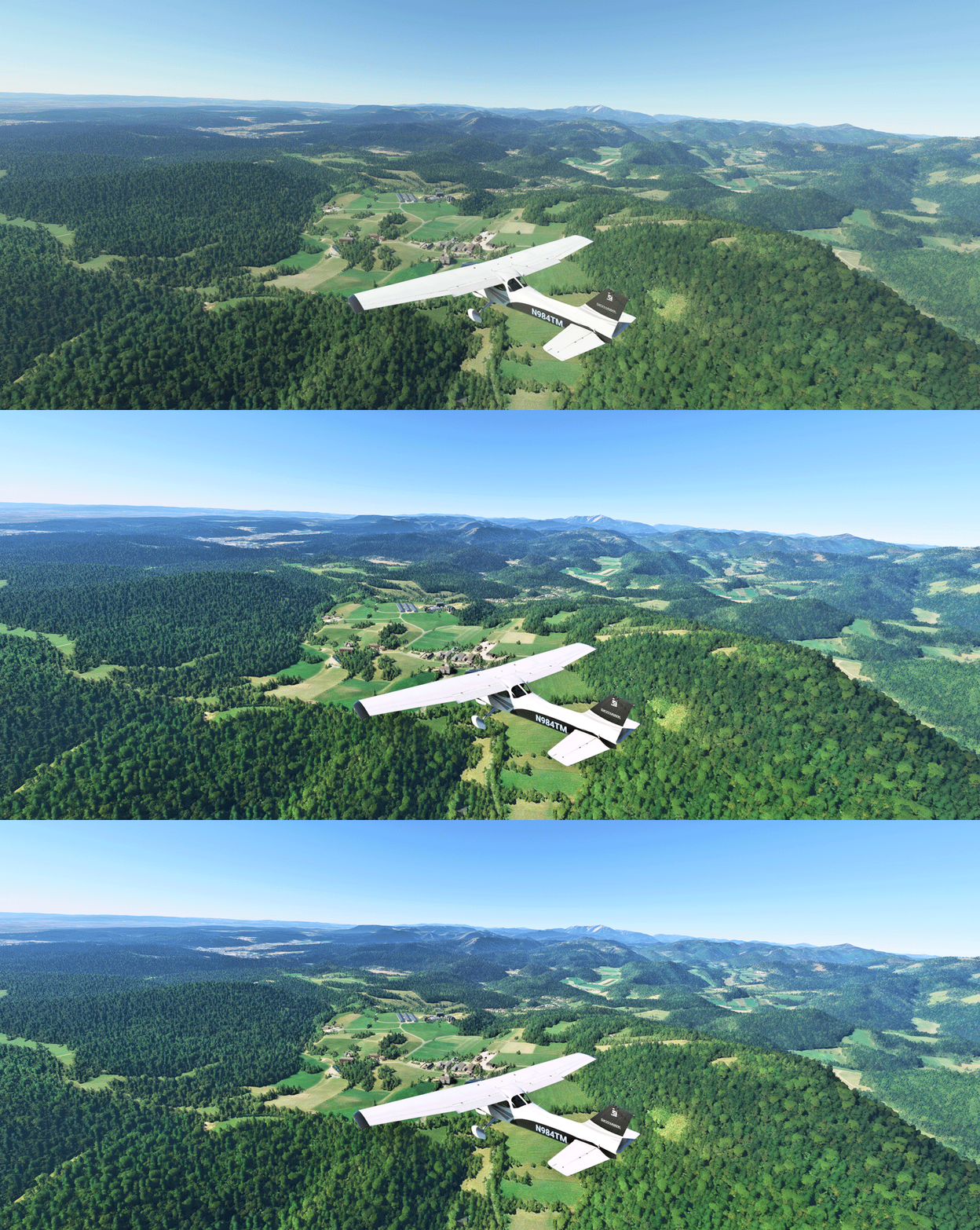
In MSFS, objects in far distance, even on a clear fine day, are too hazy to me.  This is one thing in particular I dislike.  And the Sim Update 5  (SU5) further worsens it as the overall color tone has been washed out, making the scenery looks very dull.

I use ReShade to tune the screen to my preferences.  Click image to enlarge.
Reshade_03L
The app is somewhat like the “Shade for FSX” that changes the atmospheric effects in FSX in the old days, but ReShade for MSFS is more sophisticated.  And most importantly, I don’t see any impact from using it at all.
Continue reading