626: Logitech’s MSFS Plugin is Good but Not Perfect

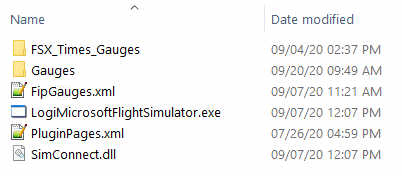
Just installed the Logitech’s Plugin for Microsoft Flight Simulator earlier today.  The content of it is saved onto the C:\Program Files\Logitech\Microsoft Flight Simulator Plugin folder.
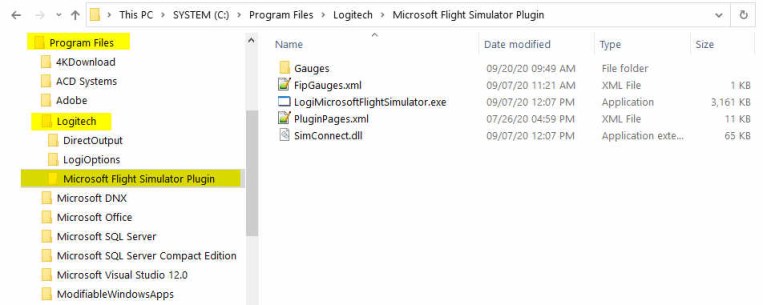
The Plugin works more or less the same as the company’s Plugin for X-Plane — once it is installed, you can forget about it.  The plugin will activate automatically with the simulator, allowing panels to communicate with MSFS accordingly.

To use my gauges with this new Plugin, just further copy the FSX_Times_Gauges folder and the LogiFlightSimX.xml file from C:\Program Files (x86)\Logitech\FSX Plugin to this directory, and rename or copy the LogiFlightSimX.xml to replace the PluginPages.xml file.  That will do.
However, Continue reading
625: New Logitech Plug-in for MSFS

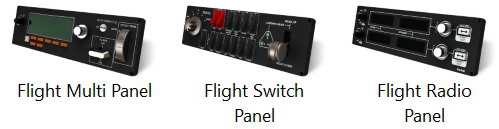
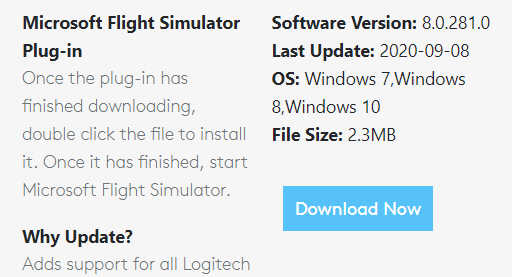
Reported by David Bechkett that Logitech has now released a MSFS 2020 Plug-in for all Logitech Saitek Pro Flight Panels including the Radio Panel, Multi Panel, Switch Panel, and the Instrument Panel.

Apparently now SIMCONNECT, FSUIPC, and other 3rd party plug-ins are no longer required to use the Logitech Panels with MSFS 2020. All of the Logitech panels will now be recognized by MSFS 2020 if you download the Logitech Plug-in from the Logitech Support site.

Just search for the Panel that you have and in the downloads section you should find the new plug-in.   Here’s the link: https://support.logi.com/hc/en-gb/articles/360024692354–Downloads-Flight-Multi-Panel

That’s great news. Thanks very much, David.  Continue reading

624: Running Logitech Panels in MSFS

I pulled out my Logitech Panels from storage earlier today.   After a few hours testing, they are successfully communicating with MSFS via FSUIPC 7, like the FIPs.

Followings are the steps I found the most effective:
Continue reading

445: SIMAV8 CNT1 COM/NAV Radio Review

In any construction of a realistic cockpit, high-performance avionic instruments can be said the next most important equipment next to the control stick, rudder pedals and gauges.  However, choices available on the market are limited, especially to those designed for general aviation simulation purposes.

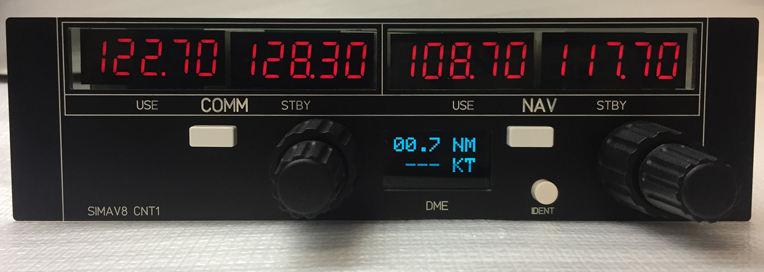
The CNT1 COM/NAV Radio by SIMAV8 is a new avionic equipment that is designed and built with this intention in mind.

Layout

In contrast to the bulky Saitek Radio Panel I have been using since 2000, the CNT1 Radio has an appearance of a real replica of a true-to-scale Bendix King Radio unit commonly found on most general light aircraft. Continue reading

345: Saitek Panels Can be Networked, Too

Stefano Cancelli in Canada recently reported to me that the Saitek Pro Flight Radio Panel, Multi Panel and Switch Panel actually can be run on a networked computer, exactly like what the Flight Instrument Panel (FIP) does.

Post345

“I discovered it quite by accident.”

Stef said he was not aware that the panels were still connected to his network computer after reverting SPAD.neXt to Saitek drivers due to some issues.  When he started a flight, he then realized that the networked panels were all working perfectly controlling radios, auto pilot, switches, and everything on the main fsx computer.

“This was a big surprise to me since I do not believe it is ever mentioned in Saitek’s documentation,” he said.

Stef came to me and ask me if I could help confirm his finding. Continue reading