
While doing fine-tuning and waiting for fixes for the new P3Dv5, I continue to have my cockpit rebuilding going on as planned. Now is time for the gauge components that reaches a total of 12 FIPs stacking up on top of the HoneyComb Alpha Yoke (click image to see larger picture). They should be good enough for most of my light aircraft flightsimming requirements.
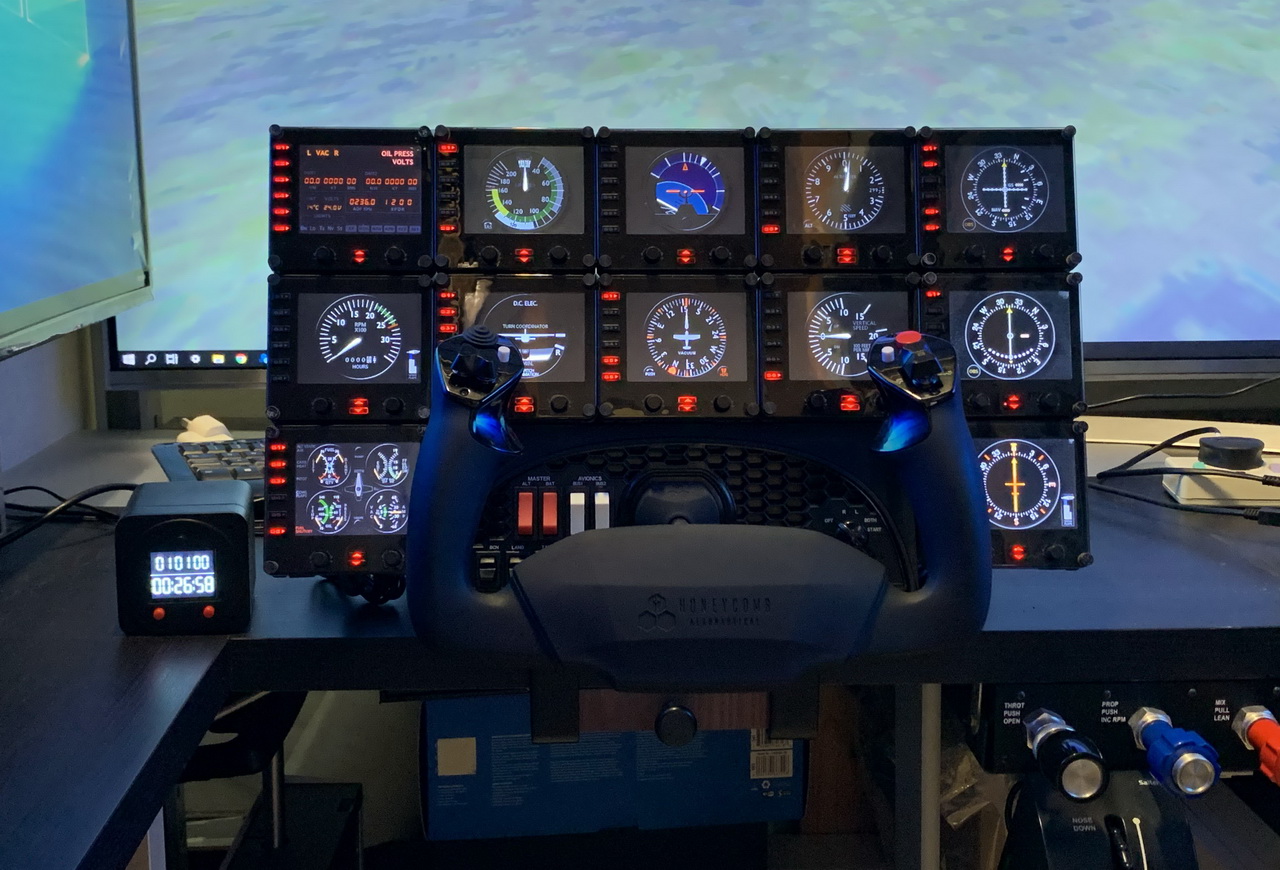
The 12 FIPs are hooked up to two electrical-powered USB hubs, which are then connected to my Surface Pro that is responsible for the operation and switching of the FIP gauges independently from the main computer. Continue reading
Saitek
563: My Cockpit Rev #11 – Control Cluster
After talking all these year about my cockpit rebuilding, it’s really making progress this time and it should be completed within the next two months if no unexpected issues coming up.
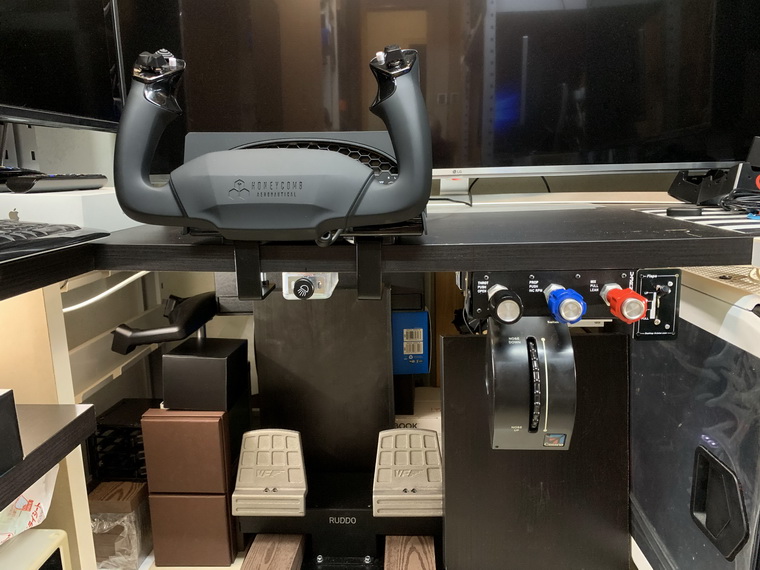
The equipment I finally picked are as follows: Continue reading
345: Saitek Panels Can be Networked, Too
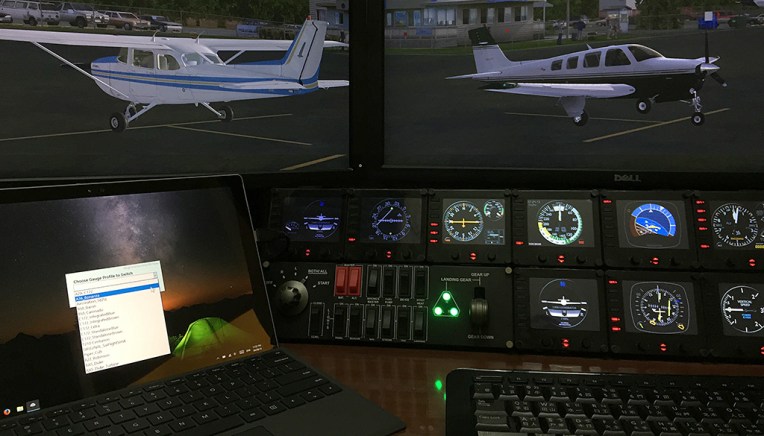
Stefano Cancelli in Canada recently reported to me that the Saitek Pro Flight Radio Panel, Multi Panel and Switch Panel actually can be run on a networked computer, exactly like what the Flight Instrument Panel (FIP) does.
“I discovered it quite by accident.”
Stef said he was not aware that the panels were still connected to his network computer after reverting SPAD.neXt to Saitek drivers due to some issues. When he started a flight, he then realized that the networked panels were all working perfectly controlling radios, auto pilot, switches, and everything on the main fsx computer.
“This was a big surprise to me since I do not believe it is ever mentioned in Saitek’s documentation,” he said.
Stef came to me and ask me if I could help confirm his finding. Continue reading
298: Cautious to the New Saitek Drivers
Perhaps some of you have noticed that Saitek has released two new drivers. The “ProFlight_FSX_Plugin_7_0_40_9_x64_Software” is an integrated driver for all its Pro Flight products except the Flight Instrument Panel (FIP) which requires another new driver “Saitek_Pro_Flight_Instrument_Panel_7_0_40_9_x64_Full_pfw” to support it.
The up-sides of the two new drivers are: they simplify installation, and the load-up order of the FIPs can now be configured. The latter feature, in particular, has been a long-time request by almost all FIP users.
However, the down-sides are: Continue reading
Misc: A Subjective Intention on Saitek Driver
Following is the comment I just received from Kim in Switzerland who expressed his thoughts about Saitek’s support. I think it is very well said. So I repost it here for more simmers to read, even though it is only our subjective intention.
208: A “Light” Variation in RPM Indicator
If you are one of those who’s been waiting for the second mailing of my new C172 gauges, here’s something to cheer you up while counting your fingers for the day , especially if you own a Saitek Switch Panel.
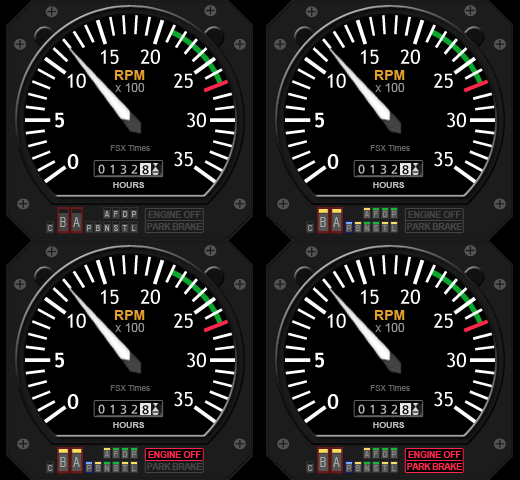
It’s commonly known that the biggest defeat of the Switch Panel is the lack of indicator lights for the associated switches.
Although I described how to replace some of the black-colored rocker switches with red-, white- and green-colored switches in Post 111, the operation of the panel is still far from ideal when used in the dark; not to the mention that only limited users have the components and skill to carry out the modification for the panel.
198: Cast the Saitek Panel Driver Out
Earlier this month, I was trying to associate a customized EZdok camera view (as shown in picture) to the gear lever on my Saitek’s Switch Panel, so that whenever I extend or retract the gear, the view changes to the bottom of the aircraft automatically.
After numerous attempts, I found there was no way out. Saitek’s original driver is so “dumb” that except the default control functions, nothing more it offers to the users.
As a last resort, Continue reading
An Update – The Company DOESN’T Care
Probably anyone could tell from all the flightsim gears I bought from Saitek and the many custom gauges I developed for its FIPs that I am really a big fan to the company’s Pro Flight products. That’s no doubt about it, but that’s also the reason why I was so upset when I got the unreasoning answer from the company’s supporting team regarding my help request on the format for the masking bmp files.
Beyond expectation, the company then followed my grievance promptly and positively. Despite the misunderstanding involved, I have to admit that I am impressed by the care the company pays onto a customer’s concern.
I never regard myself more special than other customers to the company. So, there’s no reason why I cannot clear out all my discontent and look to the future.
Even though I’ve tried to put myself in the company’s perspective to look into the service the company promised to deliver, it turns out to be that the company only talks and talks. I have no more fancy that company really cares about their customers — no matter how beautifully they present themselves.
After all, I am still a big fan to the company’s flightsim products.
Confidentiality — Nonsense !

With the help from Bill Leaming, Tom Gibson and Vololiberista at FSDeveloper.com who answered my question about “How to create BMP files for masking purposes” for FIP gauges, I have finally figured out how to create such *.bmp files in the first place.
It is so simple that I just need to:
- Fill the image file (to be used as a mask) with RGB color=1,1,1 or web color=010101; then
- Save the file in either 1, 24, or 32-bit format.
That’s it! I tried various methods and it turns out that I was just a step behind the door. Sometimes you just need a twist to get you there.
Regarding my complaint against Saitek — Yes, that is the information I would expect from the company.
What a shame that the Saitek EU technical guy, Gabriel Constantinescu, replies and claims such information as “privileged and confidential to the company” and cannot release it to a loyal customer who asks for a little support. And irresponsibly says that “we are unable to provide instruction on creating gauges to customers.”
Either he is totally ignorance or the department has rotten by bureaucracy !
Case Closed !
 FS Times