223: Useful Tips on Multiple FIP Usage

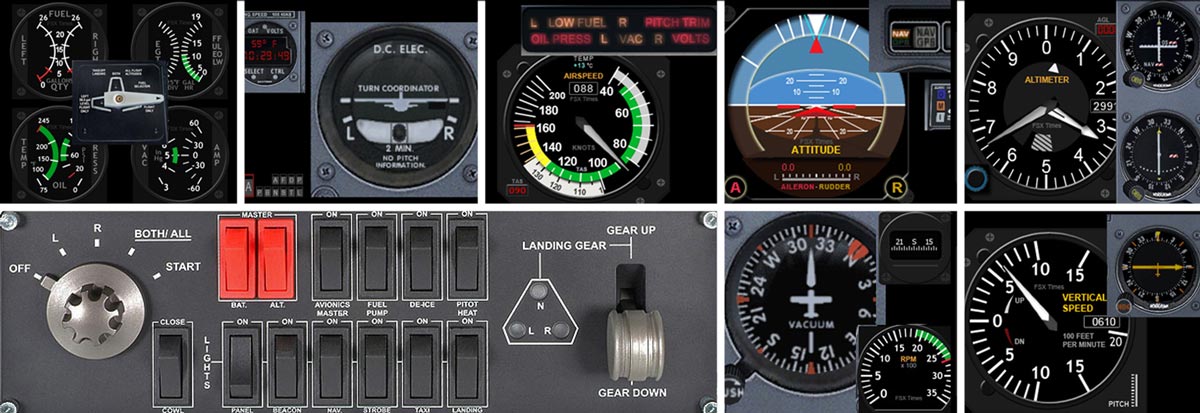
In addition to the stunning 18 FIP cockpit photos Andrew Crowhurst shared with us earlier, he also summarized his experience about setting up multiple FIPs as follows.   (BTW: some of you may have not noticed that the cockpit photos from Andrew posted yesterday have just been replaced by newer, higher resolution updates.)

Despite one of his recommended suggestions on how to link multiple hubs for FIPs which requires a little DIY technical knowledge and skill,  Andrew’s tips are pretty straightforward and should answer many questions FIP users generally have in mind.

1. Should I connect all my FIPs directly to my PC?

I found that Continue reading
Misc: Another Wet Compass Version

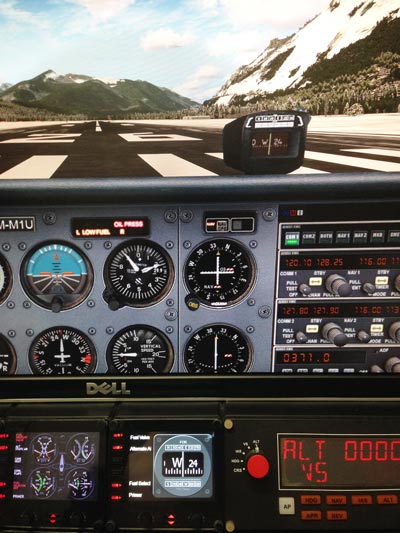
Dirk Reussner, who is also known as redi-ENT, just sent me his version of Wet Compass, which is a little more 3D-like.  He is so kind to share his work with us all.   You can directly download his compass version by clicking here.    Thank you Dirk.

222: Wet Compass

Just made a simple Wet Compass for Nils Taubert.   Actually, it’s been requested by some other friends from time to time.CompassS

Programming for the wet compass isn’t complicated.   But, the graphics renderings and image alignments, in particular, are still very time-consuming and involve a lot of trial and error as always.

The gauge uses the default 240 x 240 resolution on FIP due to its simplicity.   Very likely I will incorporate it to my other gauges in the future.
Continue reading

221: Full-width Turn Coordinator

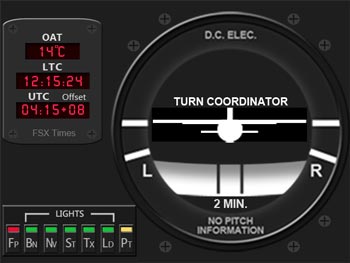
I am supposed to complete the Turning Off the FIP series for the remaining Tachometer C172_TCCLKand the Integrated Fuel Gauges in this two weeks.  Instead, here’s my first attempt utilizing the full resolution (320 x 240) of the FIP for the Turn Coordinator, plus OAT and Local & Zulu Time Clock with Time Zone Offset.

Both features had been missing from my previous gauge development and they’ve been frequently requested by friends of FSX Times.

Continue reading

Update: Corrections to Post 218 – 220

Thanks to Michael Johnson who pointed out some problems and errors when applying the Turning Off the FIP options in Post 218, 219 and 220.

Firstly
The OFF screen mask images previously uploaded to WordPress wouldn’t correctly revert to its original BMP format by simple renaming method.   The images obviously were modified during the upload process.   So, I have created a direct download link.

Just save the images to the respective folders as described in the post will do.

Secondly Continue reading

220: Turning Off the FIP#3 – AS Indicator

TechLevel01W
(Updated on: 24 October 2013)  This is part three of the Turning Off the FIP series. This time is the AirSpeed Indicator.

C172_AS_OFF.bmp==========
AAA
Similarly, save the image on the right to the \1024 folder where you keep the VS indicator (e.g. C:\Program Files (x86)\Saitek\DirectOutput\Gauges\1024) via the link below:  https://dl.dropboxusercontent.com/u/25018674/Gauges-C172/C172_Gauges_130815_OFF/C172_AS_OFF.bmp

==========
AAA
Remember that the image must be saved as it is in BMP format — C172_ALT_OFF.bmp Continue reading

219: Turning Off the FIP#2 – Altimeter

TechLevel01W
(Updated on: 24 October 2013)  This is part two of the Turning Off the FIP series.   This time is the Altimeter.

C172_ALT_OFF.bmp==========
AAA
Similarly, save the image on the right to the \1024 folder where you keep the VS indicator (e.g. C:\Program Files (x86)\Saitek\DirectOutput\Gauges\1024) via the link below: https://dl.dropboxusercontent.com/u/25018674/Gauges-C172/C172_Gauges_130815_OFF/C172_ALT_OFF.bmp

==========
AAA
Remember that the image must be saved as it is in BMP format — C172_ALT_OFF.bmp Continue reading

218: Turning Off the FIP#1 – VS Indicator

TechLevel01W
(Updated on: 24 October 2013 Just recalled reading a question somewhere before — “Is turning off the Fligth Instrument Panel (FIP) possible?”

Yes, it’s possible by unplugging it from the USB socket.

I know it is not what the question really asks for.   But truly, when the FIP is connected with electricity powered, there isn’t “A Switch” that one can turn off the FIP, unfortunately.

Well, for those who are using my C172 gauges, here’s an alternative:

Continue reading

216: Squeezing In

The seven Saitek Flight Instrument Panels (FIPs) I currently have are far less than enough to individually cover each flight instrument on the C172, not to mention the more complicated aircrafts.  I could purchase a couple more — the easiest solution.   But I am quite happy with my current setup, and the success of the recently made Integrated Fuel Gauges also strengthens the possibility for me to integrate all (ideally) C172 instruments onto my current seven FIPs.

The following is the layout I drafted which includes proximity consideration of the instruments in the cockpit.  No doubt, compromise is inevitable.

FIP Gauge PlannedS
Initial Draft to include all C172 instrument onto 7 FIPs (Click to Enlarge)

Moreover, Continue reading