167: Centurion T210 VerSpeed Gauge V2

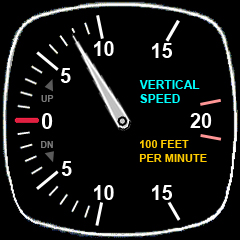
Image on the right is the newest version of the vertical speed indicator I just updated with fine details.  It is a lot more realistic than the default one by Saitek or any versions I revised before.

Subscribers of this blog who already got the download link for the last version published two days ago (Aug-7) can use the same link to download this new gauge.  Edit: This instrument is no more available.

The planned attitude indicator, however, will be delayed in order to render finer details comparable to this one.
165: Centurion T210 Vertical Speed Gauge

Just purchased my last two (well, seven in total, so far) Saitek Flight Instrument Panels (FIPs) to complete my flight system.  To make them look more realistic and appealing for my favorite Centurion T210, I am working on to revise all gauges accordingly.
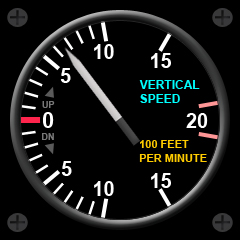
The image on the left is the new Vertical Speed Indicator I have just made after the last revised Airspeed Gauge.   Of course, it can be used on similar aircrafts, too.

Subscribers of this blog are welcome to post a request in the COMMENTS section below to get the download link for it.

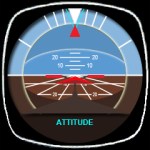
Here’s also the preview screenshot of the Attitude Gauge to be completed very soon.

163: Centurion T210 Airspeed Gauge V2

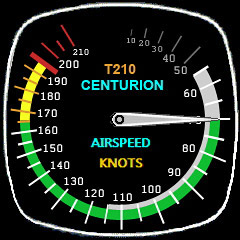
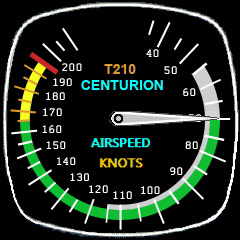
The image on the right is the 2nd version of the Airspeed Gauge for Centurion T210.   It is done so based on the suggestion from Ray Marshall, who would like the gauge to be easier to read at lower speeds during approaches and landings.

The position of readings and overall graphics of the gauge have also been improved.

Subscribers of this blog who are interested to get a copy of this Airspeed Gauge version 2 could post their requests in the COMMENTS section below.

160: Airspeed Gauge for Centurion T210

Carenado’s Centurion T210 is my favorite airplane which I have made it the default one for most of my free flights.

The FIP image on the right is the new airspeed gauge I just created to replace my last FIP meter for Cessna 172.

When time allows, will further customize a few more gauges for the plane.

Any subscribers who are interested to get a copy of this gauge could post their requests in the COMMENTS section below.

144: Remove Burn-In Marks on FIPs

During the installation of Saitek’s Flight Instrument Panels (FIPs), a few images of the company’s other products will also be copied to the device’s driver directory.    These product shots, since they are useless, can be  removed or replaced easily (see my Post 28: Flight Instrument Panel Tweak – Part 1).   However, by doing so, the FIP will show the serial number screen all the time when FSX is not engaged.

Saitek’s official states in the company’s product forum that because the intensity of the LCD is so mild that the screen of FIP won’t get hurt even it is left on for a long period of time.

Above situation stayed true for more than two years for my first three FIPs until I bought two more FIPs for my system recently. Continue reading

126: New Gear Added

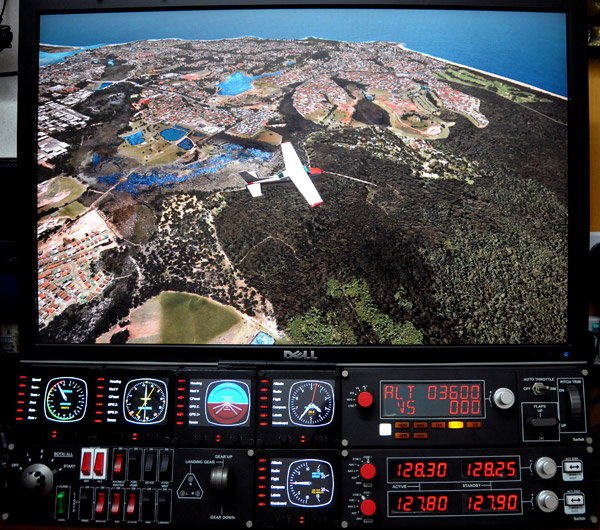
Lately, I have been busy on playing with my new gears that I’d been longing for quite some time.    Two additional Saitek Flight Instrument Panels (FIP) were finally added to my system, which completed my Saitek collection  —  well, at least for the moment.

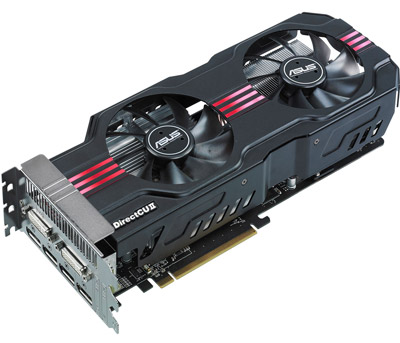
And the ASUS HD 6970 Direct CU II, which replaced my ASUS Matrix HD5870, brings a better image quality and a cooler and quiet environment.    Also, it allows me to upgrade to a multi-monitor system in the future.

However, both new gears require adjustments.   In particular the HD 6970, it requires quite some patient in order to achieve a satisfied result better than the previous setup.    Updates and settings for both new gears will be posted soon.

118: Loading FIPs in Desired Order

Received quite some inquires about loading specific gauges onto multiple FIPs (Flight Instrument Panels) in desired order.

Here’s how I do it:

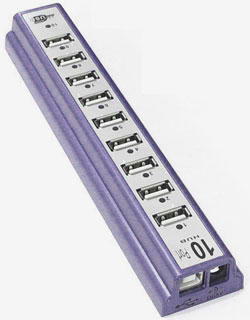
  • Use a powered USB hub to connect all FIPs to the computer
  • Plug the first FIP (the one to display the first gauge) to the last numbered port on the hub
  • Then the second FIP to the second last port;  the third to the third last port, and so on.

The FIPs are required to plug in this manner because the USB hub always starts the FIPs in reverse order from the last numbered port to the first numbered port.

Continue reading

106: My FIP Key Assignment

Updated: Nov-26, 2011
With two additional FIPs added to my setup, key assignments are reconfigured as follows:

Startup order are:

  1. Heading
  2. Attitude
  3. Altimeter
  4. Vertical Speed
  5. Air Speed

The RPM Indicator is a virtual one which shares the same FIP with the Air Speed gauge.

Continue reading

30: Flight Instrument Panel Tweak – Part 3

I got three Saitek’s Pro Flight Instrument Panels.   They are good but expensive, too.  Moreover, the more of this FIP are attached to a system, the more impact of it affects FSX’s performance.

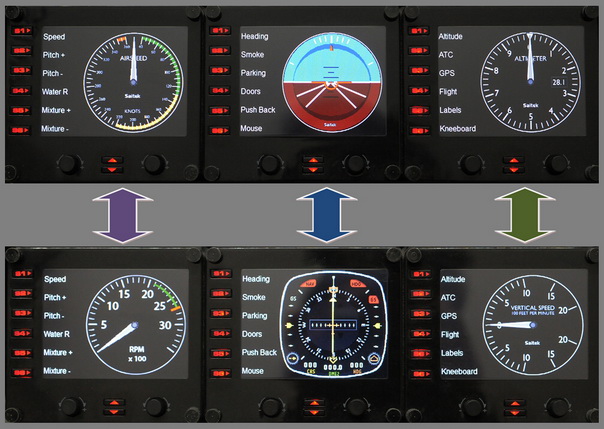
Using earlier Tweak 1 and Tweak 2,  my three Panels are setup as picture shown below, and each panel controls two related gauges:

AIRSPEED <—> RPM

ATTITUDE <—> DIRECTION

ALTITUDE <—> VERTICAL SPEED

Under this arrangement, I can simply press the up and down buttons to easily access the six basic gauges on small planes I usually fly.

Continue reading