124: Break the 10-Day Shade Cycle Limit

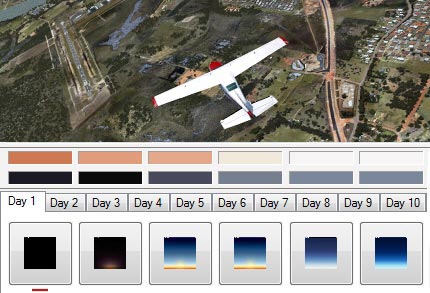
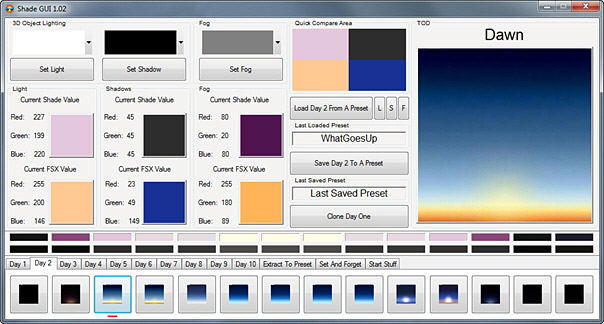
SHADE for FSX is built on the 10-day cycle of FSX.   Therefore, up to 10 different SHADE presets can be saved via the program’s GUI utility (Shade_gui.exe).

Actually, it is possible to crack the 10-day limit and extend the cycle to cover all days in a month.    And theoretically, it is even possible to use a different preset every day throughout the year and beyond, despite of the impracticality of the idea.

The concept of this tweak is pretty simple — when SHADE for FSX is executed, it will load the presets from the settings.ini created by Shade-gui.exe.   Therefore, if one can:

  • Prepare three different settings.ini each containing 10 different presets (totalling 30 presets)
  • Load them one after the other in every 10 days

Then, each day in a month can associate with a unique preset stored on these three settings.ini.

The tricky part is how to fully automate the swapping process of these three ini files according to a predefined condition without human intervention.

Here’s what I did:
Continue reading

122: Day Cycle Calculator goes Mobile

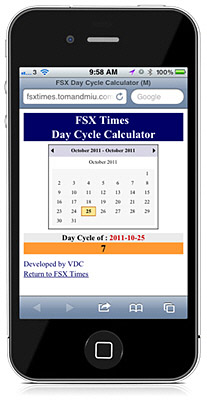
Here’s the mobile versionof the FSX Day Cycle Calculator customized for iPhones and smart phones.

When started, SHADE/Day cycle of today will be shown.    Still, users can effortlessly select another day or month as with the desktop version.

From now on, one can find out the SHADE/Day cycle of today in FSX, anytime, anywhere, even without a computer.    Just bookmark the following link in the browser of the phone.

http://fsxtimes.tomandmiu.com/fsx_daycycle_mobile.aspx

116: FSX Day Cycle Calculator

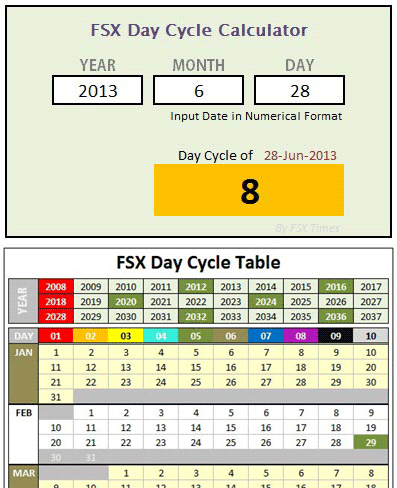
Here’s the FSX Day Cycle Calculator mentioned in Post 112 about Finding the Day of Shade.

Compared to the previously created Day Cycle Table, this calculator is much more handy and it has been further revised to simplify input operations.   Continue reading

113: A Quick Fix to SHADE Darkness

As mentioned in Post 107, the one thing I particularly dislike SHADE for FSX is that all its available Presets will significantly dim the brightness of all scenes in FSX, especially in the early morning and late afternoon.

Although users can modify the Preset values via the program’s graphical user interface (Shade_gui.exe), the effects of changes are not intuitive and the results are to some extent depending on a time-consuming trial-and-error process.

Indeed, there’s not much one can do to speed up the process of getting an ideal result from color and shadow changes.   But for the “too dark” issue, followings are what I did for a quick fix, from which I further finetune the color and shadow of shade for my own preferences.

Continue reading

112: Finding the Day of SHADE

As explained by the developers of SHADE for FSX, days in FSX are looped in a 10-day cycle and his program was designed and built on that loop, which allows the loading of up to 10 different SHADE presets in FSX.

However, how to find which Day is active on a specific date is not easy (at least not by the time of this post).


Followings are the principles of the 10-day cycle and how it is calculated: Continue reading

107: SHADE for FSX – An Angel and A Demon

Mogwaisoft’s Shade for FSX is a little program that can modify the ambient colors and tones in FSX.    It is somewhat similar to, but better than, the ENBSeries freeware which also helps improve the bloom and shade in FSX.    The latest version of the program at the time of this post is 1.02.

Shade for FSX comes with a graphic interface where users can pick different presets with varieties of light, shadow and fog settings for the ultimate effect in color and tone rendered in FSX.   Also, it allows users to create their own customized settings to match their preferences and tastes.

The working principle of the program is as follow:  Continue reading