
Thanks to Rares Vernica, the cause of the fuel-flow issue found on the C172SP Integrated Fuel Gauges (INTFG) for X-Plane has been spotted. It is very likely caused by the “rounding” function in Logitech’s X-Plane Plugin for the command.
The value of the “sim/cockpit2/engine/indicators/fuel_flow_kg_sec” dataref from X-Plane for the C172SP is in the range approximately between 0.003550 to 0.009475 (or 0.003xxx to 0.009xxx) when engine is running.
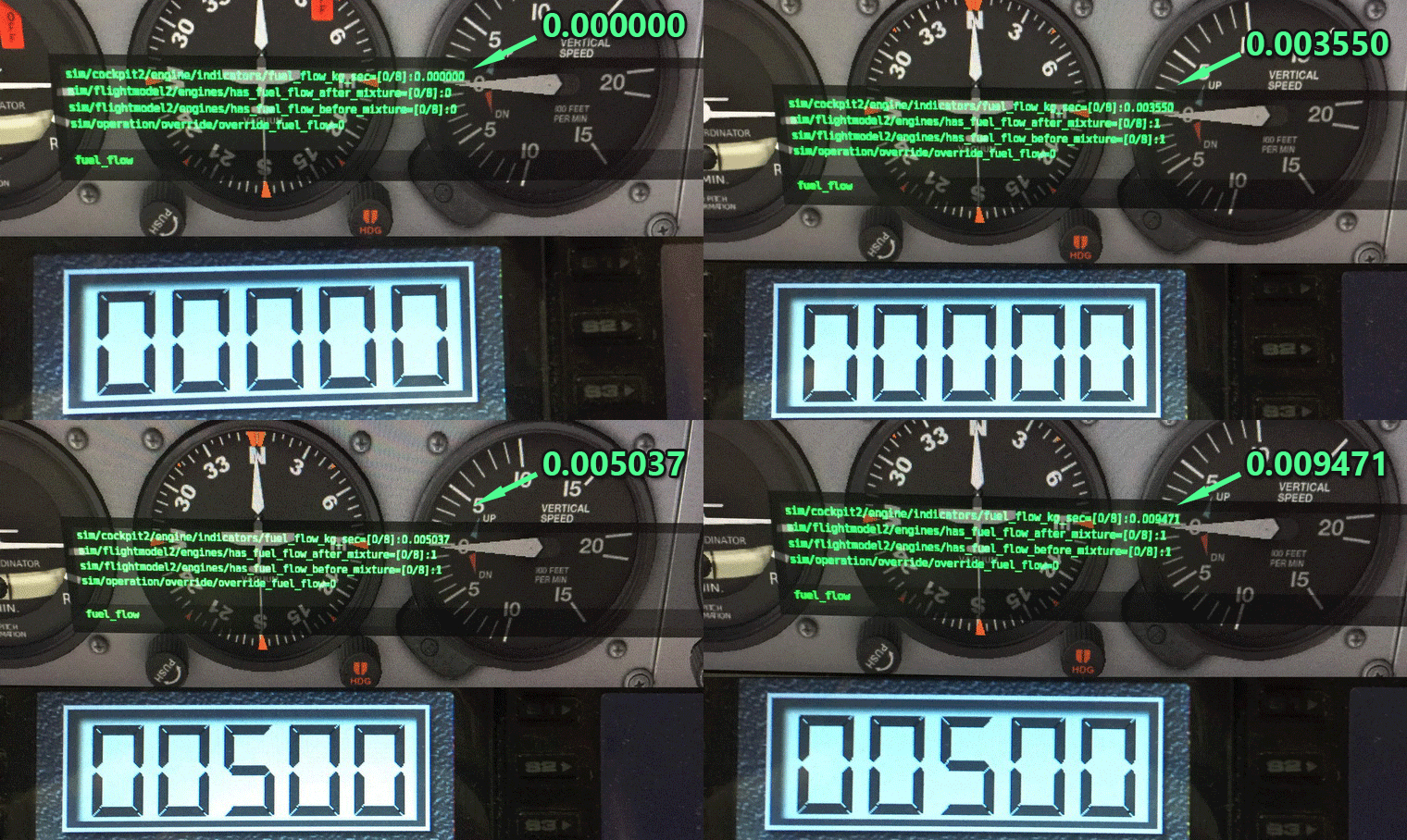 As shown in the image above, the 3rd decimal number on the Flight Instrument Panel (FIP) is rounded to either 0 or 5 regardless of the actual output from the dataref in X-Plane. Continue reading

 FS Times