
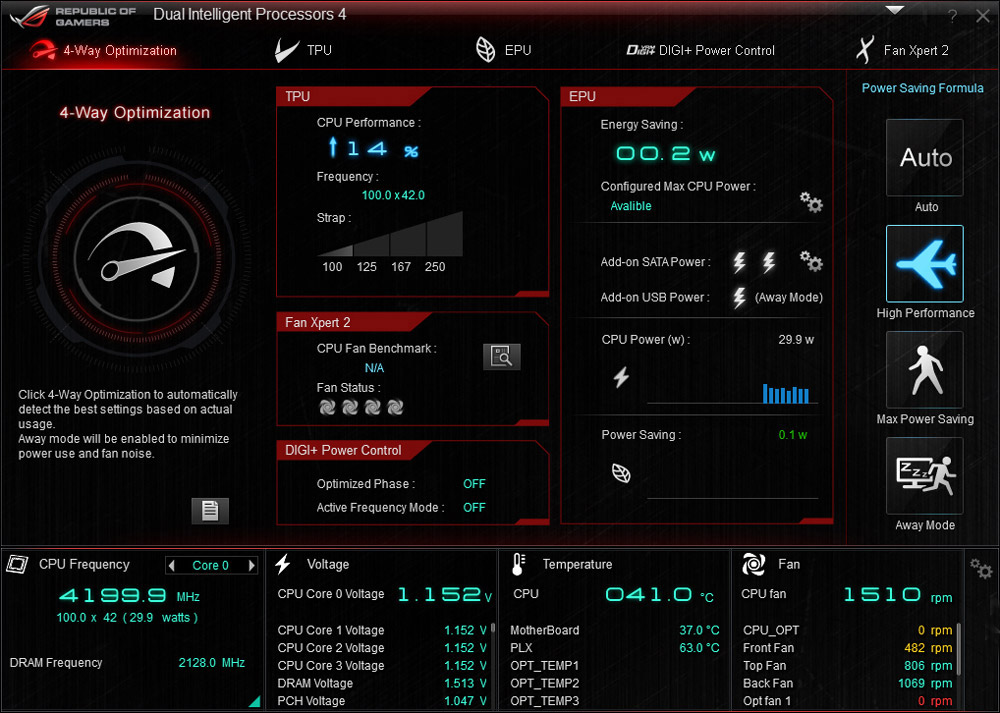
My 4770K CPU was stably overclocked to 4.6 GHz before I moved on to the current 3-monitor setup with dual GTX 780 in SLI connection. Since the system crashed a few times due to overheated CPU problem while running P3D (that’s right, P3D, not FSX), I have no choice but to lower the clock speed to 4.2 GHz.
Obviously, even though P3D is said to have shifted many processing works to the GPU, it is still a CPU-intensive program. With lowered clock speed, my system’s CPU temperature lingers around 55°C, and adds another 5 to 10 degrees in general while flying over high density areas. No more crash has encountered since.
===============
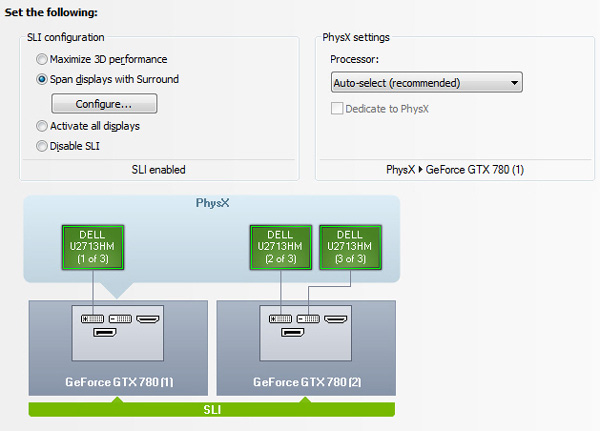
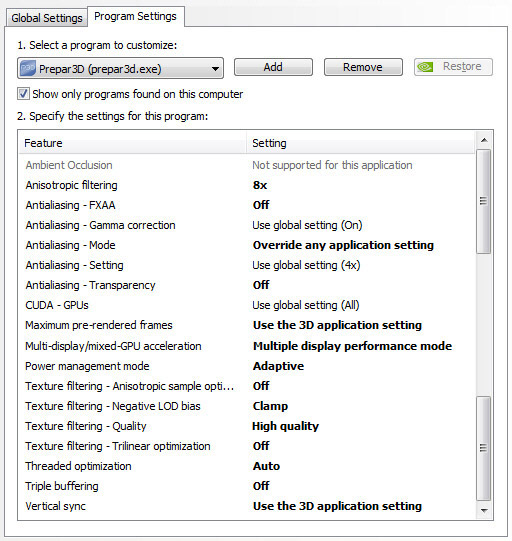
Followings are the settings of my graphics cards shown in Nvidia’s Control Panel.
===============
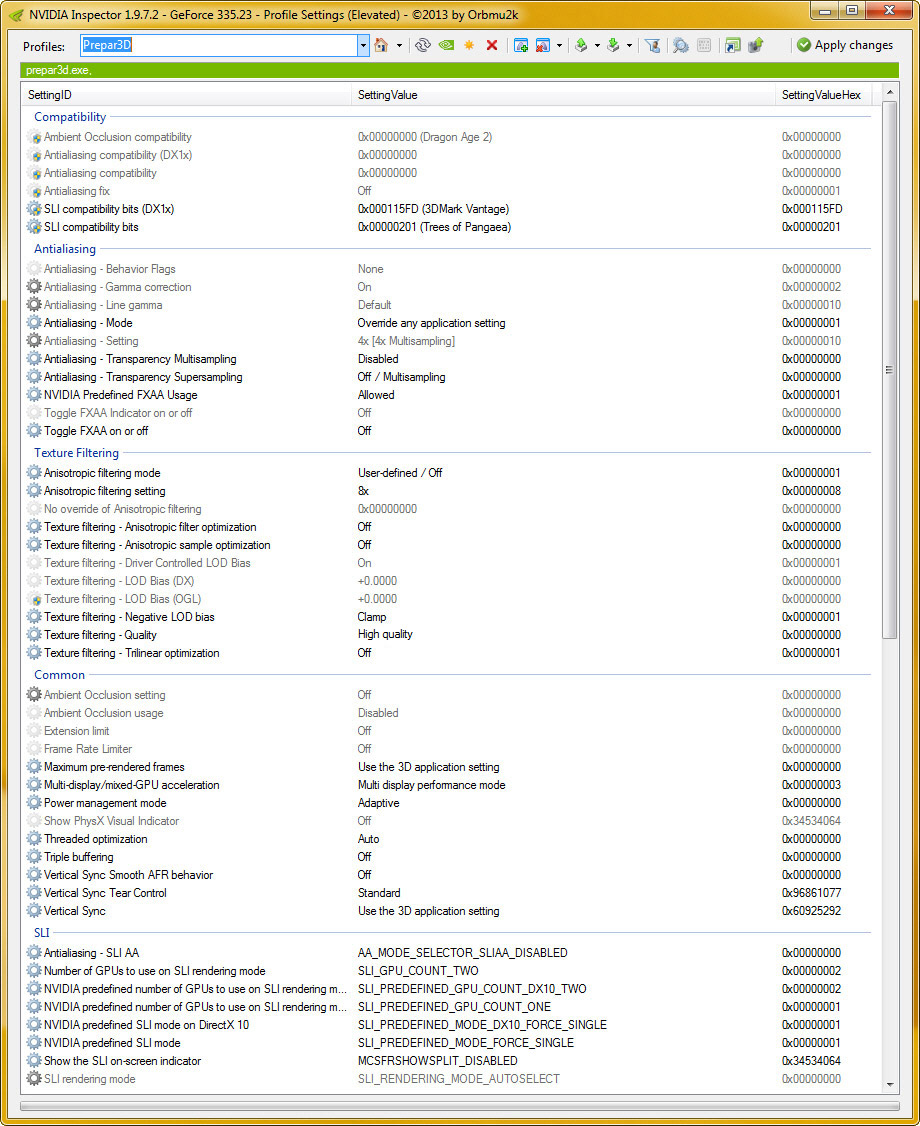
Here’s settings from Nvidia Inspector. Values for SLI are selected via actual one by one testing under P3D. Improvements are seen; however, not very significant.
===============
So, the various values and settings I posted from Part 3 to Part 5 wrap up the performance I gained in the videos shown in Part 2.
Again as said, overall result is not flawless and there are rooms for improvement. Nevertheless, I have inclined to run P3D more than FSX as my regular simulation platform.
 FS Times
Tom – Thanks for the information. I just made the leap to P3D this weekend. My FSX has just been too good to abandon so I have been slow to make the move. Everything appears to be going well with P3D – however, my AA just isn’t what it is in FSX. My understanding from the various threads / forums is that nVidia can’t inject and process yet and this is something that LM and nVidia are working on. So – apparently Inspector or nVidia override settings aren’t doing anything. Can you confirm this or is there something else you are doing to get these GPU override AA setting to take effect?
Benjamin
LikeLike
Yes Benjamin. You are absolutely right that FSX to some extend is too good to be abandoned. I was (still am) facing the same situation.
Regarding the nVidia and Inspector settings, it seems that your findings are right that they don’t have much effect in P3Dv2. I just tested it.
Not sure if it is the latest driver I not too long ago installed because I remember when I was tuning my system, they both affected the quality results and performance of P3Dv2.
Anyway, will further explore them and post my findings if any.
Thanks for the note.
Tom
Tom
LikeLike
I will stay tuned! I made a little progress tonight. IT does seem as though SGSS (Sparse Grid Super Sampling) is doing something to sharpen the picture.
Blurries are gone now running SGSSx2 and Texture Filtering (NI) as Quality.
Keep at it and thanks for the efforts to let everyone else know.
Benjamin
LikeLike
Glad to hear that and you’re welcome.
Tom
LikeLike
Please, could you tell me what tweaks or parameters have you done to get rid off blurries ?
LikeLike
Hi Jonathan, all tweaks or parameters I am using have been described in Part 3 to 5 regarding P3D v2.2. If you are using P3D, AffinityMask is key, IMO.
Tom
LikeLike
Thank you for this feedback Tom!
But finally are you satisfied with this configuration?
What is the “fps” obtained generaly with this configuration ?
khosrov
LikeLike
Hi Khosrov, I am quite happy with the current setup. Of course it won’t be final and it will be tuned from time to time, hoping to get better and better result. FPS is limited at 31 and it is pretty stable.
Tom
LikeLike
a virus was attached to this blog
LikeLike
Hi Lee,
My blog is hosted by WordPress which is a common free-blog platform. The note may probably due to the setting of your antivirus program.
Tom
LikeLike