
With Windows 8.1 two years ago, I experienced recurring crash-to-desktop errors on FSX platform after Orbx’s FTX Global Base was added to it (see my Post 228: FSX with Windows 8.1).
Now with Windows 10, thank goodness, the same combination (FSX + FTX Global Base) doesn’t crash to desktop any more. But, my goodness, the excitement only lasts for two days until I added another Orbx’s regional product to the platform.
I really don’t know if it is FSX itself or Orbx’s addon the true culprit causing this notorious CTD problem.
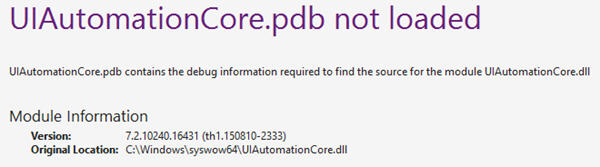
Anyway, the tweaks I suggested in the earlier Post 228 are still valid. But I found another common trick — adding a Vista version of UIAutomationCore.dll to the root directory of FSX — seems to work even better, based on the debug information recorded during at crash.
Here’s the download link of the Vista UIAutomationCore.dll file which I don’t remember where I got it from in the first place.
Just put the file under the root directory of FSX. The CTD issue is very likely fixed (or minimized at least). Afterall, the placement does no harm at all.
Do note again that this “dll” file comes from the very old Windows Vista. Never mix it up with the other UIAutomationCore.dll files found on your computer. They are not interchangeable.
In addition, your mileage may vary, depending on the Windows version plus software and hardware associated to the simulator.
 FS Times
There are two different UAautomationcore.dll file versions for fixing FSX menu crashes. NickN wrote about them in his FSX Bible document posted on SimForums. Version 18000 is the Vista SP1 version and the other is version16386 which is a pre-vista copy. NickN recommends starting with version 18000 first, and if that does nit work,, install the version 16386. By install, means place the file in the FSX root directory.
http://gex.flight1.net/forumimages/FSX_WINDOWS_TUNING/UIAutomationCore_v18000.zip
http://gex.flight1.net/forumimages/FSX_WINDOWS_TUNING/UIAutomationCore_v16386.zip
Running windows 7 before and windows 10 now, I personally resolved my CTD issues with the version 18000.
LikeLike
I have 18000 in my FSX and CTD always.
So this doesn’t WORK!
it all depends!….
My FSX.cfg is vanilla!
LikeLike
After reinstalling FSX on Windows 10, I found it also had the CTD problem. Mingling around with the menu I did notice the crash happened after using it as it did with Windows 7. I did had a copy the UIAutomationCore.dll some place in may pc but somehow I lost it. Thanks for sharing!.
So far no crashes while running the game and normally using the menu but I notice that making quick selections on the menu, like continuously changing views, does make the game crash but you have, like, to force it by doing this quite a few times.
LikeLike
Thanks for the note Fred. At least the fix minimizes CTD, right?
So add flaps and do the menu selection in slow speed ;)
Tom
LikeLike
Yes, lol!!!! :)
LikeLike
Thanks for the potential fix;
Experienced my very first CTD after 1:30 flight as I was on approach (using FSPassengersX) No errors were shown, just everything shutting down. I thought it might have been an issue with SPAD, since that was the only recent change. But it may very well be I just got lucky until now.
Since I had a terrible time setting up W7 on my newer hardware, and that W8 has the most annoying joystick issue, my only option is to stick with W10.
I’ll give it a try. Fingers crossed :-)
Can you tell me if there is a way to confirm the fix’s validity?
I mean of course other than waiting around for another CTD which may or may not happen. Perhaps there is a way to provoke the CTD?
LikeLike
Hi Nico,
Your case is frustrating but I can’t gurantee you the CTD won’t happen. But I ran FSX for hours and so far so good.
Tom
LikeLike
The CTD I am most familiar with requiring that vista file relates to use of the fsx menu, after using it for a while – CTD. However this goes back to windows 7 and has never changed. why should windows 10 be different, it’s an ancient 32 bit application running on a 64 bit OS Frankly I am amazed it actually runs at all. … Lol
Dovetail “fixed” it for their Steam edition, actually all they do is include it as part of the normal install process.
LikeLike
Yeah. In the hope that the new Windows would have some new tricks to fix this issue. Obviously not. Fortunate to see the Vista file still works.
LikeLike