
As I replied to some friends, my Post 369: Aerofly is Good but Be Careful was by no mean to scare anybody who is interested in the new simulator. The post simply states a fact that my card was burnt during the game and gives my personal comment to others who are using or are intending to use the software.
To play safe, I have installed Real Temp to monitor the CPU and GPU status of my computer. The utility can be configured to stay on top of all displays.
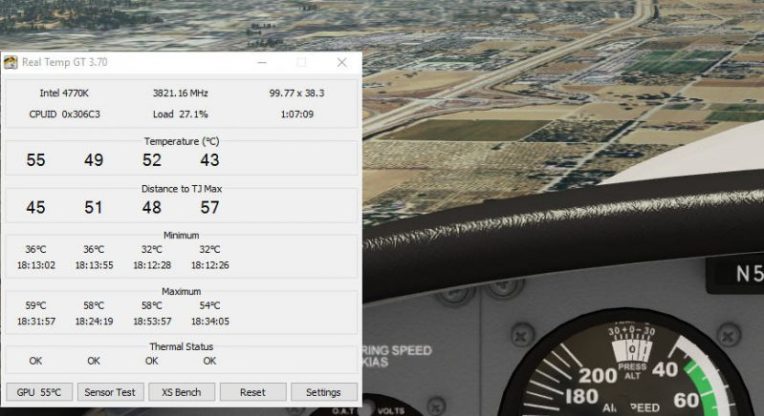 I used to run Real Temp only when I am overclocking my system. But now, the utility seems to be perfect as well while Aerofly FS is loading in my case.
The screen shot shown above reveals that my CPU and GPU (GTX 780) were far from over-heating under all max settings. But it should be noted that the game during the test was using one monitor (2560 x 1440) only.
The temperature results could be vastly different with my regular 3-monitor Surround View setup (8032 x 1440). However, that can only be verified after my Titan card is returned.
Anyone interested to get a copy of Real Temp could visit TechPowerUp website here.
 FS Times
Hi Tom, Better to have a warning. Have been using aerofly fs 1 but never noticed any overheating there.
LikeLike
Yes, indeed.
LikeLike