
Followings are the P3Dv4 Settings on my new computer before Orbx addition to come next, with which overall frame rate at present stays around 53 stably except in those extremely dense areas.
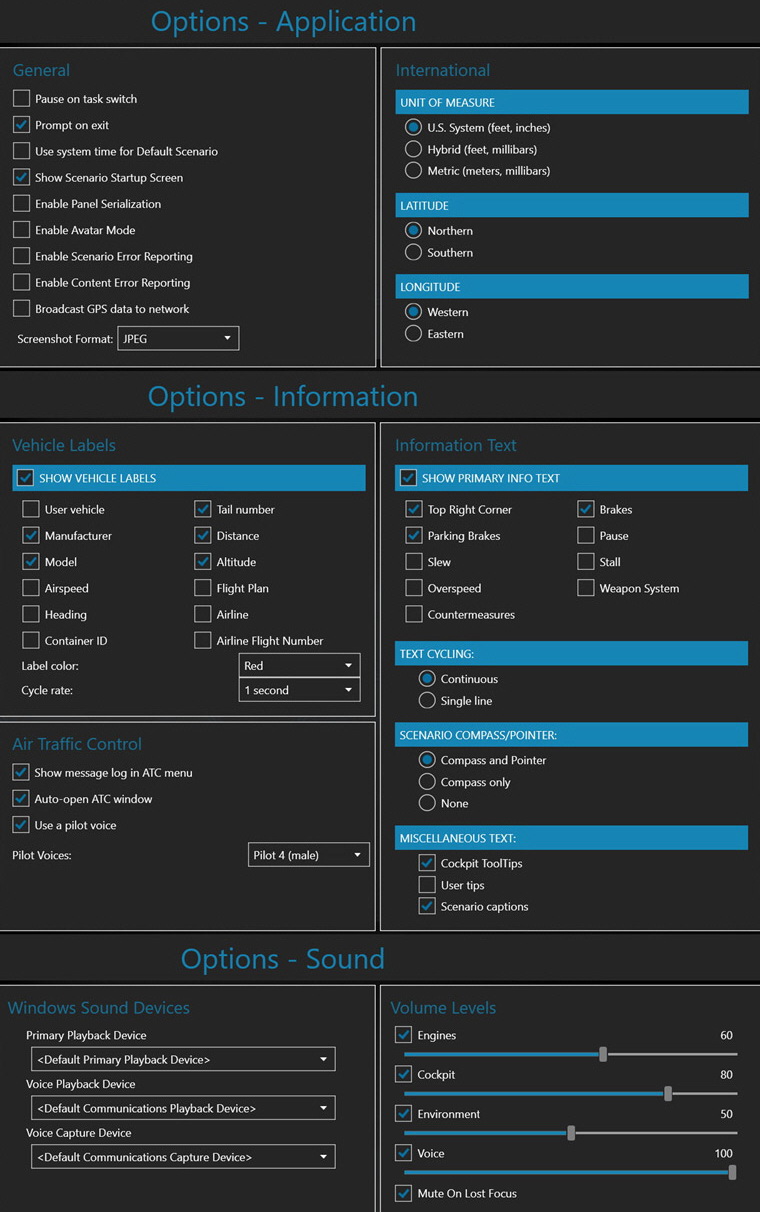
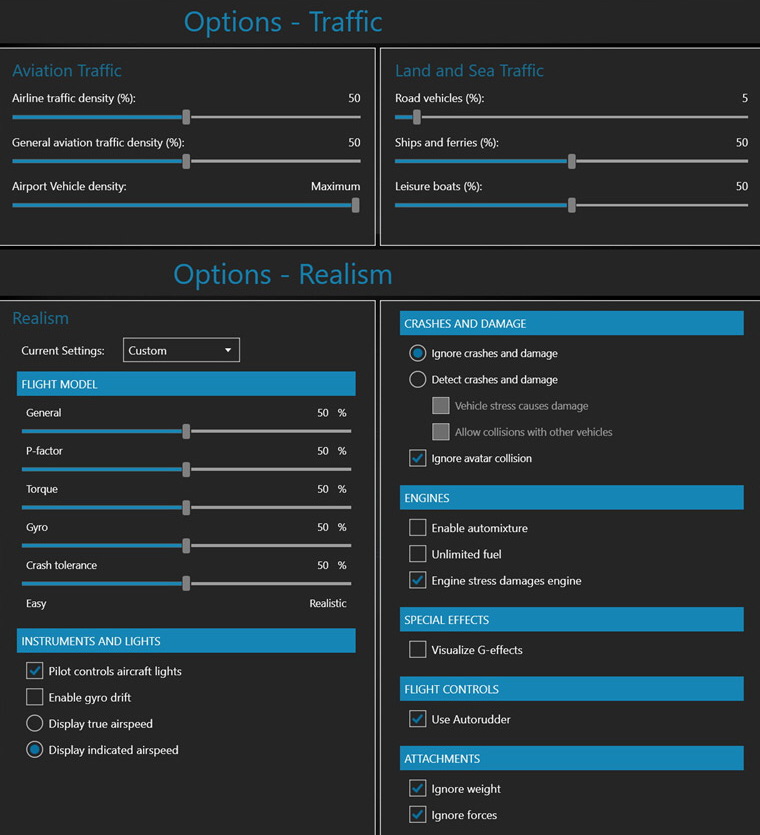
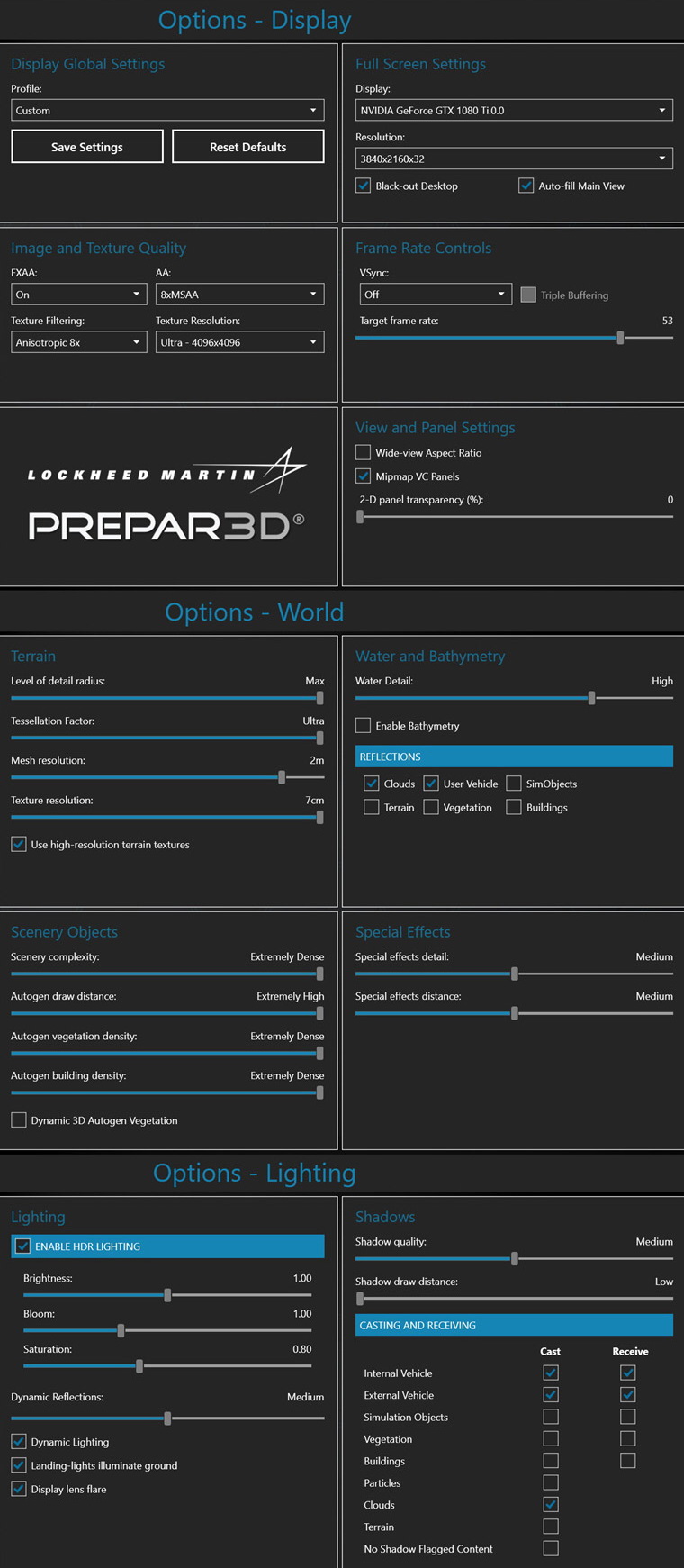
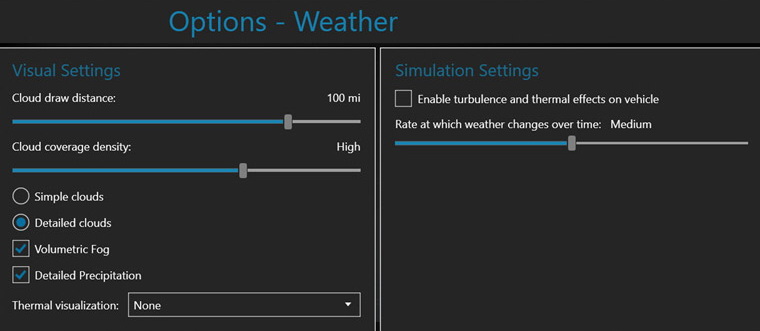
Text version of above settings (Prepar3D.cfg) with additional changes could be downloaded from here. Values modified are highlighted in red color.
 FS Times
Where did you add the PoolSize=0. I didn’t see it in your .cfg listing.
LikeLike
Hi Rich,
The entry doesn’t exist by default. So you have to add it to the file yourself.
I have added a link to the newly revised cfg at the end of the post.
Tom
LikeLike
Looks good, some settings (HDR…) are certainly a matter of taste and I am still experimenting on them.
In case of fps issues look for “airport vehicle density”, I had it maxed, too, and the system started to breathe after dialing it back. Of course your system may be different. As all traffic settings this is CPU bound.
Further, I would raise shadow throw distance, this shouldn’t be critical for your GPU.
LikeLike
Yes indeed, Michael. The settings depend very much on one’s preference. I like the result so far but certainly things will change as time goes on.
Thanks for the note about “airport vehicle density”, I will pay attention to you.
Tom
LikeLike