

Many friends asked if it is possible to turn off the light of the buttons on the Flight Instrument Panels (FIPs) and continue to keep their functions active at the same time. The answer is NO under the Logitech driver as described in Post 215.
However, from the teardown of the broken FIP reported in last post, I came up a hard(ware) way to do it.
One could simply put a label or use a marker pen to blacken out the bottom of the button so that 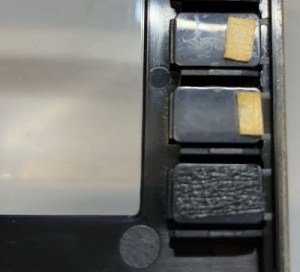 the button light won’t pass thru. This in a way meets the need that many users asked for.
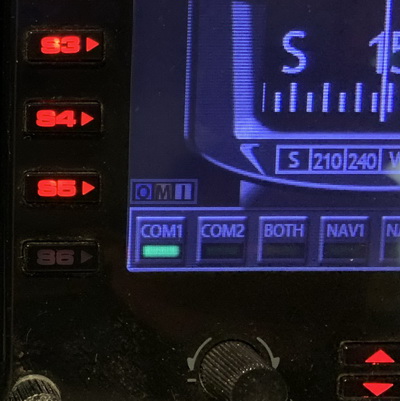 Actually, by using different types of labels or different colors of marker pens, one could gain different or even surprised results.
No doubt, this “hard way” isn’t perfect. But if you desperately want to turn off the FIP button lights for good, this is an option. And it doesn’t require a lot of skill. Right?
 FS Times
Actually this can be done using spad.next, instead of the default saitek/logitech drivers. You can also make a fip button turn on/off by a condition variable. (such as rpm greater than 1000, landing gear down, altitude lower than 500 ft, etc).
LikeLike
Yes, you are right. As mentioned in the article, the option is for those who are using the default Logitech Drivers.
Thanks anyway.
LikeLike