
While doing fine-tuning and waiting for fixes for the new P3Dv5, I continue to have my cockpit rebuilding going on as planned. Now is time for the gauge components that reaches a total of 12 FIPs stacking up on top of the HoneyComb Alpha Yoke (click image to see larger picture). They should be good enough for most of my light aircraft flightsimming requirements.
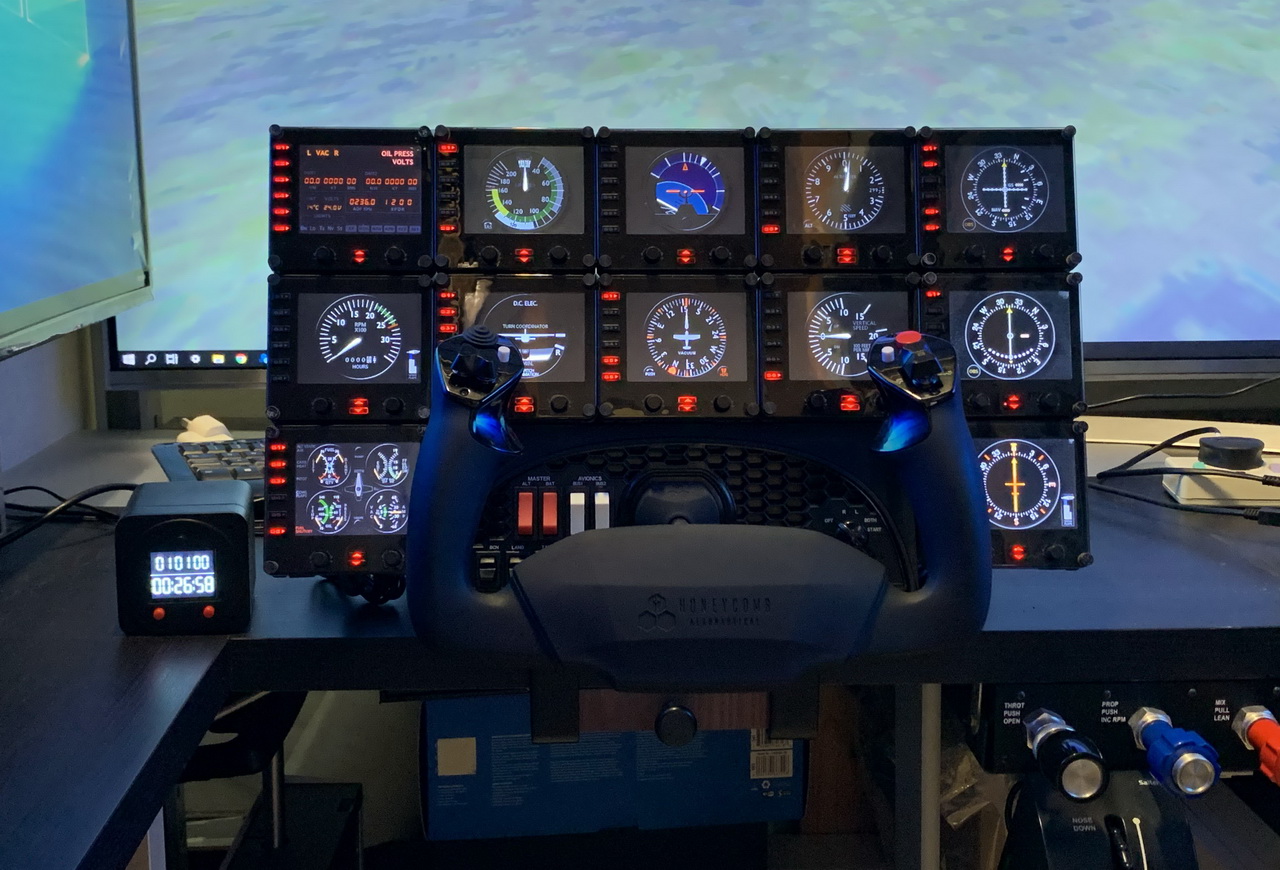
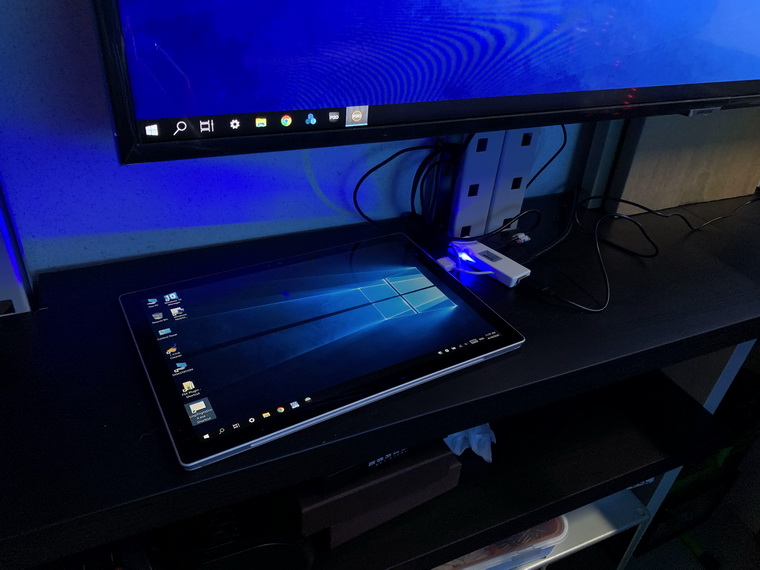
The 12 FIPs are hooked up to two electrical-powered USB hubs, which are then connected to my Surface Pro that is responsible for the operation and switching of the FIP gauges independently from the main computer.
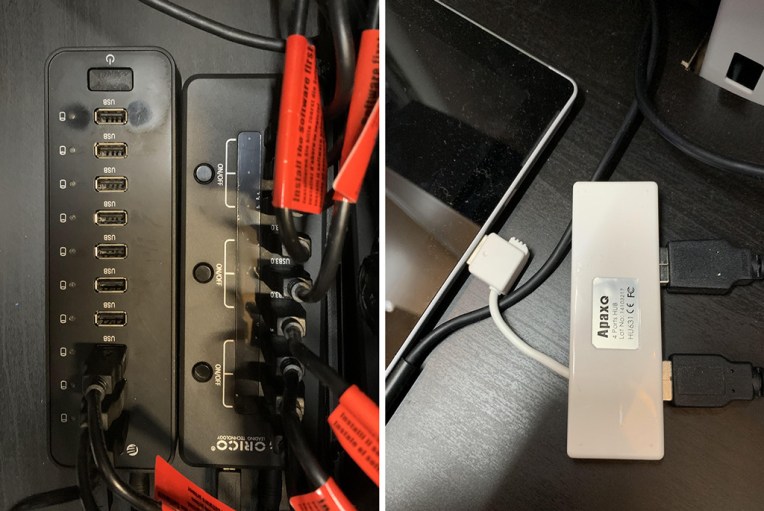
Since the Surface Pro has only one USB port, the two electrical-powered USB hubs are firstly connected to a 4-port USB hub and then further plugged into the notebook (or tablet if you prefer). This 4-port USB hub is a standard USB 2.0 with no power.
If interested, search my Post 314, 317, 318 and 345 for information about connecting FIPs in a network environment. Although the simulator mentioned in these Posts was P3Dv2, general concepts and procedures are still valid.
Am I happy with the set up and performance of the FIPs ?

 FS Times
Hello Tom. Great website with tons of useful information for me to digest slowly, one mouthful at a time. I certainly will purchase your gauges for fsx/x-plane as I want to fly both sims to discover which works best for me.
But before I do that, I run into the following issue. I have a cockpit with 11 FIPs and five Saitek Pro Flight panels. 10 FIPs are connected to one 10 port 4A hub and 1 FIP and the panels to a second, equal hub. The yoke, with the rudders, throttle and trim plugged into that, is also connected to the second hub. When I plug the two usb cables into a windows 7 PC (little old, but still running all right), no problem. When I do the same with my iMac, the FIPs and panels turn on or stay off on a completely random basis. Sometimes the radio panels blink on and off. The FIPs red leds blink like 6 times and then the screens glare a little bit. I’ve tried to power the yoke through a separate adapter and plug this into the iMac. I’ve tried a third 13 port 5A hub and divide the panels across all three, I’ve plugged the two USB cables into a third powered hub and connected that one to the iMac. I just cant’s seem to get the panels to work. One time I got like 5 or seven panels working and one time every panel but one, but the next day with the same configuration: no chocolate…
So I wonder if you, having gone through issues and frustration yourself and therapeutically writing these off into these splendid blogs, have any idea what’s going on here and how I could start solving this issue.
LikeLike
Hi Friend,
I probably not able to help since I use Windows only and never run XP on the Mac before.
One suggestion though, it’s more like a USB issue. Not sure if you are able to get a USB hub with individual on/off switches for each port or with one that has on/off switches controlling two/three ports (like the one shown in my Post)
If you do, you can try switching OFF & ON the FIPs one by one or one group at a time (note to turn ON another group ONLY AFTER you see the product screen or the FIP serial).
If you don’t, you may try using 4 HUBs with 3 FIPs on each. Then switch ON them one by one as said above.
Hope it helps
Tom
LikeLike
Hi Tom,
I see that the flight Sim enthusiast succession is already assured !!! J
Nice animated picture.
Take care, & greetings from Belgium
Roger
LikeLike
Thanks, Roger.
Stay Safe and Happy Flying
Tom
LikeLike
Tom,
I have a Dell XPS8900 with an NVIDIA 1050TI graphic card and 16g of ram however I’m still getting momentary in-game freezes. Can you assist?
Many thanks…
LikeLike
Hi Will,
Issues on simulator are complicated. Do send me details of your computer, simulators, addons and scenarios of problems, etc.
I’ll see if I could give you some suggestions.
Tom
LikeLike
So Tom! Who is Pilot in Command. Great pic.👍
LikeLiked by 1 person
I am the co-pilot obviously. ;)
LikeLiked by 1 person