
With my DIY cockpit gradually forming in shape, I found the using and fitting of the keyboard and mouse a bit clumsy. The worse is they cannot be simply “trashed” as they are needed for many inputs and controls, such as airport switching.
In the end, I found a solution of replacing the normal keyboard and the mouse 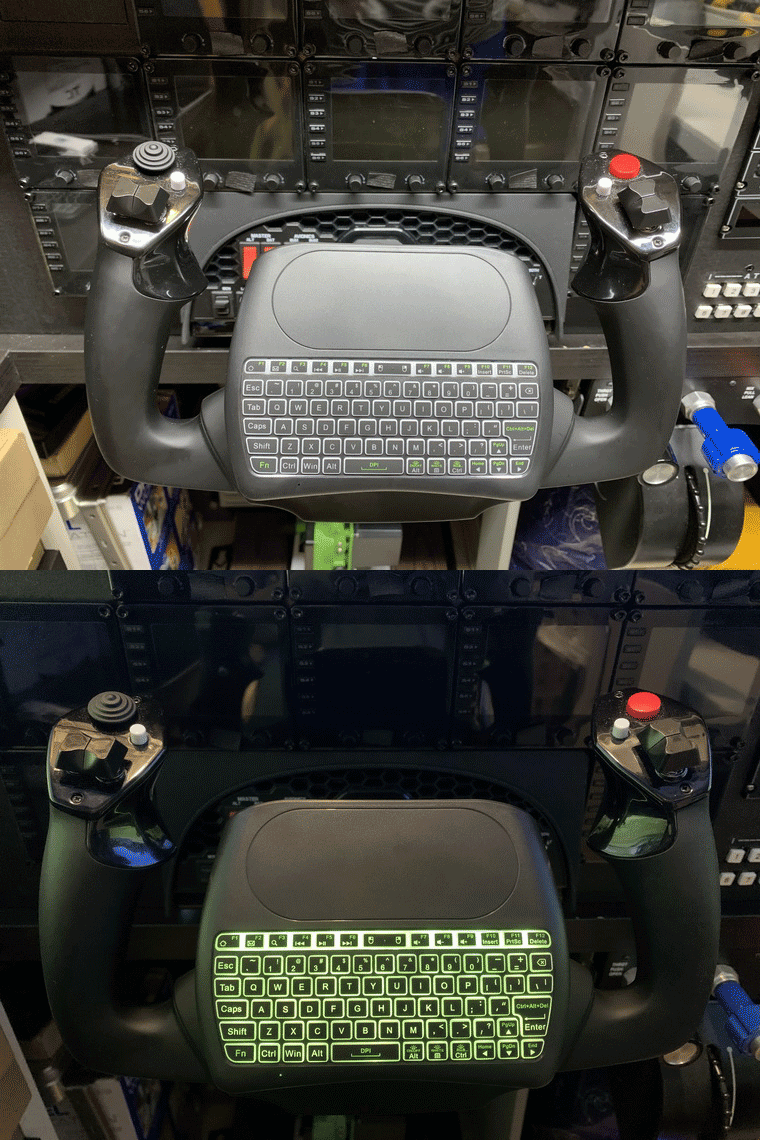 with a miniature keyboard that comes with an integrated touchpad. The best part is the keyboard even has a backlit.
Actually it (D8) is not my first choice.
I like the one (H20) below more as it looks cleaner because its touchpad is put on 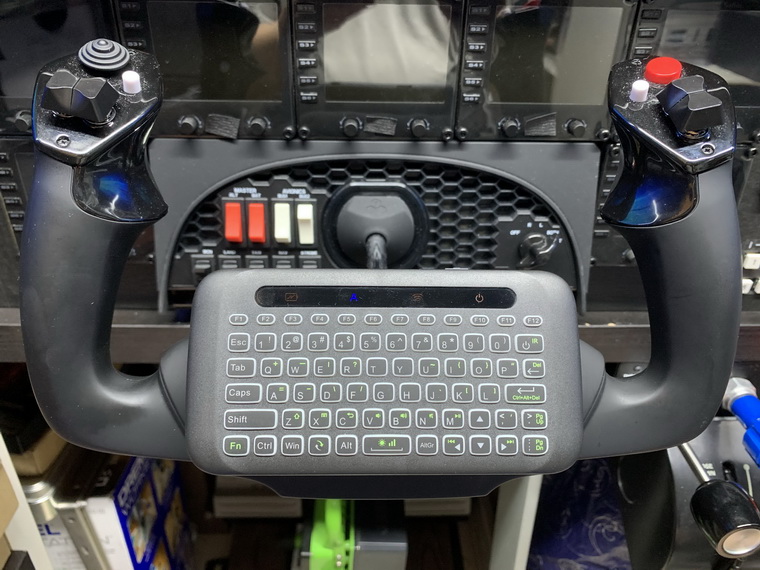 the opposite side of it. Unfortunately, such as a design won’t allow the keyboard and the touchpad to be used simultaneously because the touchpad is activated only when the device is flipped over.
If I choose this one, I’ll need to keep the regular mouse in the system, which is against my intention in the beginning. So I choose the other one eventually.
Anyway, I have them both and I could swap them whenever I like.
Edit: I have swapped to use the H20 mini keyboard as its key arrangement is more logical and the needing of mouse isn’t really that much.
About the attaching of the keyboard to the yoke, it did give me some hard times for a few days. Then I suddenly realized the simplest solution was to put some nano-tapes onto the control handle and then stuck the keyboard onto it. 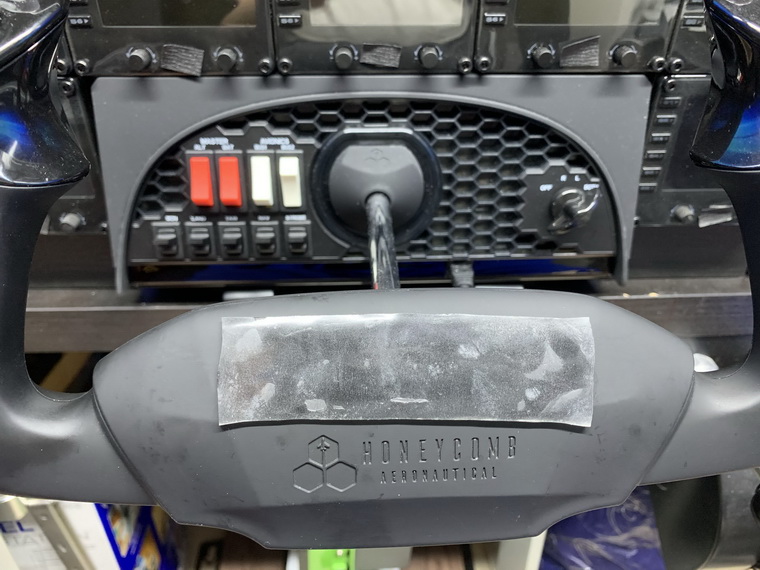
No drilling nor clamping is required, and it is firmly secured. If needed, the keyboard can be removed easily.
Of course, the using of the miniature keyboards will not be as smooth as the full-size ones, but they are good enough for any input during a flight session.
 FS Times
Do they have an English page?
LikeLike
I am not sure. Let me check and get back to you later.
LikeLike
Hi Ray,
Just checked the shop. It doesn’t have an English page nor any oversea dealers.
This is the shop’s web address.
https://item.taobao.com/item.htm?spm=a1z09.2.0.0.76722e8dQDow5C&id=555920400545&_u=92ae681e974a
The shop suggests you to use Google Translate, etc, to turn the page into English and contact them.
LikeLike
Nice idea. Do you have part info for the keyboards?
LikeLike
It’s D8 and H20 from Taobao. You can search for mini keyboard there.
LikeLike
Great ideas Tom! I like that. Looks like something GPS manufactures need to look at!
LikeLike