
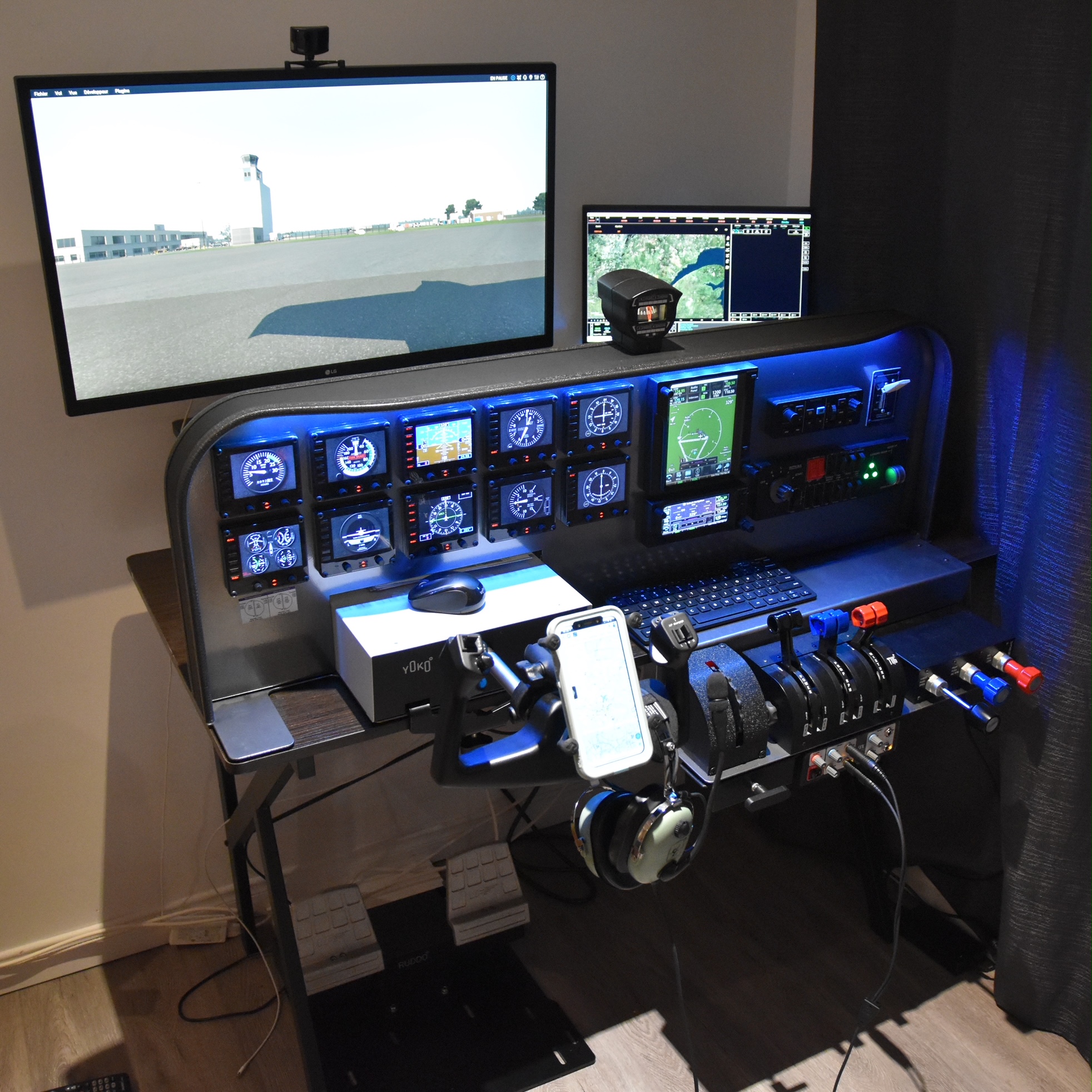
Many friends I met through my blog here are long-time flightsim enthusiasts. Philippe Boudreault from Chibougamau, Québec, Canada is one of them. Here’s his “generic” cockpit intended to fit different aircraft.
Builder: Philippe Boudreault
Location: Canada
ICAO: CYMT, Aéroport de Chibougamau-Chapais, Canada
Project Notes:
I love Flight Simulator from a long time ago. I use to begin with Flight Simulator 95. I always dream of having a really good quality setup. That’s why I recently bought all the stuff I have.
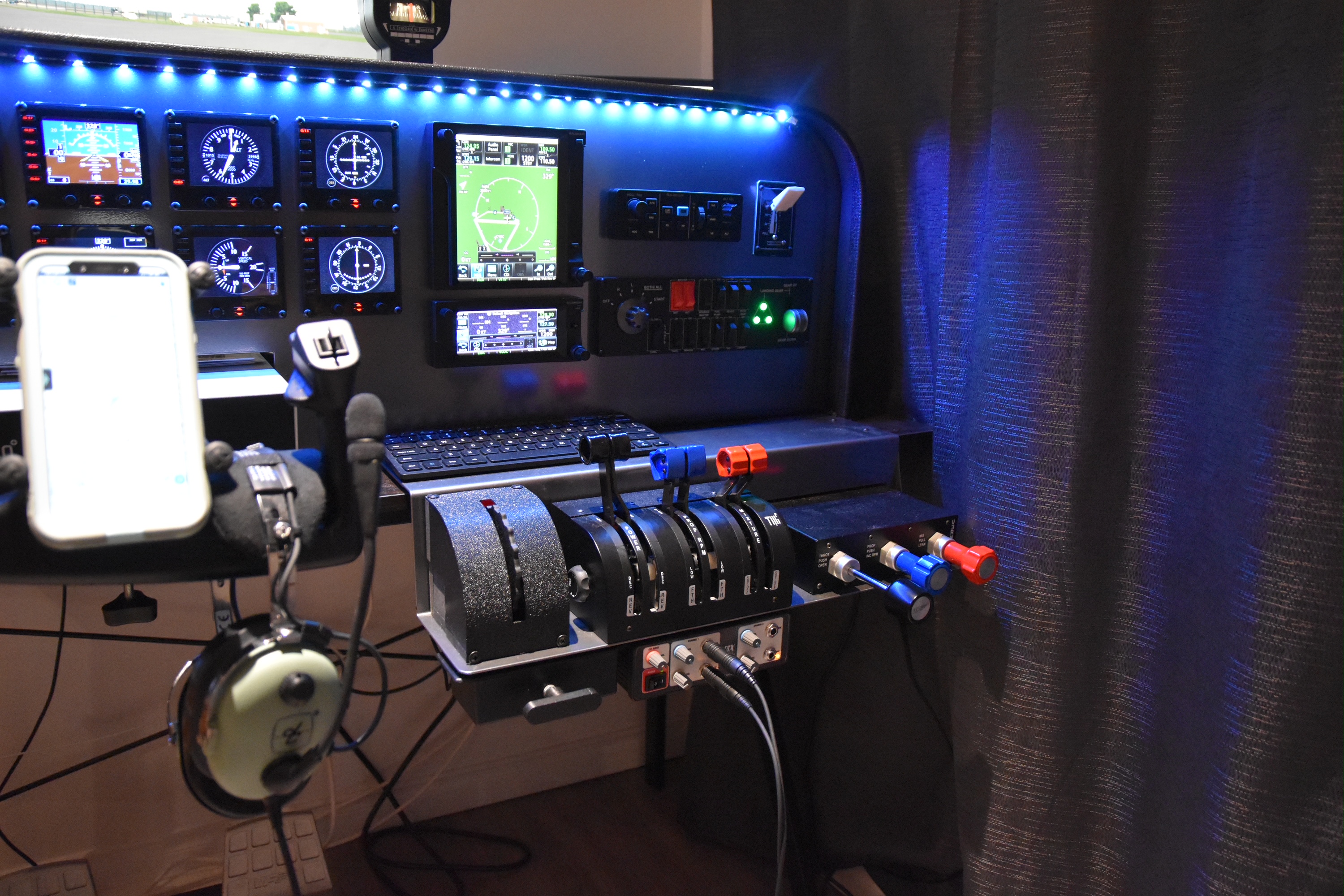
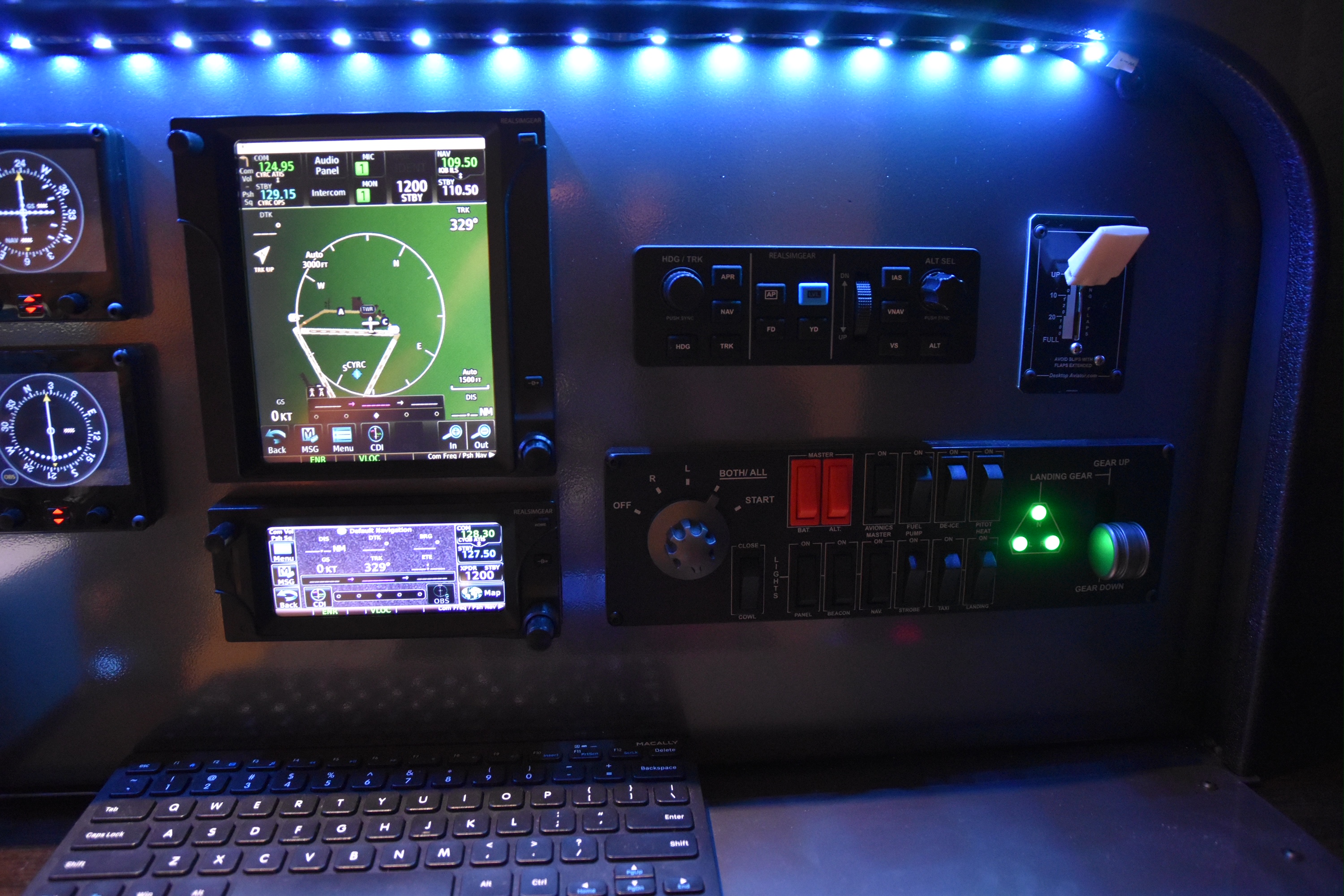
Virtual Fly makes top quality controls (Yoke, Rudder, Throttle, Compass). I also own some Realsimgear unit (GTN750, GTN650, GFC500 autopilot). Desktop Aviator also make good quality component such as Parking Brake and Flaps lever. My Trim wheel come from Flight Velocity.
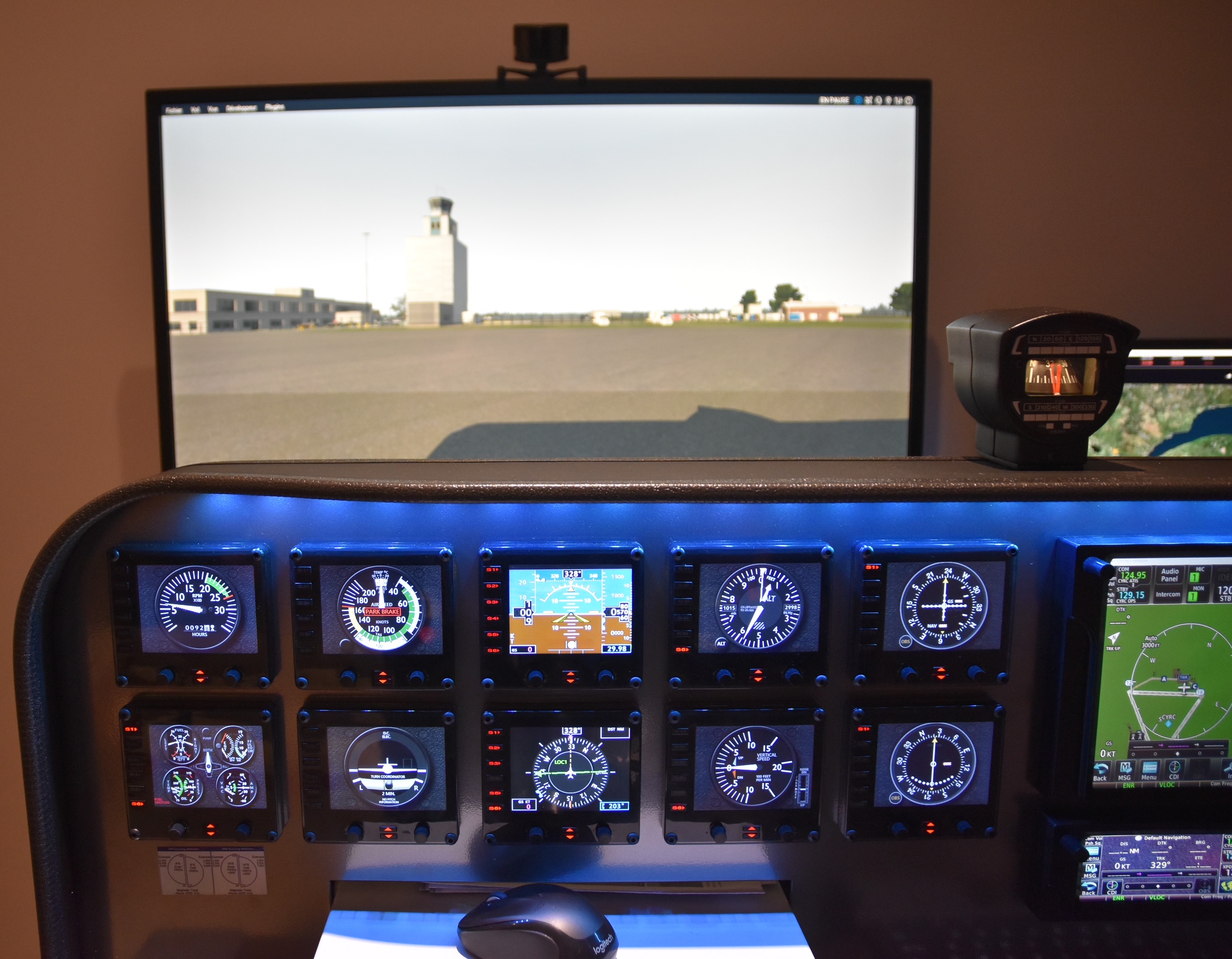
I also have a bunch of Logitech FIP on which I run a lots of FSXTimes Gauges (The gauges from Tom are a must have and they are really wonderful).
Edit: Thank you Philippe.
I have a Saitek switch panel to control lights and other stuff. My Panel is a top quality and custom one from Stay Level Avionix. I can use some real Airplane Headphone by using FSX Dual from Flightsounds.
I run all that stuff on X-Plane 11 for the moment and I use TrackIR. I use Pilot2Atc for the communications. I make my cockpit as generic as possible so I can use a lot of different aircraft.
I’m currently flying Cessna 172 and 177, Beechcraft Baron 58, Mooney Bravo and start to use Pilatus PC-12.
 FS Times
Fantastic set up Phillipe, How did you get the custom panel?
LikeLike
The custom panel comes from Stay Level Avionix. https://staylevelavionix.com/
You can contact John with the hardware you already have or planning to get and he will design a custom panel for you. I just ordered a second one few weeks ago. It’s expensive but it’s good quality and the product is great.
LikeLike
Fantastic, especially interested in the Virtual Fly Compass, how does that work please Philippe, is it plug and USB Play and what simulations does it work with please, genuinely interested.
LikeLike
It’s pretty much plug and play via USB. I only tested it with X-Plane 11 for the moment so I can’t give advice for the other simulator but Virtual-Fly says it should work fine. There’s a little Plug-in you have to download and you have to launch each time before you start your simulator. I love it. It’s pricy but I love it. Thanks for the great word on my setup!!!
LikeLike