
This morning, I accidentally came across this less than a month old SkyElite for MSFS by 4FlightSims while searching on the Internet. It immediately captured my eyesight with its glass-cockpit-style appearance as well as its feature-rich EFIS PFD and moving map interfaces.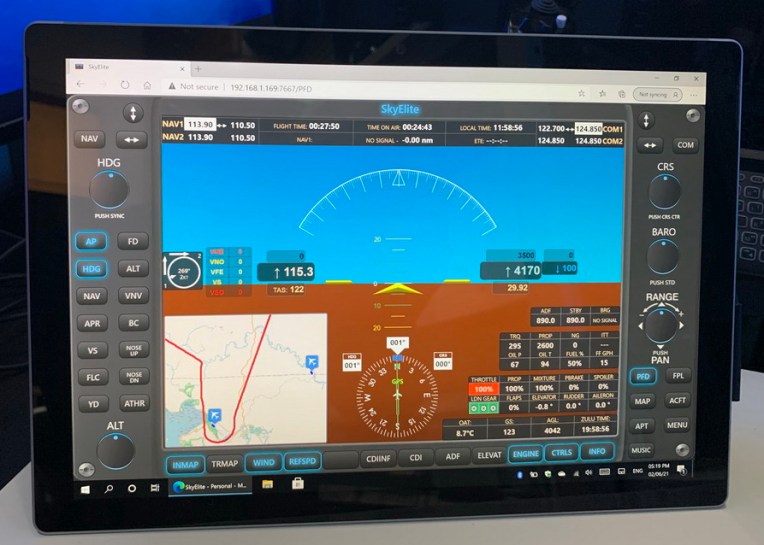
And in particular, unlike other similar apps that are run on the iOS system and connected back to the flight simulator in Windows via a “bridging” program, this one is fully web-based.
Meaning it not only can display the EFIS screens on Chrome, Firefox and Edge browsers on the same computer but it can also “move” the screens onto other non-Windows-based devices as long as they are within the same network — and no additional apps or addons required.
That sounds great since I’ve been looking for a decent replacement to the default 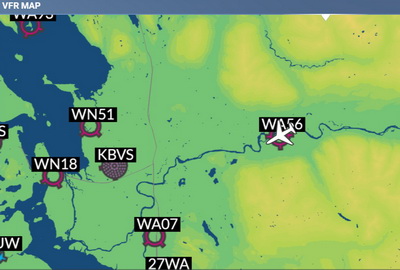 MSFS VFR map, which is commonly regarded as primitive and ugly. And SkyElite’s ability of putting the map onto a remote screen is even hard to resist.
So I purhcased it without much consideration.
In general, installation and setting up of the app are relatively simple, even though I had some issues during installation due to my own computer configuration. The developer quickly responded to my questions and helped fixed it.
(Edit: The issue was caused by the missing of Windows Media Player on my computer since SkyElite requires it to play music. After I re-enable the Player, the app runs as usual.)
Truly, the PFD and moving map screens of SkyElite do not look and function the same as the G1000 on the MSFS aircraft. But I must say that they still offer a nice looking combination to anyone who wants a glass-cockpit setup for MSFS. Furthermore, it comes with many features and quick buttons for easy operations as well.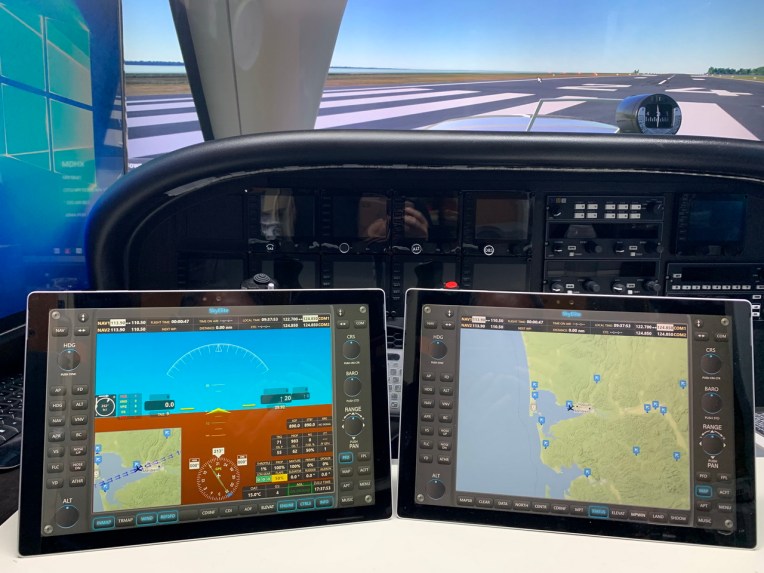
Since the developer in the Support Forum says that there is virtually no limit to the number of connected devices to the app. So I tested running three screens remotely at the same time — two on Microsoft Surface Pro’s and one on an iPad Pro. 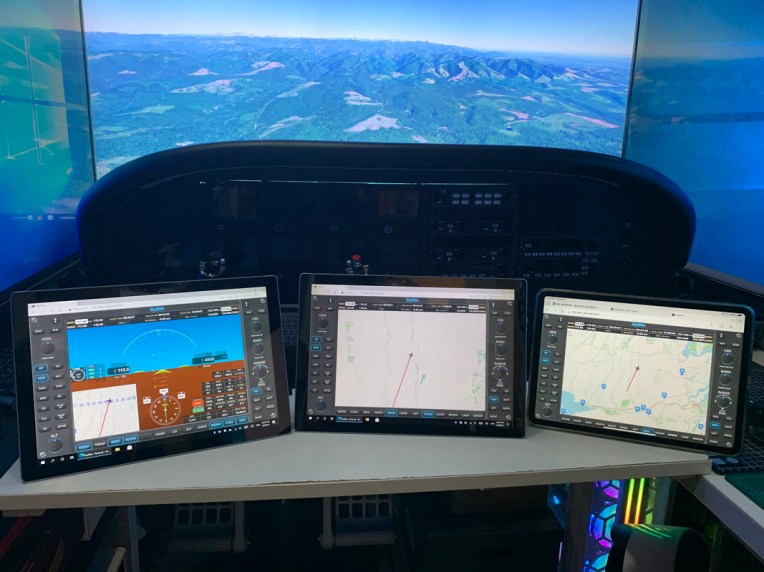
Cool. I don’t see any noticeable hit to the simulator or any lag on the screens.
However, your mileage may vary, as the actual result and performance will depend on the resources and capabilities of the main computer and the connected devices, says the developer.
Yet, SkyElite is not flawless.
For example, texts are not shown properly on both my iPad Pro and Surface Pro,  even the latter has a 2736 x 1824 resolution.
(Edit: The author is working on a fix for this.)
Also, operating an EIFS system via a mouse or touch screen won’t give you any realistic feel even though we are just talking about flight simulation. That’s reality.
But no matter what, the SkyElite for MSFS is no doubt a nice and useful app for MSFS flightsimmers.
Lastly, the app is on sale until the end of February. You can check out details on Aerosoft’s web store here.


Thanks for the heads up Tom…will purchase
…just what I wanted
LikeLike
You’re welcome.
LikeLike
Thanks Tom. I played around with it yesterday with the trial version. That is a real pain as you can evaluate the app for 10 minutes. Than it will turn your fuel to O and shut down. For the next 10 minutes you have to install it again…
What issues did you encounter? I’m still not quite sure if I want to buy it.
Regards
Gunter
LikeLike
Yes, the demo is a bit nasty.
The problem I had was the missing of Windows Media Player. The app requires it since it has the ability to play music when flying.
After I re-enable the Player, everything works normally.
Tom
LikeLiked by 1 person
It looks that is for sure. Tnx for bringing it up
LikeLike
You’re welcome.
LikeLike
I bought this yesterday, too. It’s something I’ve been waiting for for quite some time. I still have to go into detail but I got it to work on my networked setup and it looks pretty indeed.
There’s one caveat with the 10-min-demo: It only works ONCE: And if you leave the “start now” on after installation, accept the demo upon start and don’t have the sim running, this ONCE is gone. However, you can just re-run the installer (without uninstalling) and then you have another 10-min period (in which case you uncheck “start now”, start the sim and start SkyElite then or automatically according to the docs).
LikeLike
Yes, me too. A good one to supplement any DIY cockpit, no matter simple or complicated.
I had problem installing the purchased copy onto my main computer in the beginning. After a few conversations with the author, he found out the issue was caused by the missing Windows Media Player. After I re-enabled the Player, the app runs as usual.
LikeLike