
Due to vulnerability of the Community folder in MSFS, I recently use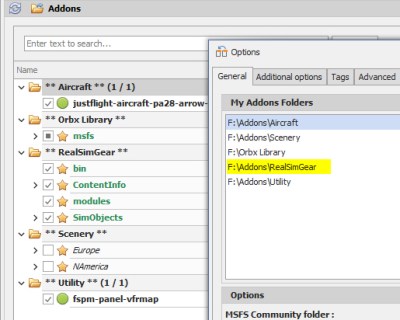 the MSFS_Addon_Linker to map all my external apps to the folder in oder to keep things manageable just in case.
Everything works fine except the RealSimGear app for the GNS430 and 530, unfortunately. It was similarly put under the Addons folder where I store all my external apps.
The app seemed to be loaded into MSFS successfully but only a few buttons work.
With the help from imposter in RealSimGear support forum, we figured out that the GNSs resumed normally when the app was put one more directory down below.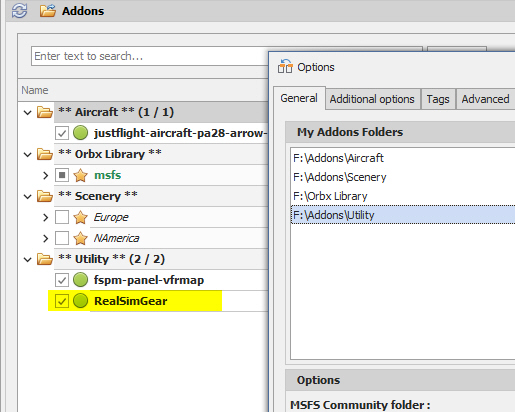
The app was put under “F:\Addons” in the beginning and it didn’t work properly.
After it was moved to “F:\Addons\Utility“, everything backs to normal.
So after checking folder locations of all other apps, it’s a confirm that all addons must be placed in the third level or the level further down below in the folder structure in order to be linked by the MSFS_Addon_Linker properly.
Just a reminder to myself if you are aware of it already.
–
 FS Times
Interesting find! I use the Addon-Linker for a long time and have a simpler set-up. Under Options – My addons Folder I have just one folder marked “h:msfs adddons. Under that folder, I have the same structure as you have. Do you see any advantage in setting all subfolders in the linker as well?
LikeLike
I really don’t have any idea. I was trying to set up as I want but it turns out to be what it is now.
Anyway, as good as it is. I am fine with that. No big deal.
LikeLike