
The latest nVidia Driver version 536.23 claimed that it had fixed a potential random crash error in MSFS running DX12 with driver 531.41 and after.
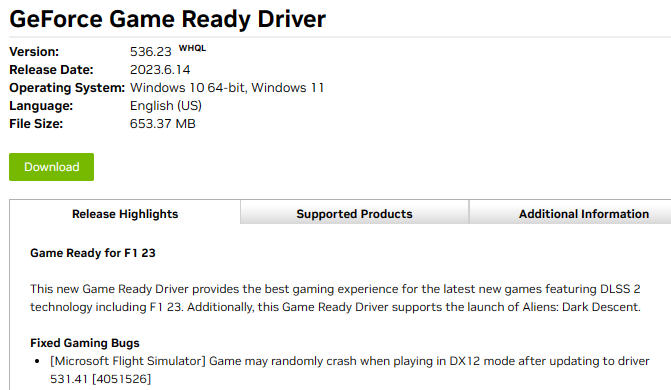
I couldn’t confirm if the fix works or not since my MSFS crashed to desktop (CTD) during startup after I changed to use DX12 with the new driver.
Anyway, here’s how I fixed the startup failure caused by moving to DX12, after confirming that the error couldn”t be solved by rebooting, etc.
1.
Go to “C:\Users\<username>\AppData\Roaming\Microsoft Flight Simulator” directory
2.
Open “UserCfg.opt” with a text editor
3.
Search for “PreferD3D12”
4.
Then change the parameter associated with it from “1” to “0” — “PreferD3D12 1” to “PreferD3D12 0”
5.
Save the file
6.
MSFS is reverted back to DX11 and be able to load again.
 FS Times
Not sure if you are using the rolling cache or not but i found that when i switched from DX11 to DX12 with the latest driver update i had to delete my rolling cache (have disabled it for good and find a smoother performance without it anyway) and go in to disk cleanup and clear the DX cache also. For good measure i also deleted all my shaders and let MSFS rebuild the shader cache.
Result is a very smooth and great looking ( i think) scenery with no stutters at all.
No crashes to date with the new driver but i was only experience the very infrequent one previously and have been using the latest driver each time a new one is released.
LikeLike
Thanks Ty,
I experienced the crash with rolling cache on. Just tried your suggestion with rolling cache off. Still no luck.
Not sure what went wrong.
Thanks
LikeLike