
The Engine Clusters for the Black Square (BKSQ) Duke Piston B60 and B60 Grand are now completed. The package not only includes the Manifold Pressure, RPM, Fuel Flow, Oil Pressure, Oil Temperature and Cylinder Temperature Gauges in full format,

but it also comes with an Extended OTP version that integrates the left and right OTPs plus the Fuel Quantity Indicators for either the B60 or B60 Grand together.
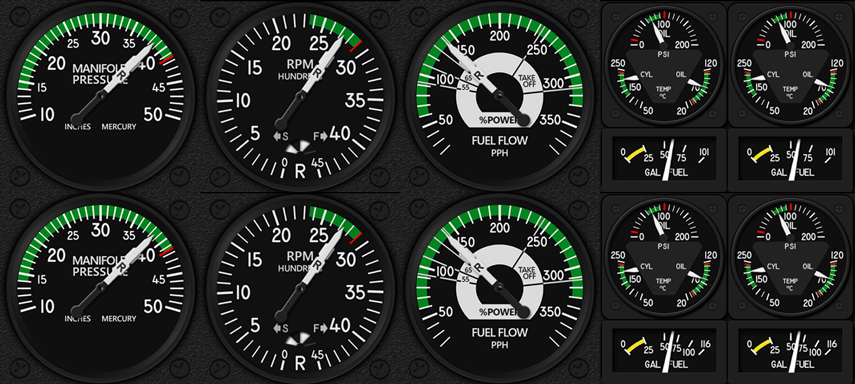 Low Fuel Indicators, resembling the ones on the Duke Turbine, are also implemented.
Anyone interested in this Engine Cluster could visit the FIP Gauge Store here.
Users of my earlier RAS Duke B60 Engine Gauges developed for P3D could contact me by email or via the Comment Section below to claim a 50% off discount for this new cluster.
Furthermore, the new Airspeed Indicator (ASI) 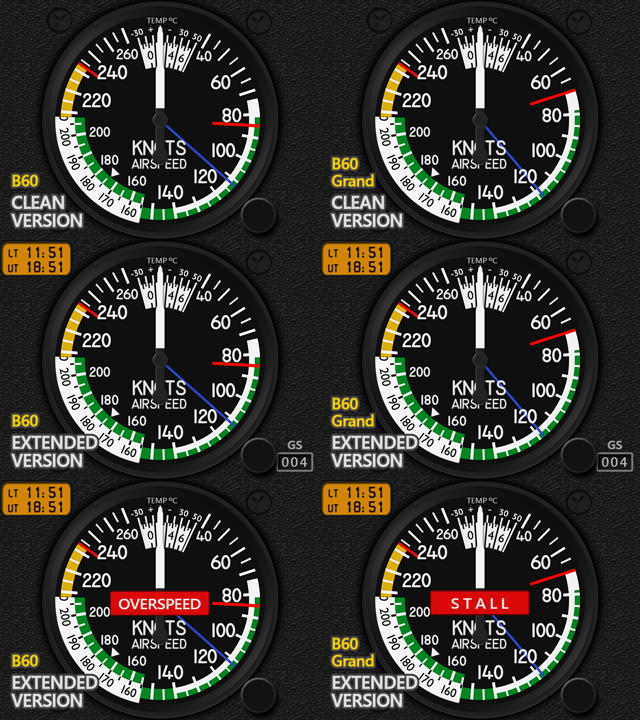 for the BKSQ B60 and B60 Grand will also be delivered for FREE with this Engine Cluster purchase until the end of August, 2024.
Other shared gauges for the BKSQ Dukes are under development and will be available soon.
Lastly, the previous P3D Gauges developed for the Real Air Duke B60 and Turbine many years ago have been removed from the FIP Store to avoid confusion.
–


Hi Tom
Hi Tom,
I have 9 saitek FIP and I would like to have your expert opinion. When I turn on my PC I use SPAD NEXT for my FIP. They are connected to a Hub of 10 connections. I cannot connect them together. I have to connect them one by one. Is there a way to connect all my FIP together when I turn it on? (several hubs, which hub, etc.). Thank you and congratulations for your gauges which satisfy me greatly. Excuse my English, Best regards
Alain
[cid:bb7dc793-a539-4c12-a7ad-7868d1845e67]
LikeLike
Hi Alain,
I assume you have a USB hub with power. Unfortunately, it is still virtually not possible to have too many FIPs (9 in your case) turned on simultaneously when you switch on the computer. Both the computer and the hub are not powerful enough to do so.
In my experience, turning ON 6 FIPs simultaneously are the best the FIPs can do, whether you have SPAD.neXt or not.
Even you have your 9 FIPs put on two USB hubs, it is still not possible to load them up and running simultaneously and properly when PC is started (sometimes may be ok by luck).
The USB hub takes time to allocate power to each port. The FIPs take a lot more time to start up.
And the starting ups are in sequence rather than in parallel. When many loading commands are executed and the latter ones are not carried out in time, they are skipped, which is the case of the FIPs.
I have 12 FIPs plugged onto 2 powered USB hubs. And each USB port on the 2 USB hubs have individual on/off switches.
I put the FIPs in OFF state when I am not playing Flightsim.
They are turned ON ONLY before I start to load Flightsim. Additionally, I will switch them on in 3 batches — 4 FIPs at a time. And won’t start turning ON the next batch of FIPs until the loading of the current batch is completed (seeing the serials of the FIPs).
Yes, it takes some times but this ensures all FIPs are loading properly. It protects the lifespan of FIPs too.
Hope above helps.
LikeLike
Hi Tom
I thank you for this answer. I am reassured that this situation is normal. I have a powered hub with a switch for the USB ports and I also proceed by switching on 2 by 2, which is not too annoying.
You saved me money by avoiding me from investing in other Hubs.
Have a nice day,
Alain,
LikeLike
Great.
Happy Flying
LikeLike
Great.
Happy Flying
LikeLike