Graphics Card: ASUSTeK MATRIX HD5870 P/2DIS/2G
OC to 970MHz / 5000MHz (default 894MHz / 4800MHz)
Radeon Driver: 11.7
New changes are highlighted in yellow from version 11.6 since 11.4 Continue reading
Graphics Card: ASUSTeK MATRIX HD5870 P/2DIS/2G
OC to 970MHz / 5000MHz (default 894MHz / 4800MHz)
Radeon Driver: 11.7
New changes are highlighted in yellow from version 11.6 since 11.4 Continue reading
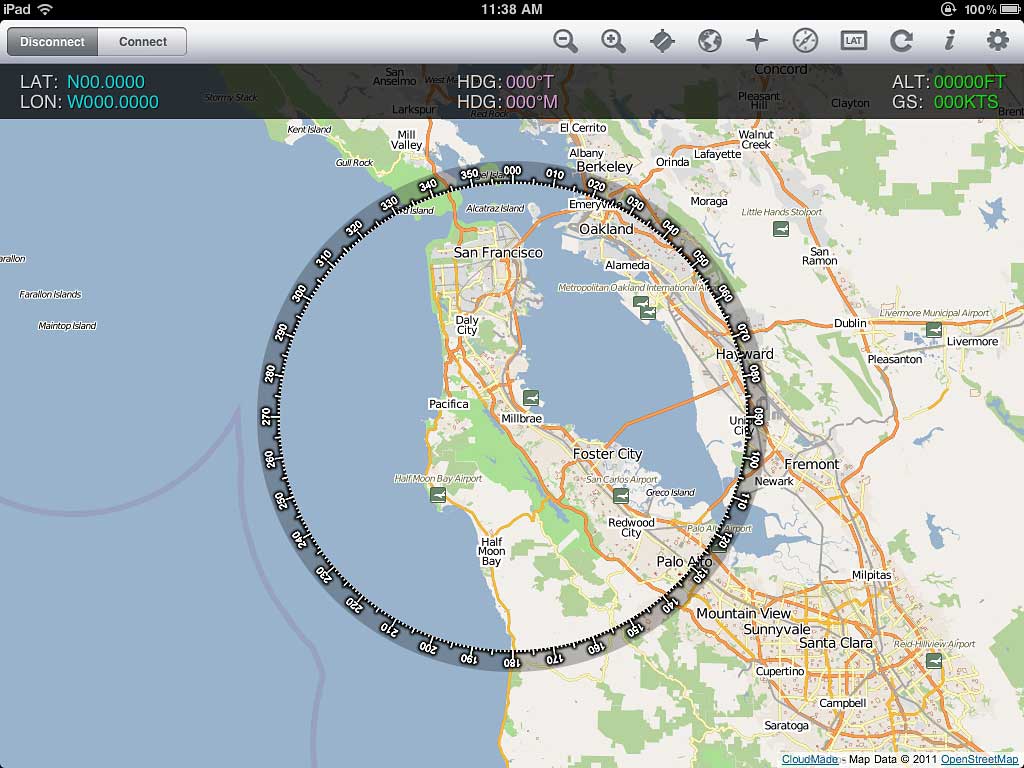 Recently added FSWidgets iGMapHD for iPad to my system.
It is far from being a perfect product and has the problems of:
However, it adds a lot of fun to my flightsim experience without a real multi-monitor system. It is very easy to setup. And it doesn’t like Air Display, it won’t impact FSX performance at all. Continue reading
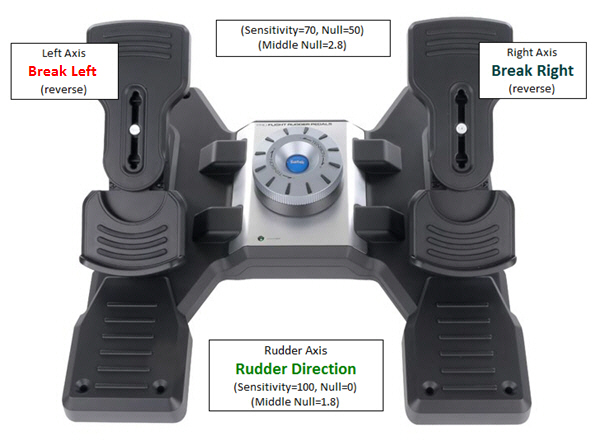
Settings of my Saitek Pro Flight Rudder Pedals:
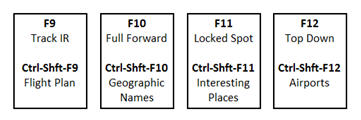
My button settings for FS Discovery, Saitek Pro Flight Yoke System and TPM System:
=
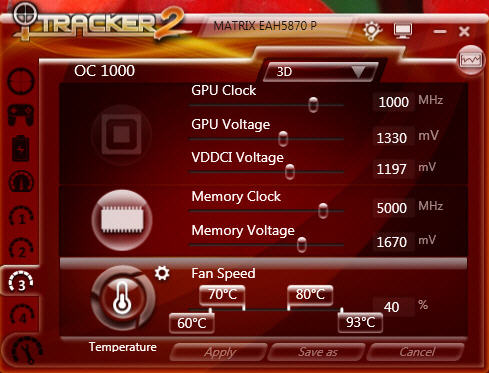
Followings are the overclocking profiles of my ASUSTeK MATRIX HD5870 P/2DIS/2G
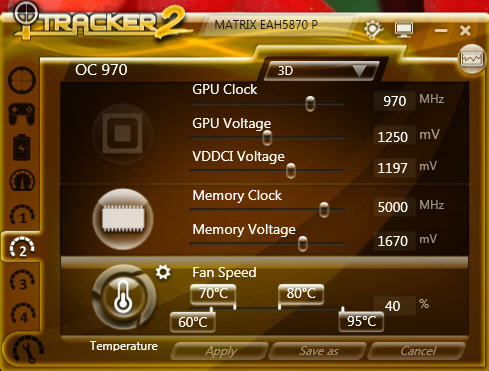
I generally flighsim under 970MHz setting but sometimes further OC to 1000MHz as follows:
I got three Saitek’s Pro Flight Instrument Panels. They are good but expensive, too. Moreover, the more of this FIP are attached to a system, the more impact of it affects FSX’s performance.
Using earlier Tweak 1 and Tweak 2, my three Panels are setup as picture shown below, and each panel controls two related gauges:
AIRSPEED <—> RPM
ATTITUDE <—> DIRECTION
ALTITUDE <—> VERTICAL SPEED
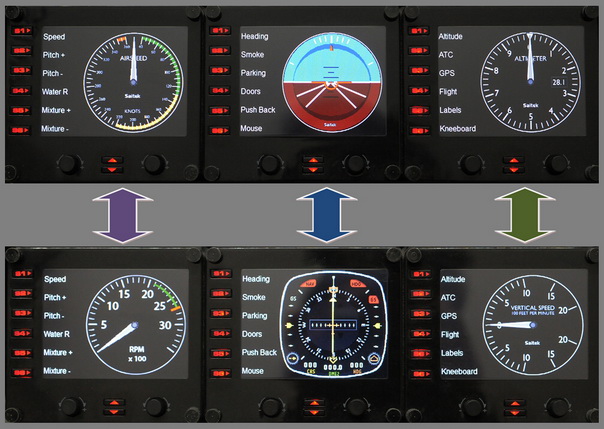
Under this arrangement, I can simply press the up and down buttons to easily access the six basic gauges on small planes I usually fly.
On each Pro Flight Instrument Panel (FIP), there are six physical buttons (S1 to S6) located on the left hand side of the LCD screen, which are predefined as:
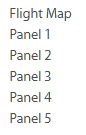
The functions of these buttons are defined in the SaiFlightSimX.xml file under C:\Program Files (x86)\Saitek\DirectOutput directory as described in Tweak 1 (see below).
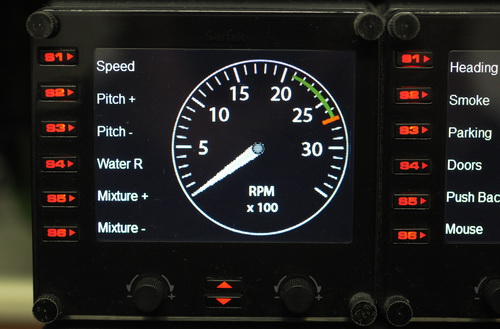
Saitek’s Pro Flight Instrument Panel (FIP) comes with an XML file that defines the order of gauges to be shown when starting up. The default order is:
Altimeter<-> Airspeed<-> Attitude
<-> Compass <-> Turn Indicator <-> Vertical Speed
This order is also true to the sequence of gauge starting when more than one FIP are included in the system. By editing the XML file, the order of the six gauges to be shown can be arranged as desired.
Here are the steps:
I’ve given up the card after using it for 5 days. It is hardly conceivable that such a high-end graphic card is a crap to FSX!
Indeed, it has pros:
1. Better depth of field compared to my previous ASUS Matrix HD5870
2. Framerate is about 3 to 5% more than Matrix 5870
3. It generates less heat and relatively quieter
However, two intolerable problems with this card are:
1. Texture become incurably blurry
2. FSX crashes frequently
In the past few days, I have tried all different tweaks, including BP=0, RejectThreshold, etc, etc. After a lot tweakings, I can manage to have it running FSX smoothly; but, blurry land texture was unpreventable and the worst thing was: FSX crashed uncontrollably.
 FS Times