93: My FSX Tuning Part 4 – Final Tweaks

Although the result from the First Run was good, the ultimate goal is still to push the Image and Autogen Complexity of my FSX system to the maximum while having all flights running as smooth as possible.
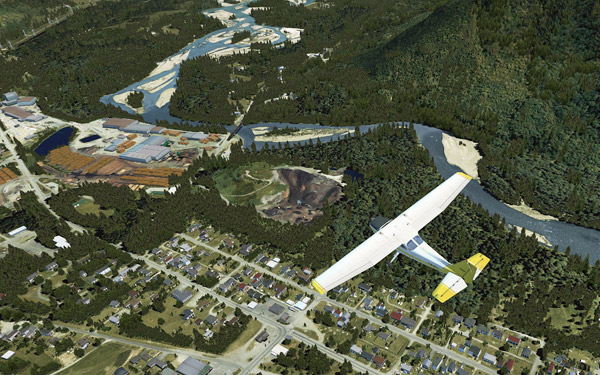
As expected, when settings of Scenery Complexity and Autogen Density were slided to Extremely Dense, stutters became obvious even though overall framerates remained relatively stable around the preset level of 39.

For this tuning, most of the test flights were taken place in Darrington Mun 1S2.   Continue reading
89: My FSX Tuning Part 3 – First Run

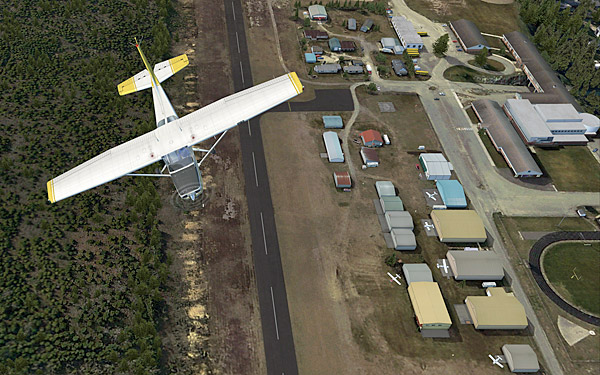
My First Run took place in Concrete Mun 3W5 with framerate locks at 39, after the initial tunings from Part 1 and Part 2.

Before the actual flight, a few more adjustments were made directly in the fsx.CFG as follows: Continue reading

88: My FSX Tuning Part 2 – Display Card

After the initial setup in Part 1, the second thing to look at is now the display card because many issues of jagging, blurry, shimmering and stutter in FSX are all related to the settings of it.

My display card is an ASUS Matrix HD5870 over-clocked to 970MHz/5000MHz (default 894MHz / 4800MHz).  Current Catalyst driver installed is 11.8.

The focus of display card setting is to get the best balance between image quality and game performance.  The results below are decided based on many testings under various conditions.  However, further changes may still be needed as the tuning process goes. Continue reading

87: My FSX Tuning Part 1 – Back to Basic

As stated in my last post regarding AMD 11.8 setting, due to the discrepancy to what I’ve been using for a long time, I’ve been re-tuning my whole system as if it was just newly installed.   This is the first of a series of posts regarding my tuning process, and the objective of the first step to reset most of my system back to the state as if they were just installed.

STEP 1: Preparation

a)     Backup fsx.CFG to fsx-Backup.CFG  (c:\Users\<username>\AppData\Roaming\Microsoft\FSX)

b)    Backup or capture images of the 3D Application Settings of the display card Continue reading

86: Enable Hyper-Threading


Intel’s Hyper-threading Technology enables multiple threads to run on each core to efficiently using processor resources.  It could be turned ON or OFF through the BIOS setting.

Many simmers suggest to turn it OFF since some argue that hyper-threading generates extra heat which drags the performance of FSX.  Others report that stutters are experienced due to extensive collisions between threads.

However, in my case with an i7 930 CPU overclocked to 4.0GHz, with or without using AffinityMask, I find FSX is running smoother with the hyper-threading feature enabled.

Worth a try to decide whether Enable or Disable the Hyper-Threading is best for the sytem.

85: AMD Radeon Settings (11.8 Updated)

Just upgraded to version 11.8 a week ago and in my case the new driver brings a positive result — places where used to have stutters now become smoother even though no obvious increase in overall fps.

Two major changes in setting I use in the new driver are the enabling of 64X Tessellation and Surface Format Optimization. Both of them were causing some degrees of performance degradation.  Click here to see my earlier 11.7 setting. Continue reading

69: My Best FSX Setup (2011-0808)

Due to the latest changes I made in the AMD Radeon 11.7 setting, my fsx.CFG has realized a significant modification by removing the AffinityMask entry completely.

This means that all 4 cores of my i7 CPU are now available to FSX, rather than just limited to 2 cores through the AffinityMask=13 command as set before.

Continue reading

68: AMD Radeon Settings (11.7 Updated)

Graphics Card: ASUSTeK MATRIX HD5870 P/2DIS/2G
OC to 970MHz / 5000MHz  (default 894MHz / 4800MHz)

Radeon Driver: 11.7

New changes are highlighted in yellow from version 11.6 since 11.4 Continue reading