379: Answer to the FIP Difference

Thanks to friends who praised me for removing the jaggies on the FIP gauges. SPADneXt_Screen
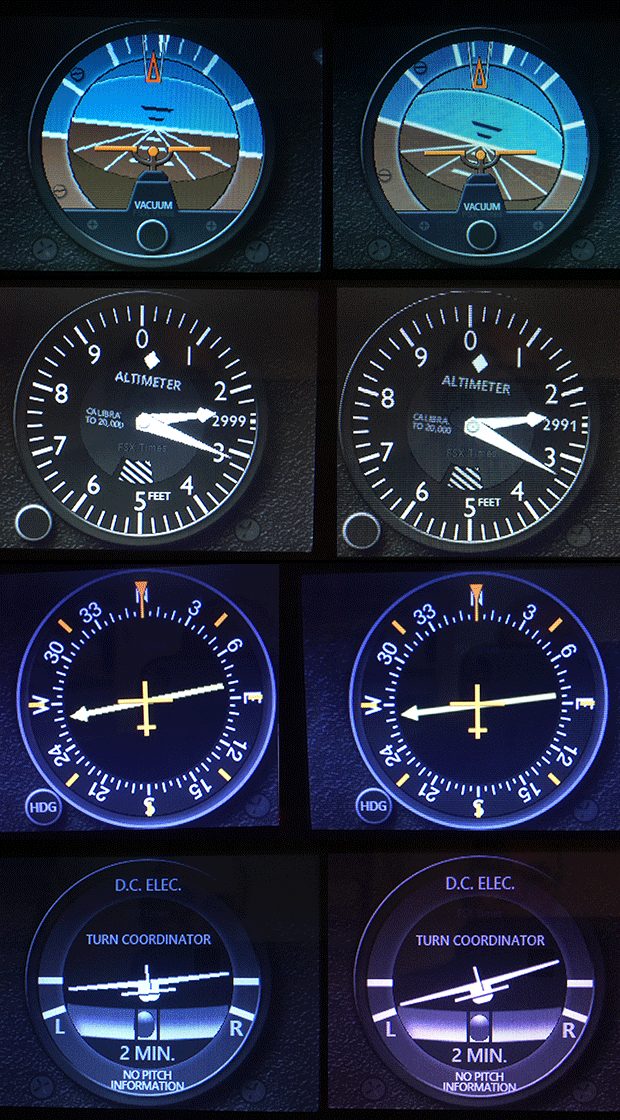
I really wish I did.  But it is Ulrich of SPAD.neXt who actually brings the difference.

As Michael comments, we users of FIPs have been disturbed by the jaggies since their launch.

Over the years, I thought the jaggies could only be solved by replacing the LCD screen with a higher resolution one.  Never expect someone could really get rid of them via a piece of software.   It’s truly a landmark because it now opens a much wider possibility to the usage of the FIP gauges in the future. Continue reading
372: A Precaution to Avoid Burnt

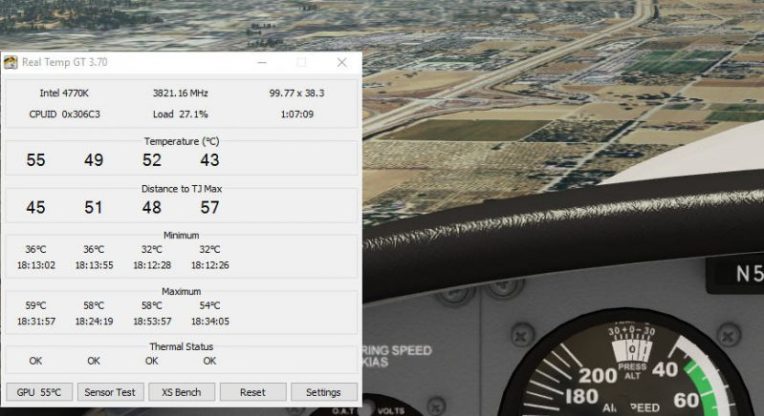
As I replied to some friends, my Post 369: Aerofly is Good but Be Careful was by no mean to scare anybody who is interested in the new simulator.   The post simply states a fact that my card was burnt during the game and gives my personal comment to others who are using or are intending to use the software.

To play safe, I have installed Real Temp to monitor the CPU and GPU status of my computer.   The utility can be configured to stay on top of all displays.
I used to run Real Temp Continue reading

361: GaugeSwitcher Update

During my recent system recovery, many trivial issues found on my computer before the crash are also fixed.  That’s a good thing.  But unfortunately, there are new little issues coming up that didn’t exist before.

For example, I used to leave my Switch Panel, Radio Panel and Multi-Panel with power-on all the time, so that whenever I start the simulator, they could be put in operation immediately.   But now, I have to load the simulator first and then plug in the USB hub on which the Panels are connected.  Otherwise, the display on the Multi-Panel won’t turn on.  Fix is yet to come.

Another issue is also Saitek related. Continue reading

348: My Fix for Windows 10 Upgrade

In the past ten months, I had failed to upgrade my older computer to Windows 10 numerous times.   Various google-searched solutions were tried but futile in the end.  The upgrade process always stopped at 20- or 70-somethings and reverted Windows10back to the original OS.  It was quite frustrating.

Last weekend, I was finally successful to upgrade the computer to Windows 10.  The optical drive was the key!   Continue reading

333: Switching Between Gauges

With the addition of the new A36 and the coming B58 Gauge Series, a friend Steve (and others) who asks:

After installation, what’s the prefered method for choosing between the A36 gauges and the C172 gauges, when going back and forth? Will the C172 gauges remain the default, and then you just scroll through the gauge choices on each individual gauge using the FIP up/down arrows to bring up the A36 gauges?

Here’s the solution:

The switching in the video is Continue reading

325: GPS Navigation Fix for VOR1

Trevor Bagnell in Canada recently reported that when NAV1 radio is controlled by the GPS signal under a filed flight plan, the Standalone C172 VOR1 gauge (Integrated as well) doesn’t respond accordingly.

With no flight plan, he said, the localizer needle on the VOR1 of course remains centered when the NAV/GPS Switch is toggled to GPS.

But when a flight plan is active, the NAV1 radio will be controlled by the GPS signal.  The localizer needle on the VOR1 should deflect accordingly.

The virtual panel gauge localizer needle reacts to being off the centreline of the flight plan.  The FIP gauge does not, he added.

Trevor submitted a video explaining the case as follows: Continue reading

306: The New Saitek Drivers – Part 2: SaiFlightFip.xml

The ability of starting up multiple FIPs in specific order everytime has been a feature requested by almost all FIP users for a long long time.   Saitek has finally implemented it onto its new drivers.   However, this feature may need another tweak in order to function.

After the installation of the new drivers, a file called “SaiFlightFip.xml” containing the current setup information of the FIPs and the gauges should be created accordingly.

Via this “SaiFlightFip.xml”, the start-up order of the multiple gauges can be specified as desired.

The file is supposed to be stored under: Continue reading

305: The New Saitek Drivers – Part 1: Installation

Normally, driver installation should be no more than pointing-and-clicking on the mouse.   Saitek’s new ProFlight drivers, “ProFlight_FSX_Plugin_7_0_40_9_x64_Software” and “Saitek_Pro_Flight_Instrument_Panel_7_0_40_9_x64_Full_pfw”, however, might need a little tweak.

Some friends said to me that the installation of these two drivers was as easy as snapping fingers.   However, there were others telling me the opposite.  To be more exact, their FIPs wouldn’t start up after the installation, even though all the other Saitek gears work as usual.

To me, both statements are true since I experienced both extremes myself over the last few days. Continue reading

302: Commands Assigned to FIP Not Working

What a coincidence of receiving a few emails in the past two weeks asking why the commands (such as the barometric settings — KOHLSMAN_DEC and KOHLSMAN_INC) assigned to the rotation knobs and buttons on the FIPs are not working any more.   After checking their SaiFlightSimX.xml files, I found another coincidence that the <X52Pro> section in the beginning of their files was somehow removed.

Yeah.  I do remember as they reported that the SaiFlightSimX.xml file worked properly without the <X52Pro> section before.   Continue reading