314: Connecting FIPs on Networked PC

TechLevel02W
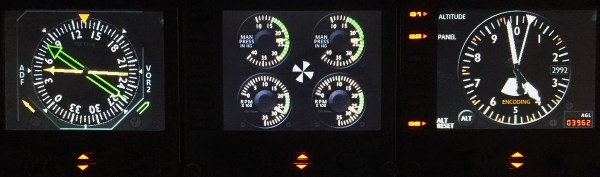
Running Flight Instrument Panels (FIPs) will drag the performance of the simulator to some extent.   To minimize the impacts on some not so high-end PCs, off-loading them to a spare computer isn’t a bad idea.
FIP B_Gauges
Off-loading FIPs to Another Computer Could Minimize Performance Hit to the System.

To those who are “network-phobia”, here’s an example how I put the FIPs (with some help from Ricardo in the first place) to work on a spare computer in my family network. Continue reading
312: Make a Better World, Virtual and Real

Rebuilding shader cache is a commonly used method to fix many issues suddenly coming up without a proper cause in either FSX or P3D.  Shaders Cleaner helps clean Shader Cache right before the loading of FSX or P3D.


Anyone interested to get a copy the utility please make a donation to Medecins Sans Frontieres (MSF) / Doctors Without Borders so as to help those people out there needing the love and care from the medical humanitarian organization.

Proposed donation amount is USD 5.0 for either the FSX or P3D version of the utility, or USD 8.0 for both versions.   More are appreciated, of course.

To make your donation now, click here.   Or you can click on the Shaders Cleaner images above, and then click on the [DONATE NOW] button and forward your MSF donation receipt to me at tom.fsxtimes@gmail.com.  Do specify which version (FSX or P3D) of the utility you prefer.  Download link will be sent asap.
MSF_dual_English_SMALL1
What the world needs now is love.  Let’s give a hand to make a better world, no matter it’s virtual or real.


310: Free Mesh

Just came across this FreeMeshX from NineTwo Production on the Internet, which was released in early May.   It looks gorgeous.  Some simmers on the Avism.com forum (extra information about the FreeMeshX here) say it is significantly better than the FS Global or even the FS Global Ultimate in some aspects.

It’s completely free.  Worth some download hours to get them, especially you don’t have any mesh so far.


309: When can the Simulator Pit be Filled

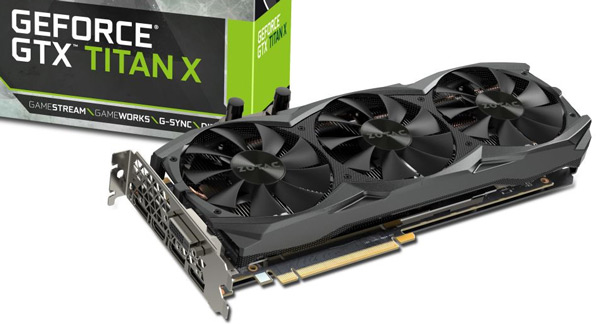
Fantasized for months to get myself a Nvidia GTX Titan card after reading reports and youtubes about the phenomenal boost in FSX/P3D performance with it.   The past weekend, I finally made to get an over-clocked Titan X seated in my system.

Zotac-Titan-XMy first impression about the card out of the box — Continue reading
301: Mouse Not Responding after Hot Unplugged

So far, the only problem I have with Windows 10 is: the mouse will stop responding to mouse clicks if any of the Saitek game controllers (yoke, rudder pedals, trim wheel, etc) is hot unplugged from the computer after use.

There are many similar reports on the Internet, and it is generally agreed that the issue is caused by the Saitek driver.   So far, no solution has been found.

The quickest way to put the mouse back to normal is to press the Reset button on the computer.   The soft reset switch via Ctrl-Alt-Del doesn’t work.

Edit:
Some friends, like Philip M, suggest to open the Devices and Printers in Control Panel and right-click to “Remove” the Saitek devices in question prior to unplugging them.  That’s another easiest cure of the problem as well.


300: Windows 10 FSX Crash-to-Desktop Fix

With Windows 8.1 two years ago, I experienced recurring crash-to-desktop errors on FSX platform after Orbx’s FTX Global Base was added to it (see my Post 228: FSX with Windows 8.1).

Now with Windows 10, thank goodness, the same combination (FSX + FTX Global Base) doesn’t crash to desktop any more.   But, my goodness, the excitement only lasts for two days until I added another Orbx’s regional product to the platform.

I really don’t know if it is FSX itself or Orbx’s addon the true culprit causing this notorious CTD problem.

Anyway, the tweaks I suggested in the earlier Post 228 are still valid.  Continue reading

299: The FTX Central 2 — I Never Like It

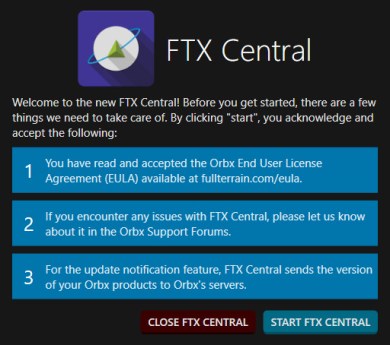
I never like the new FTX Central 2 because it combines the previous FSX and P3D versions into one single package.   If you have both FSX and P3D installed like I do, FTX_Central_Newyou then have to choose for the simulator you want to modify every time it is started.  That’s inconvenient and an overkill.

In addition, it compels you to read the company’s product advertisements on the program banner which you might not be interested at all.   It’s distracting and irritating.

And the worst of it all, the new FTX Central 2 forces you Continue reading

298: Cautious to the New Saitek Drivers

Perhaps some of you have noticed that Saitek has released two new drivers.  The “ProFlight_FSX_Plugin_7_0_40_9_x64_Software” is an integrated driver for all its Pro Flight products except the Flight Instrument Panel (FIP) which requires another new driver “Saitek_Pro_Flight_Instrument_Panel_7_0_40_9_x64_Full_pfw” to support it.

The up-sides of the two new drivers are:  they simplify installation, and the load-up order of the FIPs can now be configured.   The latter feature, in particular, has been a long-time request by almost all FIP users.

However, the down-sides are: Continue reading

297: A Summary of Prepar3D v25 Changes

The confusions many Prepar3D users encountered after upgrading to version 2.5 are the result of a mixed subtle to major changes happened to the program’s long-held file structures that was inherited from Microsoft Flight Simulator.

Although many of these issues have been addressed by third-party manufacturers, it’s still useful to know what are the differences.   Following is a list summarizing the changes (but not limited to) made to the new version compared to earlier versions:

Under Prepar3D Program Directory

  • Folders REMOVED
    Addon Scenery
    categories
    dialogs
    flights

Continue reading