255: A Lesson Learned – The SLI Myths

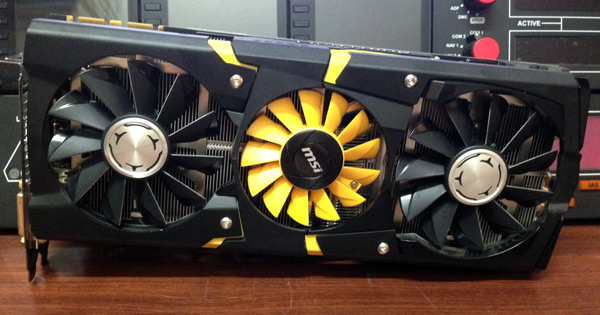
Started from dissembling the rudders for fixing a bad contact throughout the whole morning, then carried on to adding extra power to enhance the stability of the computer’s IO ports in the afternoon,  my day was full of grease and rust.  Since the chassis was opened, I unplugged the second graphics card on a whim.  Holy cow, my P3Dv2 ran even better.

MSI-SLI

Continue reading

244: P3D v2.2 – System Settings Updated

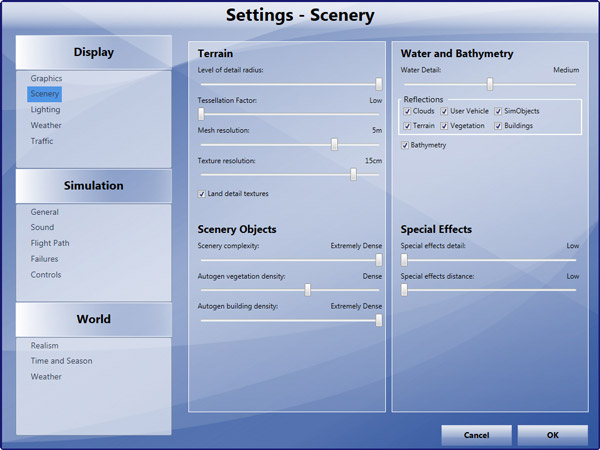
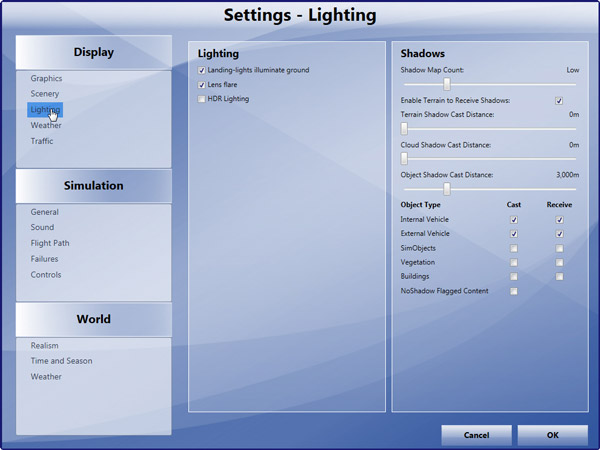
Followings are updates to my earlier P3D system settings shown in Post 239.   Major changes are made to Scenery and Lighting, where the former improves Water Reflections and the latter enhances Shadows performance.

P3DSettings-Scenery  P3DSettings-Lighting

In addition, Continue reading

241: P3D v2.2 Part 5 – Hardware

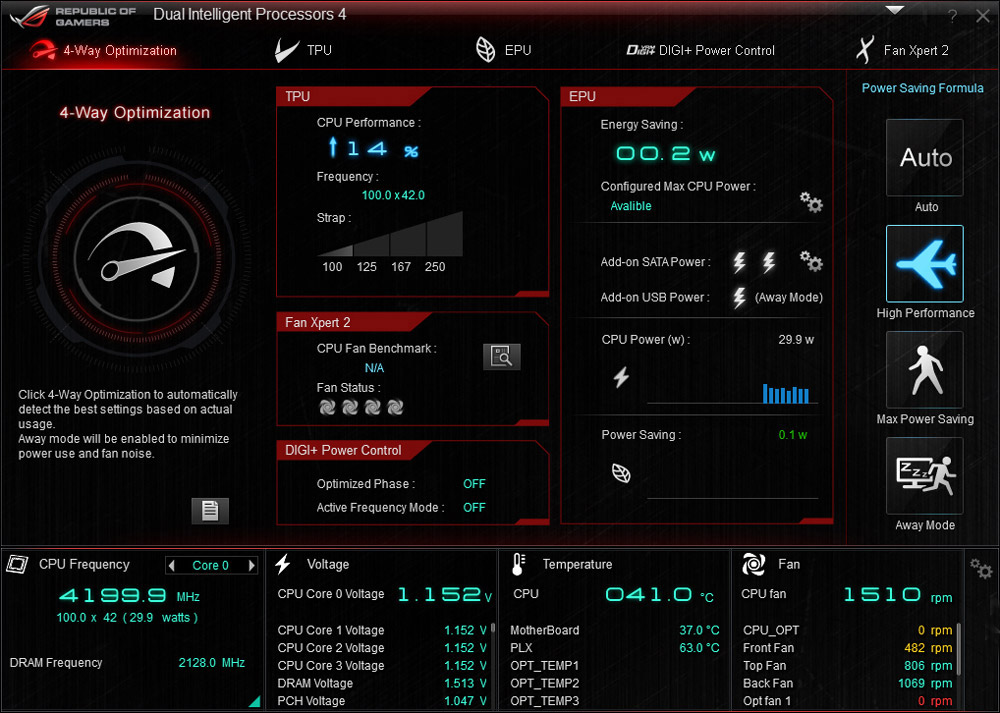
My 4770K CPU was stably overclocked to 4.6 GHz before I moved on to the current 3-monitor setup with dual GTX 780 in SLI connection.   Since the system crashed a few times due to overheated CPU problem while running P3D (that’s right, P3D, not FSX), I have no choice but to lower the clock speed to 4.2 GHz.

Obviously, even though P3D is said to have shifted many processing works to the GPU, it is still a CPU-intensive program.   With lowered clock speed, my system’s CPU temperature lingers around 55°C, and adds another 5 to 10 degrees in general while flying over high density areas.   No more crash has encountered since.

P3Dv22-Hardware-00

Continue reading

239: P3D v2.2 Part 4 – Settings

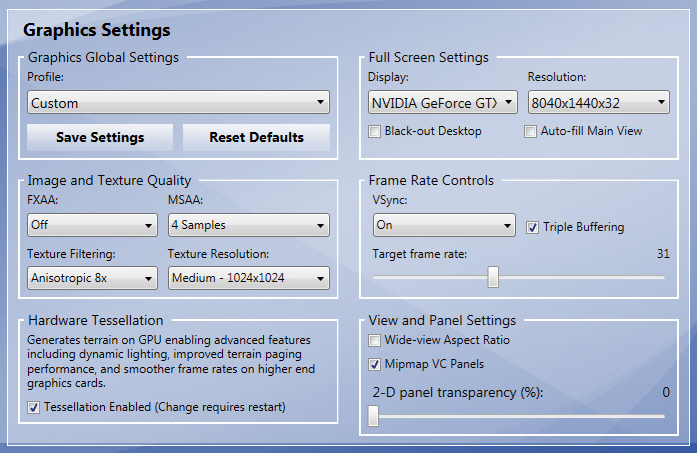
As known, the more complex and demanding the settings are, the more impacts will be on the simulator.  Followings are my current choices and preferences:

P3Dv22-Setting 01

♦  Disable FXAA improves image sharpness
♦  Found very slight difference among 2, 4 and 8 Samples in MSAA
♦  Texture Filtering=8 gives the best balance
♦  Similarly, found no obvious difference in higer texture resolution

Continue reading

238: P3D v2.2 Part 3 – Prepar3D.cfg

The current performance of my P3D platform as shown in post 237 can’t be said flawless.   There are still occasional stutters especially while the plane is in steep turns.  And the range of crystal clear texture rendering is limited to a not so big area surrounding the aircraft.

Nevertheless, I am quite happy with what it so far achieved.  And in many ways, I think P3D v2.2 now has excelled FSX in my setup.   Followings talk about changes I made to the configuration file.

Continue reading

237: P3D v2.2 Part 2 – Video Preview

Regarding the autogen and texture problems reported in last post, the issues actually had been solved.   I was just splitting the story into 2 or 3 episodes to arouse sharings and suggestions, from which I might possible push the result further for the sweet spot.

Unexpectedly, I have some priorities to deal with in the next few weeks.   So I made the following movie clip as a Preview to Part 2 (or to be Part 2 itself).

It is also my first attempt to include video in FSX Times.  The clip was taken by iPhone over Vancouver with most autogens Continue reading

236: P3D v2.2 Part 1 – Still No Good ?!

With the launch of the P3D v2.2 on Monday, I did a clean install with the hope that it would bring better performance to the LM platform while solving many of its earlier reported issues, especially the three ghosts that had been haunting my system since the beginning — namely, stutters, Saitek Flight Instrument Panel (FIP) sluggishness and texture blurriness.
P3Dv22-Blurry00

Actually, over the last few weeks, the first ghost, stutters, was in general removed through the increase of the BufferPool to 900 millions as described in Post 234.

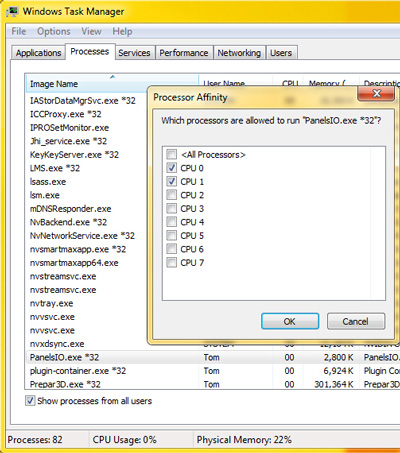
The FIP smoothness was also enhanced by assigning the first 2 CPU cores via Set Affinity option under Windows Task Manager.  Similarly, the texture blurriness was improved with the AffinityMask set to 252, which dedicated the last 6 CPU cores for the simulator.

Although it still couldn’t be said ideal, P3D v2.1 at that moment was pretty close to what FSX was performing on my rig.  Continue reading

232: Finally I am Multi-LCDs

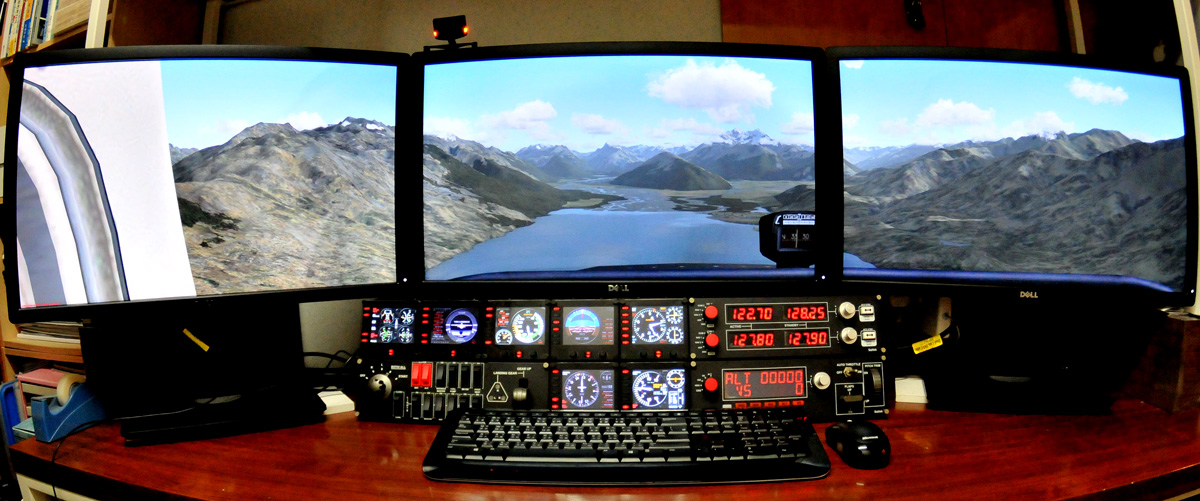
I’ve been talking about moving to multi-monitor setup for nearly 2 years.    Finally, here it comes my new multi-monitor setup:

3-MonitorsS
My New Multi-Monitor Setup

One major obstacle that’s been preventing me from upgrading in the past was the 30-inch monitor I’ve used for over 5 years.  It was (is) still in good condition that I couldn’t make up my mind to replace it without finding a good outlet for it.   Also, the price for getting another two 30-inch monitors was also a big concern.

Continue reading

228: FSX with Windows 8.1

FSX is prone to crash under Windows 8 — a lot of people reported that on the Internet, even though there are still many positive feedbacks about the combination.  Windows8Frankly speaking, I was really a bit nervous about my bold decision of upgrading to the new OS.  And I was prepared to encounter all sorts of unexpected FSX problems plus the notorious crash-to-desktop (CTD) issue.

To my surprise, in the first few days after FSX with Acceleration was installed under Windows 8.1 on my new computer, the simulator not only performed smoothly without the need of any tweaks but also ran sturdily.   It didn’t crash at all, not even once during those days, UNTIL … Continue reading