836: My “Limited by Main Thread” Fix

Like many other friends who have a decent computer but continuously haunted by the “Limited by MainThread in RED phenomenon while displaying the FPS under Developer Mode, I tried somethings last weekend that turned it in GREEN, even with about 10 fps increase in average.  The result really exceeds my expectation.


My computer is still the i9-11900K CPU with GeForce RTX 3080Ti card and 34-inch (3440 x 1440) Mi monitor.  Here’s what I did:

Continue reading

829: REX Update Patch Admin Right Fix

TechLevel01W
Three days ago, REX Simulations’ AccuSeason Advanced Edition released a technical update patch for bug fixes, etc.  However,  the automatic update function of the app in my system failed.  So I need to perform a manual update by downloading the patch and run to install it.
REXUpdate01
Sadly, the update patch installation also failed with some “access right” errors, meaning the patch requires to be run with Administrator Right.

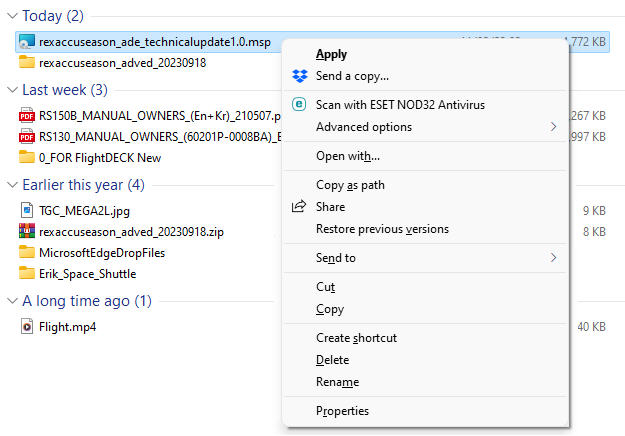
So I right-click on the update patch in *.msp format.  But there is no “Run as administrator” option available.
REXUpdate02
Following is what I do to run the patch as administrator: Continue reading

822: My MSFS ReShape Settings 23-0705

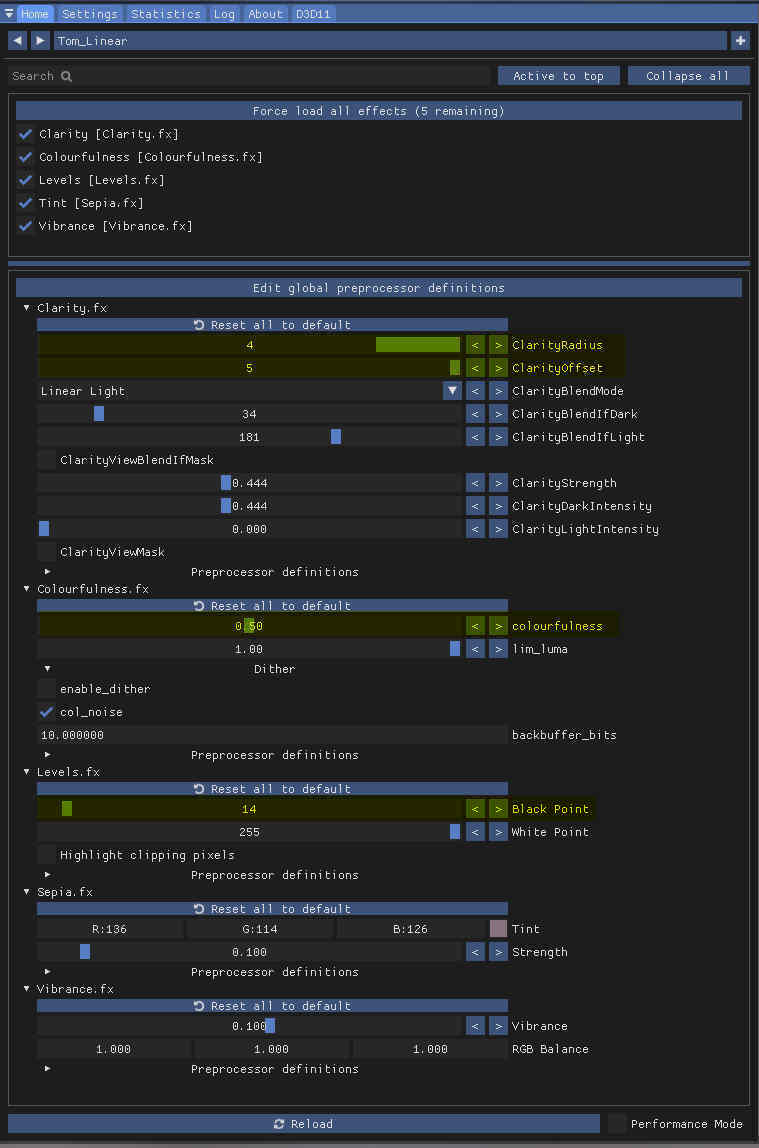
Some major changes have been done to my last ReShade Settings made in February according to various trials over the last few months:  ReShade_230705
Tint (Sepia.fx) and Vibrance (Vibrance.fx) effects used previously have been removed.  Yet, Continue reading

817: P3D v5.4 Released

Just noticed that Lockheed Martin’s Prepar3D (P3D) V5.4 was released yesterday.  From its website, the update has over a hundred of fixes and improvements.
https://www.prepar3d.com/news/announcements/2023/05/121206/

But more interestingly, there are rumours (even limited) saying that P3DV6 will be coming soon.  I am really scratching my head. Continue reading

811: My MSFS nVidia Settings 23-0403

After the recent Sim Update 12, some of my nVidia Control settings have been modified a little accordingly.

The Shader Cache Size in the Global 528.49-09Settings, for one, has been changed to 10GB from the “Driver Default” which is set to 1GB.
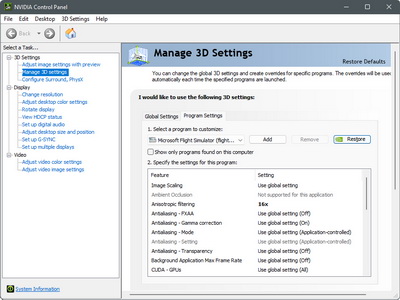
The increase is based on an assumption to avoid slow startups, performance issues and stuttering once the cache size is reached.

And second, the Monitor Technology options in both the Global Settings and Program Settings have been changed to “Fixed Refresh“.   

As from the description in the nVidia Control panel states, the “G-SYNC Compatible” option is best for demanding games with highly variable FPS.  Since MSFS is the only game in my system and I don’t see its FPS fluctuating greatly, I therefore set it to “Fixed”. 

The results from both changes seem to bring additional enhancements in smoothness.

You can find the details of my nVidia Settings in full here.

By the way, Continue reading

804: My MSFS ReShape Settings 23-0227

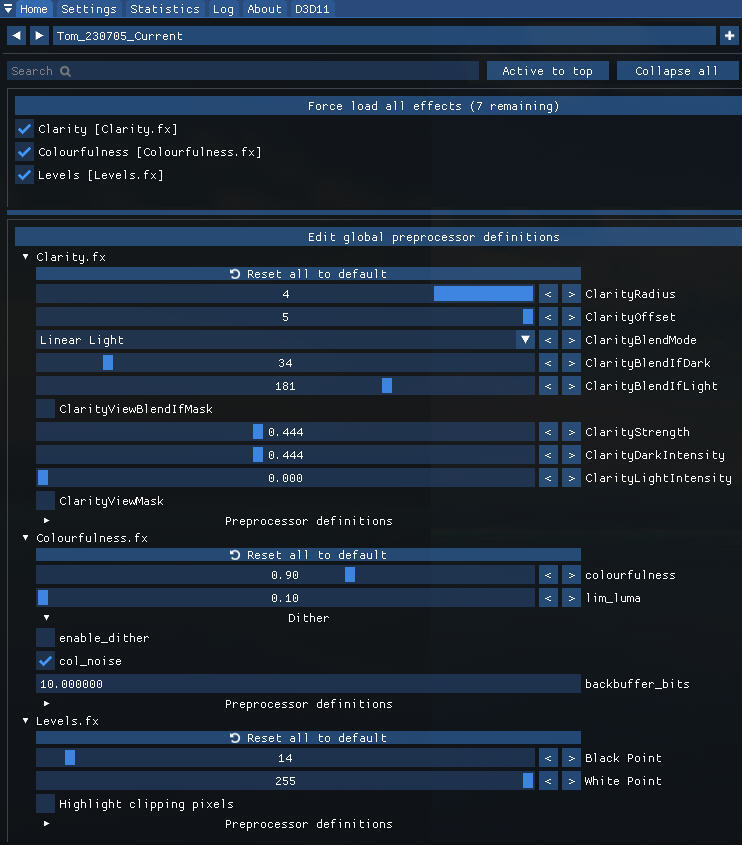
I’ve been using My ReShade Settings for over 18 months satisfactorily.   However, after the recent New Zealand update, I found the monitor display a bit more pale than before.  I am not sure if the update was the cause.  The display looks normal while running other apps.

To counter the paleness, I adjusted my ReShape Settings accordingly as follows:
ReShade_230227M
The changes are basically increases to some of the original settings to make it more stand out: Continue reading

803: My MSFS Graphics Settings 23-0225

A friend, DIGFS, recently sent me a comment as follows:

If you have anisotropic filtering enabled in the Nvidia panel, you can disable it completely in the MSFS settings. In addition, since the setting is redundant, this will gain you a little more performance.

Frankly, I noted that recommendation before and tried that already.  However, I really didn’t see any gain or difference from the suggestions on my system.

In the past few days, I tested the tweak again.  The result is the same on my system but obviously not on DIGFS’s.

After a second thought, I decided to take DIGFS’s suggestion to Turn OFF the Anisotropic Filtering in MSFS Graphics Settings based on the presumption of “less is more”.
MSFS_230225_SettingsCropNothing bad so far.

To see my full Graphics Settings, Continue reading

801: My Graphics Settings 23-0213

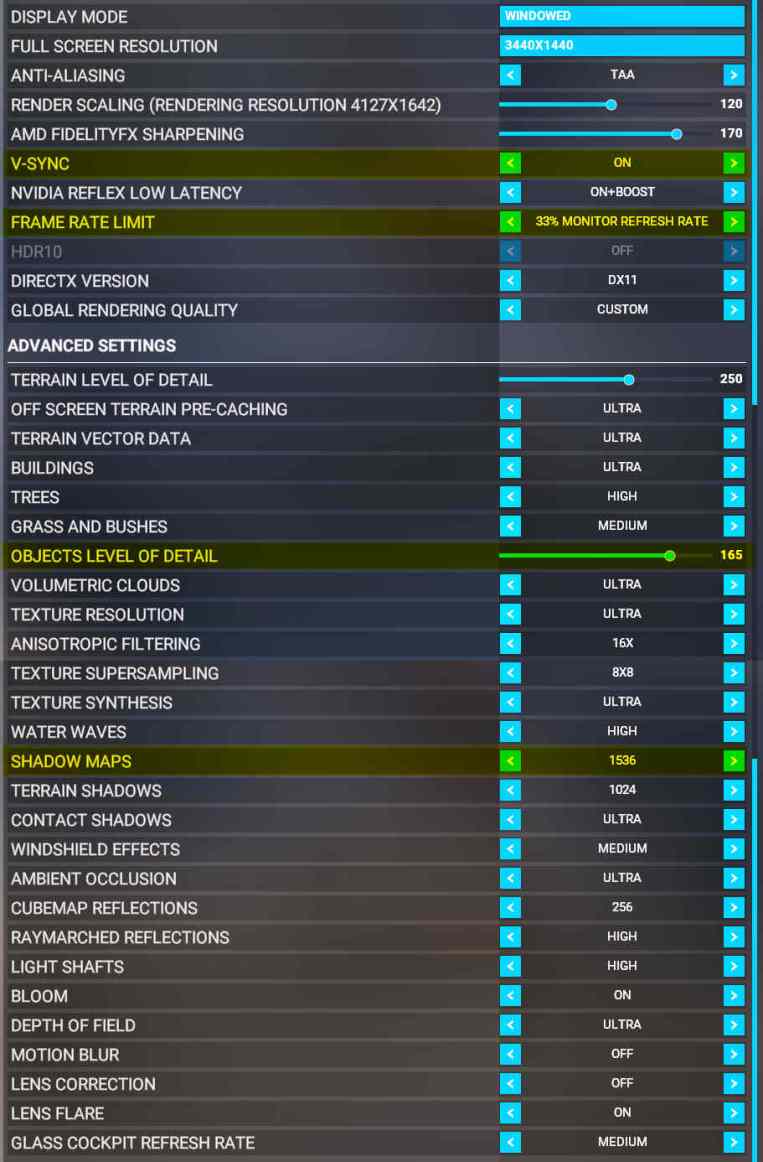
Alhough I just updated my MSFS graphics settings not long ago,  I find re-turning on V-SYNC with 33% Refresh Rate is, under most circumstances, giving my system a slightly more stable and crispy image performance, especially with the newest 528.49 nVidia driver installed, no matter if it is just psychological.MSFS_230213_SettingsM In addition, OBJECTS LEVEL OF DETAIL is reduced from “170” to “165“and SHADOW MAPS increased from “1024” to “1536” accordingly.  The rest remains unchanged.

Your mileage may vary.  Try for the best values yourself.  Continue reading