394: My Newest nVidia Settings

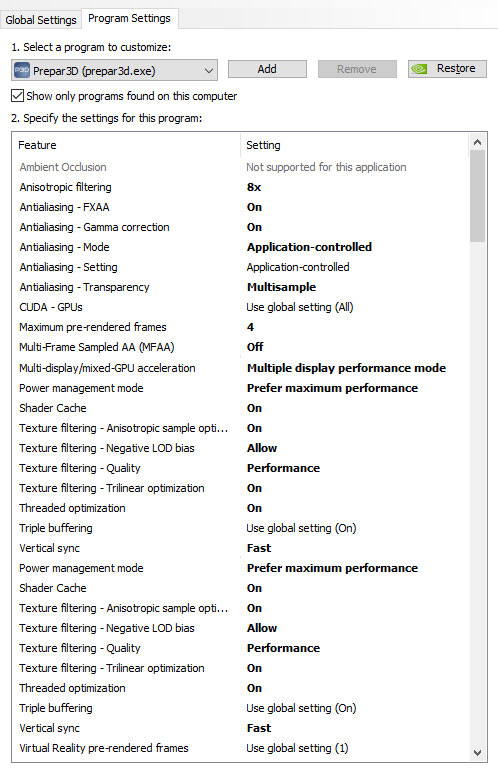
A friend who asked me what my nVidia 3D Settings were for P3D.   I told him that I simply used the default values coming with the driver in the last few years.

In response to his question, I re-examined and tested the impact of each value to my system last week.   Here’s the settings I am satisfied with:
nvidia_2016_setting
Continue reading

392: Putting GPS on the iPAD

A few days ago, Kim in Switzerland emailed me that he had built a touch-screen GPS using an iPad (see photo).
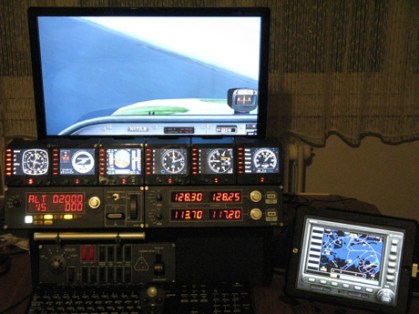
kimgps

Frankly, even though I never thought about the idea of putting the GPS onto an iPad before, I have to admit that my immediate response to Kim’s approach was not excited because there are many apps available to turn the iPad into a second display for Mac or Windows computers.

From the many similar apps I tried before, none of them, in my opinion, was smooth enough to handle the data flow demand to and from FSX or P3D.   Some of them even caused serious dragging to the simulator in return.

But after checking the information Kim provided, I found his iPad was wired to his computer, rather than wirelessly connected over the network.

After further Googling the app he recommended, I decided to give it a try.  The result is surprisingly good. Continue reading

391: Installing Alabeo Aircraft to P3Dv3

Just purchased Alabeo’s R66 and C172RG Cutlass while they are on sale this week.   I had no problem with the R66 but had my head scratched for a while regarding C172RG’s installation.

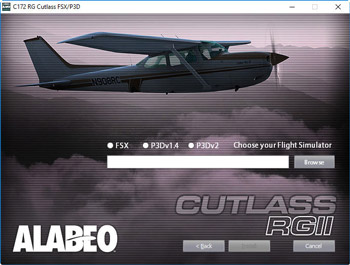
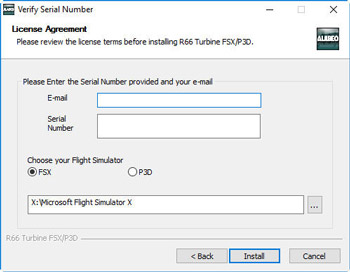
The major difference between the two installers is the C172RG one requires users to specify the version of P3D being used and the R66 doesn’t.
alabeo02s alabeo01s
Under such circumstances, even though I am not using P3D version 2, I gave it a try on selecting the P3Dv2 option on the menu and browsed to direct the path to my current P3Dv3 folder on P:\ Drive.   No surprise.   I got errors of not finding files from the package and installation was aborted.

Then I tried putting the path of my P3Dv3 folder without checking the P3Dv2 option.   The installation proceeded and reported a success. Continue reading

390: AffinityMask Revisited

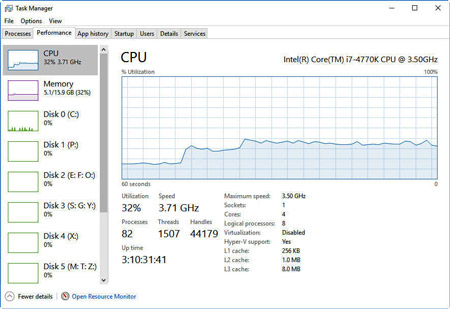
There are lots of comments on the Internet saying that the AffinityMask is no longer required in Prepar3D for a smooth flight.   Is it true?

The answer is both a YES and a NO, mainly depending on whether additional hardware are included.affinitymask-cpum

During the recent clean re-installation of the just released Prepar3D version 3.4, I must say that I was very impressed with its overall performance under the factory settings in the beginning.   But the thrill only lasted UNTIL my Saitek’s Flight Instrument Panels (a notorious performance hitter) were added to the system, no matter running under the Saitek or the SPAD.neXt driver.

Framerates Continue reading

375: Windows 10 Anniversary Updated

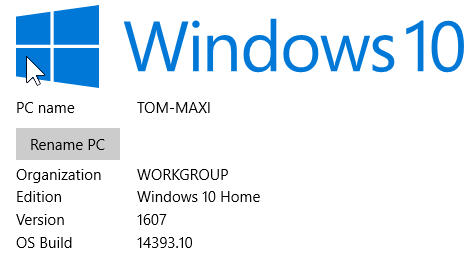
My system just updated to the latest 1607 version (aka Anniversary Update).   As mentioned in my Post 348, I firstly unplugged the Optical Drive and all USB devices before the update.  The process went smoothly and took about 30 minutes to complete. Win10_1607

Had a flight for another half hour and found no problem in either software and hardware.  Can’t say my system now runs better with the update but the opening of some programs do get faster.   Surely, some follow-up tunings are required for personal taste.   But overall, I am quite happy with it.


372: A Precaution to Avoid Burnt

As I replied to some friends, my Post 369: Aerofly is Good but Be Careful was by no mean to scare anybody who is interested in the new simulator.   The post simply states a fact that my card was burnt during the game and gives my personal comment to others who are using or are intending to use the software.

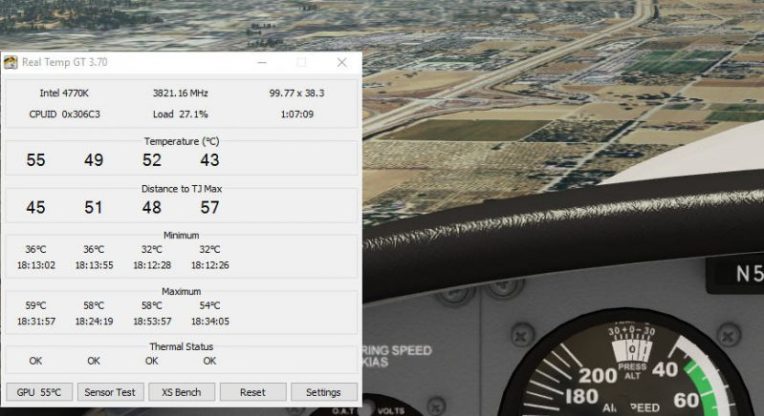
To play safe, I have installed Real Temp to monitor the CPU and GPU status of my computer.   The utility can be configured to stay on top of all displays.
I used to run Real Temp Continue reading

370: Activate Saitek Driver in FSX-SE

I purchased FSX-SE a year ago but abandoned it after briefly playing it for awhile fSX-SEbecause many setup procedures “seemed” to be different and I’d rather spend more time on my grandson at that time.

Last week, I picked it up again due to the recent Summer sales on Steam, where I finally got the long waited Flight School app.

This time, I seriously compared it to the box edition and found that the differences in structure between the two versions actually aren’t much.  I quickly copied Continue reading

364: R22 Startup & Shutdown Checklists

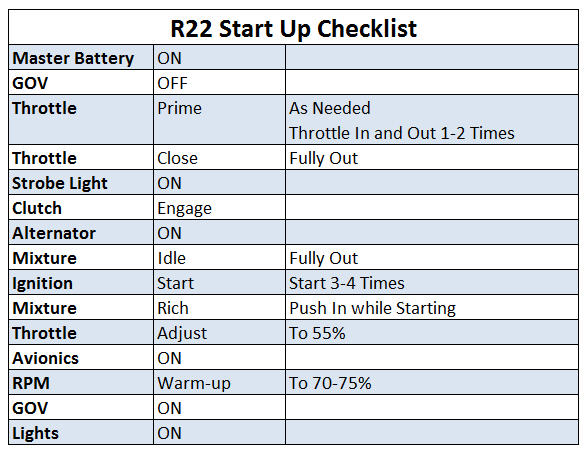
Starting-up and Shutting-down R22 manually in FSX or P3D could be tricky.  Here’s my checklist (not for real flying, of course):R22_Startup Continue reading

360: Skipping Orbx Online Verification

TechLevel01W
Besides backing up my system images, I also make individual copies of important files on my computer regularly.   Orbx addon registry is certainly one of them.

During installation, Orbx addons firstly performs an online-store verification and then creates a corresponding entry containing the serial of the product in the registry.   With this information in place, the verification process is no longer needed, no matter how many times the product is again reinstalled onto the same computer.

This principle similarly helps in my recent system break-down incidence.   Continue reading