
Followings are the storage drives I so far added to my new computer. Except the 2TB Backup drive (O:), all are SSDs of various size from previous purchases.
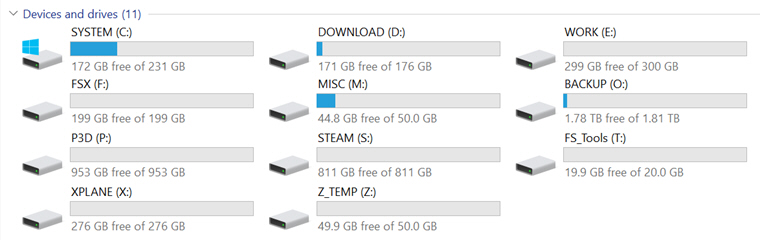
Major System Folders have been reassigned to various drives, so that user data could be kept intact and independent from System drive (C:) in case Windows is required to be restored or even reinstalled. Continue reading
Tips
407: B737 Cockpit Building Tips
Ever wanted to build your cockpit but have not a clue where to get started? Marcus from Marcuswald Air recently sent me his 737-800NG photos for the Cockpits section. In addition, he has included a photo-book about the building of his cockpit.
He said that the document didn’t have a great deal of text but thought it was best to go with photos and it was just meant to show the build in generic terms with a bit of humor.
The photo-book can be downloaded from here or by clicking the image of the book.
Thank you Marcus.
394: My Newest nVidia Settings
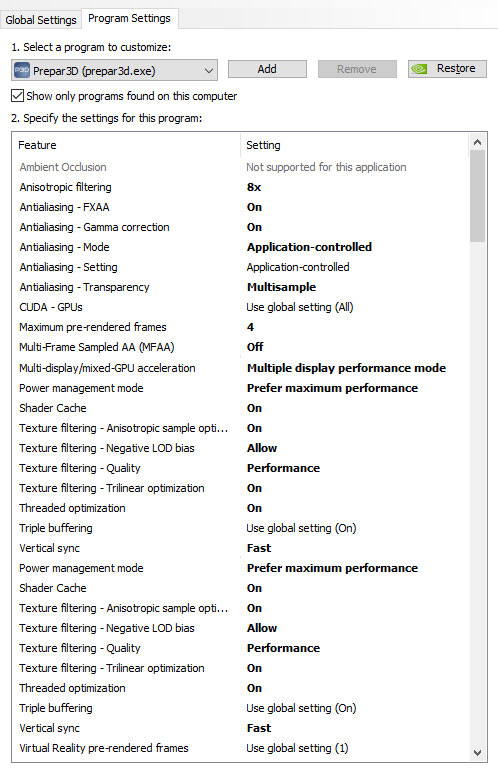
A friend who asked me what my nVidia 3D Settings were for P3D. I told him that I simply used the default values coming with the driver in the last few years.
In response to his question, I re-examined and tested the impact of each value to my system last week. Here’s the settings I am satisfied with:
Continue reading
392: Putting GPS on the iPAD
A few days ago, Kim in Switzerland emailed me that he had built a touch-screen GPS using an iPad (see photo).
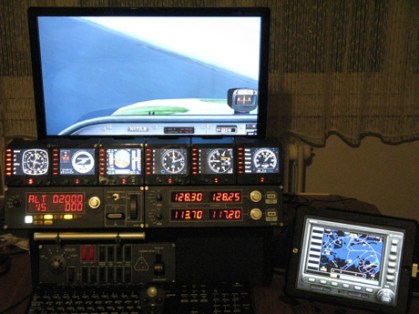
Frankly, even though I never thought about the idea of putting the GPS onto an iPad before, I have to admit that my immediate response to Kim’s approach was not excited because there are many apps available to turn the iPad into a second display for Mac or Windows computers.
From the many similar apps I tried before, none of them, in my opinion, was smooth enough to handle the data flow demand to and from FSX or P3D. Some of them even caused serious dragging to the simulator in return.
But after checking the information Kim provided, I found his iPad was wired to his computer, rather than wirelessly connected over the network.
After further Googling the app he recommended, I decided to give it a try. The result is surprisingly good. Continue reading
391: Installing Alabeo Aircraft to P3Dv3
Just purchased Alabeo’s R66 and C172RG Cutlass while they are on sale this week. I had no problem with the R66 but had my head scratched for a while regarding C172RG’s installation.
The major difference between the two installers is the C172RG one requires users to specify the version of P3D being used and the R66 doesn’t.
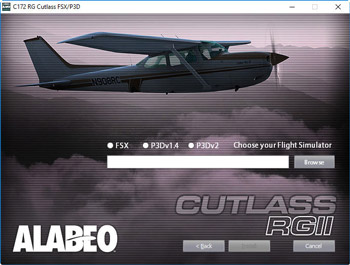
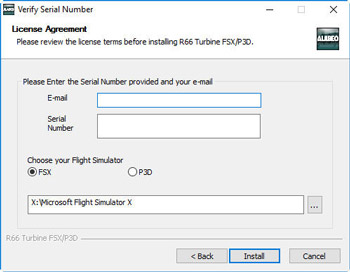
Under such circumstances, even though I am not using P3D version 2, I gave it a try on selecting the P3Dv2 option on the menu and browsed to direct the path to my current P3Dv3 folder on P:\ Drive. No surprise. I got errors of not finding files from the package and installation was aborted.
Then I tried putting the path of my P3Dv3 folder without checking the P3Dv2 option. The installation proceeded and reported a success. Continue reading
390: AffinityMask Revisited
There are lots of comments on the Internet saying that the AffinityMask is no longer required in Prepar3D for a smooth flight. Is it true?
The answer is both a YES and a NO, mainly depending on whether additional hardware are included.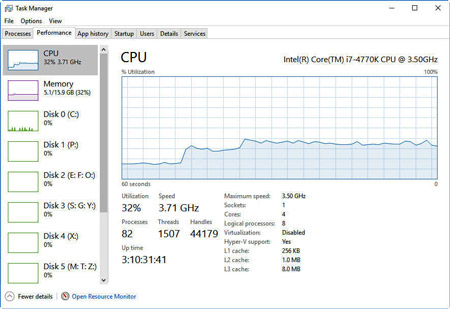
During the recent clean re-installation of the just released Prepar3D version 3.4, I must say that I was very impressed with its overall performance under the factory settings in the beginning. But the thrill only lasted UNTIL my Saitek’s Flight Instrument Panels (a notorious performance hitter) were added to the system, no matter running under the Saitek or the SPAD.neXt driver.
Framerates Continue reading
375: Windows 10 Anniversary Updated
My system just updated to the latest 1607 version (aka Anniversary Update). As mentioned in my Post 348, I firstly unplugged the Optical Drive and all USB devices before the update. The process went smoothly and took about 30 minutes to complete. 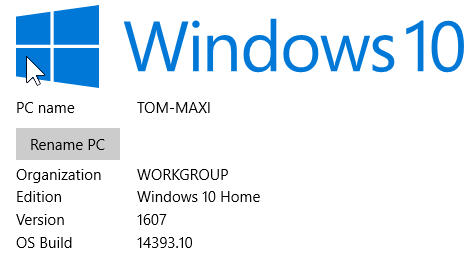
Had a flight for another half hour and found no problem in either software and hardware. Can’t say my system now runs better with the update but the opening of some programs do get faster. Surely, some follow-up tunings are required for personal taste. But overall, I am quite happy with it.
372: A Precaution to Avoid Burnt
As I replied to some friends, my Post 369: Aerofly is Good but Be Careful was by no mean to scare anybody who is interested in the new simulator. The post simply states a fact that my card was burnt during the game and gives my personal comment to others who are using or are intending to use the software.
To play safe, I have installed Real Temp to monitor the CPU and GPU status of my computer. The utility can be configured to stay on top of all displays.
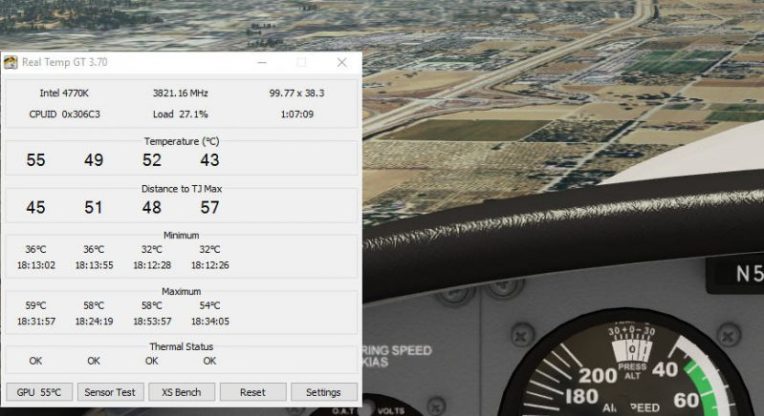 I used to run Real Temp Continue reading
370: Activate Saitek Driver in FSX-SE
I purchased FSX-SE a year ago but abandoned it after briefly playing it for awhile  because many setup procedures “seemed” to be different and I’d rather spend more time on my grandson at that time.
Last week, I picked it up again due to the recent Summer sales on Steam, where I finally got the long waited Flight School app.
This time, I seriously compared it to the box edition and found that the differences in structure between the two versions actually aren’t much. I quickly copied Continue reading
 FS Times