
In response to the last article regarding Starting up Networked FIPs Locally, Michael Basler recommends another simpler and even more versatile approach. Here’s the note from Michael:
==========
I start the simulator Continue reading
In response to the last article regarding Starting up Networked FIPs Locally, Michael Basler recommends another simpler and even more versatile approach. Here’s the note from Michael:
==========
I start the simulator Continue reading

Putting FIPs on a networked PC could reserve system resources for the simulator but the FIPs on the remote computer have to be started manually.
Stefano Cancelli in the Comment section of the story provides a solution by using a Microsoft utility called PSExec. Via PSExec, the FIPs on the networked PC can now start up automatically when FSX on the local computer launches, and quits when FSX exits.
Very useful tips and followings are the instruction from Stef: Continue reading

The new Prepar3D Version 3 (P3Dv3) takes the same approach 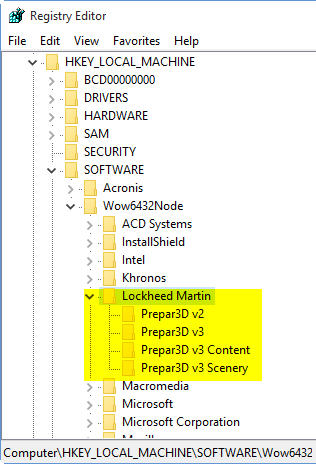 as its predecessors to include the version number in its system registry (from Prepar3D to Prepar3D v2 to Prepar3D v3). Making many addons have to rebuild a new installer in order to recognize the change, even when the new P3Dv3 is installed onto the same drive and same program directory as the previous version.
For those who wouldn’t want to wait for the release of new compatible installers, here’s a quick temporary solution to run the new P3Dv3 with existing addons from earlier versions.
I am using Orbx’s addon as an example. And the region used in P3Dv2 is set to FTX Global Hybrid.
My Prepar3D version 2 is installed on P:\Prepar3D, and version 3 on P:\Prepar3Dv3.
Continue reading
Running Flight Instrument Panels (FIPs) will drag the performance of the simulator to some extent. To minimize the impacts on some not so high-end PCs, off-loading them to a spare computer isn’t a bad idea.
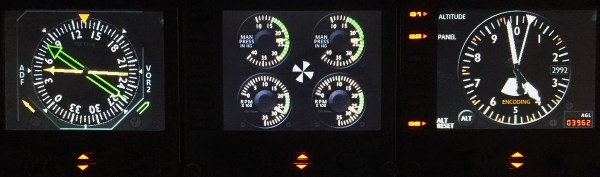
To those who are “network-phobia”, here’s an example how I put the FIPs (with some help from Ricardo in the first place) to work on a spare computer in my family network. Continue reading
Stutters are annoying. A friend asked if there is any quick fix to stutters since he has fed up with the endless tuning of his system. Yes, just turn off all the traffic and you will see instant improvement. Actually, many videos found on the Internet are taking this trade-off approach to render a smooth screen display.
The fix is quick but certainly not a perfect solution.
The Product Report generated via FTX Central is getting harder and harder to read when the list of the installed scenery is building up. 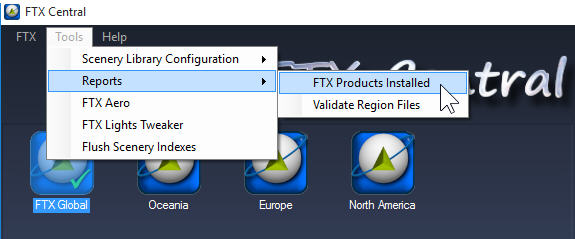
To enhance readability, Continue reading
Even though you are probably not one of us who tend to rebuild FSX for this and that reasons from time to time, putting FSX installation contents onto a hard drive and running from there not only 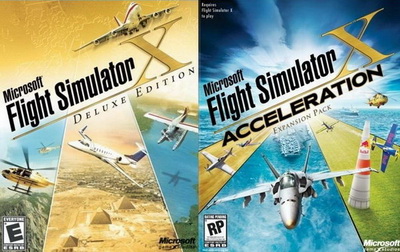 improves convenience but also significantly reduces processing time required.
The conversion is simple. Just copy everything from the installation discs to any folder (e.g. FSX Deluxe Edition and FSX Acceleration) on your specified hard drive.
But do remember to copy the discs in their installation order, and answer [NO] when prompt to overwrite files already copied to the hard drive earlier.
In addition, Continue reading
Rebuilding the shader cache of the simulator helps fix problems suddenly coming up without a proper cause. The reasons explained in my Post 58: Rebuild FSX Shader Cache for FSX. It is applicable to P3D as well.
There are friends asking if it is possible to automate the deletion process right before the running of FSX or P3D, when needed.
Surely it is possible. Continue reading
Yes, you saw it right. Besides the usual gauge instruments, you can now put the GPS onto the FIP !
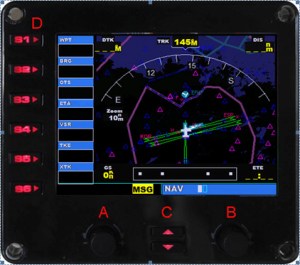
Last November, Alexey Podrezov’s FIP Customizer gave us the ability to freely replace the FIP’s default product image as well as to easily disable the serial number from showing up on the FIP.
This summer, Alexey further enhances his utility by adding a number of great features to it. The new utility is called the FIP Toolkit.
In addition to the already mentioned “GPS Display” function, the utility can also project Continue reading
 FS Times