905: Gave Lossless Scaling Another Try

In response to my frustrations with Lossless Scaling, my friend Glenn kindly shared his experience and settings in the comment section of my post #903, encouraging me to give his setup a try since it is working pretty well for him.

Frankly, I really wanted Lossless Scaling to work on my system, too.  So I followed Glenn’s instructions (edited slightly for readability) below:

Glenn:  In nvcp (NVIDIA Control Panel):- Disable gsync; Set vsync to let application decide; and Set low latency to off.

T:  I don’t see the gsync function, probably my GTX3080Ti card doesn’t support it. Have reset low latency from Ultra to OFF.

Continue reading

903: I feel a little “lost” about Lossless Scaling

I bet many of you have heard of a tool called “Lossless Scaling,” which claims to improve gaming experience by smoothing out the game through LSFG frame generation, optionally using various scaling algorithms and machine learning models (such as LS1) to improve quality or performance.

The description sounds great.    And many flightsimmers on the Internet have reported excellent results by using the tool.   Sadly, that wasn’t the case for me.

I’ve been using this tool for a while, probably around the time of its second update. Since then, I’ve enabled it on and off numerous times and played around with various settings, including loads of suggestions I’ve found online.

But the results have been similar every time: Continue reading

818: Addon Improving Swiss Genuineness

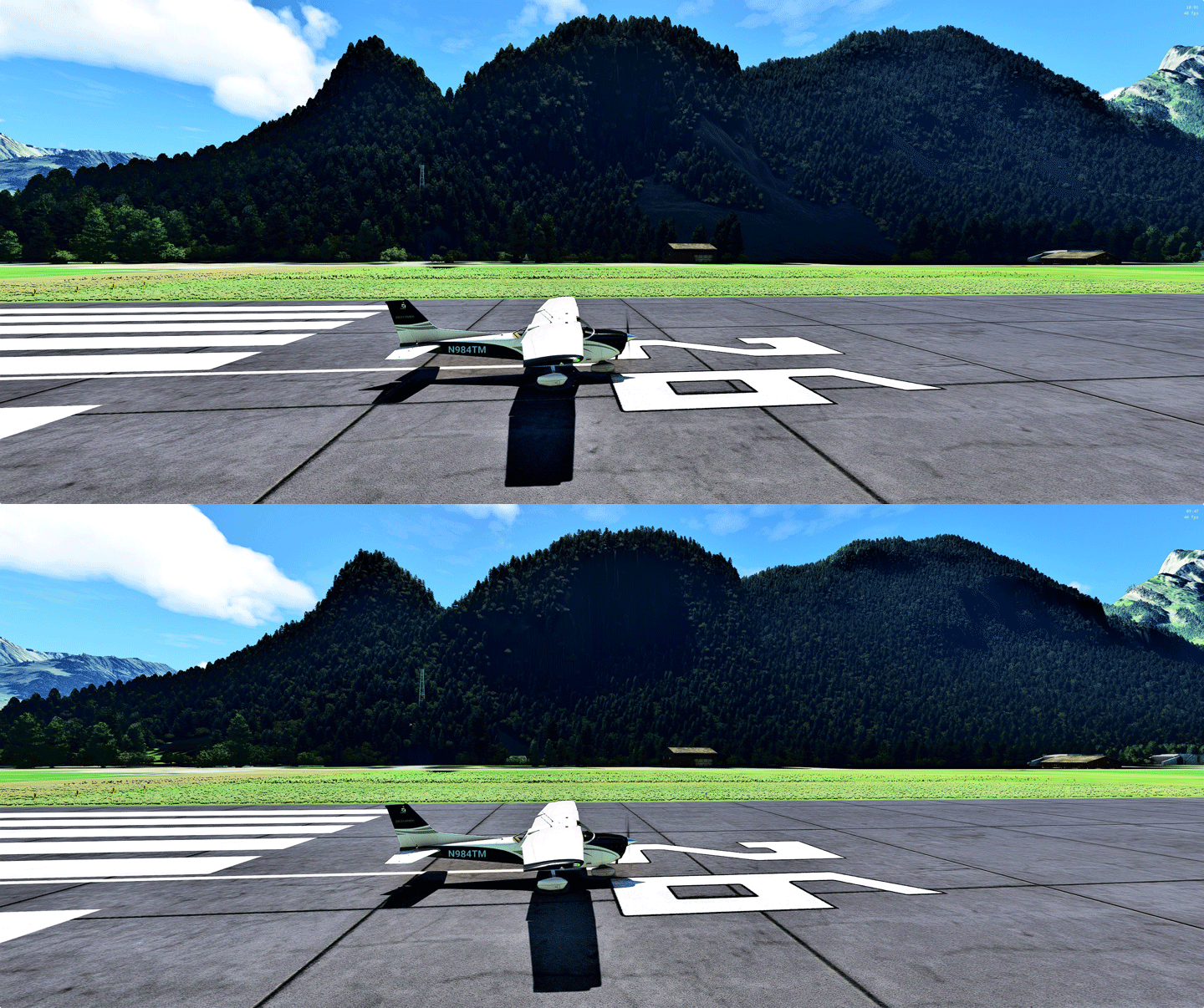
Last week, I came across an addon called Swiss TLM3D Forest MSFS by Taburet.  The company claims that the addon is based on the swissTLM3D datatset, which is the most extensive 3D vector dataset covering the whole of Switzerland and the Principality of Liechtenstein from Federal Office of Topography swisstopo.  Since Switzerland is one of the places I frequently flightsimming most, I purchased it without much hesitation.

Followings are three sets of pictures I captured on the runway 26 of Saanen Gstaad Airport (LSGK), showing the surrounding trees with and without the addon (click images to enlarge). Saanen-02 Continue reading

816: Fun Shouldn’t be Missed

When Microsoft Flight Simulator X (FSX) was prevalent around 2010s, many addons from Flight One (Flgiht1) Software were my favorites, such as the FSDiscovery.

But since I switched to Prepar3D in mid-2010, I hadn’t purchased from Flight1 any more.  It was not about quality.  Their products were just somethings not I needed and there were other alternatives.

Surprisingly to myself as well, I didn’t expect I will one day buy from Flight1 again, and especially for MSFS.

AnyoneFly is a new software that allows users “to experience the simulator world in ways one may never have before,” according to the descriptions of the product.

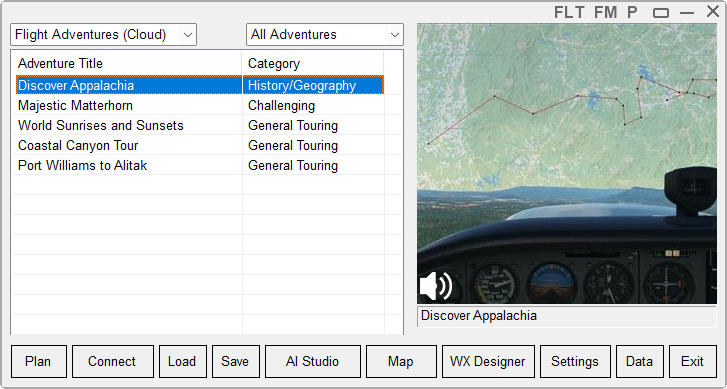
Whatever it says, the one particular feature among its suite of tools that gets the money from my pocket is called the Adventure. AnyoneFly
It’s more or less a Mission engine but Continue reading

779: Skipping the Ready-to-Fly Button

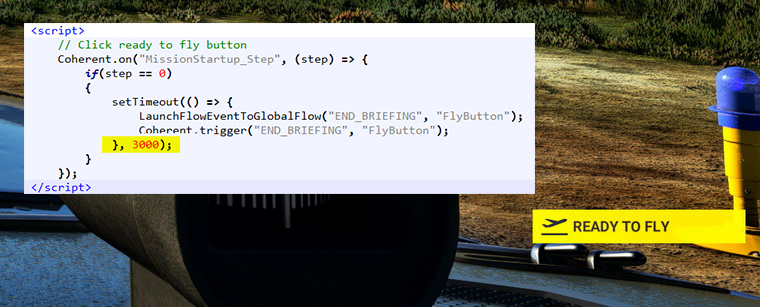
Just found a new addon called Ready to Fly Button Skipper on Flightsim.to which allows any flight to start automatically without the need of mouse-clicking the “READY TO FLY” button.

What’s more, the trigger time can be shortened or lengthened by altering the value as shown in the highlighted script in the MissionStartup.html of the addon.
Ready-to-Fly_Skipper Continue reading

764: MSFS GaugeSwitcher Special Edition

Due to the latest Generic G5 PFD v4 coming with anAirspeed Switcher” utility to allow users to quickly switch among different Airspeed Scales for the aircraft being flown, a special MSFS GaugeSwitcher v11A, which embedded the Airspeed Switcher function, has been created for those Generic G5 PFD users who are using the GaugeSwitcher as well.


Except the extra PFD Airspeed Switcher function, the new v11A version works exactly the same as the current v11 in essence.

So, if you don’t have the Generic G5 PFD v4 in your setup, or you don’t run the Generic G5 PFD v4 in MSFS, you don’t really need this special edition. Continue reading

740: USING Garmin GTN750 in MSFS

A few months ago, Robert Temmerman in Belgium wrote me an email about a new addon (by that time) in Flightsim.to, which could replace the G1000 or GNS430/530 on quite a lot of aircraft in MSFS with a Garmin GTN750.

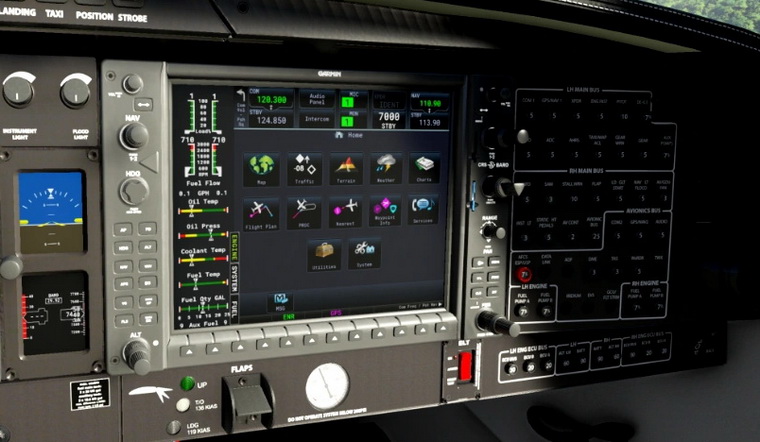
I totally forgot about this.  Sorry Robert.  The addon is called “JDS PMSGTN750 on Others Mod” by JayDee, and it looks awesome.
GTN750_00
Continue reading

736: Set MSFS Priority to High at All Time #3


Setting CPU priority for MSFS to High does improve the performance of the Simulator.  Instead of using third-party utilities, such as “Prio-Process Priority Saver” and “Process Hacker” to change the CPU priority as reported in Post 714 and 726, Nicolas Bouesnard in France sent me a registry tweak that achieves the same result.

Here are the steps: Continue reading

727: I Gave My PC a Little Push

Probably like most of you, I don’t deliberately overclock my computer even though the hardware I got are OC-capable.  Normally I just leave it to the BIOS to auto tweak the computer a bit by default.

Surely this is fine as our systems can run to spec stably.

Unfortunately, no difference from other flight simulators, the MSFS 2020 performs better on better performing computers.

Therefore I lately further enabled XMP, thru which I got about 8-10 fps increase in MSFS by pushing the DDR4 RAM from standard 2400MHz to its rated 3200MHz.  That’s not insignificant I dare say.

Continue reading