674: MSFS Addons Linker

During the CTD period in the last two days, a few friends including Demetrius and Robert Temmerman recommended me the free utility MSFS Addons Linker in Flightsim.to, which helps effectively manage addons loaded to the Community folder as well as to enhance a safer and easier environment in case I need to empty the folder.

The utility was also suggested by John H. Helms, who provided the tips for increasing ships in Post 665 about a month ago.

Honestly, Continue reading
668: The MSFS GaugeSwitcher comes at last

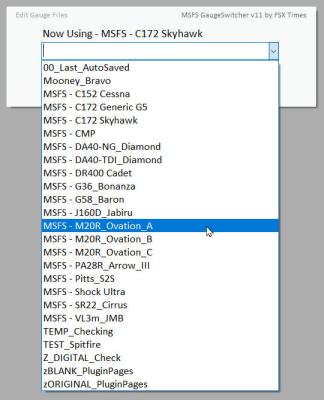
For users running my FSX/P3D Gauges under Logitech drivers/plugins, I developed a utility called GaugeSwitcher to help them quick call up different FIP setups to match with the different aircraft being flown.

Here it comes the MSFS version of it at last.  MSFS_GaugeSwitcher_37
Besides new features, enhancements and code optimizations, I have included four ready-made Profiles for the C152, C172, DR400 and M20R, so that users of these gauges can start flying with them immediately.

Download Link has been sent earlier today and it should be in the mailboxes of the MSFS Gauges users by now.  If not, contact me via email or Comment section below.

Sorry, Continue reading

593: Shaders Cleaner P3Dv5a

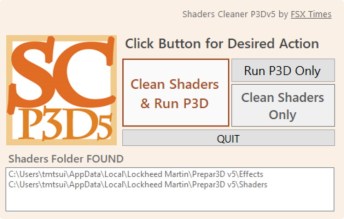
The Shaders Cleaner for P3D has been updated to version 5a, which now includes the cleaning of the Effects folder as well.  It is available for download from the Freeware Section in my Store; and it continues to be downward-compatible with P3D version 3 and 4.

NOTE that after the shaders are cleaned, it may take a little longer for P3D to reload the flight session the next time.  The screen may even black out for some seconds.  No worry, everything will come back to normal after the shader cache is built again.


567: Shaders Cleaner for P3Dv5 is Ready

Shaders Cleaner for P3Dv5 is now ready for download from the Freeware Section in my Store.  It is downward compatible to version 3, which I don’t think anyone still running it, however.

NOTE that after the shaders are cleaned, it may take a bit longer for P3D to reload the flight session the next time.  The screen may even black out for some seconds.  No worry, everything will come back to normal after the shader cache is built again.


550: GaugeSwitcher now Runs in X-Plane

To help users of my FIP gauges (who are using Logitech’s default drivers and/or plugins for FIP controls) to quickly switch among different FIP set-ups, such as from gauges specifically made for the Mooney Bravo to the gauges for Extra 300S, I developed two utilities — the GaugeSwitcher (for FSX/P3D) and the XPL_GaugeSwitcher (for X-Plane).

But unlike the FSX/P3D version that can be run at anytime despite the simulator is active or not, the X-Plane cousin was deliberately restricted to ONLY allow gauge switchings while X-Plane is not running.  This is due to huge memory usages in X-Plane, which could easily crash the system when unloading and reloading already-active plugins that also consumes a lot of memory, such as the Logitech X-Plane plugins together with the FIP gauges.

After more than a year since its launch, the updated XPL_GaugeSwitcher which doesn’t have the restriction is now available. Continue reading

530: Radar Contact is Now Free

There are a number of ATC programs available to flight simulation.  One of the popular ones is Radar Contact, which was firstly released 21 years ago.  Recently, its developers announced to give the program away for free from January 1st, this year.   If you are not aware of it, you can get your copy from here.

513: Free Private Pilot Study Guide

Redbird Flight Simulations has a “Training Events Workbook” to help private pilot students and teachers using their simulators. The Workbook covers topics including home-study exercises and oral exam prep questions, as well as scenario based training through simulator missions.

Although you may not have access to or be trained in a Redbird simulator, the book is still a good training supplement to any private pilot curriculum.   The book is now free for download from here or by clicking on the image.

507: A Few Updates

Haven’t updated FSX Times for quite a while due to some family matters, travels, other distractions and laziness under the summer sun.   Probably the situation will carry on for another month or so.

Regarding the fuel flow dataref issue in X-Plane for FIP gauges, Logitech has reacted and sent me a revised X-Plane Plug-in.  Unfortunately, the issue remains unsolved.   Have reported back and hope that there will be “workable” update from the support team soon.

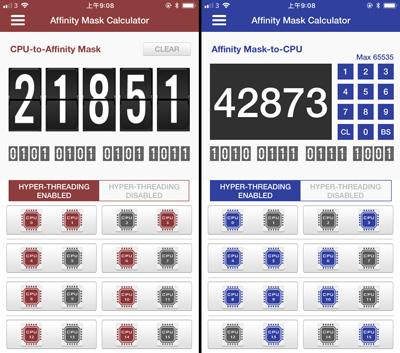
During last month, my son developed an iOS version of the Affinity Mask Calculator for me.   It is called “FSXTimes AMC”.   Nothing fancy and it works similarly to the web version.   It can be downloaded from Apple’s App Store.   As 6- and 8-core CPUs are becoming main streams, next update will target to include them.

Last but not least, Continue reading

499: Shader Cleaner is now Free

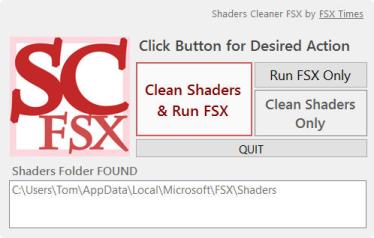
FSX and P3D creates Shader Caches during operations to optimize overall performance via frequently accessed instructions and codes stored in the caches.   However, the Shader Caches are prone to be messed up by various reasons sometimes.   Rebuilding them is a common method to fix many issues suddenly coming up without a proper cause.

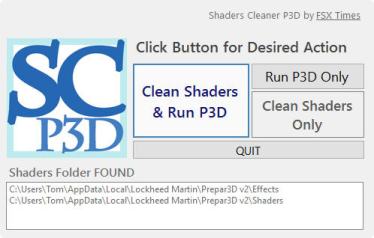
The Shader Cleaner FSX and Shader Cleaner P3D were developed to help clean Shader Caches quickly before the loading of FSX and P3D whenever needed — Personally I don’t recommend cleaning the Shader Caches if everything is okay.
 
DO NOTE that after the Shaders of P3D v3 and especially v4 are cleaned, the display will black out for some seconds when a new flight is loaded.   Just be patient and everything will come back to normal after the cache is built again.

The utilities were only given to Continue reading