92: fsx.CFG – RejectThreshold

RejectThreshold is a command that instructs the CPU to bypass the bufferpool when a specified amount of graphics data is reached.   Before that threshold, all data are kept sending to the bufferpool.

This function can be used in association with the PoolSize command to improve system stability.

Continue reading

91: fsx.CFG – TERRAIN_MAX_AUTOGEN

The default quantities of trees and buildings auto-generated in FSX are 4,500 and 3,000 respectively.

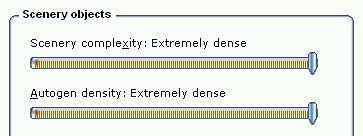
When one sets the IMAGE_COMPLEXITY and AUTOGEN_DENSITY to the maximum, reducing either or both of these two quantities for trees and buildings could bring a significant performance improvement while maintaining a good level of image complexity and density.
Continue reading

90: fsx.CFG – BufferPools

Autogen has a default texture buffer of 4 millions.  Properly increasing or decreasing this buffer can effectively reduce stutters, especially while the aircraft is in turning.

This function is not by default present in fsx.CFG.    To alter the value, one can add the following lines in fsx.CFG; and commonly used values range from 1 million to 15 million (or even higher) in 1 million increment.

[BufferPools]
PoolSize=15000000

Continue reading

89: My FSX Tuning Part 3 – First Run

My First Run took place in Concrete Mun 3W5 with framerate locks at 39, after the initial tunings from Part 1 and Part 2.

Before the actual flight, a few more adjustments were made directly in the fsx.CFG as follows: Continue reading

88: My FSX Tuning Part 2 – Display Card

After the initial setup in Part 1, the second thing to look at is now the display card because many issues of jagging, blurry, shimmering and stutter in FSX are all related to the settings of it.

My display card is an ASUS Matrix HD5870 over-clocked to 970MHz/5000MHz (default 894MHz / 4800MHz).  Current Catalyst driver installed is 11.8.

The focus of display card setting is to get the best balance between image quality and game performance.  The results below are decided based on many testings under various conditions.  However, further changes may still be needed as the tuning process goes. Continue reading

87: My FSX Tuning Part 1 – Back to Basic

As stated in my last post regarding AMD 11.8 setting, due to the discrepancy to what I’ve been using for a long time, I’ve been re-tuning my whole system as if it was just newly installed.   This is the first of a series of posts regarding my tuning process, and the objective of the first step to reset most of my system back to the state as if they were just installed.

STEP 1: Preparation

a)     Backup fsx.CFG to fsx-Backup.CFG  (c:\Users\<username>\AppData\Roaming\Microsoft\FSX)

b)    Backup or capture images of the 3D Application Settings of the display card Continue reading

86: Enable Hyper-Threading


Intel’s Hyper-threading Technology enables multiple threads to run on each core to efficiently using processor resources.  It could be turned ON or OFF through the BIOS setting.

Many simmers suggest to turn it OFF since some argue that hyper-threading generates extra heat which drags the performance of FSX.  Others report that stutters are experienced due to extensive collisions between threads.

However, in my case with an i7 930 CPU overclocked to 4.0GHz, with or without using AffinityMask, I find FSX is running smoother with the hyper-threading feature enabled.

Worth a try to decide whether Enable or Disable the Hyper-Threading is best for the sytem.

85: AMD Radeon Settings (11.8 Updated)

Just upgraded to version 11.8 a week ago and in my case the new driver brings a positive result — places where used to have stutters now become smoother even though no obvious increase in overall fps.

Two major changes in setting I use in the new driver are the enabling of 64X Tessellation and Surface Format Optimization. Both of them were causing some degrees of performance degradation.  Click here to see my earlier 11.7 setting. Continue reading

84: fsx.CFG – DisablePreload

When FSX is started, the default flight is also starting to load simultaneously in the background by default.   It is designed to speed up the loading process subsequently.

However, if an FSX system has installed a lot of sceneries or the sceneries installed are large and demand a lot of resources (such as Orbx’s sceneries), it is very likely that one will encounter short hang-ups while changing airports and/or aircrafts or adjusting settings, due to the preloading process taken place in the background.

To get rid of this irritating short hang-up, one can include the following line in the [Main] section of fsx.CFG to suppress the preloading: Continue reading