
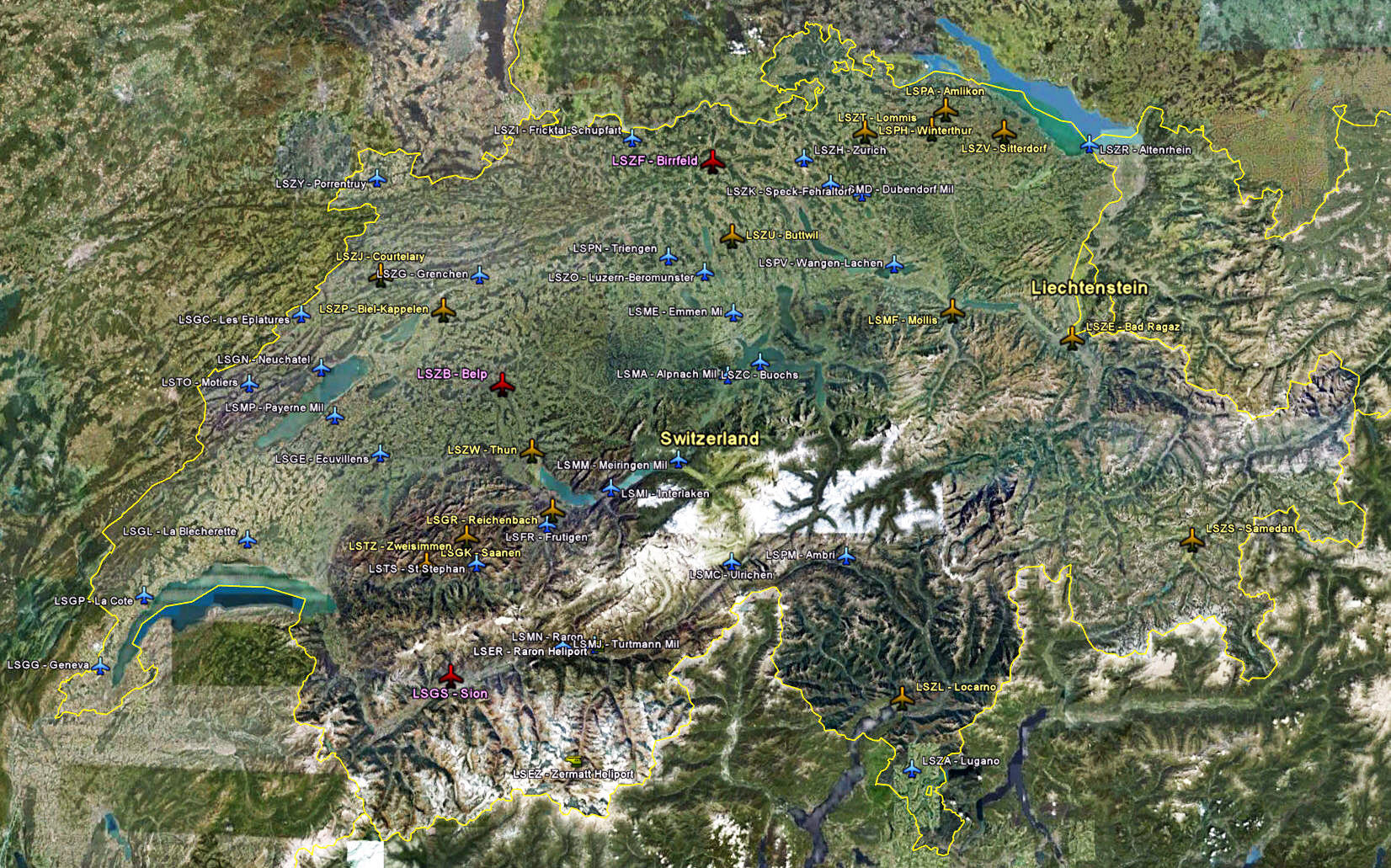
Enhanced Airports and Small Airfields from FlyLogic Software.
- Click here or the image above for a full-size photo map; or Continue reading
Enhanced Airports and Small Airfields from FlyLogic Software.
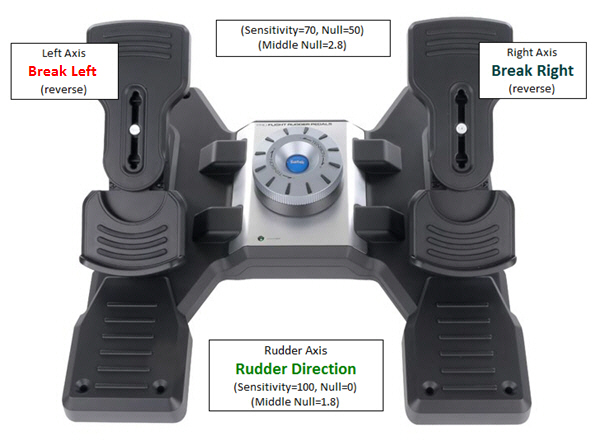
Settings of my Saitek Pro Flight Rudder Pedals:

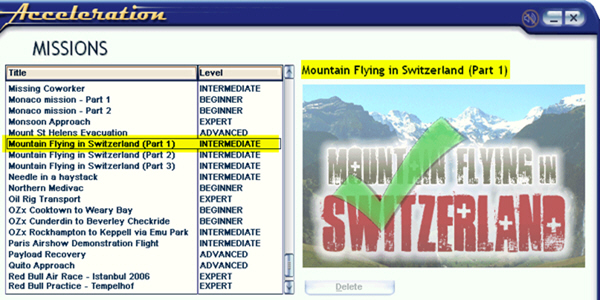
In addition to prioritizing missions as described in last post, names of missions can also be changed easily. For example, the three Mountain Flying in Switzerland missions from vertical studios were originally shown in small captial letters. Through following steps explained below, they are now capitalized.

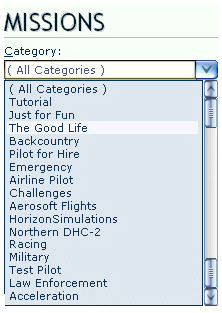
Mission Categories are seldom displayed in proper order, especially after new Missions have been added.
Here’s how to prioritize Mission Categories as one desires.
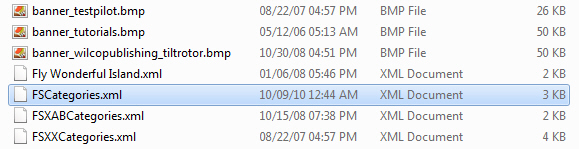
Inside the Categories folder of FSX system, there should be XML files similar to what is shown below.
Each of these XML files contains one or more Mission Categories that were created by FSX or when addons were installed. The alphabetical order of these files also determines how Mission Categories will ultimately displayed in FSX.
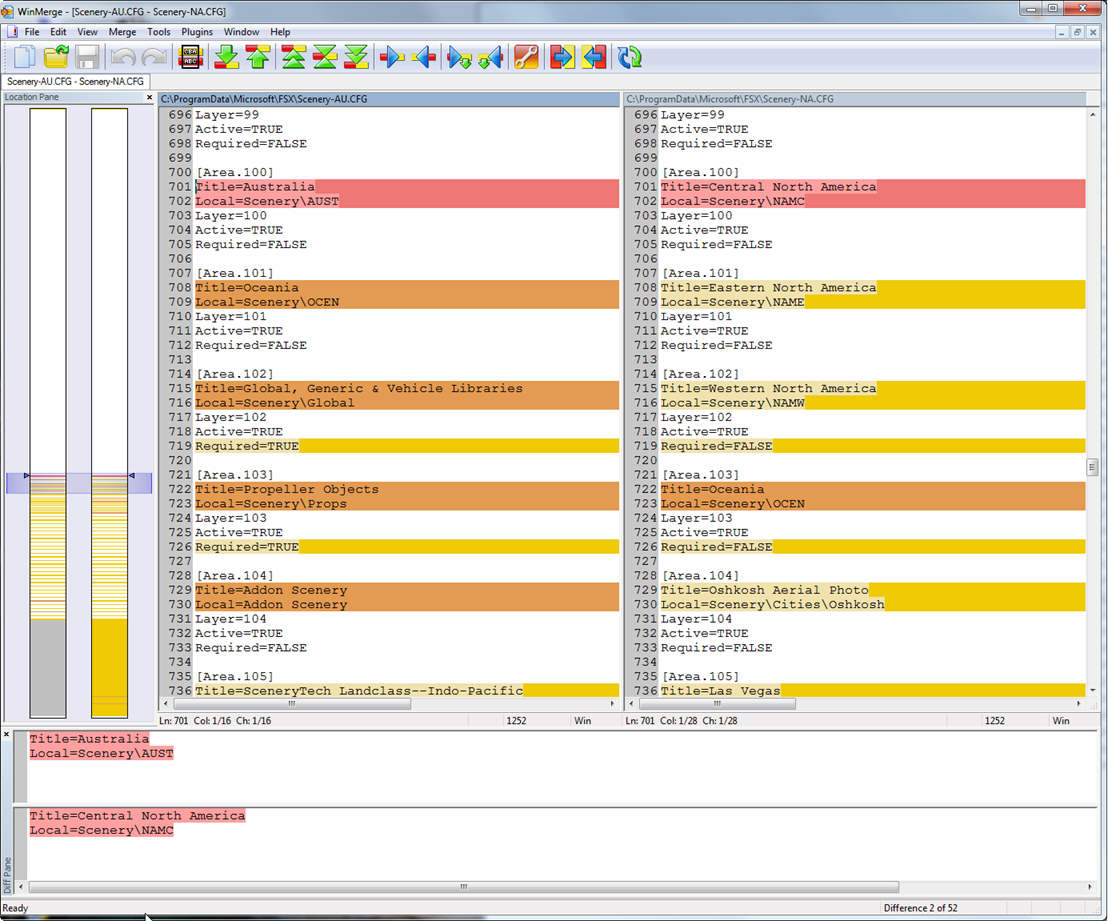
When using the Flying Zone approach, a number of similar files will be created and used, such as fsx-AU.cfg, fsx-NA.cfg, scenery-AS.cfg, scenery-EU.cfg, etc.
WinMerge is an extremely useful tool that allows you to compare the differences between files and folders. It is completely free too. You can download it from http://winmerge.org/
Even using the Flying Zone Approach described in previous posts to configure the FSX system, it still provides general-purpose optimum settings only.
While flying around specific airports or areas, one may further need to fine-tune values of Target Frame Rate, Terrain and Water, Autogen Density, Traffic, etc.
Although this could be achieved via SETTINGS option in FSX, the SETTINGS option will simultaneoulsy revert TEXTURE_MAX_LOAD, TEXTURE_BANDWIDTH_MULT and LOD_RADIUS back to their default values of 1024, 40 and 4.5 respectively.
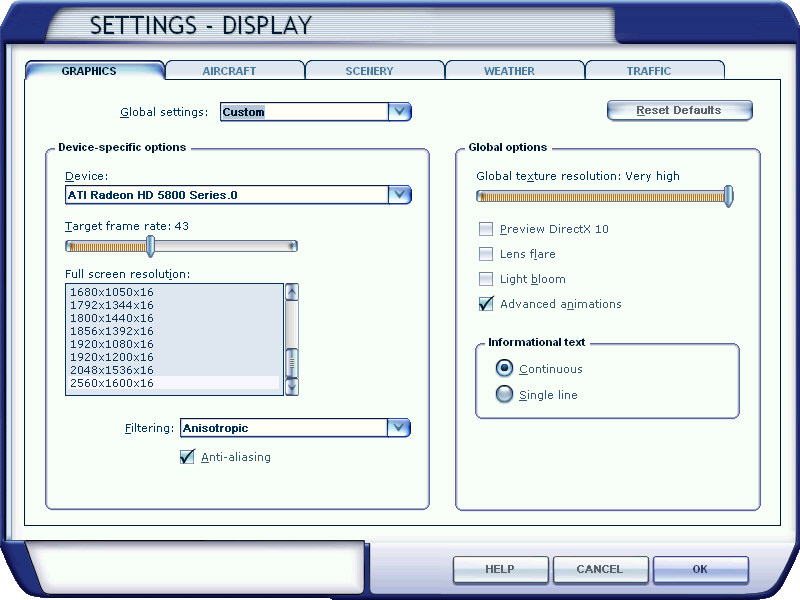
There seems to be no apparent option available but to quit FSX and change them back to your desire value via fsx.CFG. However, this is silly since the fine-tuning objective is to make changes during a flightsim session.
The solution is as follows: Continue reading

With all the files prepared from previous steps, here’s the BASIC programming part to load corresponding files automatically when a flying zone is selected.
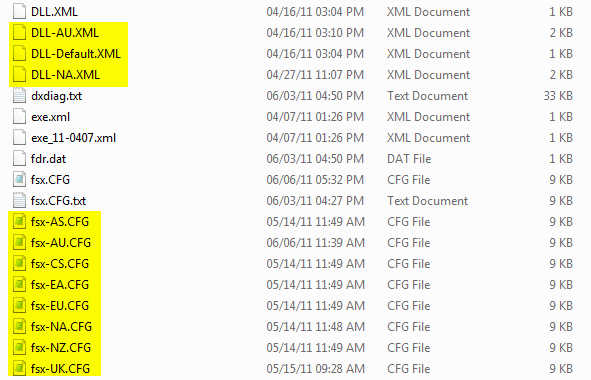
The concept of this approach is to divide FSX into a number of flying zones so as to minimize the impact from too many addons installed onto the system. Therefore, a number of corresponding fsx.CFG are created. This not only allows customzing fsx.CFG for each flying zone but also makes subtle fine-tuning possible according to actual performance resulted from each scenery.
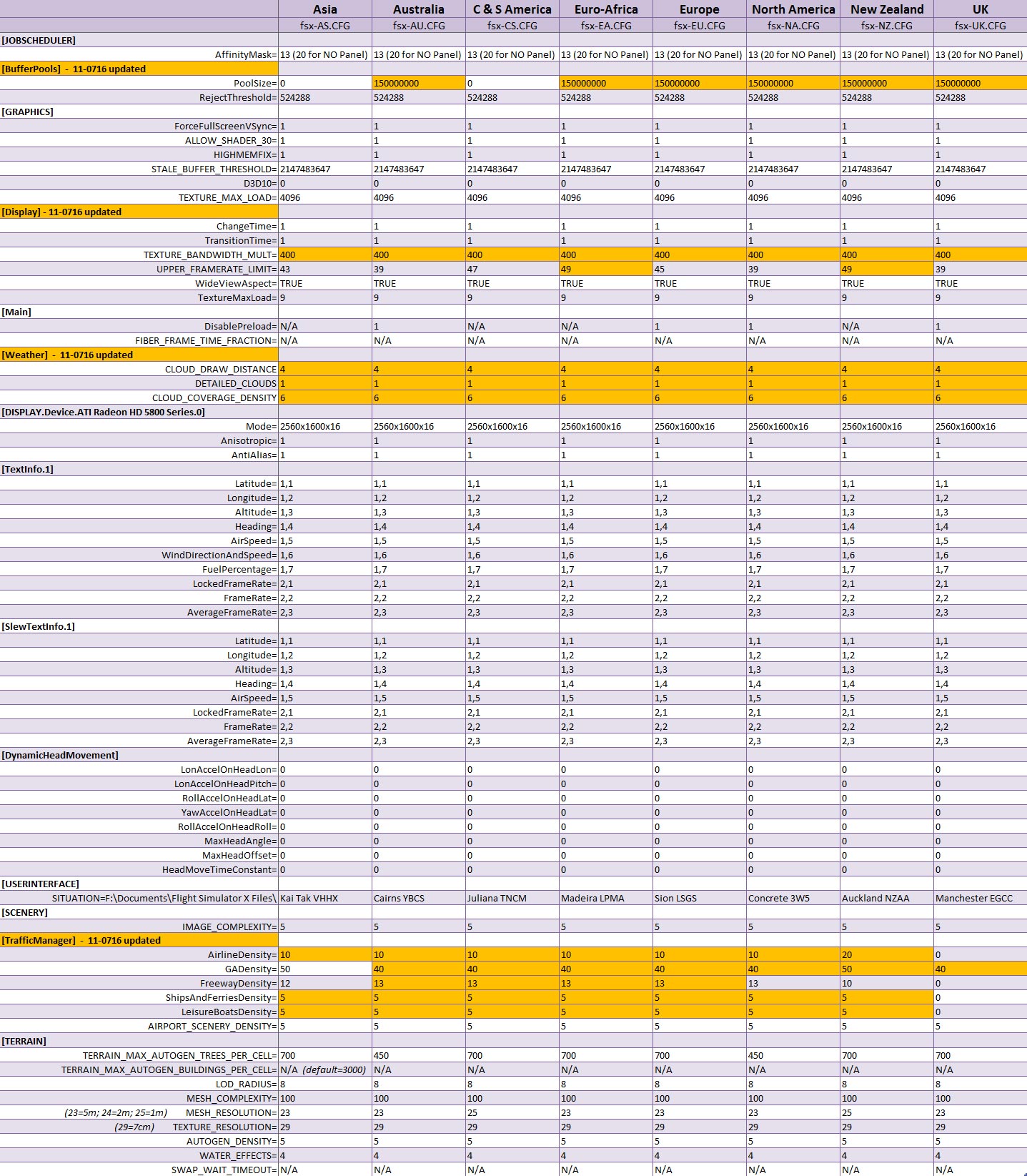
So, instead of having only ONE My Best FSX Setup, I am actually having EIGHT as shown in the table below. The matching fsx.CFG will be loaded via the BASIC command when a zone is selected.
Next post regarding the BASIC program will be the last of the series.
The more addons we install, the longer time FSX takes to load up a sim flight. Deactivating sceneries from the Scenery Library won’t shorten load-up time as long as they remain in the Library. The only solution is to remove them from the library completely.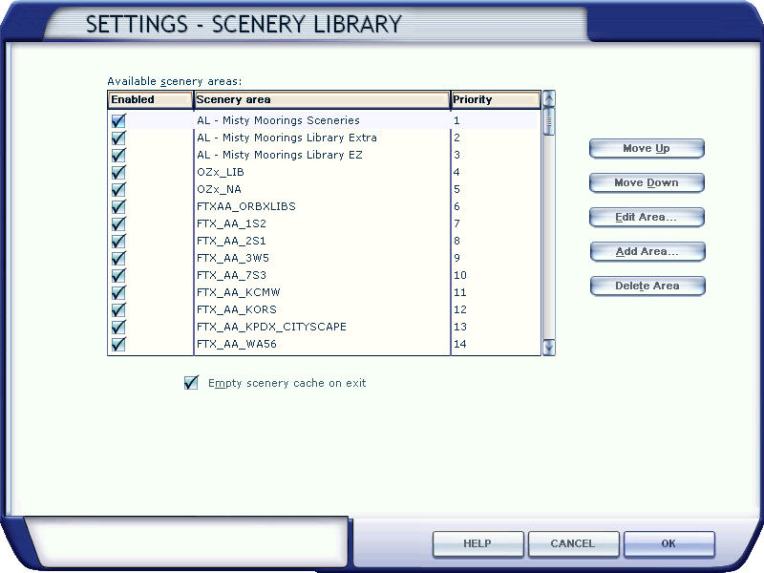
Followings are scenery.CFG files modified for flying zones mentioned in Configuration Fits for ALL #2. The matching scenery will be loaded via the BASIC program when a flying zone is selected. Continue reading
 FS Times