
Thanks to Brian Goldsmith’s generous sponsorship, the X-Plane version of the FIP Gauges for the Just Flight PA28R Arrow III are now available.
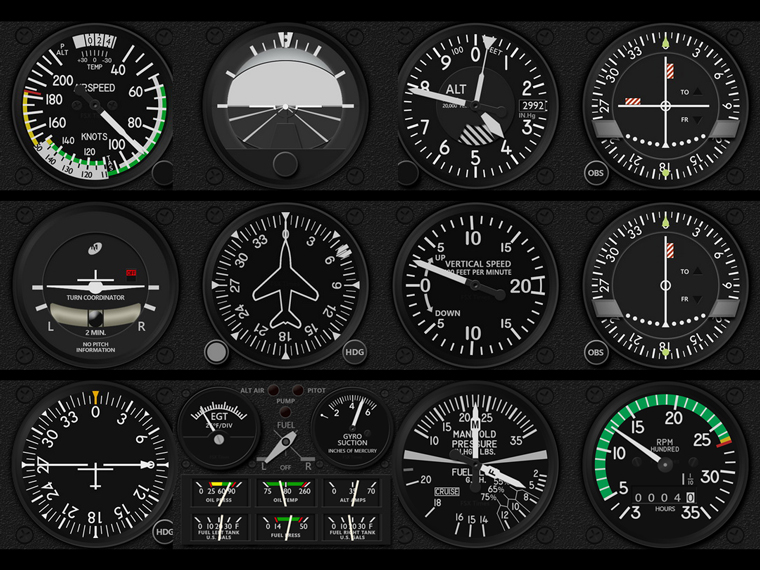
Anyone interested could click on the image for details.
Lastly, Continue reading
Thanks to Brian Goldsmith’s generous sponsorship, the X-Plane version of the FIP Gauges for the Just Flight PA28R Arrow III are now available.
Anyone interested could click on the image for details.
Lastly, Continue reading
The MSFS C172 Engine Cluster has been updated to R1r01, which fixes a number of issues due to SU5.
Emails with the download link have been sent already. If you didn’t receive it, contact me by email or via Comment section below. Continue reading
Probably like most of you, I don’t deliberately overclock my computer even though the hardware I got are OC-capable. Normally I just leave it to the BIOS to auto tweak the computer a bit by default.
Surely this is fine as our systems can run to spec stably.
Unfortunately, no difference from other flight simulators, the MSFS 2020 performs better on better performing computers.
Therefore I lately further enabled XMP, thru which I got about 8-10 fps increase in MSFS by pushing the DDR4 RAM from standard 2400MHz to its rated 3200MHz. That’s not insignificant I dare say.
The “Prio-Process Priority Saver” that I used to set my computer’s CPU priority for MSFS to High as reported in my Post 714 no longer works after my computer’s firmware was upgraded to TPM 2 compatible, which is required for the coming Windows 11.
Instead, I am using Continue reading
Since my Graphics and nVidia Settings for MSFS are continually changing, instead of writing new Posts for them everytime, corresponding static pages with highlights of changes to them have been created.
In addition, Continue reading
Roger Cook in the US built his cockpit for his favorite PA28 Warrior II in about 4 weekends Following is what he built and it looks nice.
Builder: Roger Cook
Location: Tracy CA, USA
ICAO: KTCY, Tracy Municipal Airport
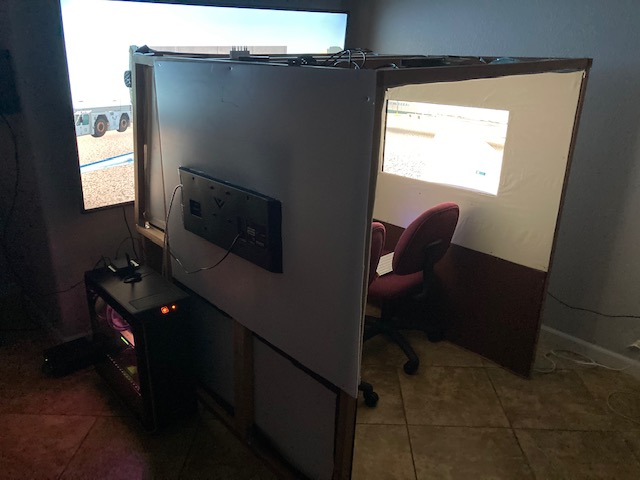
Project Notes: Continue reading
After the recent SU5 update, the Flaps Indicator in the Multi-Shared RPM Extended version doesn’t work as usual sometimes. It’s been fixed in the R1r01 update.
Emails with the download link have been sent already. If you didn’t receive it, contact me by email or via Comment section below. Continue reading
In MSFS, objects in far distance, even on a clear fine day, are too hazy to me. This is one thing in particular I dislike. And the Sim Update 5 (SU5) further worsens it as the overall color tone has been washed out, making the scenery looks very dull.
I use ReShade to tune the screen to my preferences. Click image to enlarge.
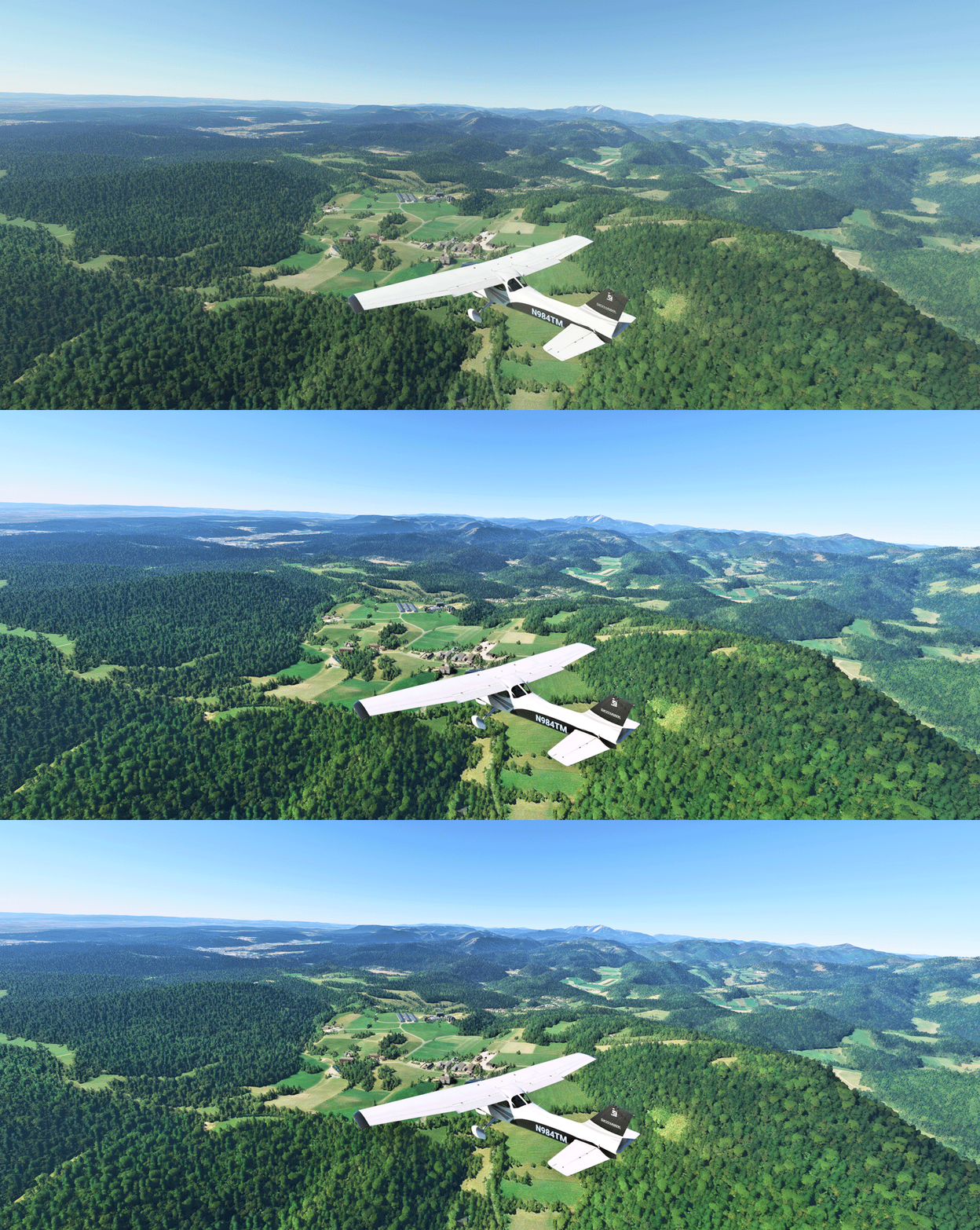
The app is somewhat like the “Shade for FSX” that changes the atmospheric effects in FSX in the old days, but ReShade for MSFS is more sophisticated. And most importantly, I don’t see any impact from using it at all.
Continue reading
In MSFS sim update 5 (SU5), the white triangle of the menu bar on top of the screen doesn’t hide itself as it did in the past when you move away the mouse from it. Maybe a bug and probably will be fixed in future updates.
I remember there is a command or a key or something that can hide it but I don’t remember what it exactly is.
However, I do remember there is an addon I downloaded a few months ago that can hide the menu bar. It’s called No Handle Bar from ither.
I didn’t use it then. Now a good temporarily fix or maybe for good.
 FS Times