721: My SU5 Tuning #2 – Graphics Settings

With the improvements brought by the MSFS Sim Update 5  (SU5), I can push many graphics rendering options further to the higher ends.

However, I decided to make changes to only four of them in the end because I don’t see any noticeable benefits of changing the others as well.  Therefore, I’d rather keep them as they were so as to grasp more power leveage on hand for the running of the simulator as a whole.

Following are the Graphics Setting updates for my 1080Ti computer (3090 to come later) with the SU5. Continue reading

720: My SU5 Tuning #1 – nVidia Control

Update does not necessarily bring improvements to all aspect.  One noticeable degradation from the recent MSFS Sim Update 5 (SU5) to me is the increased aliasing of the aircraft in external views and many other objects closing by.

As reported in my Post 716 and 717, my MSFS Settings were just finetuned a couple of weeks ago. Except the Power Management I changed to Prefer Maximum Performance in nVidia Control, all others were kept as Default without changes.

With SU5, I have to adjust many items in nVidia Control related to antialiasing accordingly in order to counteract the image degradation. Continue reading

719: My New Flight Illusion Trim Wheel

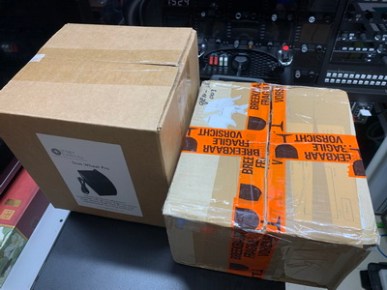
The HW-GEN003 Trim Wheel from Flight Illusion in The Netherlands belongs to a new line of products.  My first reaction after unpacking it is:  It’s HUGE !

No kidding.  I was actually stunned a little by its “huge” size even though I was prepared to accept that it would be big after reading its physical dimensions before the purchase.GEN003_01_resize_resize

Pardon me if I sound a bit exaggerated.

But it was true at that moment because the contrast was so big that this relatively huge unit was packed in a relatively small package — which is about half the size of the box shipping the Flight Velocity Trim Wheel, which on the contrary is about half the size of the Flight Illusion trim.

Frankly, I have never seen any other trim wheel for simulation bigger than this one.
Continue reading

718: Scenic Spots Close at Hand

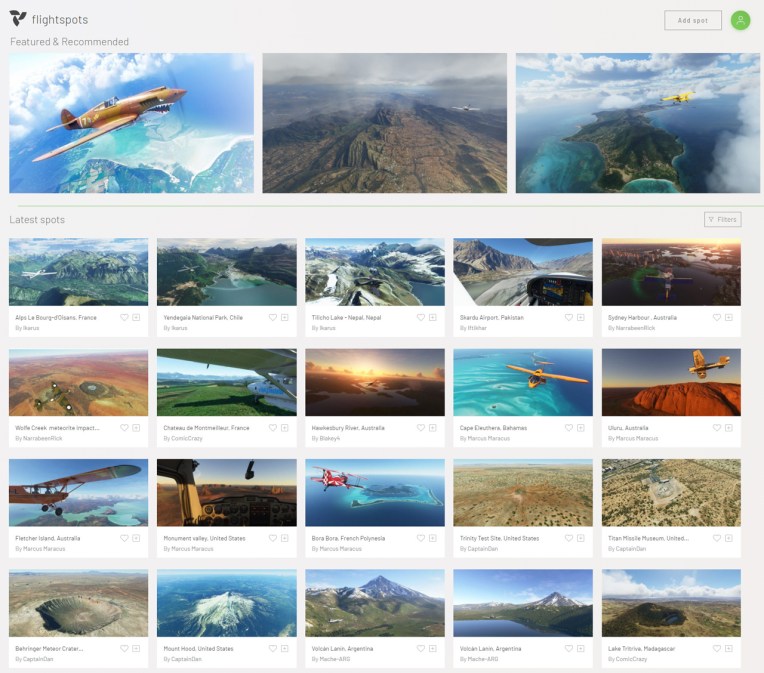
No idea where to fly to today?  Here’s the flightspots I ran into this morning which offers suggestions to many scenic places around the world in MSFS.
FlightSpot_001
All you need to do is Continue reading

717: CPU Still Crucial in MSFS

Regarding the Graphics Settings of my two computers in the last Post, some friends asked what the specifications of my two PCs are and questioned if it is justified to compare them side by side since there aren’t much too difference in the comparison chart shown in the post.

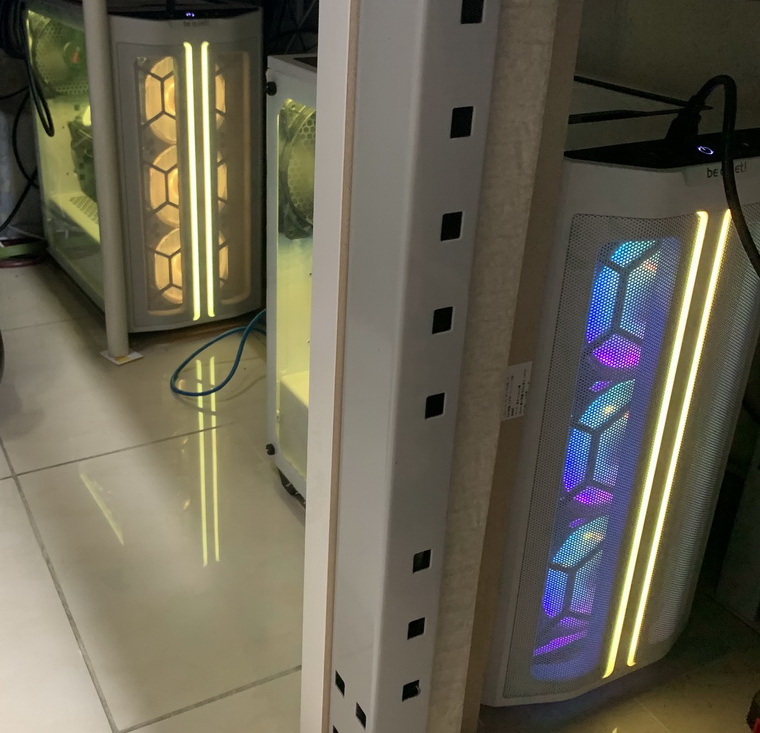
Yes, interestingly, except a few items I set higher than the other, most of the settings between the two PCs are identical, even their looks under my desk.
PC_Spec_01_resize Continue reading

716: My Current MSFS Settings

Perhaps you have encountered similar situations before:  the performance of the simulator deterioriates as time goes by.  In the end, you’ll have to tune it again.  I just did about a week ago.

Followings are what I set at present:

nVidia Drivers Reinstalled – As Clean
GeForce Experience – Removed
nVidia Settings Power Management ModePrefer Maximum Performance
Others – Default
Windows Settings Game Mode – ON
Xbox Game Bar & Captures – OFF
Hardware-accelerated GPU scheduling – OFF
CPU Priority FlightSimulator.exe – High via Prio (Post 714)

And the Graphics Settings in MSFS for my two computers: Continue reading

715: Recalibrating Yoke and Rudder Pedals

Found this video on Youtube and followed what he suggested on recalibrating my Rudder Peddles and Yoke even though they are not from Redbird — my Yoke is from VRInsight and Rudder from Saitek.

The result was surprisingly good. Not sure if it is Continue reading

714: Setting MSFS Priority to High at All Time

Probably you have heard many suggestions saying that by increasing the CPU priority of a flight simulator from Normal to High, the program will run more efficently and stably.  I found it’s true on P3D and MSFS in my case.

Instead of manually changing the CPU priority to High everytime when MSFS starts, I am using the following simple app to help save my preferences for good.

It’s called Continue reading

713: Custom Camera Restore Utility

It is quite annoying when the custom cameras I created for full forward view (see my Post 638 and 697) are reverted back to their defaults after MSFS 2020 or the addon aircraft themselves updated.

Therefore I created a small utility called MSFS_Camera_Restore to help put my custom cameras back quickly in case such situations happen.
CameraRestore05The objective of the utility is straightforward and requires no learning curve.  And it has virtually no limit to the number of cameras to be added.  Moreover, the original camera will be backed up prior to its adding to the utility, too.

For those Continue reading