News: REX WorldWide Airports HD Released

REX Simulations has just released its WorldWide Airports HD.   Have placed my order and the files over 6GB are being downloaded.
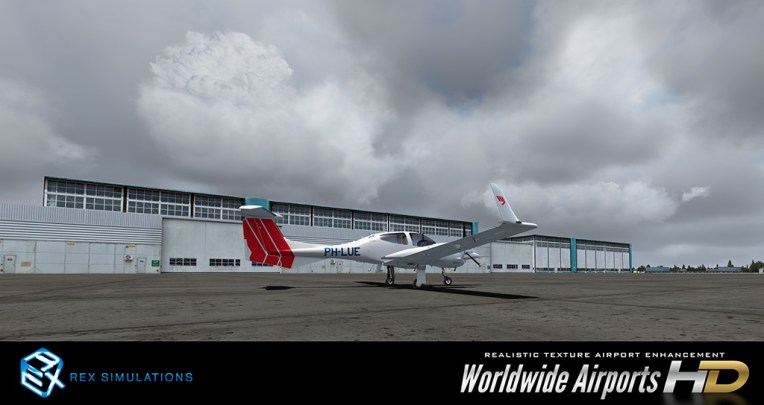
rex_ap_hd
Have tried a number of other similar products before but not completely satisfied.   Based on the good work REX has done before, I can’t wait to see the fine graphics details to bring to my system.

Orbx has announced the development of HD autogens, if I remember correctly.   Everything will be HD in flight simulation in a year or two.

In other words, time to upgrade our PC hardware, too.

Edit: Quickly installed it and the result is Continue reading
398: Carenado CT206H Gauges Released

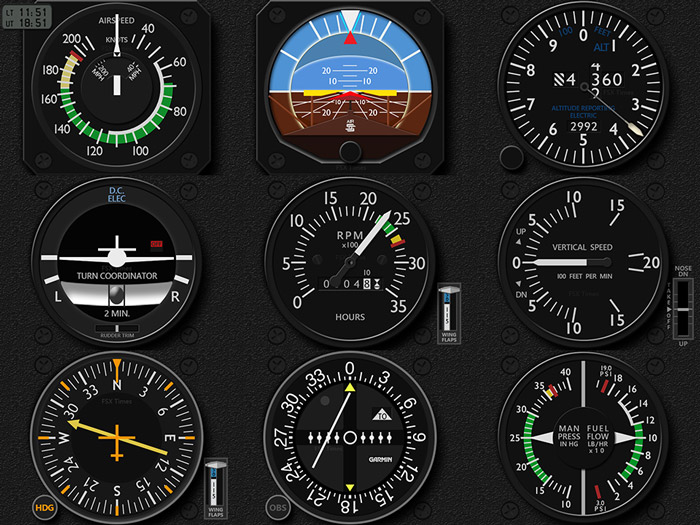
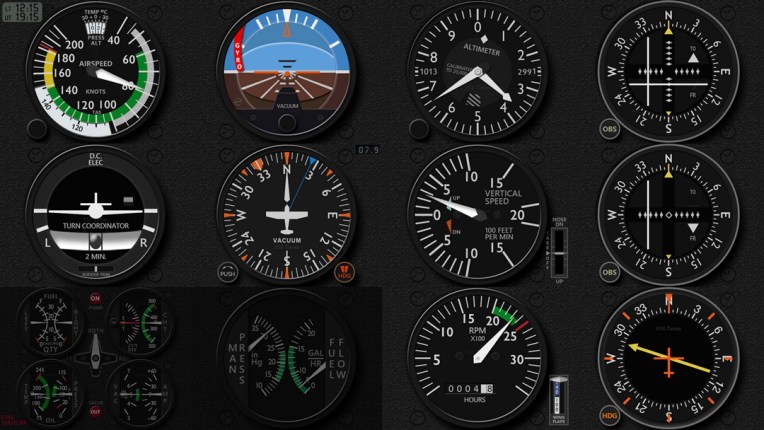
In terms of features, functions and layouts, instrument on the Carenado’s CT206H are very similar to the ones on the A2A’s C182T .
c206h_z_bundle_01_temp
Surely there are differences among the two, such as the Altimeter on the CT206H has Dual Barometric Indicators and the NAV and GS needles on the CT206H’s VORs shift differently. Continue reading

397: C172 RPM and VSI Gauge Updates

The locations of the Flaps Indicator and Trim Wheel Indicator on my C172 gauges are generally based on their proximity in the cockpit layout, which is natural and logical to my design.

However, when users find themselves lacking enough FIPs to accommodate all the gauges in their virtual cockpit, ADF most often is the one “to give way” to the other gauges.  I do the same since it makes sense to me as the ADF is not a must have equipment in many cases.

Unfortunately, under such scenario, the Flaps Indicator becomes hard to access, for which I’ve been trying to find out a good workaround.

Last week, Michael Basler raised the same question and gave me some suggestions. Continue reading

396: Carenado CT210M Gauges Released

Finally, the CT210M Gauges have caught up with my plan and now ready.
ct210m_z_bundle_01
There are 10 gauges in the set so far.   Although some of them look similar to the gauges on the other Carenado aircraft, Continue reading

395: CMP & HSI Gauge Updates

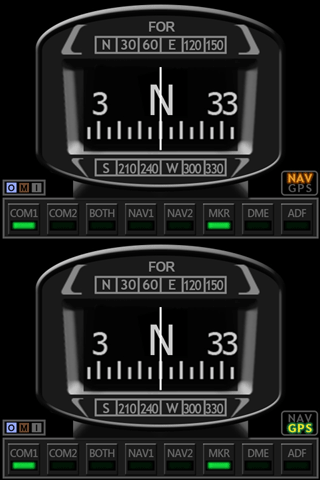
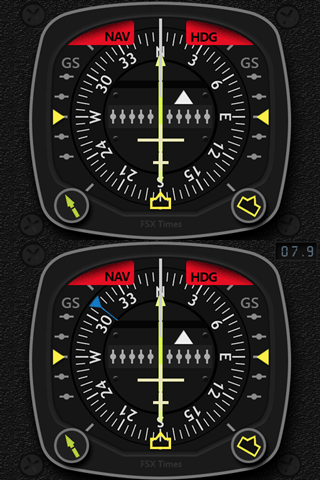
The Cessna Compass and A36 HSI (horizontal situation indicator) have just been updated with code optimization as well as new features.

The compass now include the NAV/GPS Indicator, which is a feature requested by many friends.   And the A36 HSI has an additional Extended version that comes with the Wind Directional Needle and Wind Magnitude Display.

c172sp_cmp_gif  a36_hsi_gif

Existing users should have received the update link via email by now.   If not, feel free to contact me.

394: My Newest nVidia Settings

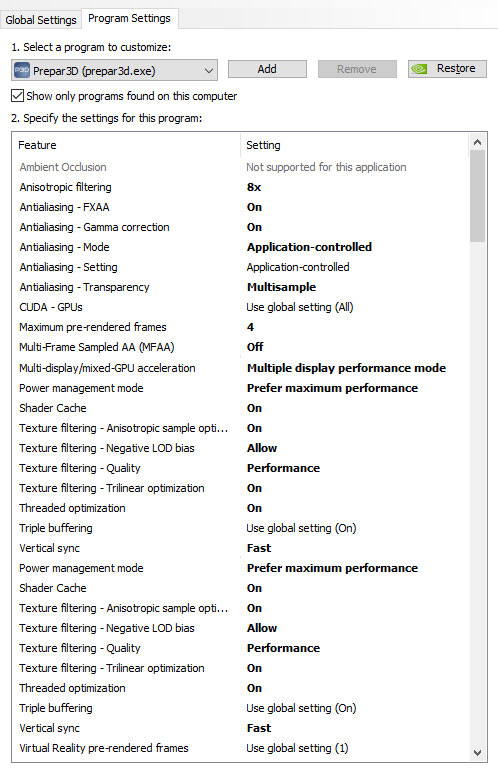
A friend who asked me what my nVidia 3D Settings were for P3D.   I told him that I simply used the default values coming with the driver in the last few years.

In response to his question, I re-examined and tested the impact of each value to my system last week.   Here’s the settings I am satisfied with:
nvidia_2016_setting
Continue reading

393: Spaceship Landed in Panama

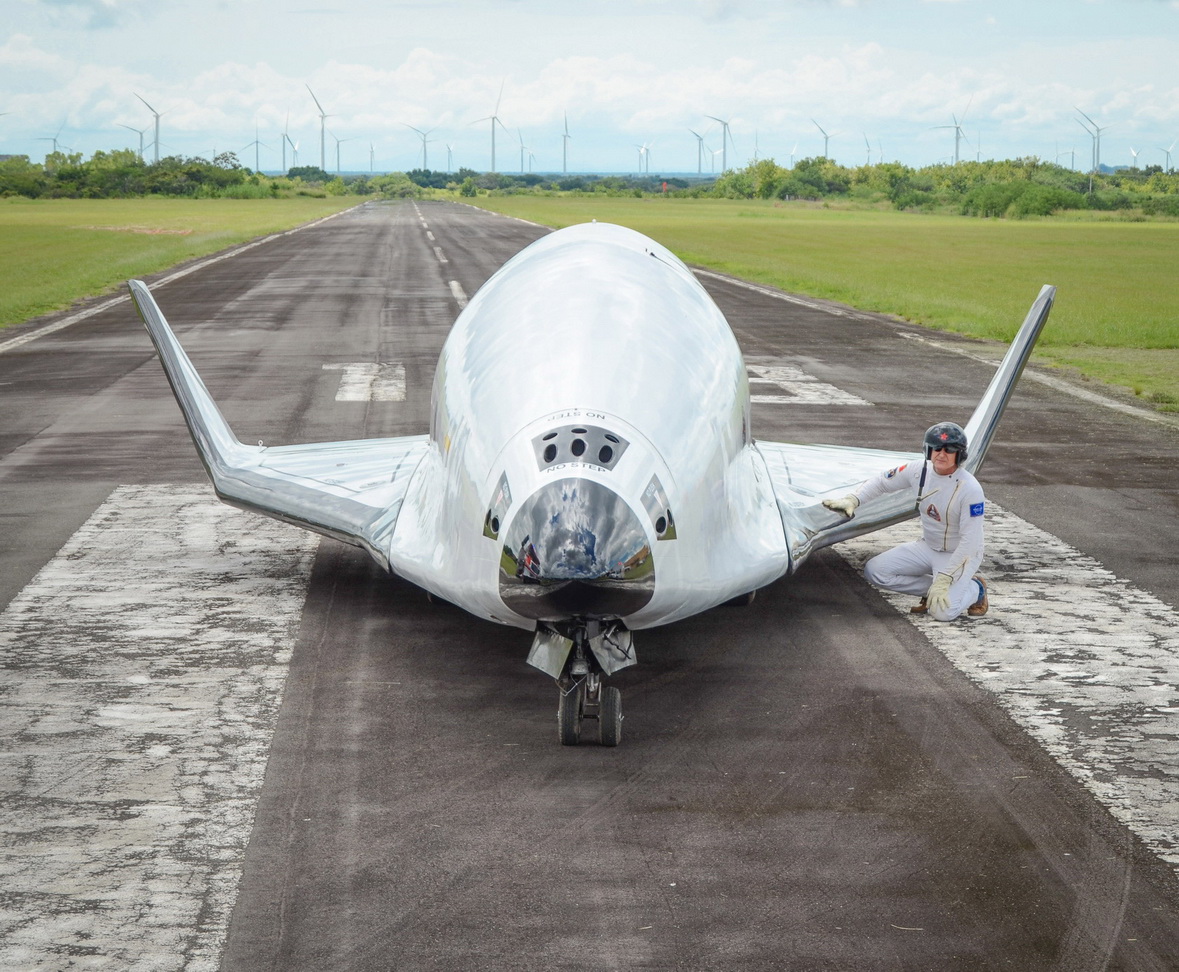
While I am still endlessly thinking of rebuilding my home cockpit, Erik Dannau in Panama is about to complete his Space Shuttle project.

Last weekend, Erik “drove” his ship to a nearby airport for photo-shooting in coordination with the country’s Regional Aeronautics Director.  He sent me some photos and a funny story about the shooting: dannau_s01
He said, Continue reading

392: Putting GPS on the iPAD

A few days ago, Kim in Switzerland emailed me that he had built a touch-screen GPS using an iPad (see photo).
kimgps

Frankly, even though I never thought about the idea of putting the GPS onto an iPad before, I have to admit that my immediate response to Kim’s approach was not excited because there are many apps available to turn the iPad into a second display for Mac or Windows computers.

From the many similar apps I tried before, none of them, in my opinion, was smooth enough to handle the data flow demand to and from FSX or P3D.   Some of them even caused serious dragging to the simulator in return.

But after checking the information Kim provided, I found his iPad was wired to his computer, rather than wirelessly connected over the network.

After further Googling the app he recommended, I decided to give it a try.  The result is surprisingly good. Continue reading

391: Installing Alabeo Aircraft to P3Dv3

Just purchased Alabeo’s R66 and C172RG Cutlass while they are on sale this week.   I had no problem with the R66 but had my head scratched for a while regarding C172RG’s installation.

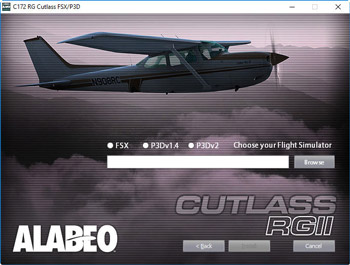
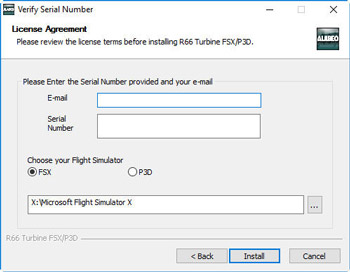
The major difference between the two installers is the C172RG one requires users to specify the version of P3D being used and the R66 doesn’t.
alabeo02s alabeo01s
Under such circumstances, even though I am not using P3D version 2, I gave it a try on selecting the P3Dv2 option on the menu and browsed to direct the path to my current P3Dv3 folder on P:\ Drive.   No surprise.   I got errors of not finding files from the package and installation was aborted.

Then I tried putting the path of my P3Dv3 folder without checking the P3Dv2 option.   The installation proceeded and reported a success. Continue reading